


Support our independent tech coverage. Chrome Unboxed is written by real people, for real people—not search algorithms. Join Chrome Unboxed Plus for just $2 a month to get an ad-free experience, access to our private Discord, and more. Learn more about membership here.
START FREE TRIAL (MONTHLY)START FREE TRIAL (ANNUAL)
Thanks to a bit of investigation by C2 Productions over on Twitter, we’ve become aware of an upgrade to the excellent, included Screen Capture tool in ChromeOS that will truly enhance the ability for remote instruction. The new feature – which highlights mouse clicks and displays keyboard shortcuts – is currently in the Canary Channel behind a feature flag, so we don’t recommend trying it right now; but we’re hoping it arrives in short order.
It’s all as simple as it sounds: there will be an option in the future that will allow users to opt-in to show all the clicks and keyboard shortcuts on-screen when recording their screen. Imagine walking through a tutorial or lesson and being able to have simple visual input on the screen each time you refer to an item and having your keyboard shortcuts prominently displayed as you type them in. This will be the future for ChromeOS users in the coming weeks.
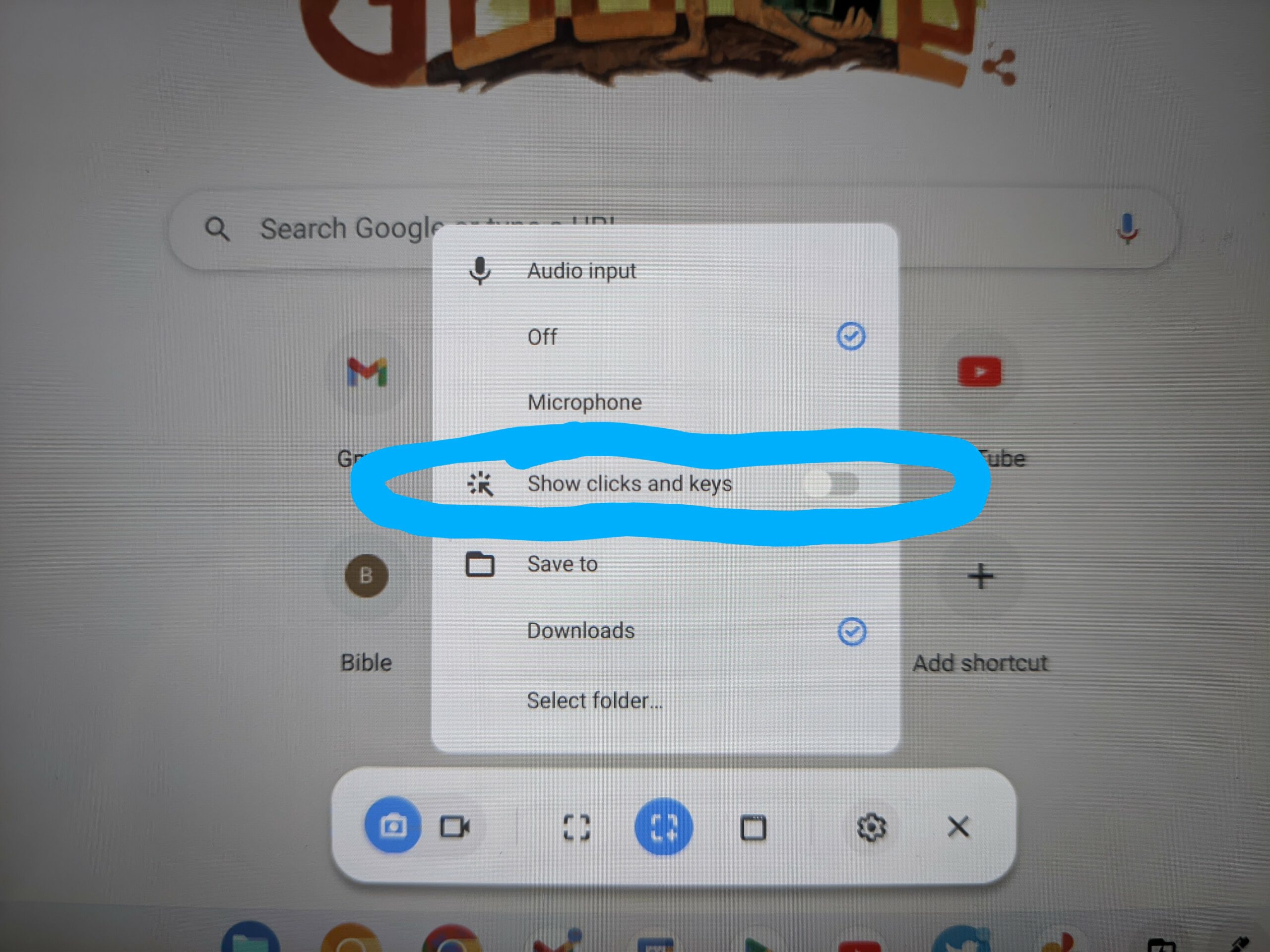
As you can see in the screen shot above, this feature will get baked into the growing settings menu and you’ll simply be able to turn on the option to show clicks and keys during your recording if you want the added layer of clarity to your video. Again, it is still in Canary behind a flag, so this isn’t a feature we recommend testing at the moment.
As feature sets go, the Screen Capture feature of ChromeOS is pretty awesome and only getting better. While the Screencast feature is great for collaboration and comes with some powerful, cloud-driven tools of its own, the Screen Capture tool is still most people’s go-to way of recording a quick, instructional video to send out. With addtions like this one, that process just becomes easier.
SUBSCRIBE TO UPSTREAM
Get Chrome Unboxed delivered straight to your inbox
Upstream is our flagship, curated newsletter with the top stories, most click-worthy deals, giveaways, and trending articles from Chrome Unboxed sent directly to your inbox a few times a week. Join 31,000+ subscribers.

