


Support our independent tech coverage. Chrome Unboxed is written by real people, for real people—not search algorithms. Join Chrome Unboxed Plus for just $2 a month to get an ad-free experience, access to our private Discord, and more. Learn more about membership here.
START FREE TRIAL (MONTHLY)START FREE TRIAL (ANNUAL)
Chrome OS has gotten into the habit of showing up fashionably late to the update party over the past couple of years and the latest iteration of our beloved operating system is no exception. Scheduled to debut a week ago, Chrome OS 77 appears to be rolling out for a large number of devices despite any official announcement on the Chrome Release Blog.
Oddly enough, Google sort of made the update official with a blog post on companies main blog page, The Keyword. The purpose of the post was to announce the arrival of the Google Assistant for more Chromebooks. Hard to believe but it’s been more than two and a half years since we uncovered the first signs of Google’s little helper heading to Chrome OS. Now, the Assistant will soon be a common piece of the ever-expanding ecosystem.
Again, the rollout of Chrome OS 77 isn’t official but according to the proxy server in charge of the updates, it is already out and available for more that 100 Chrome devices. You can check your Chromebook by heading to the settings menu in the bottom right and clicking the gear icon. From there, select About Chrome OS and click the “check for updates” button. Unlike many recent versions, it appears that the majority of the latest generation of device have received the update already.
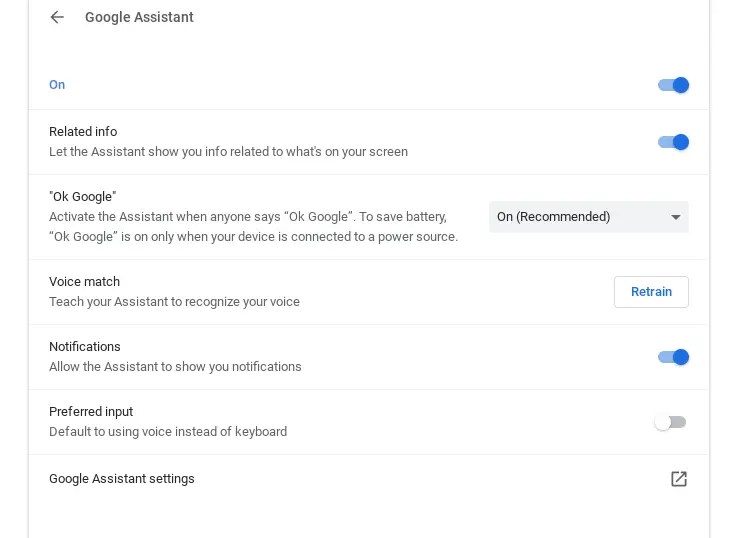
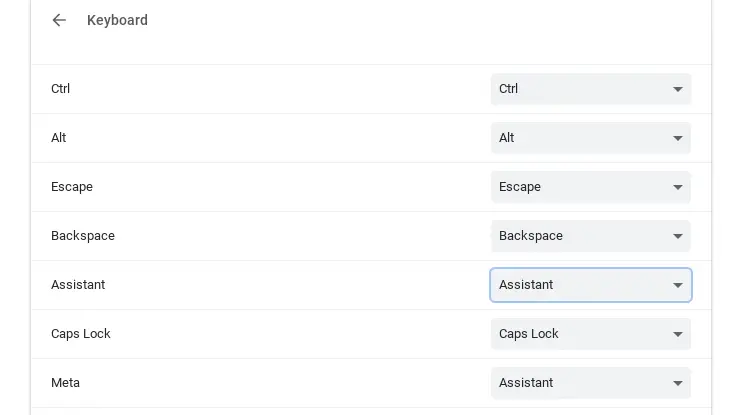
To enable the Assistant, head back to the settings menu and you should see “Search and Assistant” in the left-hand menu right above the Play Store tab. Below the preferred search engine, you should be able to enable the Assistant. Once you have, you’ll be able to set up preferences and Voice Match if you choose to do so. If you are on a Chromebook or using a Chrome OS keyboard, Search + A will trigger the Assistant as well as the usual “Hey or OK Google.” If you’re like me and use a third-party keyboard, you can map the Assistant to a variety of keys in the “keyboard” menu. I use a Logitech k360 which happens to have a Windows (Meta) key that’s just wasting space. Now, it is my Assistant Key.

So, what can the Google Assistant do for you on your Chromebook? As with most Assistant-enabled devices, users will be able to trigger some tunes on connected speakers around the home or office. Simply say “Hey Google” play some music on (insert smart speaker of your choice) and you’ll be greeted by some ear candy from your default streaming music service.

As you can see, you will also be able to have the Assistant control volume and such. If you’re thinking “great, another Assistant device in my house,” fear not. There are some very handy tricks you can make your Chromebook do with the help of the Assistant. For starters, creating or opening documents. Now, if you want to start a new Google Doc, just say “Hey Google, create a new document.”
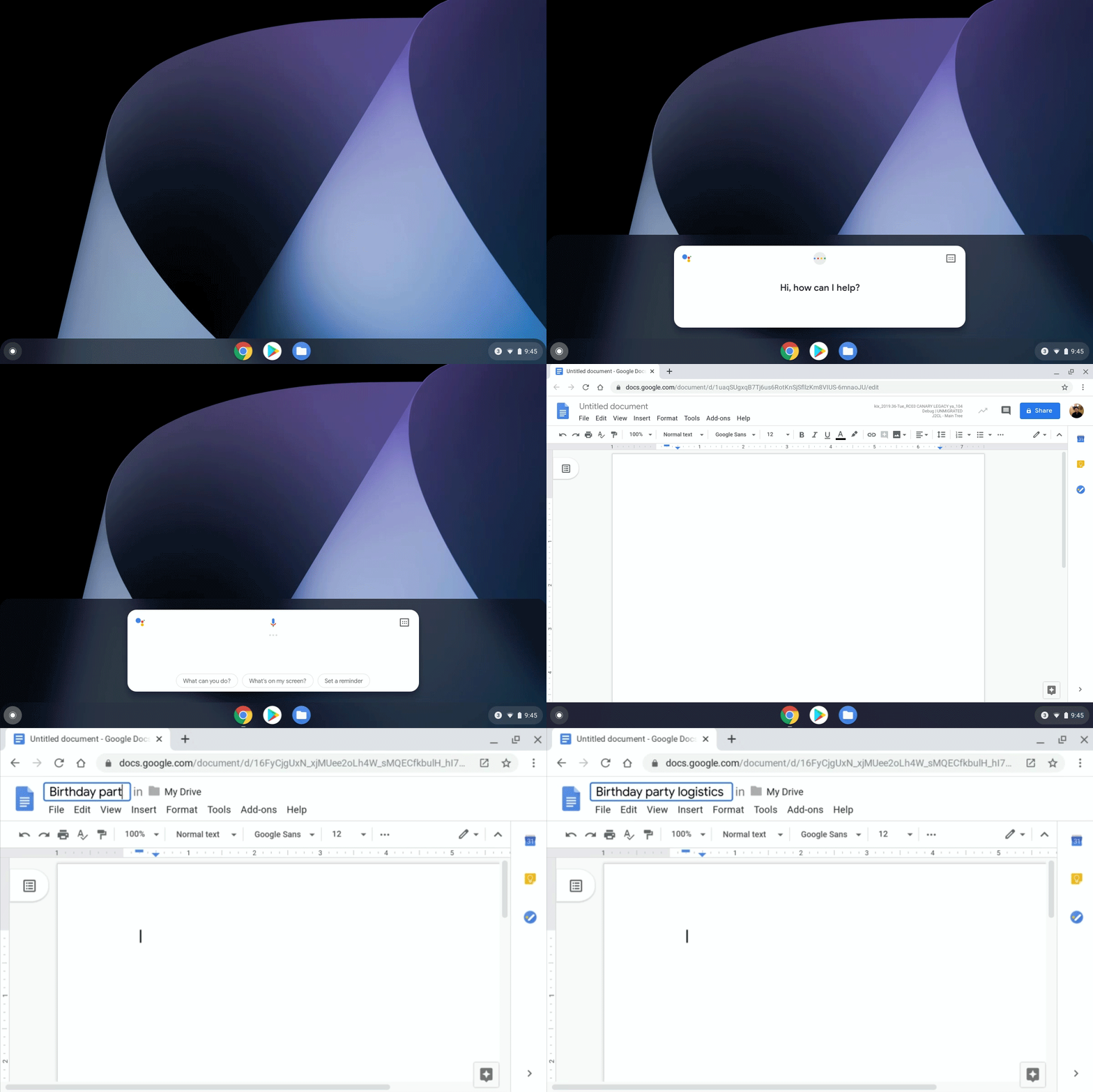
On top of that, you can ask Google to show you upcoming events on your calendar, set reminders or just answer a question. Based on a flag in Chrome OS, Routines should be eventually be integrated to the Assistant on Chromebooks, as well. Keep an eye out for an update to your device this week and have a little fun “making Google do it” on Chrome OS.
SUBSCRIBE TO UPSTREAM
Get Chrome Unboxed delivered straight to your inbox
Upstream is our flagship, curated newsletter with the top stories, most click-worthy deals, giveaways, and trending articles from Chrome Unboxed sent directly to your inbox a few times a week. Join 31,000+ subscribers.
Source: The Keyword, Chrome OS proxy server

