


Support our independent tech coverage. Chrome Unboxed is written by real people, for real people—not search algorithms. Join Chrome Unboxed Plus for just $2 a month to get an ad-free experience, access to our private Discord, and more. Learn more about membership here.
START FREE TRIAL (MONTHLY)START FREE TRIAL (ANNUAL)
AMD looks like it isn’t OK with ceding the lower-cost, longer-battery Chromebook game to ARM-based SoCs just yet. While devices like the new Acer Chromebook Spin 513, Lenovo Duet 3 and Duet 5 are all great examples of solid performance, fanless design and all-day battery, more chipset options for manufacturers are always a good thing in this mid-range Chromebook space, and AMD is ready to throw its hat into the ring.
What is Mendocino?
AMD announced the new Mendocino APU at Computex back in May, making some decent claims about the affordable new APUs. Utilizing the Zen 2 architecture and featuring RDNA 2 graphics, these chips won’t blow anyone’s minds from a performance standpoint, but they should deliver performance somewhere close to what we see in the Ryzen 4000 series of processors. As the Ryzen 3000 was pretty decent on Chromebooks like the Lenovo ThinkPad C13 Chromebook and the newer Ryzen 5000 series is quite fast, I’d imagine decent performance from Chromebooks with this new Mendocino APU inside.
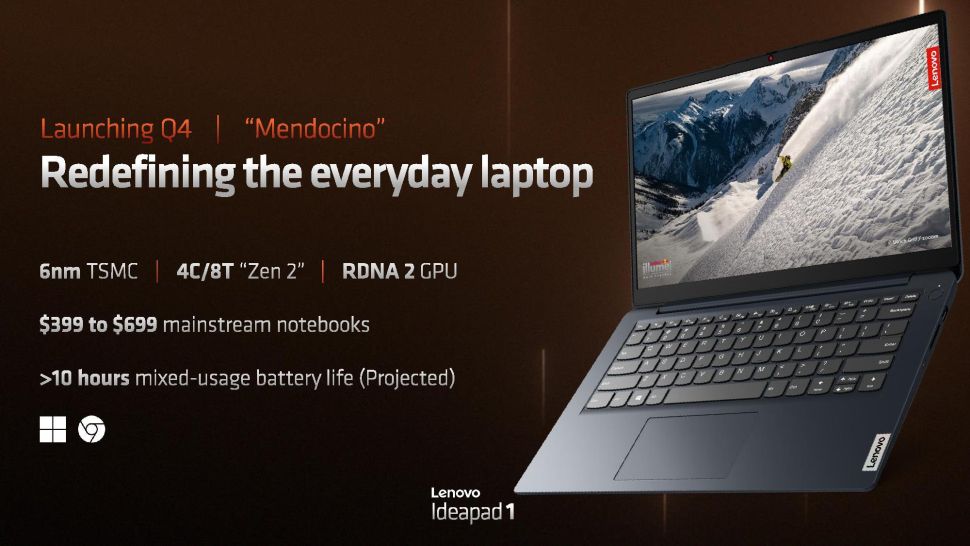
The real story is battery life, however, with AMD claiming that laptops with this APU inside will deliver 10+ hours of battery life, putting them on par with small core Intel chips and closer inline with what we’re seeing on ARM-powered Chromebooks. Performance will be the key question, however, as the powerful and capable MediaTek Kompanio 1380 in the Acer Chromebook Spin 513 pushes into the 10th-gen Intel Core i3 territory while still getting around that vaunted 10-hours of battery life. Lower-powered devices like the Lenovo Chromebook Duet 5 may not be as speedy, but they destroy battery numbers with 14 and 15 hours of actual use.
Early days
As exciting as this is, we likely have a bit of time to wait before we see any of these AMD Mendocino Chromebooks on the market. With AMD just announcing this APU a couple months ago, it is no surprise that Chromebook development boards have just now started showing up in the repositories.
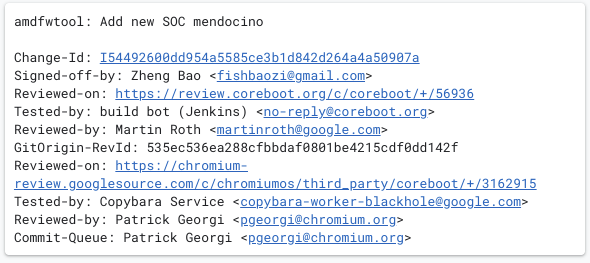
For the time being, there are only a total of 2 commits that mention the new APU, so we’re in the absolute beginning stages of this development. If a Chromebook shows up with Menodcino inside at any point in 2022, I’d be shocked. Instead, I’d wager we’ll be looking at Q1 or Q2 of 2023 before we can expect to get our hands on one of these new Chromebooks.
If they turn out to be decently-fast and pull off great battery life without tanking performance when not plugged in, this could be the most interesting move from AMD in the Chromebook space yet. Again, we don’t really know what performance will look like and that matters more than just about anything at this point. No one wants a super-slow Chromebook just to get a bit of battery life – as we stated above, there are plenty of solid performers with insane battery life out there already. Mendocino will need to move at solid speeds to be a contender, and if it does, it will be fun to see how some new, AMD-powered low-mid-range Chromebooks are received in the near future.
SUBSCRIBE TO UPSTREAM
Get Chrome Unboxed delivered straight to your inbox
Upstream is our flagship, curated newsletter with the top stories, most click-worthy deals, giveaways, and trending articles from Chrome Unboxed sent directly to your inbox a few times a week. Join 31,000+ subscribers.

