

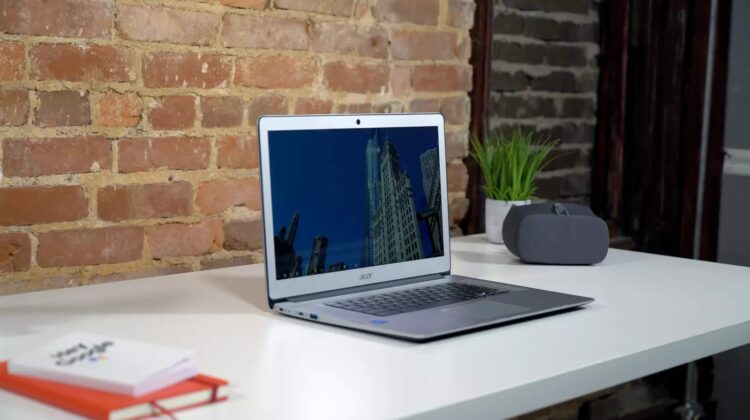
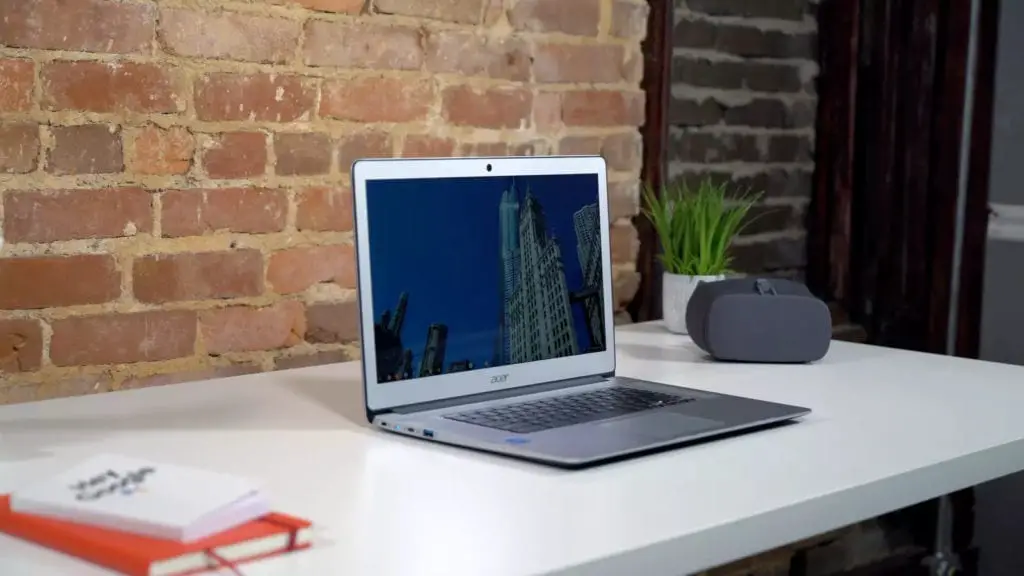
 The title up there was written on purpose. The Acer Chromebook 15 is nothing if not underwhelming on the spec sheet. As we go through the specifics of this device, it would be easy to consider writing off this machine based individual stats. Other than one area, this Chromebook isn’t the best at anything.
Not one thing.
And yet, despite this nagging fact, the Acer Chromebook 15 delivers an experience far better than you would expect for a Chromebook with this spec sheet in this price range. I’m not going to spoil it for you, but I think you can see where we are going here.
I like this one. A lot. And I feel like many of you will, too.
Build
The intro up there hopefully set the stage for all I’m going to say as we break this device down section by section. There won’t be any best or outstanding compliments thrown around, but that doesn’t mean things are terrible. As a matter of fact, most parts are pretty good.
That goes for the overall build quality here, for sure. The Acer 15 is mostly aluminum, mostly-attractive, and mostly well-built. Sure, the bottom is plastic, but that isn’t that big of a deal and didn’t bother us here just like it didn’t on the HP Chromebook 13 G1 (where’s the follow up for that one, HP?)
The lid, screen surround, and keyboard deck are all clad in aluminum. It is the nice powdered finish, too, not that tacky-looking brushed aluminum. It resists fingerprints and makes the whole device feel substantial and look clean. Sure, it looks a bit like a jumbo-sized Macbook Air, but it isn’t ugly. It isn’t the best-looking device out there, but it is far from the worst.
With the mostly-aluminum body comes some nice chamfered edging, a full 1/4-inch less thickness, and a full pound less weight. Given that the last-gen version was all plastic and still heavier/thicker, Acer did well with the body design on this device.
It looks good, feels good, and comes across as well-built and substantial. Not too much more you can ask for in a Chromebook.
Screen
There’s not too much to say about the panel on this one. It is a standard FHD IPS panel with 1920×1080 resolution, wide viewing angles, and decent brightness. I’d estimate 250-300 nits of brightness, so that is good, not great. Indoor lighting should all be great and I had little issue while indoors in any setting.
If you work outdoors, know that this one will struggle a bit. The glossy face and mediocre brightness don’t really play well with the sun. Older Acer 15 models sported an anti-glare coating, but that usually goes away with touch-enabled monitors, and that is the case here as well.
I’ve long said that 1080p monitors running at native resolution (no OS scaling) are at home on monitors from 15.6-inches and up, and this is not an exception. Without any scaling across the OS, things are the right size and relatively crisp. The larger screen offers up a decent workspace as well, making remote work a pleasure on the Acer 15.
Touch inputs worked as expected, but the addition of touch on a laptop-only device feels less necessary and beneficial in my daily use. Your mileage may vary.
Overall, the screen was good enough to stay out of the way and never really gave me any reason to go running back to my Pixelbook.
Keyboard & Trackpad
Acer has never really wowed me with its input methods. They are always just OK for me. Their keyboards usually have good travel but lack a satisfying click while their trackpads can have wonky click mechanisms and middling smoothness.
This combo isn’t far from those norms, unfortunately, but they aren’t dealbreakers either. Yep, more middle of the road.
The keys are well-spaced with good travel, but I’d like a bit more click. Granted, the Pixelbook has really spoiled me for keyboards. It has a fantastic travel and clickiness that make other keyboards feel sluggish and mushy. After a few days of working from the Acer, I got used to it and it didn’t bother me too much. I’ll say this: if you are picky about your keyboard, you probably won’t love this. It does the job, but I don’t like banging out a long article with it.
On the plus side, Acer has included backlighting for the keyboard, and I’m thrilled to see this “perk” in a reasonably-priced device. If Acer can get this into a Chromebook at this price, more manufacturers need to be following suit.
The trackpad was a bit of a mixed bag for me as well. Whatever material Acer tends to use in its trackpads doesn’t get along well with the natural oils on my fingers. For example, I can’t remember the last time I wiped down my glass trackpad on the Pixelbook and I rarely did so on either the Samsung Chromebook Pro or Plus. With Acer devices, I have to clean them up every couple hours.
Buy the Acer Chromebook 15 on Amazon
When they are cleaned up, they work well just like most trackpads on most Chromebooks. So, I’ll judge it on how it functions when clean, and it does well with that. Gestures are fluid, the area of the trackpad is ample, and the click mechanism works well without a ton of force.
The unit we tested, however, had a bit of that aggravating wobble we’ve seen in devices from ASUS, Acer, and HP (I’m not going to explain it again, but I covered it in the video). I’ve opened up devices in the past and fixed it, so it isn’t a tough job in general. I just don’t think a consumer should have to mess with it and it means the quality control needs a bit of tightening up.
Inputs and Outputs
Now we get to a section where the Acer Chromebook 15 shines. In what is becoming a pretty standard setup for late-2017 and early-2018 Chromebooks, Acer has included a pair of USB-C and USB-A ports (all 3.0) along with a microSD slot, headphone/mic jack and Kensington lock.
Sure, there’s nothing earth-shattering here, but I do like the inclusion of a few USB-A ports for so many of the legacy peripherals that many of us use. Not much dongle-life going on when you use the Acer 15 on a daily basis.
They also split each pair up on both sides of the device, so you have one type-C and one type-A on each side for convenience. Since USB-C is the power and monitor port of choice here, it is nice for there to be an option on either side.
By far the most standout feature on this device is the pair of speakers that flank either side of the keyboard. If you remember from the unboxing of this one, I was super-impressed by the speakers right out of the gate. That impression carried over through a long period of daily use, and I simply fell in love with the audio output on this Chromebook. I’d go as far to say they are the best speakers I’ve ever heard on a laptop. Watching videos or listening to music was a real treat and I can’t say enough about the speakers, here.
While usually a throw-away category for me, this is a spot where Acer really nailed it. Laptop speakers are generally so bad it isn’t even worth a real mention. These speakers are good enough that some of you might buy this Chromebook simply for the audio output. Very well done.
Internals & Performance
Inside this Chromebook (at least the one that is being sold in most places) we are met with the Pentium N4200, 4GB of RAM, and 32GB of internal storage.
The only part of that spec sheet that some of you might wonder about is the processor. The RAM and storage specs are right in line with what we’re seeing on most entry-level Chromebooks these days.
For most, 4GB of RAM and 32GB of internal storage is fine. You can easily drop in a 64GB or 128GB microSD card if you need some extra space, but many of you won’t need it.
That processor, though. We haven’t seen it around much. Consider it a step up from the current Apollo Lake chips as it is basically in that line of processors. It isn’t the same Pentium that lives in the Core line (like the Pentium we saw in the ASUS Flip C302 from Best Buy). Instead, it is a bit lower-powered and simply a better version of the Apollo Lake chips found in similarly-priced devices.
Benchmarks show a pretty significant upgrade in performance, however, with Octane scores peaking out around 12,000 and averaging in the mid-11,000’s. For those keeping score, that is pretty decent. Not crazy, just decent.
In real-world testing, however, this device performs well. For daily use, I rarely found myself longing for my Pixelbook and it’s Core i5 processor. Instead, I plowed through my daily tasks without thinking much about what processor was doing the work.
And that’s the aim, right? As long as I’m not thinking about performance (or lack thereof), the processor is fast enough for general use. And that is the story for the Acer Chromebook 15. Sure, the spec sheet isn’t super-impressive. But the performance held its own, and I wasn’t constantly frustrated with slowdowns or hiccups.
Wrap Up
So, in the end, would I recommend you buy it? Yes I would.
As a matter of fact, I’d go as far to say that this is one my favorite Chromebooks to date. Mainly because it restores faith in me that manufacturers aren’t just chasing specs: they are making great experiences at great price points.
Right now, you can get this exact device for $330. I’ve seen it as low as $309. At that price, this thing is a no-brainer. I simply enjoyed my time with this device so much that I actually miss having it around now. Using it on a daily basis was simply fantastic.
For Acer to take a bunch of standard stuff and put it together in a way that makes a stellar experience is what underlies the beauty of the entire Chromebook experience. Simple hardware, streamlined software, and speedy experiences at low prices. In the landscape of Pixelbooks, it can be easy to forget this nuance. Acer has not and has delivered on all the things that make Chromebooks great.
Well done on that Acer. Well done.

