Up next in 10



Sponsored by NordVPN. Holiday special: get 3 months FREE with the 3-year plan for $3.49/mo & get NordPass as a gift. Click here: https://chromeunboxed.com/nordvpn
Shop Best Chromebooks of 2019: https://chrmshop.com/
・・・・・・・
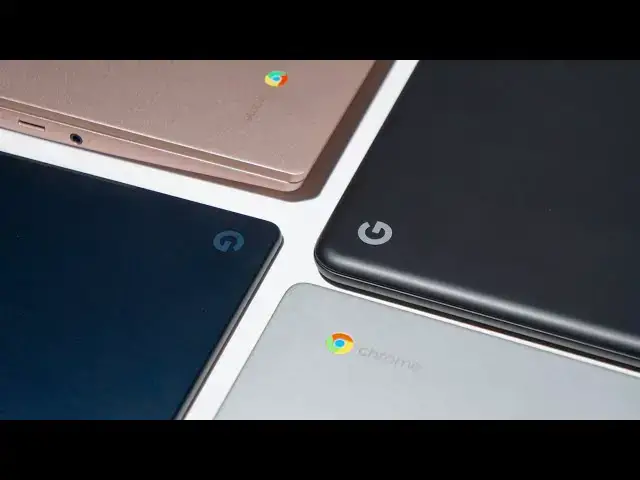
It’s that time of year where we get a little bit reflective and sentimental about the year that has passed. 2019 has been a good one for Chromebooks and Chrome OS with a ton of great devices making their debuts along the way. We did something like this back in the middle of the year and we wanted to cap off 2019 by giving you the definitive list of Chromebooks that were our favorites throughout the year.
Read more: https://chromeunboxed.com/best-chromebooks-2019-price-category/
Join our newsletter: http://bit.ly/2WjCDm7
・・・・・・・
Subscribe to the channel: http://bit.ly/2xFuj6L
The Music We Use - PERFECT for YouTube: http://bit.ly/31W6PYP
Become a member of Chrome Unboxed to help us make our channel even better, and for access to exclusive perks: http://bit.ly/CU-join
Follow us:
Show More Show Less View Video Transcript
0:00
as we close out the year we wanted to
0:01
finish up 2019 with a best of
0:04
Chromebooks in multiple categories and
0:06
this is gonna be similar to the video we
0:08
did earlier in the year where we said
0:09
these are the best Chromebooks of 2019
0:11
so far and actually we're gonna see some
0:14
of the same players here because
0:15
ultimately all the devices we expected
0:18
to kind of see roll out hot and heavy at
0:20
the end of the year didn't really show
0:21
up and they're gonna all be front loaded
0:23
in 2020 so at the end of 2019 we wanted
0:27
to put together a list in different
0:28
price categories and say here are the
0:30
best Chromebooks of the year before we
0:40
get into all those categories this video
0:42
is brought to you by Nord VPN and the
0:44
VPN of choice for millions of users
0:45
because they're excellent at what they
0:47
do and that is keeping your browsing
0:49
safe and secure whether you're at home
0:51
or on the go if you'd like to learn more
0:52
about them and their services head over
0:54
to Chrome on box comm forward slash Nord
0:56
VPN to learn more and get started today
0:58
the breakdown will work like this from
1:01
$0 to $299 or kind of be our low end
1:04
segment and then we'll go from 300
1:06
dollars up to 599 dollars to say kind of
1:09
like the meaty mid-range slash highest
1:11
range Chromebooks and then we'll talk
1:14
$600 and up for the high end Chromebooks
1:16
in each category we'll pick a definitive
1:19
winner and say hey this is the
1:20
Chromebook that we think is the best one
1:22
in this range for 2019 but we want to
1:25
give a handful of honorable mentions as
1:26
well of devices that you should probably
1:28
consider in that range let's start on
1:30
the low end of the Chromebook spectrum
1:32
so $0 to $299 and those haven't really
1:36
changed throughout the course of this
1:37
year we've kind of seen the same players
1:39
in this space and so this isn't going to
1:42
change too much from the video we did
1:43
earlier in the year however there are
1:45
two notable new devices that I think are
1:48
worth your attention so let's start with
1:49
the kind of honorable mention devices
1:51
and first ones we're going to talk about
1:53
are the Samsung Chromebook 4 and 4 plus
1:55
we haven't reviewed those devices just
1:57
yet I've got my hands on them at a Best
1:59
Buy and they're kind of what you'd
2:01
expect they're cheap they're plastic
2:02
they're kind of flimsy feeling they
2:04
don't do anything special their screens
2:06
are just kind of okay but in general
2:08
they're gonna perform well because
2:09
they've got that
2:10
you in 4,000 Celeron processor inside
2:13
four gigs of ram and they kinda are
2:14
gonna do all the basic stuff you need a
2:16
Chromebook to do and they don't really
2:18
look bad doing it additionally in the
2:19
honorable mention spot I'd like to put
2:21
the device that we had on top of this
2:23
heap before when we did this video and
2:25
that's the Acer Chromebook 15 this
2:28
device has been around for a while but
2:30
it's just not getting to the point where
2:31
it's solidly in this $300 range all the
2:34
time so somewhere between 275 and 300
2:37
dollars but we're talking all-aluminum
2:39
great speakers decent Keys backlit keys
2:41
a sizable trackpad a decent screen all
2:45
aluminum you know it does a lot of
2:47
things really nicely the processor
2:49
inside of it's okay it's a pentium in
2:51
4200 four gigs of ram 32 gigs of
2:53
internal storage so it's it's okay as
2:56
far as a performer goes but in general
2:58
that spec sheet sounds like a device
3:00
that should cost a lot more and so it's
3:02
nice to see it in this price category in
3:04
this price category however probably the
3:06
best and my favorite Chromebook of all
3:09
of them under $300 is the lenovo c 340
3:13
and this is a device that is a follow up
3:16
to the c 330 from last year that was a
3:18
great Chromebook as well it's got an IPS
3:20
panel it's convertible eleven point six
3:22
inches colorful screen pretty decent
3:25
keyboard decent trackpad and this year
3:27
the N 4000 processor inside of it while
3:30
remaining cheap is a decent performer
3:33
actually we haven't even reviewed this
3:35
device yet we haven't put this review
3:37
out yet but I've worked from this thing
3:38
for multiple days and I'm talking
3:40
extending screens and all that kind of
3:42
stuff
3:42
playing stadia games on it doing
3:44
everything I would put my pixel to go
3:46
through and it stood up like a champ I
3:48
was very very impressed with this
3:49
performance and so for under $300 and
3:52
routinely it's on sale for like $250
3:54
it's kind of an aluminum lid on top and
3:56
it's kind of built like a tank it does
3:59
all the things right that you would want
4:00
from a Chromebook in this price range
4:02
and I have to say for sure at this price
4:05
this is probably going to be the best
4:07
one you can get your hands on next up is
4:08
our 302 $599 category and this is kind
4:12
of the meat and potatoes of Chromebooks
4:13
at this point right now you can get a
4:15
lot of Chromebook for less than $600 and
4:18
depending on the day you can get it for
4:20
a lot less than $600 so let's talk
4:22
through some of
4:23
great devices that are in this price
4:25
segment first up is the HP Chromebook X
4:28
360 and I put this firmly in the
4:30
honorable mention category mainly
4:32
because of its price it's like
4:33
constantly on sale for 400 bucks and so
4:35
at that price it is an incredible Buy
4:37
don't buy it it's MSRP of $600 but at
4:41
$400 I mean you're getting a mostly
4:43
aluminum chassis a decent screen a
4:45
really great keyboard a really great
4:47
trackpad and a convertible form factor
4:49
paired up with a core i3 the 8th gen 8
4:52
gigs of ram 64 gigs of internal storage
4:54
so it checks a lot of boxes and it's
4:56
just overall an enjoyable Chromebook
4:58
experience a couple newcomers on this
5:00
list are the Acer Chromebook 7 14 and
5:03
715 and though they share a lot in
5:05
common
5:06
really when these devices were put out
5:08
initially they were targeted towards the
5:11
enterprise customer and as the year wore
5:13
on we started seeing versions
5:14
specifically of the 715 that came out at
5:17
much lower prices as a matter of fact at
5:19
one point there was a version of the 715
5:21
with a core i3 and a 128 gigs of
5:24
internal storage
5:24
that was $299 it didn't stay there for
5:27
very long and so we didn't put it in
5:29
that lower category but in general
5:31
you're going to be able to find either
5:32
one of these devices the 7 14 or 15
5:35
they're 14 and 15 inch respectively with
5:38
a fingerprint scanner backlit keys all
5:40
aluminum bills 1080p screens and core i3
5:43
internals 8 gigs of ram that kind of
5:45
stuff impressive specs in general for
5:48
less than $600 and either one of them
5:50
are going to be great performers and
5:52
great Chromebooks my final honorable
5:54
mention in this price bracket would be
5:56
the Asus Chromebook C 425 this is a
5:59
device that kind of came out of nowhere
6:00
in the middle of the year we weren't
6:02
expecting it we had no idea it was even
6:04
going to be a thing but it's basically a
6:05
clamshell only version of the C 434
6:09
which had been out for months prior same
6:12
internals so a core m3 8th gen core m3
6:15
for 8 gigs of ram and 64 gigs of
6:19
internal storage 1080p screen aluminum
6:21
bill that great asus keyboard nice wide
6:24
trackpad and the really really tiny
6:26
bezels all around the edges and so when
6:29
it first came out the price was kind of
6:31
high it was about $500 it didn't make a
6:33
whole lot of sense but again as time
6:34
wore on they came down to three
6:36
and fifty to four hundred dollar range
6:38
and at that price this is a great
6:40
performing Chromebook if you're looking
6:41
for something that's basically just a
6:43
clamshell you also do lose the touch
6:45
input on this particular model and again
6:48
as long as you know what you're going
6:49
into and what you're buying it makes for
6:51
a really great Chromebook experience
6:53
hands down however the best Chromebook
6:55
you could buy in this category has
6:57
remained the same largely throughout
6:59
2019 and that is not surprisingly the
7:02
Asus Chromebook flip C 430 for this
7:05
device just kind of brings everything to
7:07
the table you want from a Chromebook
7:08
right now and apart from some of the
7:10
devices that we know are coming out
7:12
later in 2020 I can't really recommend
7:14
too many devices better than this one it
7:17
just does everything right great
7:19
trackpad amazing keyboard backlit keys
7:21
Core m3 eight gigs of ram 64 gigs of
7:24
internal storage 1080p screen that has
7:27
nice brightness to it convertible form
7:29
factor super tiny bezels I mean the
7:31
thing just does a lot of stuff well and
7:34
it brings the Chromebook experience you
7:36
would expect for somewhere in the 400 to
7:38
$600 range so without question this in
7:41
the mid-range Chromebook category is by
7:44
far the best Chromebook you can buy
7:45
finally we move into the top-level
7:48
category here so this is $600 and up and
7:51
while not everybody's gonna shop in this
7:53
price range used to it was a little bit
7:55
different conversation it was kind of
7:57
like we had these mid-range Chromebooks
7:58
and then you had these Chromebooks that
7:59
cost $1000 and so there's this huge
8:01
price gap but there are devices that
8:04
have come along that have kind of
8:05
changed that and some devices that have
8:07
gotten a little bit longer in the tooth
8:08
and because of sales and just
8:11
liquidation in general have come down in
8:13
price and so we need to talk through a
8:15
handful of devices again that make up
8:17
this category and while I think there's
8:19
one that just stands head and shoulders
8:20
above the rest first honorable mention
8:22
Chromebook we want to talk about it's
8:23
the Acer Chromebook spin 13 and this is
8:26
kind of like the Frankenstein device
8:28
that has just about everything you could
8:30
possibly want then input convertible
8:32
form factor three by two screen high res
8:35
display nice and bright backlit keys
8:37
aluminum build everything I mean it's a
8:40
8th gen core i3 or Core i5 and I think
8:42
there's a core i7 model even available 8
8:45
or 16 gigs of ram tons of internal
8:47
storage so if you're just looking
8:49
or the thing where they just crammed all
8:51
the specs into it this is the Chromebook
8:53
for you but you're gonna pay for it in
8:55
general it's gonna range somewhere seven
8:57
eight hundred dollars and up it's
8:59
expensive but it does a ton of stuff
9:01
well and it deserves a place on this
9:03
list next up would be the pixel book and
9:05
I know some of you are going oh you
9:07
didn't make the pixel book the winner
9:08
here it's been unseated unfortunately
9:11
but it's it's older you know it's
9:13
getting on in age it's it's a couple
9:15
years old at this point and it's not a
9:16
device I would say don't go by but the
9:19
processors are aging a little bit the
9:21
bezels are kind of thick on it and in
9:23
general there are better options in this
9:25
price point and it's kind of hard to
9:27
find on sales so you're still gonna
9:28
spend like nine hundred to a thousand
9:30
dollars on a new pixel book that's a
9:32
couple years old already and so while I
9:35
love the way the things built and it's
9:37
an iconic device it can't be the winner
9:40
in this category anymore
9:41
the final honorable mention that we have
9:43
here is the pixel slate and while it's
9:45
still not my favorite Chrome OS device
9:47
it does a lot of stuff right and I know
9:49
a few people that bought it at the end
9:51
of 2019 because the price kind of
9:54
matches the package at this point and
9:55
part of this is just Google wanting to
9:57
get these things off the shelf and so
9:59
we've seen hundreds of dollars slashed
10:01
off this thing free keyboards along with
10:04
it and pens and all these bundles four
10:06
five and six hundred dollars even it
10:08
didn't stay in that price category long
10:10
enough for us to put it in the previous
10:11
category here in this video it's
10:13
generally gonna cost you over $600 to
10:16
get the keyboard in the pen so that you
10:17
can have the whole experience but in
10:19
general it's still a nice device it's
10:21
built very very well and it's worth your
10:24
consideration if you find it on sale and
10:26
you find it for hundreds of dollars off
10:28
because it's fast it's really a
10:30
beautiful machine and it's gonna do a
10:32
lot of things that other Chromebooks
10:33
just can finally we come to the winner
10:35
in this category and that is clearly the
10:38
pixel book go and if you've watched our
10:41
review of this device or read any of the
10:43
articles over at Chrome on voxcom you
10:45
understand why it is I think so highly
10:47
of this device but probably the most
10:49
important factor is here we kind of had
10:51
a cut off at $600 for a reason and this
10:53
device almost at its base price almost
10:56
gets itself into a mid-range Chromebook
10:59
category and that's important because it
11:01
doesn't feel like a mid-range
11:02
Chromebook he doesn't feel like a
11:03
mid-range anything to be honest with you
11:05
and at a core em three eight gigs of RAM
11:08
and sixty four gigs of internal storage
11:09
1080p beautiful display amazing keyboard
11:14
with backlit keys fantastic trackpad and
11:16
build quality that blows everything else
11:18
out of the water oh and by the way the
11:20
best speakers I've ever heard on a
11:21
laptop you put all that stuff together
11:23
for $650 that's MSRP that's not a deal
11:27
or anything that's that's what it costs
11:28
every single day it's so difficult to
11:31
beat this device at that price now you
11:34
can outfit it higher and better specs
11:36
and all that kind of stuff but honestly
11:38
I can tell you there's no reason to do
11:40
so and so now all of a sudden you have
11:42
what I consider my favorite Chromebook
11:44
of 2019 in the highest price bracket but
11:47
it's barely in the highest price bracket
11:49
almost as a mid-range Chromebook and
11:51
that's a game-changing thing that's
11:53
something that is worth thinking about
11:54
and worth pondering over if you're going
11:56
to spend five or six hundred dollars on
11:58
a Chromebook you probably should
11:59
consider spending six hundred and fifty
12:01
dollars on this Chromebook the pixel let
12:03
go because it is just that spectacular
12:06
that great to use and that fantastic of
12:08
a device so that's it those are our
12:11
favorite Chromebooks of 2019 and while
12:13
that list didn't change a ton from the
12:15
one we did in the middle part of 2019
12:18
there are some newcomers there and some
12:20
things that are worth your consideration
12:21
this Chromebook specifically being the
12:23
main one that has changed the game for
12:25
us around here at the office
12:27
specifically but keep an eye out we're
12:29
gonna do another one of these videos in
12:30
a few months and this list is probably
12:32
going to change a lot I would think we
12:35
have a ton of new Chromebooks coming out
12:37
in the early stages of 2020 so if you're
12:40
watching this around then keep an eye
12:42
out for new videos about those devices
12:44
we'll link another video that we've done
12:45
about all these devices we expect to
12:48
show up in 2020 we'll link that in the
12:49
description but guys that's been it for
12:51
this one I hope you enjoyed it hope it
12:53
helps you make a purchasing decision if
12:54
so give us a thumbs up down there hit
12:57
the subscribe button and make sure and
12:58
hit the notification bell alongside that
13:00
subscribe button if you'd like to be
13:01
alerted when we make future videos just
13:03
like this one till next time we'll see
13:05
you
13:08
[Music]
#Consumer Electronics
#Shopping
#Consumer Resources