Up next in 10



Sponsored by NordVPN. Try it out and get 75% off a three-year plan for a limited time! Click here: https://chromeunboxed.com/nordvpn
・・・・・・・
Buy Now and Read More: https://chromeunboxed.com/samsung-chromebook-3-review/
Holiday Shoppers: go here for this deal and more! https://chromeunboxed.com/chromebooks-chromecast-google-home-and-more-black-friday-deals-round-up/
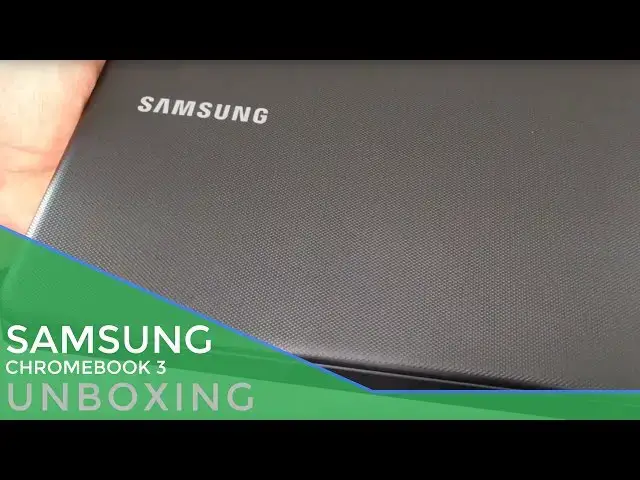
There are quite a few low-end Chromebooks that come and go over time. There are many of them we've not unboxed and reviewed, but the Samsung is different.
Low-cost, affordable, cheap...call it what you like. This particular low-end Chromebook is widely available and already affordable. It's getting even more so for Black Friday.
Read more: https://chromeunboxed.com/
Join our newsletter: http://bit.ly/2WjCDm7
・・・・・・・
Shop Chromebooks on Amazon: https://fave.co/2OuedYL
Show More Show Less View Video Transcript
0:01
[Music]
0:08
hey folks Robbie pay with chrome unbox
0:10
coming at you today with an unboxing of
0:12
the Samsung Chromebook 3 I've gotten a
0:14
lot of requests about this device mainly
0:16
due to the fact that it is a very very
0:18
inexpensive Chromebook and it's
0:20
Samsung's thirdd consumer Chromebook
0:22
they had the series 3 they had the
0:24
Samsung Chromebook 2 in a couple
0:26
different variants and this is the three
0:28
now we know that the Samsung Chromebook
0:30
Pro is on the horizon it's not out yet
0:32
but this device has aimed squarely at
0:34
consumers who don't want to spend a lot
0:35
of money on a Chromebook and want to get
0:37
something that's durable and maybe that
0:39
thing hand off to a kid or maybe an
0:40
older relative that just needs to get
0:42
the basics done we're going to open it
0:44
up and see if it can accomplish just
0:46
that all right guys let's get into this
0:48
thing so we have the Samsung Chromebook
0:58
3 and pretty standard fair if if any of
1:02
you remember back in the series 3
1:04
Chromebook days the box is actually
1:07
pretty similar it was much nicer box um
1:10
very similar so hey we get a cool
1:12
charging block so
1:14
that's that's a good thing um cheap
1:16
Chromebooks don't normally come with a
1:20
cool little charging block so
1:21
that's
1:24
beneficial let's
1:26
see paperwork's always scant uh which is
1:30
not odd at all I'm not going to really
1:33
open it cuz it probably just says what
1:35
we all know and think it
1:42
does all right SL this box out of the
1:45
way
1:51
here and no
1:53
frills nothing exciting but there it is
1:58
the Samsung Chrome book 3 uh it's an
2:01
11.6 in device and it doesn't have a lot
2:04
of bells and
2:06
whistles uh because it is ultra
2:10
affordable so along the side we have a
2:12
USB looks like 2.0 uh very small power
2:15
jack full size HDMI micro SD card slot
2:20
across the front really
2:22
nothing across the side we have the
2:25
headphone microphone Jack and then we
2:27
have another USB what looks they're not
2:29
saying super speed so it looks like
2:31
they're 2.0 ports um just a little bit
2:34
of a bummer but again this thing gets a
2:36
pass on just about any feature because I
2:39
just bought it for 160 bucks and it's
2:41
going to go down even lesser than that
2:44
uh for Black Friday as you can see it's
2:46
already starting to pick up some
2:47
fingerprints there's a slight texture to
2:49
the
2:51
top so I can get in there so it it
2:54
doesn't feel terrible Chrome logo is
2:56
super duper shiny which is odd but uh no
3:01
fans across the bottom obviously this is
3:03
a brazwell 3050 processor 2 gigs
3:06
internally and we have downward firing
3:08
speakers and feet down here so nothing
3:11
really uh exemplary or crazy with this
3:15
guy it's pretty straightforward
3:18
stuff
3:20
uh that's
3:23
interesting plastic in there
3:35
I'm sure people manufacturers have their
3:37
reasons for doing certain things that's
3:40
a weird one some we got left up here so
3:43
I have to clean that off got a little
3:46
residue so there's a slight texture
3:47
around the rim here which probably isn't
3:49
the worst thing cuz when they use that
3:51
really cheap glossy plastic see if I can
3:53
get this up here so you can see it use
3:55
the really cheap glossy
3:57
plastic and it looks really cheap St and
4:00
glossy on there see that little bump
4:02
pattern it's actually got some texture
4:04
to it so it's actually really grippy
4:06
interesting choice um hopefully it'll
4:08
deflect a few of those fingerprints
4:10
we'll see uh we're met with a nice side
4:13
to side keyboard so keys look nice and
4:15
spaced travel is actually really good uh
4:18
keyboard feels good Samsung usually does
4:20
really well with keyboards um obviously
4:23
no back lighting or anything here uh
4:26
things are pretty straightforward here
4:28
um trackpad texture feels nice obviously
4:30
it's going to be plastic but um we just
4:34
unboxed the Asus c301 and I'll be honest
4:36
with you the plastic on this feels way
4:38
less cheap than that one
4:41
does trackpad feels good click mechanism
4:43
feels really good uh and obviously we'll
4:45
figure out how oils do over time on this
4:48
guy as well cuz keep in mind here guys
4:52
um it's probably not going to power on
4:53
for me just yet keep in mind this thing
4:56
is 160 probably going to be marked down
4:58
into the
5:00
20 range for Black Friday it is aimed at
5:03
students and it has a couple cool
5:05
features that come along with it one is
5:06
Spill resistance and drop resistance and
5:08
so uh while it's not just a specifically
5:10
an education device this one is going to
5:12
be able to take a beating so in that
5:14
just over $100 category um this becomes
5:18
almost a truly disposable Computing
5:21
device whereas if you handed it to a kid
5:24
and it got beat up a little bit you just
5:26
kind of shrug your shoulders and move on
5:28
CU it's not that bad um so that's an
5:31
interesting part to consider as we're
5:33
looking at each part of this thing so
5:34
let me break real quick and get it
5:36
powered on all right so we got uh got it
5:38
powered on and we're in guest mode here
5:41
just going to show you how it navigates
5:43
a few pages so here's Chrome unboxed uh
5:46
we have a lot of media on our page and
5:47
especially on the H page there's a lot
5:48
of stuff that loads in uh did so
5:51
decently
5:53
well so here's the Verge which is
5:56
usually a really heavy sight and it's
5:58
rendering all that okay
6:00
okay I've got the screen brightness
6:02
cranked literally up all the way and as
6:04
you guys know normally on these type of
6:06
videos I have to crank the screen
6:07
brightness down so that it doesn't blow
6:09
with the camera so there's half um and
6:12
it looks okay on the camera and it's
6:14
passable maybe uh and I'm off angle so
6:17
that does not help at all um but yeah
6:20
you're going to end up with having to
6:21
use the full battery on this most of the
6:23
time so let's see how it handles the
6:24
YouTube video so get a get a feel for
6:28
the sound here too
6:31
[Music]
6:34
MKBHD pixel review hey what is up guys
6:37
MKBHD here turn out the Google pixel
6:41
those phones that you have actually
6:42
times when I
6:44
crank how good it is I have an issue
6:46
having to speak over the pretty
6:47
uninspiring right the
6:49
Des not at all is with looks or anything
6:52
like that but it's playing the video
6:54
back just fine throw some earphones in
6:56
and you'll be okay again we have to take
6:58
all of this with a the first pixel let's
7:01
this running not open putting manufactur
7:04
logo on at this time by Hui by HTC scr
7:09
around just a little bit pixel phone by
7:12
Google so you've got a Google logo on
7:14
the back and it's made by Google which
7:15
is great I respect that but jump a a
7:17
little bit not super duper smooth and
7:20
you can kind of tell it has that HTC
7:22
general not
7:25
terrible those speakers are pretty
7:27
terrible and this screen guys is one of
7:28
those old TN panel so think Acer C720 um
7:32
off angle it looks pretty horrendous so
7:34
if we Bend this forward you see it just
7:36
like goes negative and gets all nasty
7:38
and same thing's going to happen if we
7:39
go backwards and when we come off angle
7:42
we get really washed
7:44
out um so you lose a lot of brightness
7:48
as well when you come off angle try to
7:50
get that back to where we were so it
7:52
looks at least the best it can on
7:55
camera and last but not least we'll run
8:00
a quick
8:01
octane um input methods feel good so far
8:04
though uh trackpad feels great tracks
8:06
really good keyboard feels great so
8:08
those are those are important things and
8:09
on a cheap cheap Chromebook and we're
8:11
talking cheap here um that that's
8:15
something to remember um because
8:18
ultimately this is likely going to fall
8:20
in kids or students hands and writing
8:23
papers and that kind of stuff is what
8:24
they do a lot of and it gets around the
8:27
internet just fine honestly it's
8:30
okay we'll see how this octane
8:33
runs all right just sh 7100 which is
8:37
about what I expected um to put that in
8:40
perspective that's on the low end of
8:43
what you can buy today across the board
8:46
and even some of the older older
8:48
Chromebooks with uh arm processors we
8:51
getting around that score so a series 3
8:53
Chromebook I bet we get close to 7,000
8:55
right now so not going to be a Speed
8:58
Demon and not going to blow anybody away
9:01
with its performance however I keep
9:04
saying this but that's not what you're
9:05
buying this device for this is uh for a
9:07
child or maybe a an older relative that
9:10
just needs something to hop on Facebook
9:12
or um Google something here and there
9:15
and just needs a quick device that you
9:17
don't have to really worry about
9:18
whatsoever and so the good thing is it's
9:20
still running Chrome OS uh so it's
9:22
secure it's going to be safe it's going
9:24
to run it's going to work it's going to
9:26
do what it needs to do um it's just not
9:28
going to do it really fast and the
9:30
screen isn't going to look the best
9:32
however those things are easy to
9:33
overlook whenever you talk about a sub
9:36
$150 price tag possibly uh coming up in
9:39
the next few weeks if you're watching
9:41
this before Black Friday in 2016 so um
9:45
that's all for the unboxing here uh I'll
9:48
spend some time with this thing um and
9:51
probably actually let my kids maybe play
9:53
with it just a little bit and see what
9:54
they think how they how they like it I
9:55
have a six-year-old daughter um and
9:58
there's an update to Chrome OS so it's
9:59
looks like it was running a little bit
10:01
of a an older build possibly um so that
10:05
some things could get a little bit
10:06
better obviously an update's not going
10:07
to fix the screen or the speaker so
10:09
those two things are going to be bad no
10:10
matter what but input methods are pretty
10:13
good and if if when sat down and sitting
10:15
where you can adjust the screen
10:16
perfectly for your liking the screen
10:18
might not be that bad to work on for
10:20
short periods of time we'll see I'll
10:22
write a few articles on it do a little
10:23
bit of work I probably can't do my
10:24
normal work on it but um I'll get some
10:27
Impressions together and we'll do a
10:29
quick review of this device so that you
10:31
can see maybe this could be a device
10:33
that uh you buy for yourself or or a
10:35
loved one come this Christmas so uh
10:38
that's all for this one guys if you
10:39
liked it give it a thumbs up hit that
10:41
subscribe button below and until the
10:43
next one we'll see you
10:46
[Music]
#Consumer Electronics
#Consumer Resources