Up next in 10

USI 1.0 vs USI 2.0: Understanding The Difference
Jun 5, 2024


Sponsored by Penoval. Shop their new products by clicking the links below!
Penoval USI 2.0 Lite: https://amzn.to/47kyeV0
Penoval Pixel Tablet Paper-Like Screen Protector: https://amzn.to/49oBFvH
Penoval Pixel Tablet Case: https://amzn.to/3Qxb07g
・・・・・・・
Read more: https://chromeunboxed.com/
Join our newsletter: http://bit.ly/2WjCDm7
・・・・・・・
Fueled by Fresh Roasted Coffee! Buy the special edition Chrome Unboxed bag here: https://chromeunboxed.com/coffee
Subscribe to the channel: http://bit.ly/2xFuj6L
Follow us: https://www.instagram.com/chromeunboxed
Show More Show Less View Video Transcript
0:00
USI pins on Chromebooks have become a pretty normalized thing, and we're used to seeing support for them on Chromebooks and convertibles and tablets like these here in front of me
0:08
Something happened last year that got a lot of people pretty confused, including us, and that was the introduction of USA2.0
0:14
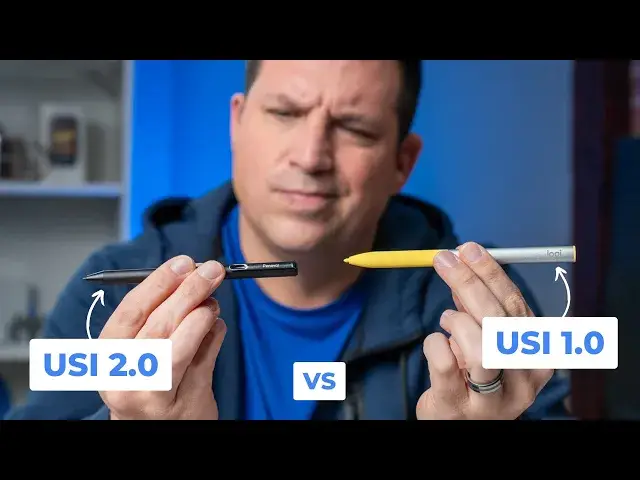
And we wanted to take a minute to make a video to explain exactly what the difference is and how you can kind of spot the difference between a USA1.0 and USI 2.0 device and a USI 2.0 pen
0:30
But before we get into that, today's video is brought to you by Penoval, who you may remember
0:36
makes the awesome USA-2.0 pin that we've talked about on this channel many times before
0:41
They have a few great new products available, starting with the new USI 2.0 light
0:46
It's built a whole lot like their first-gen USI pin, and it feels just as amazing in the hand
0:51
It has 600 hours of battery life, and it's more affordable than their standard USI 2.0 pin
0:56
And that pen is not just compatible with Chromebooks. it also works with the new pixel tablet as well
1:01
And to really round out that whole pen experience, Penovel has introduced a really novel take on the screen protector
1:07
that makes for a great paper-like writing experience and also has this wildly unique feature
1:13
It's removable. Yeah, that's right. You can actually pull this screen protector off
1:17
and then reapply it thanks to the fact that it actually only adheres just around the bezels of the screen
1:22
So there no real worries about air bubbles or lint under your screen protector and you can use it in conjunction with an applied glass screen protector if you like to And finally Penoval has also launched a line of extremely affordable pixel tablet standcases that not only protect your pixel tablet
1:38
but give it a simple way to be propped up as well when your speaker dock isn't around. There's even
1:42
a cutout on the back that will allow you to connect the speaker dock with the case still on and
1:47
attached if you want. And as a nice bonus, there's an included PIN loop for storing your stylus
1:51
If any of that stuff sounds interesting to you, you can check it all out via the link in the description
1:56
So not too long ago, we made a video specifically about the Duet 3 and about it being a
2:02
USI 2.0 screen. Specifically, it's the type of screen that it is that makes it only work with the USI 2.0
2:09
And that was the confusing point there. But what we never really talked about after the fact was that there are different types of pens
2:17
that you can buy. There's this one like this right here. This is Penovel's new U.S.I.2.0 light pin
2:24
It's a little more affordable take. They have their U.S.I. 2.0 pen. I actually kind of prefer this one
2:29
But this one is going to work on multiple devices, whereas something like this, this is the Logitech
2:36
I don't remember the name of this thing, but it's their pen kind of that's made for education market
2:41
But it's a U.S.I.1-0 pen. And it gets confusing because there are screens that only work with U.S.I.2.0 pens
2:49
and there are screens that work. with both pins and there are pins that work with both screens and then pins that only work with one screen So really quickly I want to show you how to go about shopping If you looking for a pen how to go about shopping for the right one for your device
3:03
but then also hopefully to kind of persuade you to just go ahead and buy a USA2.0 pin at this point
3:08
so that you don't really have to think about it. So here's how you break this down
3:12
So a USI 1.0 stylus will work with most devices at this point
3:18
there are going to be some, like the pixel tablet, for instance, or like this Duet 3
3:24
that have screens that only work with USA2.0. So when I take this pin and I run it across a screen that supports USI 1 or 2, we're good to go
3:34
But we're also good to go with the USI 2.0 stylus, because the pen itself is backwards compatible
3:40
So this pen also works on this screen. No big deal. So if you want to be safe, if you have a 2.0 pin, you don't have to worry about it
3:47
it's going to work on whatever. But then here's the thing. With a screen like this one in the
3:51
duet three, a USI 2.0 pen works just fine. As you can see, no big deal. But a USI 1.0 pen
3:58
will not work. And the difficult part is it's not like they advertise it and say
4:03
will not work with USI 1.0. It just says USI compatible. So again, it's very simple. The device
4:11
you're probably not going to be able to buy a device and really dig into details on a listing
4:15
If you come to the site go to ChromeWobox you can probably find some information about whether it U or 1 compatible But if you want to be safe instead of buying probably a cheaper 1 pin I not saying the Logitex is a cheap junk pin It a very nice
4:29
pin, but it's a 1.0. You're going to see those become lower in price over time. The better
4:35
buy is to go and get something that's a 2.0 pen. There's not a ton of them, but there are enough
4:39
of them. And Pen oval's made this one. It feels just like their old stylus, like the first one
4:43
that came out with the smaller pin tip. It's a great 2.0 stylus. It's actually got the
4:48
quad A battery inside. So that makes it actually kind of simpler to deal with on the battery
4:55
I like rechargeable pins. They're cool, but they usually last a couple days. These ones with a full battery in them
5:00
I mean, this thing is rated the last 600 hours of use. You probably change this battery like once or twice a year or something like that
5:07
But my point is there are 2.0 stylus, USI stylus pins out there on the market
5:13
If you're going to buy one of those pins right now or any USI pin for your Chrome
5:18
for your pixel tablet or for any device that uses usi, I would highly recommend going with a
5:23
USA 2.0 pin because then it doesn't matter which device you use, it's going to work on either
5:29
one of them. But guys, that's been it for this one. If you enjoyed this video, give us a thumbs up. Head down there, hit that subscribe button and be sure to ring the notification icon as well
5:36
if you'd like to be alerted when we make future videos just like this one. To next time, we'll see you
#Consumer Electronics
#Software