Up next in 10



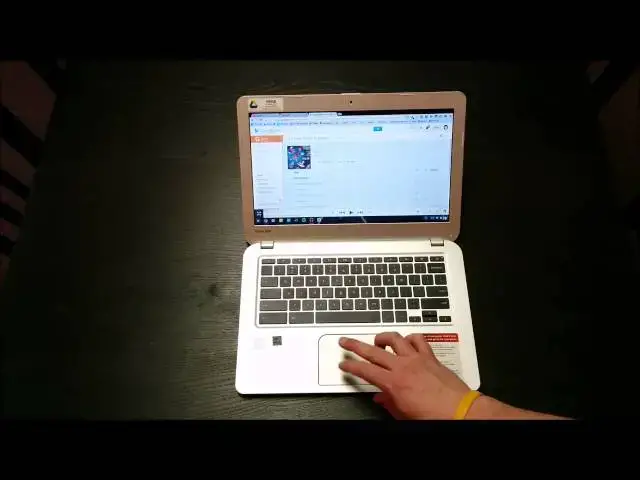
In this video I review the Toshiba Chromebook. Enjoy!
If you like this video, be sure to like, subscribe, and check out http://chromeunboxed.com for even more!
Show More Show Less View Video Transcript
0:00
hey Vol Robie Pay Here Again with chrome
0:02
unbox today coming at you with a full
0:04
review of the Toshiba
0:06
Chromebook now a lot of people have been
0:08
asking me about this device and asking
0:10
me to do a a comparison with hp14 kind
0:12
of its closest competitor
0:15
sizewise you will see that video um
0:18
along with tons of other videos of uh
0:21
Chrome based things uh on the Chrome
0:24
unboxed Channel if you're not a
0:26
subscriber subscribe and uh watch those
0:29
videos and check out all the videos that
0:30
are coming Chrome onebox.com is also a
0:33
place that houses a lot of chrome news
0:35
that maybe not make it maybe won't make
0:36
it to the channel uh but today I'm want
0:39
to focus on uh kind of keeping a short
0:41
video here um with the with the Toshiba
0:44
Chromebook um mainly because we're
0:47
getting to a point and uh you'll hear me
0:49
talk about this in some other videos as
0:51
well uh you'll hear me talk about this
0:53
in the hp14 versus chro uh Toshiba
0:56
Chromebook uh review as well we're
0:58
getting to a point with Chromebooks
0:59
right now there's a there's a homogeny
1:02
going on so we we have a lot of
1:05
Chromebooks with the Haswell class
1:07
processor we got a lot of Chromebooks
1:08
with 2 gigs of RAM we got a lot of
1:10
Chromebooks with a 1366 X 768 resolution
1:13
we got a lot of Chromebooks with a 720p
1:15
front-facing camera and so we got all
1:17
these similarities um and then obviously
1:20
we're all running Chrome OS and Chrome
1:22
OS looks the same on every single device
1:25
so there's not a ton to cover um I would
1:28
encourage you to watch of other units if
1:30
you want to see me do um more stuff as
1:33
far as pulling up um um more programs
1:37
and all that kind of stuff uh to be
1:39
honest with you guys this thing performs
1:41
well it performs really well it performs
1:43
just as well as the hp14 the Acer C720
1:46
uh it does a good job um it performs the
1:49
way you'd expect a Haswell class
1:51
processor to perform there's really no
1:53
other tweaks there's nothing else they
1:54
can do with it and so we bring up things
1:56
like uh uh Google+ and it Scrolls nice
2:00
and smooth um not because they fixed
2:02
Google+ in any way but because this
2:05
thing has a hawle processor in it and it
2:07
just does not struggle you can see the
2:08
three finger scrolling between tabs does
2:11
fine three fingers up to go to um
2:13
overview mode does just fine everything
2:15
runs the way you expect it to run so if
2:17
you're if you've seen the hp14 review if
2:19
you've seen the Acer c720p review you
2:22
know that these devices run really well
2:25
with the Haswell class processor under
2:27
the hood now one thing that different
2:30
between this and the hp14 again we'll
2:32
cover this in the side by-side
2:33
comparison but it is a 2 gig versus a 4
2:35
gig so this the Toshiba Chromebook is a
2:37
2 gig machine uh what that does not mean
2:41
however um is that it struggles it does
2:43
not mean that um you can see on my
2:46
channel there's a video where I've put
2:47
the Acer c720p which basically has the
2:50
same internals as this guy almost I
2:52
think exactly um and I I pit it against
2:55
hp14 specifically trying to push the ram
2:59
um and and and when I did that yes I
3:01
found some places where it would HIC up
3:02
and it really ran into the problems and
3:05
so when I pulled this guy out of the box
3:06
and I started using I used it for 10
3:08
days so just about 2 weeks of of work I
3:11
really expected to start running into
3:12
some hurdles just for um uh for
3:16
guidelines here my usual work scenario
3:20
has me with five to seven tabs open in a
3:22
in a browser usually got Google Music
3:24
running casting to a chomecast and then
3:27
I have something like um this really
3:29
awesome pixer touchup um I do I do web
3:33
web design um so some light coating um
3:37
CSS
3:38
HTML um PHP that kind of stuff a little
3:41
bit of JavaScript so I'm not doing
3:43
anything insanely intensive I'm also not
3:46
running games in the background or
3:48
anything like that but I usually have
3:49
that kind of stuff running and then at
3:51
the same time I'll have umuntu which I
3:53
don't have it I don't have it running on
3:55
here right now but I'll have it running
3:56
in the background as well um right
3:59
running usually uh inkscape which is an
4:01
SVG editor and filezilla which is an FTP
4:04
client so those two things sitting in
4:06
the background usually multiple images
4:08
running so that's absorbing some of that
4:09
RAM and then five to seven tabs open
4:11
some Google Play Music and an image
4:13
editor maybe my file uh file browser
4:16
that kind of stuff uh and probably
4:17
Google keep open so it sounds like a lot
4:20
of stuff and it sounds like man you're
4:22
probably starting to pull on the RAM and
4:24
honestly I never did uh I don't think
4:26
one time ever happened where I ran into
4:28
issues so the two G versus 4 gig thing
4:31
um yeah you can make um you can make a
4:35
an argument there that yes at some point
4:38
the 4 Gig wins out of course it does it
4:40
just makes sense a faster processor is
4:42
always better than a slower one uh more
4:44
Rams always better than less Ram anyway
4:46
the 2 gigs of RAM just really didn't end
4:48
up causing me much problem at all I was
4:51
I was a bit shocked by that to be honest
4:52
I was kind of waiting for it expecting
4:54
it to happen and it just didn't happen
4:56
so um pretty excited about that before
4:59
we move on I'm going to take a quick
5:00
Hardware tour um as honestly outside
5:04
Hardware is the biggest differentiator
5:06
here you're not going to see me run a
5:07
whole lot of stuff first thing is the
5:09
speakers I got a song queued up here
5:16
and you can hear the speakers are loud
5:19
uh they're not breaking up and there's
5:20
actually a little bit of low end in
5:22
there which is kind of nice it's not a
5:23
lot but a little bit of low end which is
5:25
is nice it definitely beats out the
5:27
other Chromebooks I've heard so speaker
5:29
quality is good I don't listen to stuff
5:31
through my laptop speakers it's either
5:33
earphones or CH casting for me but um if
5:36
that's your thing then these are pretty
5:38
decent um we have a nice spacious
5:40
keyboard keyboard has really good travel
5:42
to it uh I didn't I didn't have any
5:44
issues typing no M Strokes none of that
5:47
stuff um everything was pretty good um
5:51
and everything spaced out a full-size
5:52
keyboard that's a nice thing about 13.3
5:54
in devices you got some space on the
5:56
sides you got plenty of space for your
5:57
palms very comfortable to work on on
5:59
very comfortable to sit and look at all
6:01
day every day moving kind of upwards
6:03
we've got the screen 1366 X 768 is the
6:06
resolution just like pretty much every
6:08
other Chromebook um this one does have a
6:11
slightly better contrast ratio than the
6:13
hp14 colors seem a little bit truer on
6:16
it and so it does get the nod over the
6:18
14 in that it's still not on par with
6:20
hp11 uh which has that IPS panel with
6:23
the awesome Rich colors and all that
6:25
kind of stuff it it's not on that level
6:26
folks but uh it's a decent Monitor and
6:28
it doesn't bum your eyes out looking at
6:30
it uh all day and the 13.3 in diagonal
6:34
give you uh plenty of uh viewing area
6:38
and so if you're working from this thing
6:39
for hours on end you don't get that
6:41
cramped feeling you get kind of from
6:43
11.6 in device or at least uh what I
6:45
feel um moving up top we got the Dual
6:48
array speaker or dual array microphones
6:50
and you also have uh 720p front facing
6:54
camera works great for video chats um
6:57
it's you know it's a 720P camera it's a
6:59
front-facing camera and that's kind of
7:01
been an area where they've cheaped out
7:02
so far hopefully that's again when we
7:04
see the the much wanted from a handful
7:07
of us uh mid-range Chromebook we might
7:10
see a a better screen and a little bit
7:12
you know better uh front-facing camera
7:14
for those uh Google Hangouts the outside
7:17
of this device uh or at least the inside
7:20
parts of the outside are are covered in
7:22
this uh aluminum like uh finish and it
7:25
it's kind of is textured like a Macbook
7:28
is I'm sure that's kind of what they
7:30
were going for um so it's obviously
7:33
plastic you can kind of feel the give
7:34
and it's not cold like uh like metal is
7:37
but it's got a nice feel it picks up
7:39
zero fingerprints which is really
7:41
awesome um like I said gives you plenty
7:43
of room to really work in here and it's
7:45
matte finish around the edges so in this
7:46
places where you touch it all the time
7:48
you're not left with fingerprints all
7:50
over the place making your device look
7:51
gross trackpad uh it's very spacious no
7:55
issue running with three uh two and
7:57
three finger gestures you know you just
7:58
saw me do those those things um it's
8:00
it's nice and sensitive works just fine
8:03
um it's it's slightly less responsive
8:06
than the hp14 but then I I find the hp1
8:08
14's trackpad to be really really really
8:10
excellent um this one is is also very
8:13
very good and and I have really no
8:15
complaints with it at all um but again
8:18
hp14 is a slight bit better um but
8:20
keyboards and trackpads for the most
8:22
part I think when you're talking about
8:24
low range uh low price Chrome
8:27
Chromebooks being you know low price lap
8:29
tops in general um the the trackpads
8:31
been great I've used many many much more
8:35
expensive Windows notebooks that have
8:37
had terrible trackpads um and so that's
8:40
one thing I'm I'm always happy that
8:41
Chromebooks seem to pretty much get the
8:44
trackpad and the keyboard right so no
8:46
complaints whatsoever about that
8:47
speakers and the screen is is good um
8:50
again the only excellent screen I've
8:52
seen I've never seen a pixel in person
8:54
only excellent Chromebook screen I've
8:56
seen is hp11 uh really is is a fantastic
8:59
uh screen so I'm going to close it and
9:00
look around the outside a little bit um
9:03
there is a uh a texture see if I can get
9:06
it to focus on that yeah you can see
9:08
those dimples in there um not a fan of
9:11
that I think it cheapens the feel I wish
9:13
they would have kept that aluminum uh
9:15
feel on this as well maybe it was too
9:17
much maybe it looked funny I'm not sure
9:20
um around the side we've got the 3.o USB
9:24
ports if you need them HDMI out combo
9:26
headphone microphone sloted around that
9:29
other side SD card slot um your charging
9:32
port Kensington
9:33
lock fans here fans there and then your
9:37
speaker grills for those nice loud
9:38
speakers they did a good job I'm I'm
9:40
pleased with those and little feet um
9:43
you can pop this guy open and I've not
9:45
seen anybody yet say that they can
9:46
change the hard drive out but it could
9:48
be and the ram is soldered on so
9:51
probably no no changing that but you do
9:53
see it's it it strikes a nice Sleek uh
9:56
attractive profile it looks good on the
9:58
desk
9:59
uh and it you know it's pretty much free
10:01
of creaking it feels solid uh which is
10:03
nice the only cheap part I really felt I
10:06
mean and it feels real cheap is this
10:08
right back here in the back of the
10:09
screen you can see how much play that
10:10
bad boy has I mean it just I mean I
10:13
could pull it up and stick my finger in
10:14
there and so it really feels kind of
10:17
wobbly um and and you feel that because
10:19
you you hold the computer like this a
10:20
lot and it just is really squishy down
10:22
here and so that's the only part where
10:24
it came across feeling a little cheap
10:26
other than that I mean it really feels
10:28
good um I I haven't I haven't really had
10:31
much to complain about with this guy I
10:33
saw in a production unit uh one of the
10:35
early Hands-On they actually were able
10:37
to lift the lid you know without holding
10:39
the bottom for some reason that's a huge
10:41
thing to me it just kind of Screams
10:43
quality of a of a laptop you can just
10:44
kind of lift the lid up um and I was
10:47
hoping that was going to be the case it
10:48
has not been the case on this one so I
10:50
was a little bummed about that but again
10:52
these These are nitpicky things these
10:53
are not deal breaking items so overall
10:56
what would I say about the Toshiba
10:58
Chromebook
10:59
um it it fits the bill as far as being
11:02
on par with all the rest of the
11:04
Chromebooks right now um it's not
11:05
struggling to perform uh it's not
11:08
struggling with a terrible screen it's
11:11
not struggling with a terrible keyboard
11:13
or an average trackpad it's got a great
11:15
trackpad it's got a great keyboard it's
11:17
got a good screen it's got pretty good
11:20
build quality uh you don't see a lot of
11:21
flex in the keyboard I mean and things
11:23
are firm and it feels good I mean it
11:25
feels good to use I've enjoyed my time
11:27
with it you know I did didn't uh you
11:30
know if if someone took my hp1 14 away
11:32
from me and I had to use this and had to
11:35
keep this I I would not complain I would
11:37
not be sad about it um I do like the
11:39
hp14 slightly better um one of the main
11:42
ones is the the clickability of the
11:44
trackpad um this one has kind of that
11:46
thinner uh click feel to it whereas the
11:49
HPS feels more
11:50
substantial um but again I'm I'm
11:53
nitpicking uh when it comes down to it I
11:55
there's not a whole lot bad to say about
11:57
this guy again I'm waiting for
11:58
Chromebook that has an IPS panel 16 100
12:03
by 900 or full 1080p something like that
12:07
uh in that 13 to 14 inch range I'm
12:09
waiting for one that you know doesn't
12:12
ship with two gigs it always has 4 gigs
12:14
and maybe a little bit more solid state
12:16
but again I I don't use much you know
12:18
I'd like to bump up to 32 gigs or
12:20
something like that just in case I want
12:21
to store a movie or two for a temporary
12:23
bit of time but you know I'm a cloud
12:25
computing guy I like Google Drive I I
12:27
try to keep everything in the cloud as
12:28
as much as I can so the hard drive
12:30
doesn't bother me that much but i' would
12:32
love to see an upgraded screen um and
12:34
something that's really nice and that
12:36
that that really is kind of striking um
12:39
and the touchscreen thing as Google U uh
12:42
really um makes Chrome OS more touch
12:46
optimized I I'll be wanting a
12:48
touchscreen as well cuz it's nice in
12:50
some in some scenarios but again I had
12:52
the c720p and barely ever touched the
12:54
screen not cuz I didn't remember it was
12:56
touch it just it didn't seem like
12:58
something I needed to use use on most on
12:59
most days um and then I would like to
13:02
see a better front-facing camera I'd
13:03
like to see something like a a 3 or 5
13:05
megapixel camera on the front um with
13:08
some with some nice Focus uh to kind of
13:10
help those Google Hangouts because I do
13:11
use it for Hangouts not all the time but
13:14
but pretty often um other than that um
13:17
guys I have to say I I I give it my uh
13:20
full approval uh if you're if you've
13:22
been looking at this and thinking I'm
13:23
not really sure you're on the fence it's
13:25
a great Chromebook probably one of the
13:26
best ones available right now uh the
13:28
only one I would slightly I mean and I'm
13:30
talking slightly edged out with is hp14
13:32
and and again like I've said a couple
13:34
times in this I'm nitpicking um those
13:36
are small details and so um if you're
13:39
thinking about it go for it it's a it's
13:41
a great device um and I don't think I
13:44
don't think you're going to be
13:45
disappointed with it at all so um if you
13:47
have any questions hit me up in the
13:49
comments hit me up on Google+ um Chrome
13:51
unboxed on Google+ also uh just Robbie
13:54
Payne on Google+ either one of those
13:56
I'll answer any questions that you might
13:58
have uh keep it tuned here you'll also
14:00
see an hp1 14 versus Toshiba Chromebook
14:02
video um there's not again a whole lot
14:04
of differences but at least you can kind
14:05
of see them side by side and get a feel
14:07
and and you can probably tell from this
14:08
review um my money is with the hp14
14:11
still I haven't had anything come by
14:13
that has wed me enough to get rid of it
14:14
so um but that being said I really
14:17
really do enjoy the Toshiba Chromebook
14:20
and it's a it's a great device uh it's a
14:22
great place to put your money I think
14:23
right now in the world of Chromebooks so
14:26
guys if you like this video uh hey like
14:29
it uh be subscribed so that you can see
14:31
all the upcoming videos that are coming
14:33
uh you'll remember to go look at all the
14:34
videos that have passed and and really
14:36
be able to get an idea of what's going
14:37
on in the world of Chromebooks in
14:39
general um you can also check out Chrome
14:41
unboxed tocom uh for for other news and
14:44
and some other latest things with
14:46
Hardware that uh may or may not be on
14:48
the YouTube channel again I thank you
14:50
guys for watching um I'm thank you for
14:53
those of you who have subscribed and
14:54
those who are thinking about subscribing
14:56
or those of you who are subscribing as
14:57
we speak right now thanks guys uh I I
15:00
love doing this and and want to keep on
15:02
doing it so um please subscribe like the
15:05
videos and keep it locked here um it
15:09
it's going to be an interesting year
15:10
there's many many more Chrome OS devices
15:13
coming out and I will get my hands on
15:15
every single one of them I can and so uh
15:17
thanks again guys and we'll see you next
15:26
time