Up next in 10



Sponsored by NordVPN. Try it out and get 75% off a three-year plan for a limited time! Click here: https://chromeunboxed.com/nordvpn
Buy Now from Amazon! https://fave.co/2MwvQ7u
・・・・・・・
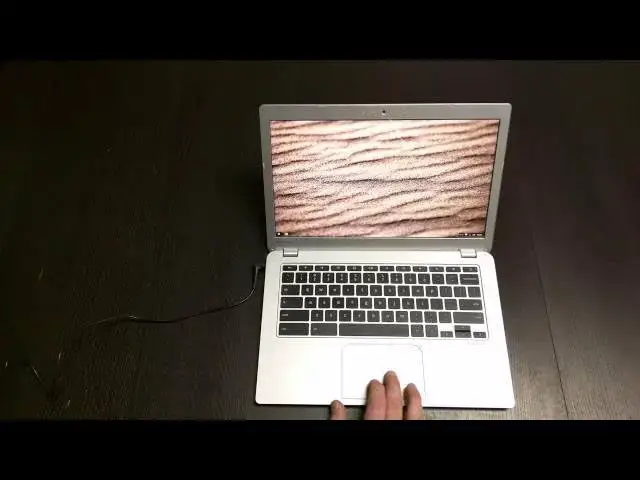
In this video, we take a look at the Toshiba Chromebook 2 and see why, in many people's opinion, it is the best Chromebook available right now.
Read more: https://chromeunboxed.com/
Join our newsletter: http://bit.ly/2WjCDm7
・・・・・・・
Subscribe to the channel: http://bit.ly/2xFuj6L
Shop Chromebooks: https://fave.co/2OuedYL
The Music We Use - PERFECT for YouTube: http://bit.ly/31W6PYP
Become a member of Chrome Unboxed to help us make our channel even better, and for access to exclusive perks: http://bit.ly/CU-join
Show More Show Less View Video Transcript
0:01
[Music]
0:17
hey folks Robbie Payne with chrome unbox
0:19
coming at you today with a full review
0:21
of the Toshiba Chromebook 2 now I know
0:24
some of you guys have been waiting a
0:25
little while uh for me to get around to
0:27
this review and there's a good reason
0:29
for that uh allow this device to become
0:32
kind of my daily driver I will say I've
0:34
used it in combination with the Asus
0:36
Chrome box the I3 version so a lot of my
0:38
daily work is being done on that Chrome
0:40
box uh but I did take this thing for a
0:42
spin on a few things uh for a few days
0:45
of work and U took it on some trips and
0:48
and all that kind of stuff and so I've
0:49
spent some real time with this device
0:51
and I have to say uh from the beginning
0:54
when I opened this thing up and my
0:56
expectations of what it was going to be
0:57
and how it was going to perform it has
0:59
surpassed all of them um the sound
1:01
quality has surpassed what I expected
1:04
the screen um Quality has surpassed even
1:07
what I expected the uh the keyboard the
1:10
trackpad and and the performance overall
1:12
has surpassed now I will say this is the
1:14
uh this is the version with 4 gigs of
1:17
RAM uh it is has the B TR processor in
1:19
it obviously uh and the full 1080p IPS
1:22
display and so it is the the upper level
1:25
of what uh what you get on this device
1:27
let me take a quick tour real quick if
1:28
you haven't seen the unboxing
1:30
uh just real fast you got a USB 3.0 2.0
1:33
here Kensington earphone microphone slot
1:35
uh nothing really across the back um sa
1:39
for you know screws and that kind of
1:40
stuff there are no speaker ports there's
1:42
no vents nothing uh because this is a
1:44
bet tril processor doesn't need any of
1:46
those things and the speakers actually
1:48
come up straight from the keyboard
1:49
allaha uh Chromebook Pixel and HP
1:53
Chromebook 11 over here you have an SD
1:54
card slot which is a little finicky the
1:56
way the lip I don't even know if it's
1:58
possible for me to show you this the way
2:00
the lip is um it's a little finicky
2:02
getting the card in and out but the card
2:03
will sit in completely flush and then
2:05
that is finished off with another USB
2:07
2.0 so it's kind of a shame you only get
2:09
one 3.0 um I'll be honest with you I
2:11
don't use USB ports that often um on my
2:14
Chrome box I keep uh a Logitech dle
2:16
plugged in so that I can uh use the t650
2:20
trackpad that's about it um I do have it
2:22
plugged in like I said I've been using
2:24
it um and I wore the battery out and it
2:26
does get great battery life for those of
2:28
you wondering the device easily gets 7
2:31
to 8 hours no problem uh without
2:33
breaking the sweat if you're not killing
2:35
it and you're controlling cuz I I really
2:37
like display so I was leaving it cranked
2:38
up almost full uh 3/4 is about all I
2:41
would go down
2:42
to um it's easily lasting that I'm sure
2:45
if you kept it about halfway you could
2:47
easily squeeze uh nine 10 hours out of
2:51
it probably um it so much of that stuff
2:53
it's depending on what you're doing with
2:55
it how the processor load um screen
2:58
lightness Darkness all those kind of
3:00
things and so uh battery tests are
3:02
really really kind of all over the place
3:04
if you ask me but um really real time
3:07
use using it all day you have no problem
3:09
getting through the day and honestly for
3:11
right now that's the marker until we get
3:13
to the point where we're getting through
3:14
two days um and then that would be the
3:16
marker at that point another uh thing
3:19
that some people have have commented on
3:21
because this is a 1080 um display a lot
3:25
of the pieces uh of the user interface
3:27
are a little bit small and to be honest
3:29
with you eventually if it's in your lap
3:31
and it's close to your face that not
3:33
that kind of becomes a
3:34
nonissue um and I found that to be true
3:36
for me uh you know all this stuff up
3:39
here all your text is kind of small cool
3:41
thing is I did some research uh
3:43
apparently at one point there was a flag
3:45
that would allow um um some scaling of
3:48
the of the interface well for a lot of
3:50
people unfortunately Google hasn't done
3:52
this well they haven't um told people
3:55
about this very well and so I finally
3:56
found it and buried in a conversation
3:59
thread somewhere
4:00
what they did if you go in and search
4:02
for display
4:03
settings um and go in here we can
4:07
actually crank this you've got the uh
4:09
resolutions that are listed here and so
4:12
there's 12 960 x 540 1260x 675 and it's
4:16
a random 1536 by
4:18
864 uh which is weird um but cool thing
4:22
is if you switch it to that Chrome OS
4:24
kicks in does scaling automatically and
4:26
so let me pull this up here for you so
4:28
you can see it real close close um it's
4:32
going to be sideways just so I can get
4:34
get it in
4:36
here see if it will focus there we go
4:40
you can see no pixelization things
4:41
aren't getting all blurry and funky uh
4:44
everything's just larger uh looks more
4:45
like if you were looking at closer to
4:47
like a 1600 by 900 display it's not
4:50
quite as large as the uh 720p or 768
4:53
kind of displays but makes things plenty
4:56
large U text is still nice and sharp
4:59
everything is scaling properly and so
5:00
that is a huge difference maker to me um
5:03
I did get used to using at 1080P and it
5:06
didn't it didn't drive me nuts but it's
5:07
so nice to know that for uh these these
5:10
higher resolution displays uh there is
5:12
now a fix and it's very simple you just
5:13
change the resolution Google does need
5:15
to do a better job of showing that when
5:17
you go to select resolution um somehow
5:20
they need to make that very clear
5:21
because most people think well if I
5:22
change that resolution it's going to
5:24
things are going to become blurry cuz
5:25
used to that's what it did uh
5:27
interestingly enough you can actually
5:28
crank the resolution up even higher than
5:30
that uh that open and um let me get back
5:36
into there real
5:42
fast you can actually go above 2400 by
5:45
1350 again these are some
5:47
weird uh resolutions um but um so things
5:52
are even smaller but it works and it
5:54
runs it um so I'm not sure why you'd
5:56
want to do that but for the time being
6:00
I'm actually going to leave it on that
6:02
larger uh that larger one just so it's
6:05
easier for me to see my way around uh a
6:07
few of you wanted me to run some octane
6:10
stuff um going to run that real
6:16
fast and what I've routinely been seeing
6:18
is somewhere in the 8 to 9,000 range um
6:21
which is pretty respectable um and and
6:24
that's that's reflective in uh this
6:28
device's ability to move around it's is
6:29
it the fastest Chromebook on the market
6:31
no not really um but it's an Intel based
6:34
one it's fanless and it's thin so that's
6:36
all really neat stuff and that's the
6:38
stuff you like about um thinner devices
6:41
it's the thing you know it's it's a very
6:43
good feeling uh device it's much more
6:46
sturdy feeling to me than the original
6:47
Tosha Chromebook uh so it's pretty well
6:50
built uh we'll do a speaker test here in
6:52
just a second but it runs everything
6:54
quite Snappy um and I think I did this
6:56
in the unboxing I can't remember off the
6:57
top of my head but I'll open up a couple
6:59
that are routinely terrible on arm chips
7:04
fanless kind of designs and what I found
7:06
is that uh this actually handles it
7:08
pretty well again you get multiple tabs
7:10
open you start seeing a little bit of
7:12
that struggle going on um it's a lot to
7:14
ask for a Chromebook plus it's pushing
7:15
1080 pixels as well and so likely if you
7:19
kept it in a lower pixel rating you
7:21
might get a little performance boost
7:23
probably not much um but ultimately uh
7:26
the device outperforms what you expect
7:28
and and that to me is a huge deal um I
7:31
actually got this on sale from Best Buy
7:33
for 300 instead of the $329 so at $300
7:37
wow that's kind of low so I don't know
7:39
if maybe some of the problem
7:41
is um the rendering let me let me sign
7:44
out and I will rerun that again
7:48
uh cuz I also had Linux running in the
7:50
background there too um so that there
7:52
was no problem there either and no
7:53
problems um getting into
7:56
um uh getting a Vu to run uh just as I
8:00
would on any other uh Chromebook so
8:03
really no limitations here um whatsoever
8:06
on this device like I said you're you're
8:08
probably going to run into a few things
8:10
where you get a little bit of slow down
8:12
but ultimately um the device just really
8:15
does a good job uh at at at pumping
8:18
through pretty much anything you would
8:20
you would need it to like I said I did
8:22
my work on it multiple tabs open um you
8:25
know Styles sheets open FTP clients open
8:28
BTU run and a window all that kind of
8:31
stuff um and hopefully I'll I'll have
8:33
the chance here in the next little bit
8:35
for you those of you are curious you can
8:37
actually run your Ubuntu uh environment
8:40
in a Chrome OS window now there's a a
8:42
couple steps you can take if you have
8:44
Crouton installed uh to actually run
8:46
that in a separate window so just
8:48
minimize it and have it right there on
8:49
your desktop I had all that stuff
8:51
running like I said it was able to do
8:53
some work full disclosure though as much
8:55
as I like this device um
8:59
I had the opportunity uh for a couple
9:01
days uh my daughter was sick I was going
9:03
to be at home working and so my choice
9:05
was twofold I could either just keep my
9:08
Chromebook and work from it for a few
9:10
days I think it was three days yeah
9:11
Wednesday Thursday Friday of last week
9:14
or come to the office grab my Chrome box
9:17
and my monitor and go home with that and
9:19
I'll be honest I took the Chrome box
9:20
home um I I I don't know if it's a
9:23
combination of a few things okay score
9:25
is a little higher I did get close I
9:27
think I got
9:27
8,900 at one point so uh you know take
9:31
that for what you will um you know some
9:34
of the arm ones are getting 5 to 6,000
9:36
so it does sit comfortably between and
9:38
it does in in real life it's it's
9:39
comfortably between um the arm
9:42
Chromebooks whether it's the Tor K1 uh
9:45
or the exos and the Samsungs or um you
9:49
know the the full full-fledged Celeron
9:52
Intel processors so it sits right in
9:54
between those and I will say I feel like
9:56
it sits more towards the Intel
9:58
processors which kind makes sense but um
10:01
you know being fanless being bro or
10:03
being uh U Bay Trail I just didn't have
10:05
a lot of expectations and after you know
10:08
I was surprised by those by the fact
10:09
that it outperformed what I expected
10:12
once I got used to it I kind of kept
10:13
waiting for that initial slowdown like I
10:15
just felt like okay I was surprised it
10:17
took me off guard but now reality is
10:19
going to set in and I'm going to kind of
10:20
get annoyed by this thing and to a point
10:22
like what I was saying just a minute ago
10:23
I kind of did um because I did choose to
10:26
take my Chrome box home you know it's
10:28
got an i3 upgraded to 8 gigs of RAM it's
10:31
kind of a beast um and it never gives me
10:34
any issues whatsoever and so this one
10:36
does lag from time to time but again for
10:38
common usage no problems whatsoever if
10:40
you're a person that's just sitting at
10:41
home you're going to watch some videos
10:42
on it which we're going to pull up a
10:44
we're going to pull up a video real
10:45
quick uh you're going to watch videos on
10:47
it uh you're going to watch the movies
10:49
that kind of stuff the screen is so
10:51
pretty it looks so good um the the
10:54
actual built-in sound is is really good
10:57
as well um and all those things combined
11:00
together it doesn't have any problem
11:01
playing full HD video when you when you
11:04
take all that together for something
11:06
that is is your primary computer at home
11:09
uh for for social media for watching
11:11
videos for keeping up with stuff for
11:13
writing emails for writing paper it has
11:14
no problem with Google Docs all those
11:16
kind of things that this thing really um
11:19
really fits the bill you know let's
11:21
watch
11:23
uh The Avengers trailer
11:33
hopefully this doesn't get me in any
11:34
trouble I don't think it will but we'll
11:37
just watch it a snippet of
11:39
it we're going to blow this guy
11:43
up
11:46
1080p oops full screen
11:49
it this vulnerable
11:53
World more any of
11:58
us you hear they're loud everyone
12:00
creates the thing they
12:06
read in the
12:10
flesh no matter who wins or loses
12:13
trouble always comes around you'll
12:15
notice even on a glossy display with
12:18
some pretty high lights you're not
12:20
getting a ton of glare which is pretty
12:21
impressive on a dark trailer
12:26
[Applause]
12:31
[Music]
12:37
so we'll uh we'll get out of this guy um
12:41
anyway so it kind of gives you an idea I
12:44
mean we're getting we're getting full HD
12:46
actually you know
12:48
what yeah so we're getting full HD um
12:52
playback no problem you're getting some
12:54
separation stereo uh left and right
12:56
coming out of these speakers and they're
12:57
nice and full sounding um because
12:59
they're coming straight up out of the
13:00
keyboard rather than being kind of
13:01
nestled underneath the device and so it
13:04
actually adds to making the uh
13:07
media um experience on this device
13:10
pretty good um okay thought about that
13:14
as it was playing to be fair let's go
13:17
back and do one more so that technically
13:19
wasn't running at full
13:21
HD
13:24
um so like I said let me be fair
13:29
just so you guys can
13:35
see yeah this is quite funny Jimmy
13:38
Fallon finding out Nicole Kidman I don't
13:40
know if you remember this we we
13:44
met actually kind of had a thing for him
13:47
so if you haven't seen this
13:48
clip it's rating pretty high on YouTube
13:51
you should check it out it's really
13:52
funny if you like fon
14:00
our Internet's not doing so
14:02
hot I don't know if you remember this
14:05
but we we met before oh I
14:07
remember do you remember this it was
14:10
really embarrassing for me yes it was
14:12
you want me I have not seen you since
14:15
then I have not right got a little
14:16
stutter there but this is a years ago
14:19
and I do you want me to tell my version
14:20
of yeah you tell your
14:23
version I'm walking down the street in
14:25
the New York City my friend Rick calls
14:28
me and says okay so we're getting some
14:30
Jitters here uh part of that could be
14:32
due to Wi-Fi being a little slow but you
14:34
see for the most part it's rendering
14:36
fine and I can tell you something like
14:38
that so I go in my experience the's
14:41
happening pretty good here I can be in
14:42
your apartment in like 10 minutes I go
14:44
you're going to bring the uh and from
14:46
time to time you do get a little stutter
14:48
here and there um that was actually
14:50
pretty bad much worse than what I've
14:51
experienced thus far so who knows um
14:55
could be indicative of some issues could
14:56
just be a a bad run uh
15:01
and so overall let me say this about
15:03
this device um it'll surprise you if you
15:06
haven't got your hands on it if you
15:07
haven't messed with it if you haven't
15:08
seen it in person the the display is
15:11
stunningly gorgeous um and again it's
15:14
IPS so it doesn't really lose anything
15:17
as you tilt around it just looks the
15:19
same
15:21
always which is awesome um it's it's
15:24
just a beautiful beautiful display the
15:26
device feels good the edge here is a
15:28
little Sharp for uh lengthy typing it
15:30
kind of cuts into your hand a little bit
15:31
I will say that uh trackpad is huge
15:34
spaced well nice and responsive keyboard
15:36
feels good there's not a whole lot of
15:38
give in the center of the keyboard uh
15:40
I'm just impressed with the device I
15:42
really am and especially at $300 price
15:44
point very impressed with it um if if
15:47
you're doing um probably the bleeding
15:50
edge of what Chrome OS is capable of it
15:52
might not be quite enough for you but
15:54
for the most part for most users for
15:56
most people picking up a Chromebook I
15:58
can highly recom recommend um uh this
16:00
device and it's one of the first ones it
16:02
seems like in a long time that I could
16:04
say you know what don't get the hp14 or
16:06
don't get the Acer C720 for most folks
16:09
get this thing uh because it is a
16:11
fantastic device uh so I get it I give
16:13
it a huge thumbs up um it's a it's a
16:15
great piece of equipment um and it
16:18
hopefully is is a sign of things to come
16:19
for Chromebooks I know Acer has an
16:22
upcoming 15.6 in Chromebook that has an
16:24
IPS like display um and so it's a huge
16:28
difference you know better speakers
16:29
we're seeing better speakers better
16:30
displays better builds um uh actual you
16:33
know some design effort going into these
16:35
things and so it's very encouraging uh
16:37
to see this happening hopefully they
16:39
just keep coming and we keep seeing new
16:41
Innovations in the Chromebook space but
16:43
for now the Toshiba Chromebook to
16:45
overall um probably for the median user
16:48
to me is the best Chromebook experience
16:50
on the market at this point between
16:52
price uh hardware and internal Hardware
16:56
um it it it's just a great experience so
16:59
I recommend it um if you're thinking
17:01
about pulling the trigger pull the
17:03
trigger hopefully this video has helped
17:04
some of you guys sort some of those
17:05
things out uh if you like what you see
17:07
give it a thumbs up uh subscribe to the
17:09
channel um and uh we'll see you next
17:12
time thanks guys
#Consumer Electronics