Up next in 10



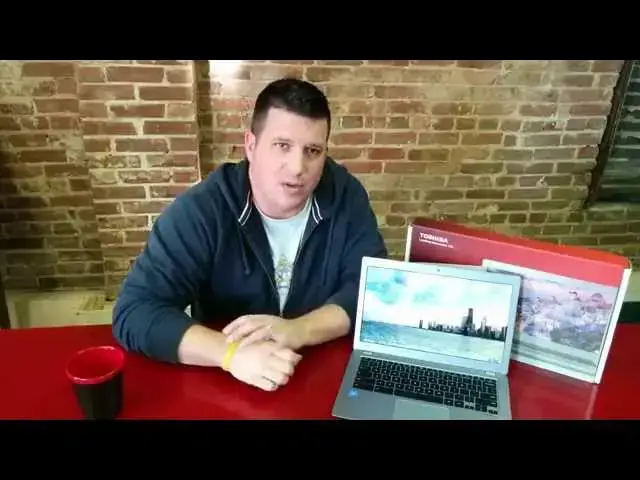
Taking a closer look at the Toshiba Chrombook 2 (2015). Is this the Chromebook to beat for the holiday season? Will a better, faster processor finally put this up as the best Chromebook for the price? Find out!
~
Shop Chromebooks: https://amzn.to/2NE2wKq
Read more: https://chromeunboxed.com/
Follow us: https://www.instagram.com/chromeunboxed
https://twitter.com/chromeunboxed
https://www.facebook.com/Chromeunboxed
https://plus.google.com/+Chromeunboxed
Show More Show Less View Video Transcript
0:02
[Music]
0:17
hey folks Robbie Payne here with chrome
0:19
onbox coming at you today with a full
0:21
review of the Toshiba Chromebook 2 2015
0:24
Edition now it is important to note this
0:27
is the 2015 of the 2014 edition if you
0:30
go to the store you go to Amazon or
0:32
somewhere to pick one of these guys up
0:33
later after the review make sure that
0:35
you did note in the 2015 Edition between
0:38
the Box the outside of the casing of the
0:40
device um it's a bit hard to tell the
0:43
difference between the two but there are
0:44
differences and they're worth noting for
0:47
sure um some of those include uh the
0:51
same screen from last year which is
0:53
awesome it was a great screen there's
0:55
really no reason to change that I didn't
0:57
get any dead pixels and getting a little
0:58
bit of light bleed
1:00
this is an affordable device so uh
1:02
there's certain things you're going to
1:03
expect but the viewing angles are
1:04
amazing the brightness is great the
1:06
colors are awesome there's just I have
1:09
no nothing bad to say about this display
1:11
you're also getting the inclusion of
1:13
Skull Candy audio coming up through the
1:14
keyboard which has been fantastic uh
1:17
nice and full sounding I'm unsure
1:18
whether it sounds better or worse than
1:20
last year it seems to me I don't have
1:22
one on hand to test last year's model it
1:25
does seem to me to have Fuller sound um
1:28
some of the most enjoyable top speakers
1:30
I've I've used including the pixel um
1:34
you got a lot of the same build going on
1:36
here a lot of the same materials
1:38
actually this uh tries to be less
1:40
aluminum feeling uh a little bit more
1:42
plastic feeling and the the overall
1:44
color is actually darker than last
1:46
year's but the lid um a lot of those
1:48
things are going to be familiar if you
1:49
have uh ever touched last year's Tosha
1:52
Chromebook
1:53
2 trackpad remains pretty much
1:56
unchanged um we get some fans um because
2:00
as I'm getting around to this um there
2:02
is a substantial change in the inside so
2:04
last year's uh model only came with the
2:06
betrail processor which is fine and it
2:08
got day-to-day stuff done pretty easily
2:11
and was workable for most folks that are
2:13
going to use this thing in the living
2:14
room on a couch hitting Facebook that
2:15
kind of stuff however for me personally
2:18
I really wish that they would make this
2:19
device look a little bit more oomph to
2:21
it and this year they decided to put the
2:23
fans back in they kept the the form
2:25
factor pretty slim they put the fans
2:26
back in and offer the I3 and Celeron
2:28
versions of the fifth generation uh
2:32
processors from Intel and so what that
2:34
means is you get great battery life
2:37
still um 7 to n hours was pretty regular
2:40
for me this is the I3 model with 4 gigs
2:43
of RAM um they offered last year's the 4
2:45
gigs of RAM also I do wish they had an 8
2:47
gig option but I kind of wish that with
2:49
every Chromebook at this point um but
2:52
they have the I3 and the Celeron models
2:54
and and they both respectively get tons
2:57
better benchmarks and day-to-day
2:58
processes done way faster than last
3:01
year's betay tril processor and so for
3:04
me uh having the I3 or the Celeron
3:06
honestly I I don't know unless you have
3:10
a specific use case for it I'm not sure
3:12
that I would spend the money on uh the
3:14
I3 processor Benchmark wise we're
3:16
talking a couple thousand points
3:17
difference I think between 13 and 14,000
3:20
for the seller on and somewhere between
3:22
15 and 16,000 for the
3:24
I3 doesn't make a lot of real world
3:26
difference to be honest with you and so
3:28
I would highly recommend if the price
3:29
point I think you can stay in the 329
3:31
range uh with this guy in Celeron model
3:34
I I would highly recommend doing that
3:35
unless you have a specific need for that
3:37
I3 um other than that a lot of things
3:40
have remained unchanged one of the great
3:41
things I did add on to this guy was a
3:43
backl keyboard which is really really
3:45
cool there's not a whole lot of U
3:48
Chromebooks that offer uh backlit
3:50
keyboard uh to my knowledge this one and
3:53
the two pixels unless I'm forgetting
3:55
something which I'm sure you guys will
3:56
let me know in the comments if I have
3:57
forgotten something other than that uh a
3:59
lot of the same Chrome Chromebook stuff
4:01
going on here but I mean you got a
4:03
really attractive package a great screen
4:05
a really good keyboard it's a slight bit
4:07
mushy I wish it was a little more clicky
4:08
but a great keyboard they have changed
4:10
the plastic on the keys as well to make
4:12
them a little bit more um smooth to the
4:15
touch I guess would be the best way to
4:17
explain it uh it doesn't come with a
4:18
bunch of stickers all over it you have
4:20
great audio a pretty good trackpad it is
4:22
it's textur so um technically leave it
4:25
on that I'm not a fan of texture
4:26
trackpads I'd rather be smooth but it it
4:28
really doesn't really get into the way
4:29
of the performance of the device um so
4:32
you have great speakers great screen a
4:34
really good keyboard and trackpad uh
4:37
$329 to get in the door with this guy
4:40
there's not a lot I don't like about
4:42
this machine and so I'm I'm really uh
4:45
feeling pretty good about recommending
4:46
this device to other people uh people
4:48
that are kind of looking to get into the
4:50
Chromebook Market but after having said
4:52
all that um let's take a quick tour
4:54
around the device look at it up close a
4:56
little bit kind of see some of the
4:57
things I'm talking about and we'll wrap
4:59
up the review here in just a
5:02
minute as you can see from the front
5:04
here the device is very attractive a
5:06
little MacBook airish uh but very nice
5:08
bright screen we're in a really well lit
5:10
room uh quite a bit of sunlight flooding
5:12
in through the side windows so we're in
5:14
a really nice room here uh as far as
5:16
lights concerned and and this device has
5:18
no problem the screen is not anti-glare
5:20
so that's something to keep in mind so
5:22
there is some glare that will come off
5:23
of it see if I can catch any of that you
5:25
can kind of
5:26
see yeah there you go so keep in mind
5:29
there's going to be a little bit of
5:30
glare um as you can see the the keyboard
5:34
is in fact back lit and for those of you
5:37
who don't know you can hold alt and your
5:40
brightness key and get the back lights
5:42
on you kind of see them under there and
5:44
then if you hold all I'm sorry it's
5:46
control uh
5:47
control no it is alt sorry alt and down
5:52
then the back lights are completely off
5:53
so um you do get some control over the
5:56
brightness there with those um other
5:58
than that we're looking looking at a
6:00
13.3 uh 1080p IPS panel and and it's the
6:05
same panel from last year so if you've
6:07
touched or messed with a Chromebook 2
6:09
from last year you going be real
6:10
familiar with this thing there is some
6:12
light bleed I don't know if you can pick
6:14
that up on the camera it's pretty slight
6:16
and hasn't bothered me at all really um
6:19
the build quality is pretty much similar
6:22
you get a little bit of flex in the
6:23
keyboard but not much uh decent travel
6:26
on the keys and a nice smooth finish as
6:28
well uh relatively small click on the
6:32
trackpad it's nice and quiet it's not
6:34
one of those kind of clangy plasticky
6:36
ones and the motion of the track B feels
6:38
good and the tracking of it feels good I
6:39
just don't care for the texture of it it
6:41
kind of has the same texture as this out
6:42
here that's slightly I don't know like a
6:44
really super duper fine grit sandpaper
6:47
is the only thing I can think of and uh
6:49
I I just don't care for it uh to each
6:51
his own you do have the Skull Candy
6:53
audio and I'll give you a little sample
6:55
of that uh real quick if Google music's
6:58
G to open
7:00
for some reason it's not so we'll go
7:02
this way with
7:08
it I have the small player down here and
7:12
sometimes for whatever reason it just
7:13
doesn't like to open I'm not really sure
7:15
why it's done oh there now it's going to
7:17
come up now that I've said I don't like
7:20
it
7:23
um here we'll do Andy grammer's
7:26
new and for any of you looking and
7:28
seeing a Yanni in there it helps my kids
7:31
sleep so that's why Yanni is in my
7:35
playlist so full full volume we're not
7:37
getting any
7:38
[Music]
7:55
[Music]
7:58
crackling so not a lot of a lot of low
8:00
end on there well let's be honest what
8:02
do we expect from laptop speakers but
8:05
there's a nice roundness to the sound
8:06
you're not getting any crackling at full
8:08
volumes uh and it sounds great when
8:09
you're watching a video or something
8:11
like that we're going to run over and do
8:12
a benchmark real quick
8:15
um oops can't type right
8:20
now and like I said in the in the
8:22
pre-part of the video um you know you
8:25
get a little bit of a bump from the I3
8:27
versus the Celeron I don't know if it's
8:29
100 $ worth and that's about what the
8:31
normal price break is so this one was
8:33
$429 uh versus the 329 that you would
8:36
get in the seller on and I've had this
8:38
right next to my Acer um c910 that has
8:41
the cellon processor in it I just dayto
8:43
day I just don't notice any difference
8:45
uh the big hangup for me still Chrome OS
8:47
is uh four versus 8 gigs of RAM and so
8:51
um hopefully I'm I have the uh D
8:53
Chromebook 13 on the way hopefully we'll
8:55
see it and see how that goes I'm just
8:57
not really sure anyway while this is
8:59
running let's talk about a couple other
9:01
things real fast we'll walk around the
9:03
device on the sides here we've got a
9:06
usb3.0 HDMI port uh Kensington lock
9:10
microphone headphone slot nothing across
9:12
the front you will notice that we still
9:14
have that kind of two-tone color so
9:16
we've got one color here one color on
9:18
the bottom I'm not really sure why
9:20
Toshiba does that um it it's not
9:22
attractive to be honest with you I don't
9:24
know why they wouldn't just match this
9:25
color with that color even if it's a
9:26
different texture and technically it has
9:28
the same textures the lid so why not use
9:31
the lid plastic down here that would
9:32
make way more sense anyway uh 2.0 slot
9:35
over here a full size SD card slot yes
9:38
your card will sit flush inside of here
9:40
you got your power here across the back
9:42
nothing really same textures from last
9:45
year again I don't know if we can get
9:47
that thing to focus or not yep there we
9:50
go you see all the little dots same
9:52
thing uh the lid pretty much is the same
9:55
across the bottom now we actually have
9:56
some fan uh fan vents which is just part
9:59
of of having a processor that needs a
10:01
fan and I believe there's some fan vents
10:03
I don't know if I can get the camera to
10:04
see them right underneath here never
10:06
heard the fan once um fans just don't
10:08
really bother me um obviously ostensibly
10:11
you could pop the screws out and open
10:12
this guy up and probably add Solid State
10:15
Storage I don't know that for sure I'm
10:17
just making an educated guess so we're
10:19
getting 16,000 on octane something a
10:21
little higher than what I was getting
10:22
the other day um like I said that's
10:24
going to be probably in the realm of 2
10:25
to 3,000 more than you're going to get
10:27
from the seller on again real world
10:28
performance does that really feel like a
10:30
bump for me it did not um your mileage
10:33
may vary on those types of things
10:36
suffice it to say this device is fast
10:38
it's Speedy it's quick it's pretty
10:41
attractive in this kind of form um you
10:43
know it just it just has a good look to
10:45
it you know it's nice and thin on the
10:46
sides when you close the guy down it's
10:49
got a thin look to it it doesn't feel
10:51
much thicker it may be a slight bit than
10:53
last year's Chromebook 2 um and so it
10:56
looks good like I said if they would
10:57
have just put the same color it's just
10:59
kind of weird you know that you get two
11:01
colors there but had they done that I
11:03
think um overall we would have kind of a
11:06
real winner here uh if a 13inch
11:09
Chromebook is kind of down your lane uh
11:11
for me I'm I'm really digging the 15.6
11:13
inch of the of the Acer I wish they made
11:15
an 8 gig version but they don't right
11:17
now um but other than that I mean this
11:21
device is solid the speakers are great
11:23
uh the screen is great the keyboard is
11:26
really good trackpads you know pretty
11:28
good uh it's not the best I've felt on a
11:30
Chromebook and I'm pretty picky with
11:31
them now because Chromebooks have pretty
11:32
good trackpads to be honest um but
11:35
overall total package this thing is uh
11:38
this thing is really good and highly
11:40
recommended um if you are looking at a
11:42
Chromebook cheap a Chromebook 2 2015
11:45
Edition it's a fantastic device overall
11:49
build quality is pretty solid for a 300
11:52
mid $300 device keyboard is solid it's
11:56
back lit you have it a sensitive
11:58
trackpad I don't really care so much for
12:00
the grid of it but sticking on the
12:02
positive things build quality is pretty
12:04
decent screen is fantastic it's gorgeous
12:07
it's bright uh it's dense as far as
12:09
pixels go great viewing angles uh it's a
12:13
fantastic
12:14
device overall would I recommend this
12:17
absolutely I'd recommend it to anybody
12:18
who's in the market for a Chromebook
12:21
it's got plenty of power it's attractive
12:24
it's pretty well built um and and it
12:26
really doesn't have a whole lot of
12:28
negatives really going for it to be
12:30
honest with you the only things that I
12:32
don't really care for are the texture of
12:34
the trackpad the color of the bottom of
12:36
the um the device and the fact that I
12:39
know more than likely we're going to see
12:41
some uh devices with light bleed and
12:43
some pixel issues but I mean those are
12:46
really tiny things when we're really
12:47
talking about the the scope of things
12:49
that can go wrong in a 300ish dollar
12:51
device let's be honest and so there's a
12:54
whole lot to like here I do wish they
12:55
offered n gig version but I understand
12:58
why right now just not doing it uh
13:00
there's probably not a huge market for
13:01
it hopefully more than likely as time
13:04
goes by we're going to see more at least
13:05
say hey there's an ak8 option here if
13:07
somebody wants to get that um like
13:11
likewise it would be nice um for them to
13:13
offer a 32 maybe 64 gig um solid state
13:17
option hopefully these things are coming
13:18
over time and I know everybody says
13:21
Chrome OS is a a web- based platform and
13:23
it is and for the most part that's fine
13:25
but you know there's sometimes you would
13:27
like to have a handful of things on your
13:29
local storage and not have to really
13:30
sweat it when it comes to space 32 gigs
13:33
a lot of times is enough to get away
13:34
with that so overall fantastic device
13:37
guys highly recommend it if you're on
13:39
the fence about it go ahead and pick
13:40
this thing up I I would say that you
13:42
would be very very happy if not run down
13:44
to best buyer get to the closest one you
13:46
can see if you can get your hands on one
13:48
I think you would be thoroughly
13:49
impressed and I don't think you would be
13:51
sad if you hopped on Amazon right now
13:52
ordered it when you got it in I think
13:54
you would be very very happy with it one
13:56
last little note uh a cooworker of my
13:59
actually has been asking me about
14:01
Chromebooks quite a bit and so I lent
14:02
him this device for a few days and let
14:04
him work from it completely now granted
14:06
he is coming from a MacBook Pro
14:08
2014 um pretty uh kind of mid-spec it's
14:12
not the the the beast but it's not the
14:14
the the lowest spec one either um so a
14:18
pretty new Macbook Pro is coming from
14:20
and uh after using this for a few days
14:22
I'm happy to say that he's getting ready
14:24
to become a Chrome OS user and ditch uh
14:27
uh Mac OS now am I saying Mac OS is
14:29
better than or Chrome OS is better than
14:32
Mac OS not at all I don't want to start
14:33
that kind of flame War what I am saying
14:35
is that there are a lot of people who
14:38
use a lot of different devices that if
14:39
they give Chromebooks a try uh might
14:41
find that at the price point and the
14:44
speed that these devices get at that
14:45
price point I might find themselves
14:47
swayed and saying yeah I want to use
14:49
that I want to become a a chromos user
14:51
uh kind of full-time you never know and
14:54
this guy right here is well worth uh
14:56
trying out especially if any of you are
14:58
are windows user Mac users and thinking
15:00
hey I might try a Chromebook try this
15:02
one uh because this one could win you
15:04
over and matter of fact it did here in
15:06
the office just this week so um again
15:09
Toshiba Kudos uh you did you did pretty
15:12
well here um until next time guys if you
15:15
like videos like this give a thumbs up
15:17
subscribe to the channel below the more
15:19
of those all that stuff that I get the
15:21
more likely it's going to be that I can
15:23
keep doing this and and keep putting
15:25
some more time and more effort into it
15:27
as time goes on thanks for sticking
15:28
around around thanks for watching and
15:30
until next time guys see you later
#Software