0:00
if you've been around our channel for
0:01
any amount of time you know that i am
0:03
not one who is good with handwriting as
0:04
a matter of fact my handwriting is
0:06
my drawing is even worse but today's
0:09
feature that we want to highlight
0:11
actually helps people like me who have
0:13
chicken scratch handwriting
0:14
to be able to actually write out full
0:16
sentences on your chromebook
0:18
and see those sentences converted
0:20
automatically right into text into
0:22
whatever app it is you're wanting to use
0:37
okay so here we are in the stable
0:39
channel of chrome os 85
0:41
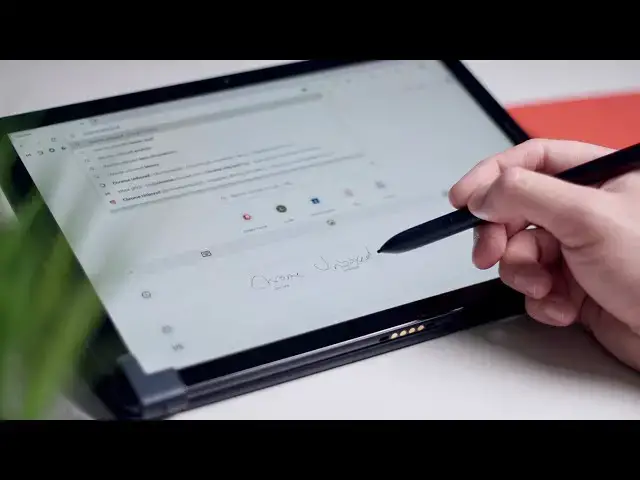
and what happens now when you go to a
0:43
text field you're going to get this
0:44
little pop-up your keyboard is becoming
0:46
smarter and it shows you real quick if
0:47
you strike through it's just going to
0:50
there are more tricks to be had here
0:51
first off you have multiple lines where
0:53
you can write and as i said in the
0:56
my handwriting is terrible however
0:58
google's algorithm and the way that it
1:00
detects your handwriting
1:02
is actually so good that even my chicken
1:04
scratch is discernible so all i'm gonna
1:06
is i love youtube videos
1:14
off angle here so my handwriting is
1:17
actually worse than normal
1:18
but you can see the the words that are
1:20
coming up underneath my handwriting
1:22
you can see it showing up up here when
1:24
you're done you hit check mark
1:25
and you're ready to either hit enter or
1:27
whatever it is you want to do
1:29
you can backspace but if i want to say i
1:32
like vimeo videos i'm going to strike
1:34
boom goes away where do you put this now
1:37
just touch in between
1:42
and even pick that up that's almost
1:45
incomprehensible it's terrible
1:46
and yet it still knows what i'm trying
1:50
or you could scribble stuff out deleted
1:54
uh we'll save pictures even though
1:58
awesome want to copy and paste oop
2:02
maybe long press here there we go and
2:04
it'll pick up what you're saying
2:07
so if it didn't know what i was saying
2:09
there with vimeo and touch here i could
2:10
touch vimeo it's going to capitalize it
2:12
and you see the text going up there and
2:14
you can write out your entire sentence
2:16
when you're done you like the way it
2:18
looks you hit the check mark
2:20
and then that goes up there you get a
2:21
whole new blank slate to write with and
2:23
i can't begin to tell you how good this
2:26
feels to use on a chromebook because you
2:29
used to you'd start writing and you go
2:31
to the next word and it would go ahead
2:32
and throw one word up in the text field
2:34
and it was just kind of a mess and it
2:36
this as much as i don't like handwriting
2:39
this is actually usable if i'm
2:40
navigating with my pen and i need to hit
2:42
some text in the field rather than put
2:44
the pen down and get my hands out and
2:46
i can just kind of start jotting stuff
2:48
as long as it looks good and it's
2:49
auto-corrected everything
2:50
hit enter and boom my text is up there i
2:52
was actually using it this morning
2:54
in the middle of some text messages back
2:56
and forth because i was trying something
2:59
that's how i came across this and nobody
3:01
has said anything about this nobody has
3:04
an official announcement from google
3:11
this feature look how terrible
3:15
so i love this fracture let's see if it
3:19
nope that was too bad for it to pick up
3:21
but again you just go down
3:24
i don't know how to scroll that didn't
3:28
scratch that out and try a little slower
3:33
boom pick that up still that's almost
3:36
and it was able to pull this up here so
3:38
this is super impressive i don't know
3:39
why google didn't put this in the
3:41
announcement with chrome os 85 as a new
3:43
feature because this is something that i
3:44
think a ton of people are going to find
3:46
but guys that's it for this one if you
3:48
liked it give it a thumbs up go down
3:50
there and hit the subscribe button
3:51
and make sure to hit the notification
3:52
bell as well if you'd like to be alerted
3:54
when we make future videos just like