0:00
so we are here at Google's fall
0:01
Chromebook showcase and the timing of
0:03
this video is going to be a little bit
0:04
strange because there's an embargo uh
0:07
and so we couldn't share anything for a
0:08
week from the time that we were here so
0:10
as I'm recording this I know good and
0:12
well we're going to have devices that
0:14
we're going to unbox and have that kind
0:15
of content for you too as well so you
0:18
know you're going to get this and you're
0:19
going to get that and it'll be all good
0:21
but uh just know that we wanted to
0:24
basically give you some reaction um we
0:26
just saw a couple new Chromebooks
0:29
there's a bunch of new Chrome OS
0:30
features and Chromebook plus features
0:32
and all that kind of stuff that we'll
0:33
talk about as well uh in a different
0:35
video but uh for this one we just wanted
0:37
to give you kind of that um early
0:39
Hands-On uh excitement over a couple new
0:42
devices and specifically uh I want to
0:45
talk to you about the Samsung Galaxy
0:52
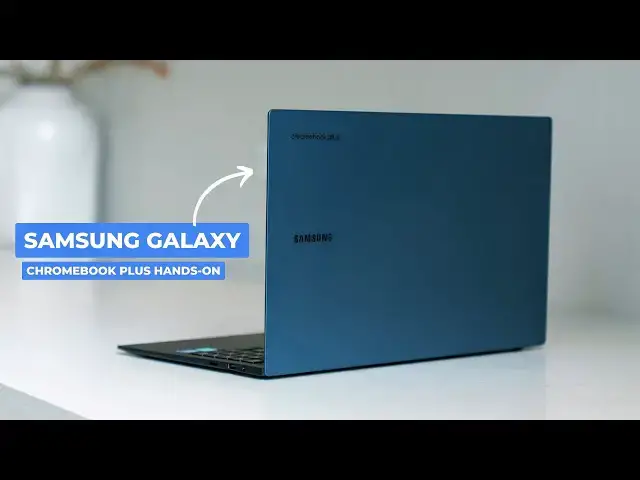
plus all right so this is the brand new
0:55
Samsung Galaxy Chromebook plus they
0:57
named it exactly how we thought they
0:59
would and uh that's not the only thing
1:01
they got right with this device now just
1:04
like with the duet that also uh debuted
1:06
here uh at this event the new Lenovo
1:08
Chromebook duet um I'm not going to talk
1:11
too much about software stuff on this
1:12
that's going to be safe for a different
1:13
video once we've had Hands-On time with
1:15
this just want to talk about some of the
1:16
hardware get you some of that initial
1:18
reaction stuff so without even opening
1:21
this thing um hopefully I'm going to
1:23
kind of tilt it I don't know if that's
1:24
going to pick up on camera or not the
1:26
top lid of this is like a blue a purple
1:29
a dark I don't know I I don't even know
1:31
what color you call this but it's really
1:33
really cool looking but more uh
1:36
impressive is the absolute thinness here
1:39
let me just uh get my phone out for
1:42
reference there that's my pixel 9 uh Pro
1:46
this thing is wildly thin I think it's 2
1:48
and 1/2 2.6 something lbs uh we don't
1:51
have all the specs and everything yet
1:52
but it's an all aluminum build which
1:54
means it's wildly thin wildly light but
1:57
still very very rigid uh it this is
2:00
impressive guys super impressive USB
2:02
type c two of them here fulls size HDMI
2:05
then on the other side fulls sizee USB
2:07
type a headphone microphone and an SD uh
2:10
card storage um we actually have a core
2:13
300u processor 8 gigs of RAM 26 gigs of
2:16
storage um just a gorgeous machine and
2:19
with all that all the waiting still one
2:22
finger lift amazing uh just really
2:25
really wellb built device here nice all
2:28
black interior massive trackpad All
2:32
here just an excellent click mechanism
2:35
and excuse the demo mode guys sorry
2:37
about that um but while I'm adjusting
2:40
that screen brightness OLED panel so
2:43
it's a 1080p OLED screen um so in a
2:46
Chromebook plus price range $699 you're
2:49
getting an OLED panel in this thing um
2:51
don't know what the speakers sound like
2:53
um yet because we're just in a spot
2:55
where we can't do that but the backlit
2:57
keyboard looks great it feels
3:00
just fantastic great key frame here so I
3:02
mean you're talking OLED panel here
3:04
talking great key frame back lid glass
3:06
trackpad wildly thin wildly light uh
3:10
just really well made and when you
3:12
spread that 2 lbs over this entire chat
3:15
this just feels unreal um I I as soon as
3:18
this thing gets out you need to go to a
3:20
Best Buy pick it up and just feel it um
3:22
the only device I've ever picked up that
3:23
feels like this would be like an LG gam
3:25
uh it's just just insane um again I
3:28
don't know the mega pix we don't have
3:30
all our specs yet uh for this thing that
3:32
that stuff will come in the unboxing but
3:34
I just wanted to give you a Hands-On uh
3:36
first initial reaction to this device
3:39
the hardware is just frankly better than
3:41
I expected it to be there's some
3:42
interesting keyboard editions you can
3:44
see this this key key here uh it's quick
3:47
insert again we're going to talk about
3:48
that stuff later you see a Google a big
3:50
G down here U there's just some stuff
3:52
that's been changed and Google and
3:54
Samsung worked very closely on this
3:57
impressive very impressive look at that
3:59
just absolutely thin so light so
4:02
wellmade can't wait to spend some time
4:04
with this thing unbox it and then get it
4:07
ready for a review but that's it for
4:08
this one guys if you like this video
4:10
give us a thumbs up head down there hit
4:11
that subscribe button be sure to ring
4:13
the notification icon as well if you'd
4:15
like to be alerted when we make future
4:16
videos like this something like you know
4:19
the unboxing and review of the Samsung
4:20
Galaxy Chromebook plus till next time