Up next in 10



Sponsored by NordVPN. Try it out and get 75% off a three-year plan for a limited time! Click here: https://chromeunboxed.com/nordvpn
Samsung Chromebook Pro: https://fave.co/334dErH
Samsung Chromebook Plus: https://fave.co/2MyJOpo
・・・・・・・
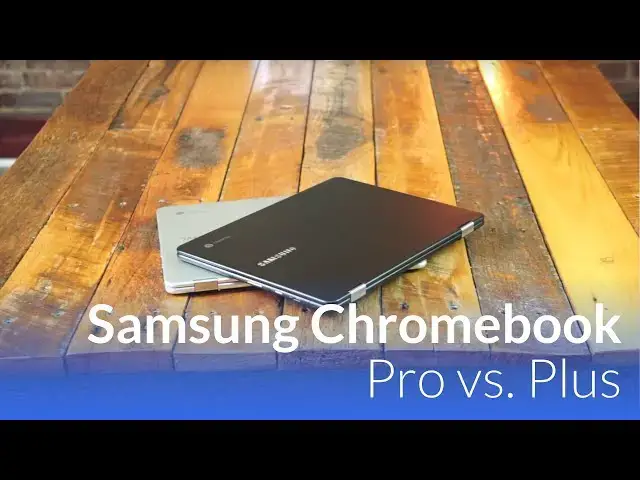
Other than a black paint job, the main difference in the Pro and the Plus lies in the processor. What does this mean for performance and app compatibility? Let's find out!
Read more: https://chromeunboxed.com/
Join our newsletter: http://bit.ly/2WjCDm7
・・・・・・・
Subscribe to the channel: http://bit.ly/2xFuj6L
Shop Chromebooks: https://fave.co/2OuedYL
The Music We Use - PERFECT for YouTube: http://bit.ly/31W6PYP
Show More Show Less View Video Transcript
0:01
[Music]
0:09
hey folks Robbie pay with chrome unbox
0:11
coming at you today with a side by-side
0:13
comparison of the production Samsung
0:16
Chromebook Pro and the Samsung
0:18
Chromebook plus we wanted to come back
0:20
and do a video like this now that the
0:22
Chromebook Pro is actually in production
0:24
if you guys remember a few months back
0:26
we did a video similar to this with the
0:28
two side by side but that Samsung
0:30
Chromebook Pro had all kinds of problems
0:33
going on there were lots of hits and
0:35
misses and it was one that wasn't even
0:36
ready for production and it was actually
0:38
months out now that we know here in June
0:41
uh exactly what the timeline was on the
0:43
Samsung Chromebook Pro so we wanted to
0:45
revisit these two devices because a lot
0:47
of you have expressed a issue with Intel
0:50
and their chipset in Chromebooks and
0:52
wondering how they would work with
0:53
Android apps wondering if the $100 price
0:56
differential was actually worth your
0:58
money so we want to take a look and Hope
0:59
hopefully get to the bottom of
1:01
that all right guys so we've gotten a
1:03
lot of questions about the differences
1:06
between the plus and the pro as the pro
1:08
going to be able to effectively run
1:09
Android apps there was an article
1:11
released a few weeks back that
1:14
highlighted some of the shortcomings of
1:16
Intel processors with Android apps I'm
1:18
going to go ahead and spoil some of this
1:20
for you this device is faster pretty
1:22
much in every way shape and form it's
1:23
not to say the plus is not good or it
1:26
doesn't uh handle itself pretty well but
1:28
for overall tasks this thing's faster at
1:31
pretty much everything and we're going
1:32
to show you some of that kind of stuff
1:33
here today but we're going to do a
1:35
handful of things um based on some of
1:37
the questions and feedback we've gotten
1:39
we're just going to launch a few Android
1:41
apps side by side launch them at the
1:42
same time so I can show you how quick
1:43
they load between the two and for a
1:46
quick refresher before I move on um
1:48
Samsung Chromebook plus is uh the op1
1:51
processor which is a rock chip 3399 they
1:54
both have the same amount of ram 4 gigs
1:56
32 gigs of internal storage all the
1:58
other Hardware is basically the exact
2:00
same just a different chip over here
2:02
we've got the Sixth Gen Skylake core M3
2:05
processor so that's that's the
2:06
difference between the two um we're
2:09
going to we're going to launch Android
2:10
apps we are going to look at the
2:11
performance of a few Android apps side
2:13
by side um in the same graphic mode
2:15
we're going to load uh a large document
2:17
in try a couple things like uh U word
2:20
search in there how long it takes to
2:21
open how long it takes to get to editing
2:23
so we've had a few very specific
2:25
questions about that kind of stuff too
2:27
and then lastly we're just going to put
2:28
the the device is under pretty heavy
2:30
load so we're going to open up 10 15
2:32
tabs uh get some stuff running and see
2:35
uh how they how they Faire so hopefully
2:37
that gives you kind of a round view of
2:39
what it's like to use both of these
2:41
devices obviously everyone's use case is
2:43
different when it comes to Android apps
2:44
we're talking millions of Android apps
2:46
that are available it's impossible for
2:48
us to test all of them but we wanted to
2:50
test a handful of different games and
2:51
things like that that are going to push
2:53
these uh graphically just a little bit
2:55
more so with all that said let's begin
2:58
so I'm going to just start launching
3:00
Android app so here's the Play Store and
3:01
as you can see everything's closed so
3:03
we're we're cleared out here we're going
3:05
to go play store same
3:13
time come on buddy there it comes okay
3:16
and honestly you're going to see this a
3:18
lot where this one is going to load a
3:20
lot of stuff faster so here's
3:26
squid and we'll just open a note
3:30
uh that one's the
3:32
same so again I'm not saying that this
3:35
thing doesn't load fast enough I'm just
3:37
trying to show you that this one in most
3:39
respects is going to run stuff a little
3:40
bit quicker um let's load up something a
3:45
little more intensive now Facebook
3:47
Messenger um that was one of the apps
3:49
that uh supposedly won't work well uh
3:52
granted you have 7.1.1 over here so we
3:54
have windowed apps um we can go full
3:57
screen like that so let's actually
4:00
restart it and we'll do that one again
4:02
just so you can see
4:09
it not too much faster there another one
4:12
that early on when we attempted to um
4:16
Run apps alto's Adventure was
4:22
laggy again we'll do full screen so this
4:24
is
4:28
fair
4:36
pretty similar so
4:43
far basically I want to see how quick we
4:45
can get into actually playing the
4:46
[Music]
4:58
game and we're going to talk about
5:00
Android apps actually running here in
5:01
just a minute
5:03
so stop
5:05
jumping here we go all right uh let's do
5:08
one
5:12
more uh how about Google Earth that
5:14
would
5:16
work so Google
5:21
Earth once again we got to force this
5:24
one full screen to be fair we'll let
5:27
both load in
5:30
I haven't used Earth on here
5:34
yet and I think we were somewhere in the
5:37
neighborhood of Chicago
5:48
so and here's
5:53
Earth not too much faster so pretty
5:55
close there so what you're seeing um
5:58
across launching Android apps as far as
6:00
opening them up this one is a step
6:02
faster roughly a second at best um and
6:05
that's about it so is that worth a $100
6:09
upgrade probably not um I wouldn't think
6:12
um that's completely up to you and how
6:14
quickly you like stuff to load so now
6:16
let's actually look at um the
6:18
performance of a couple of these things
6:20
between so I'm going to open up Earth
6:22
again on both of these and we're going
6:24
to look at how well things actually
6:27
render and how smooth stuff is when
6:29
things get a little more intense so
6:31
we're going to load downtown
6:40
Chicago and as you can tell I mean this
6:43
is the way Google Earth Works It Takes a
6:45
Minute everything looks like Play-Doh at
6:47
first as it's kind of loading things in
6:49
so we'll we'll let these kind of get
6:51
rendered and see as as more Graphics
6:53
earning you kind of see some frame rate
6:54
drops over here obviously now that we've
6:55
got all these textures and stuff
6:57
rendering but overall
6:59
um the the responsiveness is still
7:01
pretty smooth we can tilt pretty
7:05
[Music]
7:10
easily pretty decent frame rate drops
7:12
here but it's still moving around we've
7:14
rendered in similarly over here um frame
7:17
rates are staying up much higher here
7:19
things are staying much
7:21
smoother uh let's pinch and zoom in and
7:25
out and then also
7:28
rotate
7:31
and by the way Google Earth is just so
7:34
much fun and so uh hopefully you're
7:36
picking this up on camera we're getting
7:38
some pretty good stutters as things turn
7:40
and again this is a lot we're rendering
7:42
a lot of stuff here um so I'm not trying
7:45
to say that this is easy stuff but most
7:48
of our phones can render Google Earth
7:50
really really well it's the same app um
7:52
I'm actually seeing a lot smoother
7:54
performance over here um obviously
7:56
because in general Intel's graphic
7:58
performance is going to outweigh um arm
8:01
at this particular Point um I can show
8:05
you
8:07
um opening up stuff with Squid for
8:10
instance um and I'm going to cheat and
8:12
use just one pen on both um writing is
8:17
really really good so
8:20
um basically no lag um in the pin on
8:25
either of these devices so if if you're
8:27
concerned mainly with the PIN input
8:29
being able to take notes and all that
8:30
kind of stuff uh no real issues exist
8:33
with that um pinching and zooming Works
8:35
uh just fine and so smaller apps ones
8:39
that aren't nearly as graphically
8:40
intensive uh seem to Faire a little bit
8:43
better when it comes to
8:45
um when it comes to these devices so
8:48
we're going to go back into alto's
8:49
Adventure real quick and again early on
8:51
when we did this review uh the side by
8:54
side this one actually struggled quite a
8:55
bit the pro did um it was dropping frame
8:58
rates a lot what was fun funny is during
8:59
our review period it was real bad by the
9:02
time uh the weeks had passed a couple
9:04
weeks had passed and we were actually
9:05
sitting down to film the review I wanted
9:07
to show like wow look at how much better
9:09
arm is doing than the Intel processors
9:12
and by that time it had already cleaned
9:13
up a little bit um to the point now
9:16
where I'm going to start these at the
9:17
same time so you can kind of see both of
9:19
them go oops I
9:20
didn't close enough so you can kind of
9:24
just see the frame rates this is going
9:26
to be difficult I'll probably crash
9:28
really quickly trying to do this on two
9:30
SC yep already crashed over here um but
9:34
both of them run this game perfectly
9:36
smooth no frame rates no stutters no lag
9:39
no issue whatsoever so you can see it's
9:41
almost dependent on the game it seems um
9:44
on whether or not the the device can run
9:47
it well or not but the important thing
9:49
to note here is things open a little
9:51
faster here that is true performance
9:53
overall seems to be pretty comparable
9:55
between the two when we're talking about
9:56
Android apps um
10:00
but it's really important to think
10:01
through when you're talking about uh
10:02
gaming when you're talking about um
10:06
things working across the board a few
10:09
weeks back maybe a month or two back we
10:11
all pretty much thought intel was going
10:13
to lag behind arm for a while on this
10:16
arm even put out of paper saying hey
10:18
look at all these Android apps that have
10:19
poor performance and unusable
10:21
performance I've gone through that list
10:23
I've tried every app um the only one
10:26
that I found that doesn't work the way
10:27
it's supposed to is mortal Combat X was
10:29
on that um and I wouldn't have installed
10:32
that for any reason other than that list
10:34
and the colors are all distorted it is
10:36
unusable over here at the time but
10:39
everything else on that list that they
10:40
that they outlined this device runs
10:42
perfectly well so if Android apps are
10:45
the consideration or maybe the thing
10:46
that are causing you to not be sure
10:48
about the pro I would say don't worry
10:50
about that at all if Android apps or
10:53
what are drawing you to this and you're
10:54
saying that's really what I'm going to
10:56
use it for I don't necessarily think the
10:58
upgrade is necessary so um we're we're
11:01
still kind of tied here so now we're
11:04
going to get into actual Chromebook
11:05
function so stuff that Chromebooks do in
11:08
general and so um we're actually going
11:10
to open up um a large document okay
11:15
so let's go
11:26
into Joe I'm cutting I'm holding real
11:29
quick okay now we're
11:32
moving so we're going to open up uh
11:34
Google Drive and actually get into a
11:36
document with over 5,000 words and so we
11:39
had one of our readers uh send us um
11:43
just a kind of a dummy document um in
11:46
order to test a couple things come
11:51
on so let me get in here okay so we're
11:54
going to open these side by side so you
11:56
can kind of see
11:57
them
11:59
as they
12:10
open still loading in
12:14
here still loading in and we're done
12:18
okay so you can see there's a
12:19
considerable difference if you're going
12:20
to be working with large documents
12:22
likely we'll do that one more time so
12:24
you can see the see the difference here
12:27
we'll actually click the mouse this
12:33
time so over here and we're just waiting
12:36
for the whole thing to load in
12:44
done done over here okay um and so
12:49
that time frame there if you're working
12:51
with five or six of these documents
12:54
obviously becomes a thing um and becomes
12:56
something you want to actually consider
12:58
if you're going to be working from these
13:01
Chromebooks so time to edit I'm just
13:03
going to keep typing boom I've already
13:05
been able to type
13:06
here still not editing yet now we're
13:10
typing over here so again um 3 to 4
13:13
seconds difference every time you open a
13:15
document and go to move around so we're
13:16
going to do find in
13:20
document
13:24
um so new L
13:27
VII
13:31
not
13:33
bad but you can see there was no
13:35
stuttering or lagging over here as I
13:37
searched for a term it just immediately
13:39
found it and it pulled it up and so
13:43
um again not unusable over here uh but
13:47
everything's going to be a little bit
13:48
slower it's going to be a little bit of
13:49
a step behind over here and I don't
13:51
think this should come as a surprise to
13:53
anyone basic Chrome OS functions have
13:56
worked better on Intel chipsets for some
13:59
time so arm has some work to do uh when
14:02
it comes to comes to some of that kind
14:04
of stuff so lastly what I want to do is
14:07
actually put these things under some
14:08
stress so I'm just going to start
14:11
opening uh web
14:25
pages
14:27
um
14:42
and already we're starting to we're kind
14:45
of getting the freeze here now we're
14:47
moving uh but things have gotten really
14:53
unresponsive so it's it's getting tough
14:55
to navigate certain
14:57
things
15:01
Twitter's moving
15:03
okay
15:04
Facebook so we're seeing some
15:07
significant lag here we have 1 2 3 4 5 6
15:09
7 nine tabs open I'm going to open those
15:12
exact same tabs over here
15:21
so and
15:27
Gadget
15:50
okay and you can see as I was typing in
15:52
doing those like the stuff's all loaded
15:53
in everything's still nice and smooth
15:55
over here um sure liable rumors send me
16:01
notifications go+ dropping a well no not
16:05
smoothed out let's say it was drop in a
16:06
frame rate there a little bit right at
16:08
the
16:12
beginning YouTube looking good and we're
16:13
going to start a video here in just a
16:15
second on both of
16:18
them one boxed and we still got our
16:20
drive loaded in and you can see where
16:22
the performance hit starting to take its
16:24
toll a little bit uh drive as a web app
16:28
is is usually pretty hairy
16:31
um okay so we'll do the same kind of
16:33
look around
16:37
here getting there but struggling a
16:39
little bit chroman box is moving
16:50
okay not too
16:55
bad and three finger swipe across the
16:57
top is struggling pretty bad on this one
17:00
uh but scrolling in the
17:03
pages not terrible so let's keep moving
17:07
all right I've went ahead and loaded in
17:09
a handful more stuff so we have some
17:11
Android apps open now we got some multi-
17:13
window stuff going on uh Google play
17:15
music we got Hangouts got the Play Store
17:18
open we got an IDE editor shift edit
17:21
I've got keep notes open on both and so
17:24
let's see how we're still fairing as
17:27
browsing things still look pretty
17:30
smooth
17:35
good
17:36
[Music]
17:38
good okay come over
17:41
here so loaded in websites seem to be
17:43
doing okay now when I was trying to load
17:45
a bunch obviously on here at one time it
17:49
struggled a little bit but if you're
17:50
just opening one thing at a time you can
17:52
kind of see we're dropping some frame
17:53
rates a little
17:54
bit
17:56
um so uh performance obviously is it's
18:00
winning over there this is this is
18:02
struggling pretty
18:05
good that's doing okay so we'll check
18:08
out when we do a three-finger swipe you
18:10
kind of get basically two animation here
18:13
over here things are staying relatively
18:15
smooth It's Not Butter it's not perfect
18:17
over here uh but more usable if you're
18:20
bouncing in and out of multiple
18:22
applications
18:25
um and again the plus isn't stopping or
18:29
locking up or dying here and neither is
18:31
the pro even though some some early
18:33
reports went out that um universally
18:36
this thing had a bug that if you had 12
18:38
apps or 12 things going it would lock up
18:40
and freeze and die I've not experienced
18:42
that one time with this um actually
18:44
doesn't seem to be the case at all so
18:47
guys in a nutshell um is this worth $100
18:50
more uh for me personally if I'm ask
18:52
that question I would say yes I've been
18:54
taking this thing home running Android
18:56
apps on it playing games looking up
18:58
stuff doing basic browsing but then able
18:59
to bring it in drop another monitor on
19:02
it get all my work done have multiple
19:03
tabs running editing websites doing all
19:06
sorts of stuff and this thing had no
19:07
issue uh I did attempt to work for a
19:10
couple days uh on the plus and honestly
19:12
it was just it was too slow um and and I
19:15
was running into too many issues where
19:17
stuff would just Freeze and stop because
19:19
I was asking a lot of it and my general
19:21
work maybe is an indicative of of normal
19:24
use case if you're going to use this
19:25
thing just sitting on a couch uh maybe
19:27
playing a movie every once in a while
19:29
absolutely this thing runs great uh the
19:31
Android apps run pretty well on here and
19:33
they probably just going to get better
19:34
as things get cleaned up even
19:36
more if you're going to use it as a dual
19:38
device and you're going to use it as
19:39
something you're going to actually take
19:41
and want to get some work done with
19:42
documents and and uh heavier uh use of
19:45
tabs and and and more web applications
19:47
and that kind of stuff maybe some image
19:49
editing uh which I I just could not get
19:51
done on here with something like gravit
19:53
designer um on here uh it works really
19:56
well again I've been using this for over
19:58
a week now every single day at work as
20:00
my daily driver and it has been
20:02
fantastic so depending on your use case
20:05
it's worth the extra $100 if you're just
20:08
going to be using it for browsing and
20:10
some general stuff I don't know that
20:12
it's necessarily worth it and and
20:13
they're hard to get right now eventually
20:15
that won't be the case either so
20:17
hopefully guys this has helped you all
20:19
in making a decision on which one of
20:21
these things that you want to buy
20:22
whether you want to wait and try to get
20:23
this thing and spend a little more money
20:25
or go down to your local best buyer or
20:26
whatever and pick one of these up right
20:27
now
20:28
um hopefully this has made that a little
20:30
bit clearer for you guys uh if you like
20:33
the video guys give it a thumbs up uh
20:35
hit subscribe down below I've left links
20:37
to both of these uh devices on Amazon
20:39
where you can find them like I said this
20:41
is going to become available probably in
20:42
the next week we'll see some of that
20:44
bottleneck going away so it's kind of up
20:46
to you all and your use case to see
20:48
which one that you would rather have uh
20:50
which one you would rather spend your
20:51
money on but guys until next time thanks
20:53
for watching we'll see
20:57
you
21:01
oh