Up next in 10



Samsung Chromebook Plus: http://amzn.to/2kbbxj9
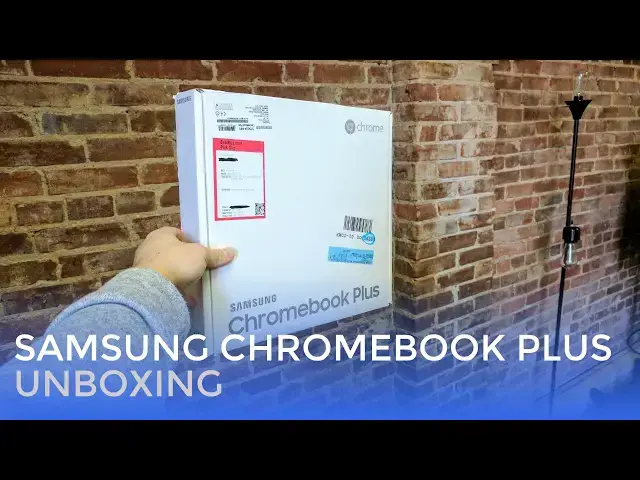
We're going live, unboxing the Samsung Chromebook Plus!
Show More Show Less View Video Transcript
0:03
hey folks Robbie Payne with chrome unbox
0:06
coming at you today with a live unboxing
0:08
it is our first time actually going Live
0:10
on YouTube to do an unboxing and if this
0:13
works out and we like the result and
0:15
things go pretty well then we might
0:17
start doing this on a more regular basis
0:19
going forward uh because the nature of
0:22
unboxings in general is pretty low-key
0:24
and it kind of feels a little silly to
0:26
over produce those particular videos
0:28
versus our review videos and so we
0:30
thought we would give this a try today
0:31
see how the interaction goes and
0:34
um
0:34
and if it works out and is good then
0:37
we'll move forward maybe do more of this
0:38
in the future so what I would like to
0:40
ask you and I know I'm not going to
0:42
catch everybody right now but we're
0:45
going to unbox this thing and afterwards
0:47
we're going to save some time for some
0:48
questions so if we see questions coming
0:50
up right now the way that this is being
0:52
filmed I can't see your questions anyway
0:54
if Joe sees quite a few of those he's
0:56
probably going to chime in and say
0:58
we're going to take questions at the end
1:00
so that we can kind of turn this around
1:01
and I can see your questions so
1:04
um without further Ado let's look at
1:06
this thing now we grab this from Best
1:08
Buy
1:09
um grab something
1:14
you should have thought this through
1:17
so we snagged this from Best Buy we had
1:19
an article go out today that there are
1:21
some
1:24
stock issues apparently
1:27
and while Amazon has sent out a few a
1:31
majority of them have not gone out yet
1:34
Best Buys are seeing Limited stock
1:37
and then other retailers such as b h ABT
1:41
Adorama camera for instance are all
1:44
still showing pre-order status we've
1:46
reached out to Samsung for some comment
1:48
as to what is going on exactly because
1:50
it's hard to believe that they didn't
1:52
kind of see this coming
1:54
um
1:55
yeah here's the application we got a
1:57
quick start looks like there's like a
1:58
little Grabber in there for the SD card
2:01
I put an SD card in the Pro that we
2:03
reviewed did not have to use that to get
2:06
it out but it's there
2:08
this is likely this will stay open
2:13
yeah charging block
2:15
again nothing crazy here but it is a
2:17
USBC
2:19
charging block
2:22
um this does not fold in or detach
2:24
and then we've got the USBC end here
2:28
and just like the pro I'm sure that this
2:30
one will charge very very quickly
2:34
which is very cool all right let's get
2:37
into this nothing real fancy going on
2:39
here I was kind of hoping they've
2:40
gussied up a little bit for this
2:42
particular device but
2:44
not so this looks like the packaging for
2:46
most
2:47
Samsung Chromebooks we're going to get
2:49
this whole box but it does still have
2:51
the big Square Samsung box all their
2:54
Chromebooks have come in those prior to
2:56
this
2:58
a little bit of plastic back here around
3:04
the hinge that's interesting
3:08
and we've got plastic on all the feet
3:10
and I normally wouldn't take the time to
3:11
do this but then it would be sliding
3:13
around
3:13
the whole time I'm trying to do stuff so
3:16
we're gonna take these off real quick
3:22
other than that looking pretty good
3:24
again we're not seeing anything new or
3:25
unique here from a design standpoint
3:28
these are really weird
3:31
um for perspective
3:33
in just a second I'll pull the
3:34
Chromebook plus up here and you're going
3:36
to see like they're literally this is
3:38
literally the exact same chassis
3:43
let's open her up
3:45
did you see a sticker down here
3:46
Chromebook plus
3:48
um so we know that this is not the pro
3:51
and likely like other Chromebooks it's
3:53
probably not going to start up without
3:54
me plugging it in first
3:59
nope so let's do that real quick
4:04
and if you all haven't already watched
4:08
the Samsung Chromebook Pro review
4:13
the only difference between this device
4:15
and that device is the internal
4:17
processor so here we're met with the arm
4:20
processor it's being relabeled kind of
4:22
white labeled as an op1 that's the rock
4:24
chip 33.99 technically
4:27
and it's going to score around 10 000
4:30
probably on octane we're going to run
4:31
that real quick for you versus the 20 21
4:35
000 on the pro however because Android
4:38
in general is built for
4:41
um
4:43
built mainly for arm processor devices
4:46
from what we've seen it looks like
4:48
Android devices our Android apps might
4:50
work a little bit better on this one
4:51
than they do right now on the pro and
4:53
that's probably just for the time being
4:57
foreign
5:00
that guys this that literally feels that
5:03
if you want more detail on all this kind
5:05
of stuff
5:06
um go watch the Chromebook Pro review it
5:09
is the exact same chassis it feels no
5:12
different the screen looks just as
5:13
exceptional everything looks gorgeous
5:19
and we're installing the system update
5:21
that is the problem of doing stuff live
5:26
seven minutes so if this actually is
5:29
going to take seven minutes we're not
5:31
going to sit here and
5:32
look at this for seven minutes
5:36
yeah it's moving along okay
5:39
um
5:40
how many people we got watching right
5:42
now
5:43
handful okay so we got a couple minutes
5:46
while this is downloading and update I
5:47
do want to get uh an octane because I've
5:49
had a lot of questions about octane
5:50
scores I'd love to run it on camera for
5:52
you so you all can see it
5:54
um so let's do our our questions real
5:56
quick why we've got a few minutes I
5:58
think that might be a wise use of our
6:00
time so we're gonna flip the camera
6:01
around here
6:03
and we're gonna go front facing
6:06
let's see someone asked about the
6:08
stickers Robbie um sorry
6:11
I think those stickers will come off um
6:12
energy star look if you can I don't know
6:14
if you can point this we've got a
6:15
stabilization on the
6:17
I'm also do that right on camera right
6:19
now so energy star one in general comes
6:22
right off no issues
6:24
I'm gonna cross my fingers and hope this
6:25
one comes right off as well
6:27
most time the manufacturer ones come off
6:29
easily and this one looks good
6:32
yeah no residue so there you go no
6:35
stickers that's the bummer about the
6:37
Intel powered ones they always have that
6:38
Intel sticker and that is not simple to
6:41
get off of your device all right so what
6:43
we got here will it come in black no
6:46
this device will uniquely be this silver
6:48
and the pro will uniquely be black
6:53
[Music]
6:57
what's the pen like and how does it lag
6:59
I will gladly pull it out and do a
7:01
couple jots here in just a few minutes
7:07
[Music]
7:10
full review on the pixel phone I'm not
7:13
sure if there's an appetite for that we
7:15
could do that and I've been rocking it
7:16
since I got it so
7:19
um kind of went back and forth on
7:20
whether or not I was going to keep that
7:21
phone and decided to stick with it
7:23
because it's just too awesome
7:25
packaged boring yes yes it was
7:29
um
7:30
outside the Play Store yes there's a way
7:32
to run apps outside the Play Store you
7:35
have to switch your Chromebook into
7:36
developer mode and then set that setting
7:39
um in in your Android settings just like
7:41
you would on your phone and then you can
7:43
side load apps
7:45
upcoming Chrome OS tablets absolutely we
7:48
will review those I would like to own
7:49
one for myself and I know a few other
7:52
people that would like to price on this
7:54
device is 449 dollars plus tax and or
7:57
shipping depending on where you buy it
7:59
I had quite a few questions about flip
8:01
uh compared to this device uh yeah the
8:04
pro
8:05
um we as I answered earlier today on on
8:08
our video we are definitely going to
8:10
have a video of the Chromebook Pro in
8:12
the Chromebook flip c302 side by side uh
8:16
within the next few days is that fair
8:19
um that will be going we've got the
8:21
footage it's in the process of being
8:22
editing that stuff takes a little bit of
8:24
time
8:25
um so we'll have that that video out I
8:28
how we're going to handle doing this
8:30
against the flip
8:31
likely will be promptly doing a video
8:34
showing the AC or the Samsung Pro and
8:37
Samsung plus side by side so you can see
8:40
more of their differences specifically
8:41
because
8:42
uh to redo an entire review for instance
8:46
um seems to be a little bit much for a
8:49
device like this where everything is
8:51
literally the same other than a
8:52
processor
8:54
um
8:56
yes correct it does have to be in Dev
8:58
mode so you'd have to not in Dev Channel
9:00
don't be confused there we have you have
9:02
three channels of Chrome OS and then you
9:04
have different you can put it in
9:05
developer mode you have to switch to
9:07
developer mode just like you would on an
9:09
Android phone you have to be in
9:10
developer mode on Android in order to
9:12
actually side load application well I
9:14
think that's true I could be mistaking
9:16
that you do have to be in Dev mode on
9:18
Chrome OS in order to sideload apps all
9:20
right so we are back up and running and
9:22
we're going to browse as a guest real
9:24
quick
9:25
see what kind of fun we can get into so
9:27
let's look at some octane
9:32
and again this screen is searingly
9:35
bright we're in a pretty bright room
9:36
right now with a lot of sunlight and
9:38
it's honestly at full brightness it's
9:40
brighter than it should then you
9:41
actually need to to use it so we're down
9:44
at
9:45
about 75 brightness right now
9:54
so we're gonna let this guy go I would
9:55
be shocked if it comes anywhere
9:58
um
9:59
anywhere too far over ten thousand and
10:02
you can see some of these early scores
10:03
basically octane is a JavaScript
10:05
Benchmark built by Google and so it's
10:08
testing all the things that browsers
10:10
would do and be good at so since Chrome
10:12
OS is based on Chrome in general uh
10:16
browsing speed and the ability to render
10:17
web pages really well that's honestly
10:20
the the best thing it could do keep in
10:23
mind octane doesn't necessarily mean
10:25
it's gonna like Run games or 3D content
10:27
any better it doesn't do a lot of GPU
10:29
testing and so octane doesn't take into
10:31
consideration that this thing has a
10:33
bunch of pixels on the screen it's just
10:35
running JavaScript tests and those kind
10:37
of benchmarks in the background so that
10:39
stuff has nothing to do with how many
10:41
pixels are on the screen so yeah 94 58
10:43
is what we're going to get I would
10:45
guarantee you
10:46
um I'm not going to take up time doing
10:48
it but if we close this and run it a
10:49
couple more times we could probably eke
10:51
it up over ten thousand that's about all
10:53
you're going to get for reference a lot
10:56
of the Braswell devices the Acer
10:58
Chromebook 14
11:00
um
11:00
things like that that came out last year
11:03
were getting somewhere in the
11:05
7 500 to 9000 so we're all speed wise
11:09
this thing's going to keep up and or
11:11
best those devices and so
11:13
um
11:14
let's just load up uh The Verge I use
11:17
that a lot
11:19
brightness all the way up Robbie no
11:22
there we go
11:24
and so you can see browsing through
11:25
websites it load this up nice and quick
11:27
we're not getting any check your
11:29
checkerboarding or anything weird like
11:30
that and again The Verge has a ton going
11:33
on that's
11:35
a heavy website
11:41
if I could type
11:43
in general our website's not too
11:45
terrible on on load speed but there's a
11:48
lot of assets that have to load in for
11:49
this one no real issues there
11:53
we're going to pop these
11:55
into separate windows
12:00
not too shabby there you see a little
12:02
bit of frame rate drop
12:04
but nothing unusable so let's
12:08
pop the pin out
12:11
it's not going to let me do a note
12:12
because I'm not logged in that's really
12:14
annoying
12:16
because I don't have Google keep on here
12:17
all right so I guess I have to log in to
12:20
test that real fast
12:23
live TV folks
12:39
another thing to keep in mind while
12:41
we're doing this don't base a ton on
12:43
this again we're going to do a review
12:44
video this we're just going to do it in
12:46
comparison basically of the pro so that
12:48
we're not talking about everything under
12:50
the sun again we're just going to talk
12:53
about all the things that are different
12:54
with this one that then with the pro
12:59
and it's going to take a second because
13:01
all of our stuff has to load in
13:04
Here Comes
13:12
we're not going to get into that just
13:13
yet
13:16
there we go all right
13:19
here we go so this is the last thing
13:21
we're going to test here
13:22
and this is the pen lag
13:25
if it will load up
13:28
all right
13:32
and again I don't want to test too much
13:34
against this because right now it's
13:36
installing everything in the background
13:37
so it's probably going to be some of
13:39
this that lags just because
13:42
and right now it's pretty laggy I'm not
13:44
gonna lie
13:46
uh
13:48
uh starting to catch up a little bit
13:51
but it's struggling right now again
13:53
we're installing all of our stuff
13:55
extensions and everything in the
13:56
background so this is probably something
13:58
better left for me to spend a few days
14:00
with and then get back to you guys on
14:03
um but that's the main thing that we're
14:04
going to be looking at with this device
14:05
over the next week or so what I want to
14:08
do is say okay go watch the pro review
14:10
if you want to talk about anything
14:11
externally what we want to focus on over
14:14
the next week or so with this device is
14:16
how it runs on day-to-day operations so
14:19
is it going to get be able to get work
14:20
done are you going to be comfortable
14:22
using it as a third device or could it
14:24
be a replacement device my inkling is
14:26
it's probably going to be a third device
14:27
type thing use it around the house it's
14:30
a secondary thing you take down to the
14:31
coffee shop that kind of stuff but I
14:33
want to give it some time I want to make
14:34
sure it's C and then let you guys know
14:36
so for now that's been all when this
14:39
thing is posted onto YouTube if you
14:41
liked it give it a thumbs up subscribe
14:43
and until next time guys we'll see you
#Consumer Electronics
#Technology News