live_tv
Livestream Starting Soon
00
Hours
:
00
Minutes
:
00
Seconds
Up next in 10



Sponsored by NordVPN. Try it out and get 70% off a three-year plan + 3 months free! Click here: https://chromeunboxed.com/nordvpn
Shop Google Pixelbook: https://chrmshop.com/google-pixelbook/
Shop Google Pixelbook Go: https://chrmshop.com/pixelbook-go/
・・・・・・・
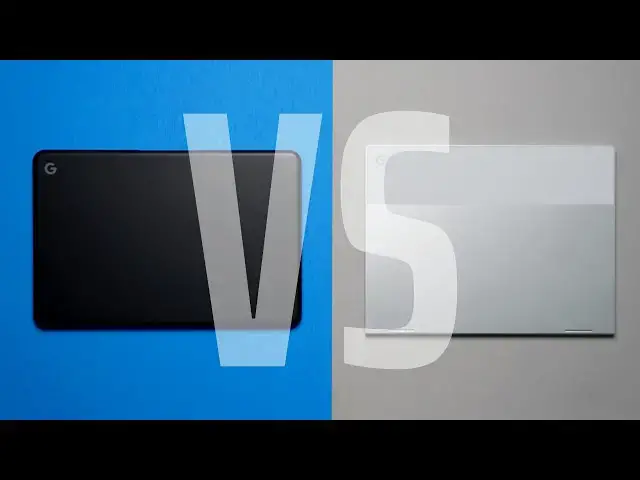
We get requests for versus videos all the time, but there are scenarios where these types of videos provide lots of interest and intrigue, and situations where they just don't make sense. We try to pit very similar devices against one another in the hopes that it helps members of our audience make the best possible decision for each of them. Sure, all Chromebooks are the same in regards to each having a screen, hinge, keyboard, trackpad, processor, RAM, storage, ports and speakers. If we look at it from that perspective, we could feasibly make versus videos until we were blue in the face and still not hit every combo.
We choose, then, to focus on versus videos where there is a deeper link between two particular devices. In this case, that link is the #madebyGoogle moniker both employ in addition to the Pixelbook namesake attached to each. Though their outer similarities end at that point, there's no denying the deeply-shared Google DNA that runs through both of these fantastic Chromebooks. Because of this, many are left wondering which one to go and buy and whether or not the sacrifices made on behalf of the Pixelbook Go are worth the lowered asking price. That's what we're here to help out with.
Read more: https://chromeunboxed.com/pixelbook-vs-pixelbook-go-best-made-by-google-chromebook/
Join our newsletter: http://bit.ly/2WjCDm7
・・・・・・・
Shop Best Chromebooks of 2019: https://chrmshop.com/
Subscribe to the channel: http://bit.ly/2xFuj6L
Show More Show Less View Video Transcript
0:00
today we're bringing you a comparison
0:01
video of two devices a lot of you all
0:04
have been asking about it is the
0:06
original pixel book versus the new pixel
0:08
book go and while these share a similar
0:11
name they don't share very much in
0:13
common and so there are very different
0:15
Chromebooks and very different
0:16
Chromebook experiences and we want to
0:18
talk about why it is I think that one of
0:21
them ends up being a better Chromebook
0:23
than the other
0:25
[Music]
0:31
today's video is brought to you by Nord
0:33
VPN the VPN a choice for millions of
0:35
consumers because they're great at what
0:37
they do and that is keeping your
0:38
browsing safe and secure when you're out
0:40
and about or whether you're at home if
0:41
you'd like to learn more about them and
0:43
how their service works head over to
0:44
Chrome inbox comm forward slash Nord VPN
0:47
to get started today it's been a little
0:49
bit since we've done one of these
0:50
comparison videos so I want to remind
0:51
you kind of how we go about doing this
0:53
and it's similar to the way that we deal
0:54
with our reviews we talk about the basic
0:56
five things we always talk about and
0:58
that's build quality screen input
1:00
methods like keyboard trackpad we talk
1:03
about ports and internals and then we
1:04
talk about just overall usability and
1:06
value so we'll kind of make each one of
1:09
them a winner in each of those
1:10
categories and at the end one of them
1:12
will have one more than the other and
1:14
it'll be pretty clear which ones our
1:16
overall winner let's start with our
1:18
build quality and this is going to be
1:20
kind of a push if we're just talking
1:21
about build quality the regular pixel
1:24
books built out of aluminum the pixel
1:25
book go is a magnesium alloy but
1:28
honestly all that aside they both feel
1:30
premium well put together and everything
1:32
is just as it should be all the lines
1:34
meet up and they both look great on the
1:37
table they both feel solid in the hand
1:38
there's not a bunch of creaking the
1:40
hinges work really well the pixel bogo
1:42
does have that one finger lift which is
1:44
really nice and the pixel book gets
1:46
along pretty close to that but it's a
1:48
convertible so it's kind of forgivable
1:50
that it doesn't have that feature but in
1:52
general both of these Chromebooks are
1:54
built solidly they're built very well
1:56
and there's a meticulous attention to
1:58
detail that shows in both Chromebooks so
2:00
when it comes to build quality it's kind
2:03
of a push here however with build we
2:05
also have to talk about the overall
2:06
functionality especially when we're
2:08
talking about these two Chromebooks
2:09
because the pixel bogo is just a
2:11
clamshell and it doesn't open up pass
2:13
like I don't know 160 degrees or
2:15
something like that and if you're just
2:17
using it as a Chromebook that's fine
2:18
that's not that big of a deal but the
2:20
pixel book actually flips all the way
2:22
around it can be used as a tablet and
2:24
we're gonna talk about screens in a
2:26
minute but the three by two aspect ratio
2:27
on the pixel book gives it a much more
2:29
tablet II feel in general it's it's more
2:32
squarish by design and so when you're
2:34
using it as a tablet it feels very
2:36
natural the seams come to come together
2:37
and it's got these square edges on the
2:39
side that feel good when it's in tablet
2:41
mode as well so if you're really talking
2:43
about over
2:44
all functionality from the build
2:46
perspective the win here has to go to
2:48
the pixel book just because you can get
2:50
your clamshell stuff out of it but you
2:52
can also get convertible tent modes and
2:54
all that other stuff from the way this
2:56
thing is built let's move on to screens
2:58
and honestly it's pretty clear on paper
3:01
at least which one has a better screen
3:03
it's the pixel book the pixel book has a
3:05
higher density at quad HD plus so it's
3:08
2400 by 1600 versus the standard 1080p
3:12
in the pixel book go it's also that 3 by
3:14
2 aspect ratio that a lot of people
3:16
really like however its 12.3 inches so
3:19
it's a little bit smaller in its
3:20
diagonal measure and honestly after
3:22
using the pixel book go for some time
3:24
I'm not that offended by sixteen by nine
3:26
screens anymore I've really thought
3:28
thirty three by two was the way to go
3:30
but honestly it's it's very usable what
3:33
I'd like to see is somewhere in between
3:34
sixteen by ten kind of like what a Mac
3:36
Book uses but both of these screens do
3:38
very well it's just on paper between the
3:41
brightness being 400 nits on the pixel
3:43
book versus the 300 Mets on the pixel
3:44
book go the 3 by 2 aspect ratio and the
3:47
higher density of the pixels the screen
3:49
just wins on the pixel book one way the
3:52
screen doesn't win and it's not really
3:54
the fault of the screen exactly but the
3:56
screen area maybe use what we'll call it
3:58
the pixel book go actually wins on that
4:01
because the bezels aren't nearly as
4:02
large having not used the pixel book for
4:05
a little while going back to kind of
4:06
prep for this particular versus video
4:08
the bezels on the pixel book are just
4:11
really big they're really big and it
4:14
feels like they're big for no good
4:15
reason they could have probably gotten a
4:16
13-inch display in this same chassis and
4:19
not really had to change too much but
4:21
again that doesn't take away from the
4:23
screen quality or the experience and
4:25
using the screen it's just it needs to
4:28
be mentioned it's got big bezels I'm not
4:29
taking the win away from the pixel book
4:31
because of that but yeah the bezels are
4:32
huge next up let's move down to the
4:34
keyboard and trackpad and we're gonna
4:36
flip it here on this one the clear
4:39
winner 100% is the pixel book go you can
4:42
read any review you want to talk to
4:43
anyone who's used the pixel book go as
4:45
good as the keyboard and trackpad are on
4:47
the pixel book and that's to say they
4:49
are excellent they're actually somehow
4:51
better on the pixel book go the keys
4:53
have the same kind of travel and
4:55
clicking this to them but they're
4:56
quieter and they
4:57
just feel better after spending again I
5:00
spent a good week back on the pixel book
5:02
again just to make sure that some of the
5:04
things I thought about the pixel book go
5:05
were true and it it is true the the
5:08
keyboard is just better on the pixel
5:11
book go and the same thing goes for the
5:12
trackpad it's larger in area it's just
5:15
as smooth as the pixel book but it's
5:17
larger so it makes it easier to just get
5:19
around and do all your gestures and all
5:21
that kind of stuff the click mechanism
5:22
is much quieter and much more subtle
5:24
than the kind of clunky click mechanism
5:26
that's on the pixel book so in general
5:28
between keyboard and trackpad both wins
5:31
have to go to the pixel book go as we
5:33
move on to the internal bits of both of
5:35
these devices the comparison gets a
5:37
little more foggy here so in general
5:40
we're talking about the base model of
5:42
both of these devices but that's kind of
5:44
not fair we're not really comparing
5:46
apples to apples here because the base
5:47
model of the pixel book go comes in at
5:49
such a lower price in the base model of
5:51
the pixel book so if we start talking
5:54
about the next step up on the pixel book
5:57
go that gets it on the same kind of
5:58
level playing field with the pixel book
6:00
we're talking similar core i5s eight
6:02
gigs of ram 128 gigs of storage and when
6:05
we put those two models next to each
6:06
other clearly the 8th gen model is
6:09
faster it's going to be zippier and
6:11
since it's only pushing a 1080p screen
6:13
it feels much faster but the big benefit
6:16
here is you can step down to the base
6:18
model and even though on paper it has a
6:20
lesser processor and a little bit less
6:22
storage it actually feels just a zippe
6:25
as the main pixel book and you get to
6:28
save $350 on the way however internals
6:31
come down to more than just the
6:32
processor Ram and how much storage you
6:34
have there's also things to consider
6:36
like port selection and speakers and
6:38
when it comes to port selection these
6:40
devices are literally identical there's
6:42
nothing really different going on
6:43
between the two and that's kind of a
6:44
push we don't really have to even talk
6:46
about that it's just a single USB type-c
6:48
on both sides for connectivity and
6:49
charging however when we move into the
6:52
speaker Department the speakers on the
6:54
pixel book go demolish the original
6:57
pixel book and I knew the pixel book had
7:00
bad speakers no one ever thought the
7:01
speakers were great on it I just didn't
7:03
think they were that bad but after being
7:05
spoiled by being able to listen to audio
7:07
on the pixel book goes insanely good
7:09
speakers
7:10
it's not even close like it's so far
7:12
separated it feels like it should get
7:14
two points for this we're not going to
7:15
do that because we can't go against our
7:17
system but it's that much better it's
7:19
that pronounced of a difference and so
7:21
when we start talking about all the
7:23
stuff with internals and processor DRAM
7:25
and all those kind of things being kind
7:27
of similar between the two and not that
7:28
different like this this category is
7:31
going to kind of come down to just the
7:32
speaker's honestly when we're talking
7:33
about differences and they're that
7:35
different that the win in this category
7:36
has to go to the pixel book go finally
7:38
we come up on user experience and this
7:41
is a tougher category than some of the
7:43
ones that have come prior to this
7:45
because both of these Chromebooks are so
7:47
good they're both so enjoyable to use
7:50
they both feel premium they're both fast
7:52
they both do everything you want a great
7:55
Chromebook to do but they're different
7:57
they are very different devices and
7:59
though they share a similar name they
8:01
are just different ways of going about
8:03
building a Chromebook so with the pixel
8:05
book you get a flippable design you get
8:08
the option of adding a pin into it you
8:10
get the more tablet like experience
8:12
whenever you flip it around and you get
8:14
maybe not the best clamshell experience
8:17
but a good claim shell experience you
8:19
get solid aluminum you get a very
8:21
specific design aesthetic from it but
8:24
then on the pixel book go side the same
8:25
is true you get what I feel like and I
8:28
said in the review for this device it's
8:29
like the best distilled Chromebook
8:32
experience you can get if you're talking
8:34
about picking up a device that you want
8:36
to open up and use like a laptop there's
8:38
just nothing better than this device
8:39
right now it just does everything you
8:41
want a Chromebook to do exceptionally
8:44
well and I loved using it and so it
8:47
becomes very difficult to compare the
8:48
two because the experiences are
8:50
different so what I can tell you is from
8:51
my experience which one I like using
8:54
more and that one's easy
8:57
it's the pixel book go and part of it is
8:59
because the speakers and part of its
9:01
because the just standard 1080p screen
9:03
that I don't have to worry if like Linux
9:05
apps we're gonna scale properly or what
9:07
Android apps are gonna do on it or it
9:09
having to push around more pixels than
9:10
you really need because everything on
9:12
the screen still looks nice clear and
9:14
pin sharp but it's also the speakers in
9:17
the way that I can watch video on and
9:18
just kind of be engrossed in it it's
9:20
the typing experience it's the way the
9:22
thing feels under my palms it's the look
9:24
of the device it's all of those things
9:26
mixed together that ultimately I wasn't
9:29
even sure going into the last week or so
9:30
of using the pixel lookup I thought
9:32
maybe I pick it up and and kinda just be
9:34
entranced by it all over again and again
9:37
I'm not saying it's not a great
9:38
experience and that it's not a great
9:39
Chromebook but when it comes down to it
9:41
I was ready for this video to be filmed
9:43
so I can go back to my pixel book go and
9:46
it's not because it's so much faster or
9:48
it's so much more premium or any of
9:50
those things it's just an experience
9:52
thing there's something about using the
9:53
pixel book go that sets it apart from
9:55
other Chromebooks that I've used up to
9:57
this point that make it very special and
10:00
a very awesome overall experience so the
10:02
wind and the experience column obviously
10:04
goes to the pixel book go
10:11
[Music]
10:13
if you're tallying it up we have three
10:16
points on the pixel ago and two for the
10:18
pixel book and again this is one of
10:20
those comparisons that it's not this
10:21
blow out it's not something where one is
10:24
so much better than the other and it's a
10:25
clear-cut simple choice to make they're
10:28
very similar in a lot of ways and very
10:30
different in a lot of ways but also both
10:32
very awesome Chromebooks which one's
10:34
right for you well I can't always answer
10:36
that question for every single person
10:38
that watches a video what I can tell you
10:40
is I think the pixel book go is a better
10:42
holistic Chromebook package and the best
10:45
part about it is you can get the entry
10:47
level model that I use on a daily basis
10:49
for 649 dollars and that's nope sales
10:51
that's the MSRP that's what it always is
10:54
and even right now we're seeing some
10:56
sales every once in a while on the
10:57
original pixel book but in general you
10:59
can't get into a pixel book for less
11:01
than a thousand bucks and so that's just
11:03
another thing that adds to the intrigue
11:05
of the pixel book go and another reason
11:07
why I can say if you're looking at the
11:09
two of these devices if you don't really
11:10
need pen input and you don't need a
11:12
convertible tablet kind of thing the
11:14
pixel book go is probably the one you
11:15
want to go for guys that's been it for
11:17
this one if you liked it go down there
11:18
and give us a thumbs up hit the
11:20
subscribe button and make sure and hit
11:21
the notification bell if you'd like to
11:22
be alerted when we make future videos
11:24
just like this one and if you're really
11:25
loving the content hit that blue join
11:27
button to see all the perks our members
11:29
get like custom emojis and
11:30
behind-the-scenes content until next
11:32
time we'll see you
11:34
[Music]
#Computers & Electronics