Up next in 10



Sponsored by NordVPN. Try it out and get 75% off a three-year plan for a limited time! Click here: https://chromeunboxed.com/nordvpn
Shop Pixelbook on Amazon: https://fave.co/2K2bf8e
Shop Pixel Slate on Amazon: https://fave.co/2K2bNuO
・・・・・・・
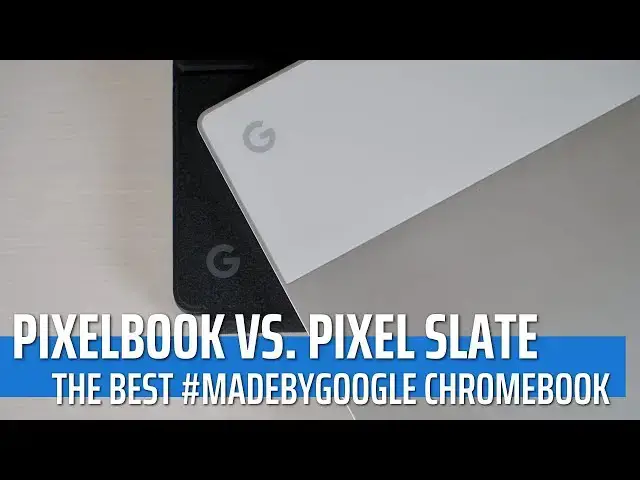
We don't get the opportunity to do versus videos as often as I'd like, but we're ready to try and change that in the coming months. The truth is, with review units it is pretty difficult to catch two interesting devices in the office at the same time. Right now we have quite a few around, so we want to take full advantage of that fact and begin with probably the most-requested versus video of all: the Pixelbook vs. Pixel Slate.
・・・・・・・
Become a member of Chrome Unboxed to help us make our channel even better, and for access to exclusive perks: http://bit.ly/CU-join
Subscribe to the channel: http://bit.ly/2xFuj6L
Shop Chromebooks: https://fave.co/2OuedYL
The Music We Use - PERFECT for YouTube: http://bit.ly/31W6PYP
Read more: https://chromeunboxed.com/
Show More Show Less View Video Transcript
0:03
[Music]
0:07
it's no secret that people like to
0:09
comparison shop it's just kind of in our
0:11
nature we like to look at something that
0:13
we're thinking about buying and then
0:14
look at other things that are close in
0:16
price or close and feature and decide
0:18
which of the two is better and then make
0:20
our purchasing decision that's just not
0:22
an odd thing for human beings to do and
0:24
so we don't get the opportunity as much
0:26
as we would like to be able to do
0:28
comparison videos because they take a
0:30
lot of time and and you've got to have
0:31
both devices around but right now we've
0:34
got a lot of devices in the office and
0:35
we want to do some of those comparisons
0:37
and right up there at the top of our
0:39
list of comparison videos to do is this
0:41
one with the pixel book in the pixel
0:43
slate because there's a lot of stuff
0:44
they share in common
0:45
specifically Google's DNA in them but
0:48
there's a lot of things that are
0:49
different about them and so I know
0:51
because we get emails a lot and comments
0:53
that a lot of people are trying to
0:55
decide I'm gonna spend some money to get
0:56
a premium Chromebook to go with this one
0:59
I do I go with this one and so we want
1:01
to kind of help you out with that but
1:03
before we get into comparing Chromebooks
1:04
there's one thing we can definitely say
1:06
you probably don't need to compare VPN
1:08
services if you're looking to browse the
1:10
Internet securely Nord VPN is the VPN
1:13
that we all use it works on Chromebooks
1:15
and iOS devices and Android devices
1:17
alike it is by far in our opinion the
1:20
best one you can get so if you'd like to
1:21
learn more about them go to Chrome on
1:23
box comm forward slash north VPN and you
1:25
can get started today so a bit about
1:27
these comparison videos and how we're
1:29
going to do these as we move forward
1:31
we're going to talk about five things
1:32
and in general they'll mirror the way
1:35
that we review devices to so we're gonna
1:37
talk about build quality
1:38
we're in talk about screens we're gonna
1:40
talk about keyboard trackpad you know
1:41
your input type stuff and then we're
1:43
going to talk about kind of like
1:44
internals ports and all that stuff
1:46
speakers battery all that stuff together
1:47
and then the fifth thing the one that's
1:49
going to be a little bit more subjective
1:50
than those first four is just going to
1:53
be the overall feel of using the device
1:54
on a daily basis and so we don't want to
1:56
do comparison videos about devices we
1:58
don't ever use we're going to do them
2:00
about devices that we've spent some time
2:01
with and have just basically formed an
2:04
opinion on so just because something
2:05
wins on a spec sheet doesn't really
2:07
always mean it's the best overall device
2:10
and so we want to throw that fifth
2:11
category in there so that
2:13
after we kind of tally up and say which
2:15
one wins each of them we can at the end
2:17
of it say at least subjectively to a
2:20
point that this is the one I would
2:22
choose if I was gonna buy one of these
2:24
two devices today and so hopefully that
2:26
can help you out a little bit all right
2:27
so let's start with build quality and
2:29
we'll talk about the pixel book first
2:31
overall I really can't ask for too much
2:34
more with the pixel book it is built
2:36
just almost perfectly there are some
2:40
little things that I don't like about it
2:41
but honestly those come down to stuff
2:43
that we're gonna talk about in a minute
2:44
it's just aluminum and glass and it
2:47
feels great and it's super thin and it's
2:49
super light and even a year and a half
2:51
after it's been put out there's nothing
2:53
else that looks like it and when it's
2:55
sitting on the desk it just looks modern
2:56
and awesome and there's a very little to
2:59
rag on with the pixel book but there is
3:03
one thing and that is the palm rest and
3:05
the feet on the bottom they just they
3:07
discolor there's no way around it we've
3:09
had three of them in the office and all
3:10
of them are discolored and I don't know
3:13
how to fix it but it's just kind of
3:15
annoying and it's a bit of a scar on an
3:17
otherwise just absolutely beautiful and
3:19
well made device overall in the pixel
3:21
slate you get superior build quality as
3:24
well I mean these are both made by
3:26
Google devices and so we expect that you
3:28
know metal glass rounded edges it feels
3:30
great in your hand it's perfectly
3:32
balanced on one finger you know there's
3:34
just a lot of good stuff going on with
3:37
this tablet and and it looks great on a
3:39
desk and it looks great in your hands
3:41
and all that kind of stuff the one knock
3:43
I have with the pixel slate is one it
3:46
picks up fingerprints like a monster I
3:48
don't know that you can put that as a
3:50
knock necessarily against build quality
3:52
it doesn't mean it's poor quality it
3:54
just picks up fingerprints like crazy
3:56
but the keyboard has to be talked about
3:58
when we talk about the slate especially
4:00
when we're talking about it against the
4:01
pixel book so now the pixel book has a
4:03
keyboard so we got to talk about what
4:05
the keyboard looks like on the slate and
4:08
in general like I like the keys on it
4:10
and we're going to talk more about that
4:11
in a second but when we talk about build
4:13
quality this thing feels a little flimsy
4:16
and I talked about that in a review
4:17
whenever you've set it on your lap it
4:18
can kind of just wobble around a lot it
4:20
doesn't really
4:21
firmly go into place and it's just not
4:23
as high of a quality as the tablet it's
4:26
attached to and so when we start talking
4:28
about which one is built better
4:30
they're both great don't get me wrong
4:31
but overall package keyboard and screen
4:34
included the wind has to go to the pixel
4:37
book I feel like especially at a year
4:39
and a half out for it to still feel as
4:41
well engineered as it did the day I got
4:43
it out of the box the winner has to be
4:45
the pixel button all right so let's move
4:46
on to screen and we'll kind of swap this
4:49
up each time so we'll start with the
4:51
pixel slate the pixel slate comes in at
4:54
3000 by 2000 resolution is nice and
4:57
bright IPS punchy colors wide viewing
5:00
angles 3 by 2 aspect ratio 12.3 inches
5:04
it's a great screen I mean things look
5:07
really really good on it Google even
5:08
went as far to brand it as a molecular
5:10
display and so it apparently like fires
5:12
electrons a little bit faster so that
5:14
the refresh rate on it looks better to
5:17
your eyes and I just have to say the
5:19
screen on it's incredible like I have no
5:21
NOx whatsoever with the pixel slight
5:24
screen it's one of my favorite parts of
5:25
the device moving on to the pixel book
5:27
it has an equally impressive display
5:30
it's 12.3 inches 3 by 2 ratio less
5:34
pixels here so 2400 by 1600 on the pixel
5:37
count but ultimately when you're looking
5:39
at these devices from any kind of
5:40
regular point of view like without a
5:42
microscope basically you're not gonna
5:43
notice the difference in pixel density
5:45
so that doesn't really matter
5:46
pixel book is a tad bit brighter than
5:49
the pixel slate and I would say the
5:51
colors are right on par there's some
5:53
times in the pixel book can be a little
5:55
washed out in its color so I think when
5:57
we look at them side-by-side especially
6:00
when we start talking about bezels like
6:01
the pixel book has some pretty chunky
6:02
bezels on it and turned some people off
6:04
and then pixels slight reduce those a
6:06
little bit when we look at these screens
6:08
side by side and we just look at the
6:09
stats the pixel slight wins but also
6:12
when I just look at the devices too like
6:14
there's just something about the pixel
6:16
slights display overall that that draws
6:18
me to it and watching movies and videos
6:21
and stuff like that on it the win in
6:23
this department I feel like has to go to
6:25
the pixel slate alright next up is
6:28
keyboard and trackpad so the basic way
6:30
that you're going to interact with your
6:32
device sure they both have touchscreens
6:33
but
6:34
the Chromebook so we're gonna get
6:35
productive on these things so keyboard
6:37
and trackpad really really matter let's
6:39
start with the pixel book if you've
6:41
watched any of my videos you probably
6:42
know that it's my favorite keyboard of
6:45
all time I love it I love it to this day
6:47
every time I have review any other
6:49
device or work from any other device I
6:51
go back to it and it just feels like
6:54
home a little bit to me and part of
6:56
that's just because I've used it a lot
6:58
but part of it is because it is
6:59
excellent and even when we talked with
7:02
the folks at bridge and they were
7:03
talking about keyboards and key frames
7:05
they went on and on about how good the
7:07
key frame is in the pixel book and I
7:10
just think that they nailed it they did
7:12
something here that is fantastic and
7:13
it's well built it stood up to the test
7:15
of time I don't have Miss keystrokes it
7:17
just feels great it works great I love
7:20
every bit of it
7:21
trackpad is equally as good it's class
7:24
the click mechanism feels perfect it may
7:26
be a little bit loud for some people to
7:28
click but other than that I mean input
7:30
methods on this thing are absolutely
7:32
top-notch so when we talk about the
7:34
keyboard and trackpad on the pixels
7:36
slate it's a little bit of a different
7:38
scenario here because this is built as a
7:40
tablet with a detachable keyboard it's a
7:42
tablet first and it's a clamshell slash
7:45
keyboard toting laptop type thing second
7:49
and so you kind of feel that it's not
7:51
that the keyboard is bad it's it's
7:52
pretty good and to be as thin as it is
7:54
the keyframe feels really good and the
7:57
halo effect on the round Keys like that
7:59
that doesn't bother me at all actually
8:00
typed from a different keyboard that has
8:02
round keys and I don't know if it
8:03
actually lives up to Google's spec that
8:05
it helps you make less errors but that
8:08
all that stuff feels great and the
8:09
travel is surprisingly good just to the
8:12
click enos on the pixel slights keyboard
8:14
isn't as good as the pixel book and that
8:16
honestly shouldn't be that much of a
8:17
surprise to anyone the the whole thing
8:20
is a little bit flimsy in general and we
8:22
talked about that in the build and so
8:23
that kind of reflects it's a great
8:25
trackpad and all of this feels really
8:27
good actually when it's on a desk it's
8:28
the minute you move it to any other
8:29
surface you start losing some of the
8:31
click ability the trackpad the key start
8:34
feeling a little bit less clicky and
8:35
just overall the experience kind of goes
8:37
downhill but we have to talk about this
8:40
device too because this is actually an
8:44
additional device that you can get the
8:45
bridge GTI keyboard that's made
8:46
specifically for
8:47
the pixels late and it is a Bluetooth
8:50
driven keyboard but it's backlit the
8:52
keyframe feels really really good and
8:54
it's aluminum so it's gonna give you the
8:56
stability whenever you're on your lap or
8:58
on an uneven surface that you're not
9:00
gonna get from this keyboard it's acts a
9:02
little bit cheaper than google's
9:03
keyboards so there is some selection to
9:06
be had with the pixel sight which is
9:07
pretty cool and who knows down the road
9:09
there could be another company that
9:11
comes and makes another keyboard so you
9:12
could choose a keyboard that works for
9:14
you but it doesn't even matter for me
9:16
personally because at the end of the day
9:18
track pads are pretty equal keyboards
9:21
are not this thing has the best keyboard
9:23
I've used hands down across any device
9:26
and so you can have three or four
9:28
keyboards over here
9:29
they don't add up to how good the one is
9:32
on the pixel book so for me in this
9:34
category I have to give the win to the
9:36
pixel book so for our fourth section
9:38
we're going to talk about internals and
9:40
that includes stuff like speakers and
9:42
ports and processors and all that kind
9:44
of stuff so there's a few places where
9:47
both devices the pixel book and pixel
9:49
slate kind of line up and it's just a
9:51
push and so let's talk about those real
9:53
quick performance in general day-to-day
9:55
it's going to be about the same between
9:57
the devices if you've bought the similar
9:58
specs now you can buy some low respect
10:00
versions of the pixel slate and I
10:02
wouldn't necessarily recommend those but
10:04
when we line them up to each other and
10:06
say you know Core i5 on both devices at
10:08
gigs ram on both you're not gonna notice
10:10
a whole lot of difference in performance
10:11
day to day the internal storage is about
10:14
the same on both of them depending on
10:16
the configuration you buy so all that
10:18
stuff feels like just kind of a push so
10:19
let's move on past that and talk about
10:21
well ports
10:22
oh yeah that's a push to because they
10:24
both have two USB type C's and a head
10:27
hold wait a second this one has a
10:29
headphone jack and that one doesn't so
10:31
this has become one of those devices
10:32
that decided to get rid of a headphone
10:34
jack for no good reason so that's a bit
10:36
of a knock on the pixel sight for me but
10:38
they do include the little dongle that
10:39
they do with the pixel three and they
10:42
did with pixel two as well so you at
10:44
least have an option to get headphones
10:46
out in general because the speaker
10:48
sounds so good I've never found myself
10:49
wanting to do that anyway but then we
10:52
got to talk about those speakers the
10:55
speakers on the pixel book sound okay
10:57
they they get by and they kind of come
10:59
up through the keyboard
11:00
you know they'll let you hear the audio
11:03
on the screen that you need to kind of
11:04
see they're taking a video or something
11:07
like that the speakers on the pixel
11:09
slate are phenomenal they're they're the
11:12
best speakers on a light portable device
11:14
I've ever heard and I've actually
11:16
watched full-length movies on it I've
11:18
watched full-length shows and every time
11:21
I get this device back out and start to
11:22
watch a video I just kind of sit back
11:24
and go man
11:25
such great speakers I just I really
11:28
really love them they're wide enough to
11:29
provide stereo separation and they're
11:32
just awesome they just increase the
11:34
likeability of this device so much that
11:37
even the stuff I've knocked on it it
11:38
makes me want to use it just because the
11:40
speakers are so good and right up above
11:42
them as a fingerprint scanner and that
11:45
sounds like a little thing but there are
11:46
no other Chromebooks with it and it just
11:48
makes walking up and logging in with one
11:50
touch such a nice addition to the
11:53
overall experience and so when we start
11:55
talking about internals if we include
11:57
all of that stuff because it's basically
11:59
a push from performance so the pixel
12:01
slate has to win this category because
12:04
the speakers in the fingerprint scanner
12:05
just really put it over the top so let's
12:08
move on to the fifth thing and that's
12:09
just kind of this aesthetics and feel
12:11
like how's it feel to use the device
12:13
well both of these are premium and it
12:15
feels great to use both of them to be
12:16
honest with you like neither one is a
12:17
terrible experience and so I really kind
12:20
of have to back up and go which one do I
12:22
just feel most confident in picking up
12:24
so if I've got to get something done
12:25
I've got to take care of a job or
12:27
whatever the case may be which one am I
12:29
gonna go grab first when when push comes
12:31
to shove and for me that's that's the
12:33
pixel book just in general because if
12:37
I've grabbed this one and it's got the
12:38
soft case on it I don't like the way it
12:39
Wiggles around I don't like not knowing
12:41
where I'm gonna be set up to work if I
12:43
have to work out on my lap I really
12:44
don't like using it I don't have to
12:46
think about any that stuff with the
12:47
pixel book and with the pixel book if I
12:49
need tablet if I need to hold as a
12:51
tablet and take notes or write or
12:52
something like that well I'll just flip
12:54
it in a convertible mode and use it that
12:56
way for a little bit and so overall in
12:58
general when it comes to just aesthetics
13:00
when it comes to do is using the device
13:02
on a day to day basis the best overall
13:05
device for me would be the pixel book so
13:08
if you've been keeping score as we wrap
13:10
up you
13:11
can see the writing on the wall the
13:13
pixel book has three and the pixel slate
13:15
has two and that's kind of indicative of
13:17
the way I feel about these two devices
13:18
they're really close in a lot of ways
13:20
but they're just kind of different if
13:22
you're looking for a clamshell device
13:25
then clearly the pixel book is the way
13:26
to go and if you're looking for a tablet
13:28
first clearly the pixel slates the way
13:30
to go but if I'm forced to put them
13:32
against each other now I'm forced to
13:33
choose one to work from for it to be my
13:35
only device and to be the one I'm gonna
13:37
spend my money on and use on a daily
13:39
basis for me there's just no question
13:41
overall the holistic experience of using
13:44
the pixel book is just a better one at
13:46
this point then the pixel slate and
13:48
again it is not to say that the pixel
13:50
slates a terrible device it's gotten
13:51
some rough reviews out there I still
13:53
enjoy using it it's just when I'm forced
13:56
again to put them side by side I have to
13:59
go with the pixel book and it is our
14:00
winner in this versus video and so guys
14:04
that's it for this one if you liked it
14:06
give it a thumbs up hit the subscribe
14:08
button down below and until next time
14:09
we'll see
14:13
[Music]
#Computers & Electronics