Up next in 10

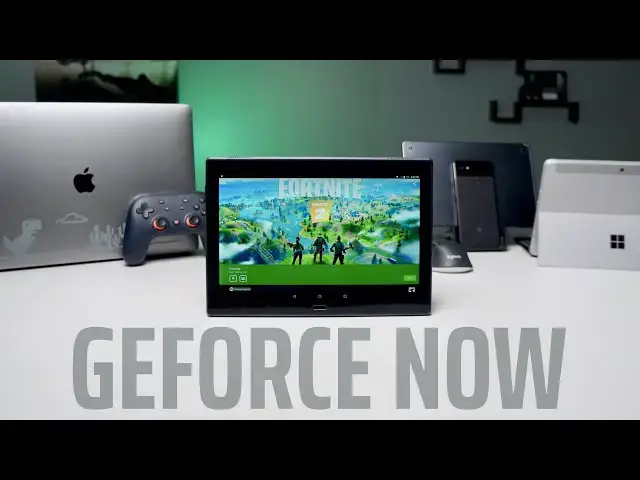
NVIDIA GeForce NOW: Tested on Cheap and Expensive Hardware
Feb 12, 2020


Sponsored by Hostinger. Go to https://hostinger.com/chromeunboxed and use code 'CHROMEUNBOXED' to get up to 91% OFF yearly web hosting plans. Succeed faster!
Shop Best Chromebooks of 2019: https://chrmshop.com/
・・・・・・・
When GeForce NOW came out of beta just over a week ago, I initially had my reservations about how well the service would actually perform. Being a big fan of Stadia and the way it works, I expected NVIDIA's service to perhaps work well on certain devices and fall flat on others. I realized almost immediately that those expectations were flat-out wrong and GeForce NOW has quickly become a daily go-to for gaming on a handful of devices I own.
We've included a sampling of GeForce NOW running on everything from a mid-range phone to a $2000 Macbook Pro. Specifically, we tested the Pixel 3a XL, the Lenovo Tab 4 10+ (an older tablet running Android 7), the Samsung Galaxy Tab S5e (a mid-range, $400 tablet), the Surface Go, and a 2016 Macbook Pro. When you talk about a range of devices, I think this covers the spectrum.
Read more: https://chromeunboxed.com/nvidia-geforce-now-cheap-tablet-windows-macbook-android-tested/
Join our newsletter: http://bit.ly/2WjCDm7
・・・・・・・
Subscribe to the channel: http://bit.ly/2xFuj6L
The Music We Use - PERFECT for YouTube: http://bit.ly/31W6PYP
Become a member of Chrome Unboxed to help us make our channel even better, and for access to exclusive perks: http://bit.ly/CU-join
Show More Show Less View Video Transcript
0:00
just recently nvidia shook up the gaming
0:02
world as they finally brought their
0:04
streaming platform GeForce now out of
0:06
its years long beta state and as it came
0:09
out of that and we saw the news start
0:11
coming around that we could get our
0:12
hands on it and start using it we
0:15
started testing it on everything we
0:16
could obviously we started with the
0:17
Chromebook first and we're going to talk
0:19
through kind of the different phases
0:21
we've gone through of testing it but
0:22
what we wanted to show you all today is
0:24
the fact that you can run GeForce now
0:27
run the games that you already own
0:29
despite whatever hardware it is that you
0:32
have in front of you and it doesn't take
0:34
some high-end tablet or some really nice
0:36
Windows PC or some spec tout MacBook Pro
0:40
you can do it on really cheap hardware
0:42
and mouse and keyboard and controller
0:45
input all work and we just kind of want
0:47
to show it to you because it's really
0:48
impressive
0:50
[Music]
0:55
today's video is brought to you by
0:57
hosting er they provide web hosting
0:58
that's not only easy to set up but easy
1:00
to manage and maintain as well even
1:02
better their prices are nearly
1:04
impossible to beat with hosting plans
1:05
starting as low as 80 cents per month we
1:07
use their simple and intuitive H panel
1:09
to get a new site up and running with
1:10
their six-step WordPress install and
1:12
love the access to the 24/7 365 support
1:16
for the few questions and issues we had
1:18
along the way even more exciting is
1:19
hosting us cloud hosting that leverages
1:21
Google cloud platform with the service
1:24
users will get all the benefits of
1:25
hosting or simple and intuitive h panel
1:27
combined with the power scale and
1:29
flexibility of Google cloud on the
1:31
backend no need for professional set up
1:33
no need to hire developer it all just
1:35
works if you'd like to learn more about
1:37
how to supercharge your hosting
1:39
experience and you know likelihoods save
1:41
some money go to hosting or com forward
1:44
slash Chrome on box to get started and
1:46
use the promo code chrome unboxed to
1:48
receive ninety one percent off yearly
1:50
web hosting plans not surprisingly for
1:53
us we fired up a Chromebook and went and
1:56
looked for the application in the Play
1:57
Store and we're kind of let down by the
2:00
fact that it's technically not supported
2:02
on Chromebooks right now so if you go to
2:04
the Play Store and look for GeForce now
2:06
you're just not going to find it and if
2:08
you find a link to go to the place where
2:10
you should be able to download it and
2:11
you do end up finding that listing it's
2:13
not going to allow you to download it
2:15
but that didn't stop us we went and put
2:17
our pixel book go into developer mode we
2:21
side-loaded the APK and got the whole
2:23
thing up and running kind of excited
2:25
there for a few seconds until we figured
2:26
out about 60 to 90 seconds into any game
2:29
the thing will freeze up it just doesn't
2:32
work anymore so for right now
2:33
Chromebooks are kind of out that's not
2:35
to say you're not gonna be able to play
2:36
this on a Chromebook NVIDIA has come out
2:38
and even said their web player will
2:41
launch later in 2020 and they
2:42
specifically said that that's how
2:44
Chromebooks will go about using this
2:45
service and as long as the web player
2:47
works the way we would expect it to and
2:49
kind of as good as stadia as web player
2:51
works and that should be fine and
2:53
that'll be great but for right now
2:54
Chromebooks are kind of officially off
2:56
the table our next logical step was to
2:58
try an Android device so I whipped out
3:00
my phone installed the app
3:02
and had it up and running really quickly
3:04
and everything works exactly like you'd
3:06
expect now this isn't the exact same
3:07
process as what you would see with
3:09
something like stadia stadia is its own
3:11
platform you buy games that work on
3:13
stadia and when you have stadia in front
3:16
of you you pick up the game you hit play
3:18
and you go the g-force now interface is
3:21
a little bit different and honestly it's
3:23
a little bit clunky because really what
3:24
they're trying to do is go about this
3:26
whole thing in a different way and allow
3:28
you to play games from your epic game
3:30
store or steam or battlenet or you play
3:33
all of those accounts will work with
3:35
your existing GeForce now account you
3:38
just have to log in and use those
3:39
particular gaming accounts and you can
3:41
play games that you already own and
3:43
already have access to on those services
3:46
all that aside once I got logged in and
3:48
had a game up and running I got
3:49
fortnight up and running immediately it
3:51
ran really smooth high frame rates
3:54
everything looked good and the latency
3:56
was really nice now there's an on-screen
3:58
controller for your phone and I don't
4:00
recommend using it it's not great but
4:02
the minute I took my stadia controller
4:04
and plug the USB type-c in it recognizes
4:06
it I was able to play immediately no new
4:08
setup no hoops to jump through
4:10
everything just work the way you would
4:11
expect it to and I also then hooked up a
4:14
mouse and keyboard via you know USB
4:16
dongle right in the side of the phone
4:17
and surprisingly it just switched right
4:19
over and everything started working
4:21
there too and again latency and input
4:23
was pretty amazing to be honest with you
4:26
I expected there to be some hiccups here
4:28
and there and it honestly was just as
4:31
good as playing anything in stadia
4:32
what's special about that is when you
4:34
talk about Android and mouse input the
4:36
mouse kind of hovers over top of the
4:39
Android interface it's it doesn't feel
4:41
like it's a native part of it and if
4:42
you've ever hooked up a mouse to an
4:44
Android device you know exactly what I'm
4:45
talking about
4:46
so I wasn't exactly sure how a mouse and
4:49
keyboard would work with g-force now on
4:51
an Android device and I was just so
4:54
surprised at how fluid and how smooth it
4:57
works as soon as the game loads the
4:59
mouse cursor the Android mouse cursor
5:01
disappears and you now control the mouse
5:03
cursor on that cloud server that's
5:05
hosting whatever game it is you're
5:06
playing the whole setup was super easy
5:08
and way simpler than I expected to be
5:10
and so compliments to Nvidia for
5:13
figuring out how to make
5:14
Android mouse and keyboard input just
5:16
feels so native the next step from there
5:18
was to try this out on a handful of
5:20
Android tablets I mean would it take
5:21
something with a nice processor in it or
5:23
could we get something cheap and so what
5:25
we tried both with Samsung's Galaxy Tab
5:27
s5e which is kind of a mid-range tablet
5:30
like a $400 tablet that has a similar
5:32
processor to the pixel 3a then we also
5:35
have a Lenovo tablet that I don't even
5:38
know it's it's so old I'm not even sure
5:39
what the actual model is on it it is not
5:42
fast it can barely even play Pub G
5:44
Mobile so if that gives you an idea of
5:46
its processing power it is not something
5:48
that it's just blowing it out of the
5:50
park and we put NVIDIA GeForce now and
5:52
both of them hook keyboards hook
5:54
joysticks up to them all that kind of
5:56
stuff same thing I did with my phone and
5:57
it rained perfectly on both of them too
6:00
and so it was really interesting to
6:01
watch a tablet that couldn't run a
6:03
mobile version of pub G load up GeForce
6:06
now and run Apex legends and run for
6:09
tonight in this nice crisp detail with
6:11
no input lag with no problems whatsoever
6:14
I mean it changes the way that you look
6:16
at going about getting your games and it
6:18
changes the things you think about the
6:20
hardware you would need to run these
6:21
types of games to be sure that the
6:23
experience couldn't be heightened on
6:25
some better equipment or a better
6:26
operating system we actually installed
6:29
GeForce now on our kind of Resident
6:31
Windows machine yes we have to test
6:33
things on Windows from time to time and
6:35
especially now that edge is moved into
6:37
being a chromium based browser we keep a
6:39
Windows device around it so we through
6:41
GeForce now on our surface go this is a
6:44
Pentium gold with a gigs ram it's
6:46
nothing special again this is not some
6:48
monster Windows PC this is kind of as
6:51
entry-level as you can get and once
6:52
again no surprises here everything just
6:55
works it's fast its fluid and once
6:57
you're connected you can run pretty much
6:59
any game that you would like finally we
7:01
just went ahead and installed it on our
7:03
MacBook as well and yeah this is a
7:05
pretty high-end MacBook Pro but again we
7:08
wanted to find out if there's any
7:09
benefits really to using or leveraging
7:12
bigger Hardware here and truth is no
7:14
it's pretty much the exact same
7:16
experience across the board so whether
7:18
you're talking about a $2,000 MacBook or
7:20
like $100 Android tablet as long as you
7:24
can get GeForce now installed and
7:26
running
7:27
you can play these games at the same
7:28
level and with the same graphics and the
7:31
same frame rates regardless of what
7:33
hardware you have in front of you and
7:34
that's something pretty special as we're
7:37
waiting for stadia to get more games and
7:39
more people showing up to play and as
7:41
we're waiting for it to be available on
7:42
more Android devices this new service
7:46
from Nvidia has shown up at a very
7:47
interesting time when gamers are
7:50
starting to really consider cloud gaming
7:52
as something that they might do and
7:54
again professional gamers probably not
7:56
but people like me that play very casual
7:59
games this is something that's insanely
8:01
intriguing to me and be able to take at
8:03
the library of Steam games that I
8:04
already own and play quite a few of them
8:07
via GeForce now it's it's very
8:09
intriguing and as much as I love stadia
8:12
and I love the experience in the way
8:13
stadia works and the cleanliness of all
8:15
of it until the games that I want to
8:17
play are there GeForce now is just the
8:20
way that I'm gonna go and I'm excited to
8:22
tell you all that you don't have to go
8:24
buy any special stuff you can probably
8:26
use something you have laying around
8:27
right now just install the app and plug
8:29
your peripherals in download your games
8:32
and start playing but guys that's it for
8:34
this one if you like the video go ahead
8:35
and hit the like button and don't forget
8:37
to subscribe and hit the notification
8:39
bell as well if you'd like to be alerted
8:40
when we make future videos just like
8:42
this one and oh yeah there's a join
8:44
button down there as well if you'll
8:45
click that you'll see all the perks that
8:48
our members get like custom emojis and
8:50
access to all kinds of behind-the-scenes
8:51
footage until next time we'll see
8:54
[Music]
9:00
you
#Computer & Video Games
#Video Game Development