Up next in 10



Shop Apple Magic Trackpad 2 on Amazon: https://amzn.to/2EAmHbP
Or on Ebay: https://ebay.to/2S20dCX
~~~
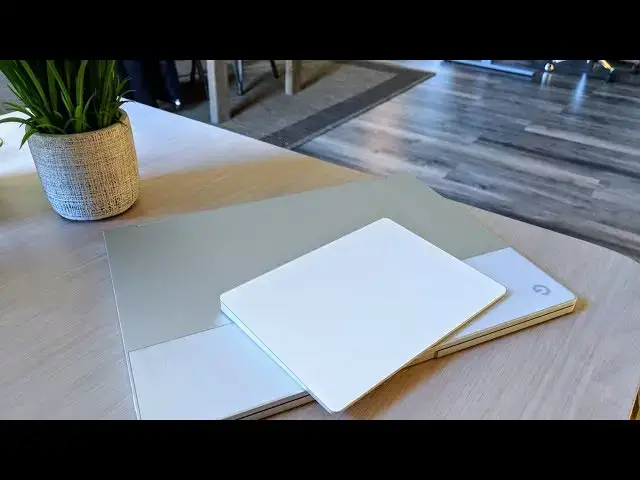
In an age where trackpads have become the de-facto input method for notebooks, where are all the wireless trackpads for desktops and extended setups? Apple has an answer.
~~~
Subscribe to the channel: http://bit.ly/2xFuj6L
Shop Chromebooks: https://amzn.to/2NE2wKq
Read more: https://chromeunboxed.com/
Follow us: https://www.instagram.com/chromeunboxed
https://twitter.com/chromeunboxed
https://www.facebook.com/Chromeunboxed
https://plus.google.com/+Chromeunboxed
Show More Show Less View Video Transcript
0:00
[Music]
0:08
chromebook owners for a long time now
0:10
have wondered what kind of options do I
0:13
have if I want to get a wireless
0:14
trackpad and unfortunately every time
0:17
that question comes my way I really
0:19
don't have a good answer up until this
0:21
point honestly usually I would steer
0:23
people towards this guy here this is the
0:25
logitech t6 50 problem is Logitech
0:28
doesn't make this device anymore and
0:29
people that still have them and sell
0:31
them they know it and so what used to be
0:33
I don't know sixty five seventy five
0:35
dollar trackpad is now 150 200 250
0:39
dollars on Amazon because people know
0:41
supply and demand they have them they
0:43
have them to sell and people really want
0:44
them because no one's making them
0:46
anymore you can't get one straight for
0:48
Microsoft Google doesn't make one it's
0:50
basically have a trackpad everybody has
0:52
a trackpad on your laptop or your
0:54
Chromebook but no one's making them
0:55
except one other company and that's
0:57
Apple and so this little guy is their
1:00
Magic Trackpad 2 and I've always loved
1:03
it because it's massive it has their
1:05
haptic engine in here so it doesn't
1:08
actually move but when you turn it on it
1:10
feels like it clicks it's it's brilliant
1:12
it's one of the coolest things that
1:13
Apple's made in a long time but it's
1:15
never really worked on a Chromebook
1:16
apart from being it'll just move the
1:18
mouse pointer around the screen and so
1:20
what we want to show you today is that
1:22
in the developer Channel in Chrome OS
1:25
right now you can actually use this
1:27
trackpad which you can buy it Best Buy
1:29
or Target or anywhere else for 99 bucks
1:31
and it's gonna work 100% with all your
1:35
Chromebooks all right so let's start off
1:37
with the Logitech as I said before you
1:39
can get it on Amazon or you could get it
1:41
on eBay it's gonna cost you a lot of
1:43
money probably way more than it's worth
1:44
but if you find it used and you can get
1:46
ahold of it for a price that doesn't
1:47
kill you then it's a great option it's
1:49
all glass it feels great it works really
1:51
well and I've had it for years and
1:53
they've carried the drivers over through
1:55
Chrome OS it seems like they're gonna
1:57
keep carrying them through and so it
1:59
probably will work for a long time it's
2:01
simple setup just like any other
2:02
Logitech thing you get the dongle paired
2:05
up with your with your particular device
2:07
plug it in
2:10
and obviously turn it on and everything
2:12
works like he'd expects a three finger
2:13
swipe up swipe down works two finger
2:15
scroll and then if you want to do three
2:17
finger swipe between tabs all that stuff
2:20
works just like you'd expect and the
2:21
tracking is really good
2:22
it just works exactly like you would
2:24
expect from a glass trackpad say on the
2:26
pixel book so that's kind of that option
2:28
there but again it's gonna be hard for
2:30
you to find this device at a reasonable
2:32
price so the benefit here is of all the
2:37
people that could make a glass trackpad
2:38
Apple probably makes the best one and so
2:40
it's really cool that the one player in
2:42
this space since technically Logitech
2:44
has left the space and doesn't make
2:46
theirs anymore is Apple and they make
2:48
the best trackpad you can buy they
2:50
always have their they're the ones that
2:52
actually kind of pioneer the idea of
2:53
multi-touch gestures on the trackpad and
2:55
so they're glass trackpads are
2:57
phenomenal and this one is no exception
2:58
to that and so the benefit here is that
3:01
you can buy this for 99 bucks basically
3:03
anywhere and once this patch comes down
3:06
hopefully it's stay well maybe in 71
3:08
we're expecting to see it right now it's
3:10
in the developer Channel once this patch
3:12
rolls its way down you'll be able to use
3:13
it with any chrome device so chrome
3:15
boxes Chromebooks the Chromebook or the
3:17
pixel slate any of those things will
3:19
work with it and so there's two ways you
3:21
can go about doing so with the Magic
3:23
Trackpad - so one of them is to plug it
3:26
directly into your device so whatever
3:28
dongles you need to work with plug that
3:30
lightning cable that's included make
3:32
sure the device is turned on and you can
3:35
see everything works exactly like you
3:36
expect just like with the Logitech two
3:38
fingers swipe works three fingers swipe
3:40
works three figuring swipe up and down
3:42
works everything works just like you'd
3:43
expect but then the added benefit here
3:45
is that without a dongle without a cord
3:48
without any extra stuff you can go down
3:50
and pair this thing with your device so
3:53
you go into your Bluetooth settings I've
3:54
already connected it here but it shows
3:56
up as a trackpad it knows exactly what
3:58
it is and it works the exact same way so
4:01
all your two finger Scrolls three finger
4:02
Scrolls three finger swipes all that
4:05
kind of stuff work exactly like you'd
4:06
expect and it's just over straight-up
4:08
bluetooth so no extra dongles needed
4:10
open your device turn this thing on
4:12
it'll pay write up and work and so we're
4:14
pretty excited that they're actually
4:16
bringing support for this because we get
4:18
questions a lot about which trackpad
4:20
should I use are there any trackpads why
4:22
doesn't Google make it
4:23
what is it Microsoft make a trackpad I
4:25
don't know the answers to any of those
4:26
things I don't know why no one makes
4:28
these but at least the one company that
4:30
does that we can now start using with
4:32
Chromebooks very soon is the one that
4:35
makes the best one and so give it just a
4:37
little bit of time and obviously we will
4:39
put up a story at least on the website
4:41
whenever it's hit stable and you can go
4:43
and buy this thing and make it work for
4:45
right now if you want to jump into the
4:46
developer channel you can make it work
4:47
right now with your Chromebook or Chrome
4:49
OS device but guys that's been it for
4:51
this one if you liked it give it a
4:52
thumbs up hit subscribe down below and
4:54
until next time we'll see you
4:55
[Music]
#Consumer Electronics
#Shopping