Up next in 10



Sponsored by NordVPN. Try it out and get 75% off a three-year plan for a limited time! Click here: https://chromeunboxed.com/nordvpn
Lenovo Yoga C630: https://fave.co/2McP1D6
・・・・・・・
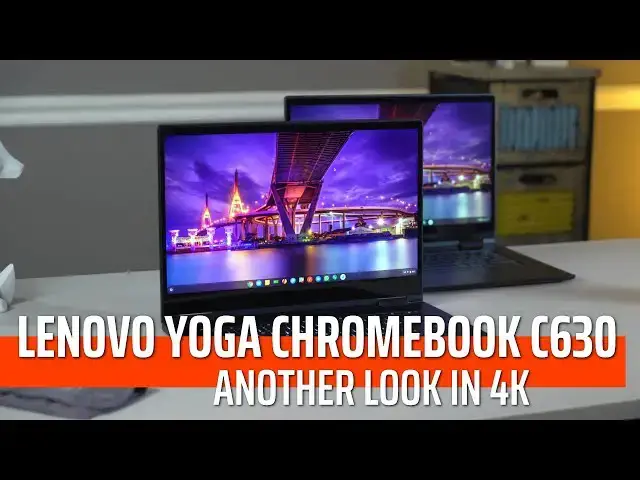
It is not standard for us to review a device the second time, but with Lenovo's Yoga C630, we are making an exception. Being the first Chromebook with a 4K display makes this worth a second look.
・・・・・・・
Become a member of Chrome Unboxed to help us make our channel even better, and for access to exclusive perks: http://bit.ly/CU-join
Subscribe to the channel: http://bit.ly/2xFuj6L
Shop Chromebooks: https://fave.co/2OuedYL
The Music We Use - PERFECT for YouTube: http://bit.ly/31W6PYP
Read more: https://chromeunboxed.com/
Follow us:
Show More Show Less View Video Transcript
0:05
[Music]
0:10
so as you can tell we have to yoga c6
0:14
30s from one elbow in the office and
0:16
they look pretty much identical and
0:18
actually are from the hardware to the
0:20
outer parts they're identical machines
0:22
except for two things one has a 4k
0:25
display and backlit keys and those two
0:28
things are enough to set it apart enough
0:30
so much that even though we don't
0:31
normally do separate reviews and
0:33
separate videos for different models of
0:35
one Chromebook we're going to hear
0:37
because it makes a difference and it
0:38
might make a difference for you and help
0:40
you make a purchasing decision but
0:41
before we get into that this video is
0:43
brought to you by Nord VPN they are the
0:45
VPN of choice for millions of customers
0:47
there's a reason they're great at what
0:49
they do if you'd like to learn more
0:50
about them and how to keep your browsing
0:51
secure while you're on the web go to
0:54
Chrome unboxed comm forward slash Nord
0:57
VPN to get started today so let's talk
0:59
about those two key differences we're
1:01
talking screen and keyboard here and
1:02
usually obviously we talk about lots
1:04
more when we talk about reviewing a
1:06
Chromebook but we've already reviewed
1:09
this Chromebook and everything is the
1:10
same here so if you're interested you
1:12
can go check out the original C 630
1:14
review we've left the link in the
1:16
description you didn't kind of get up to
1:17
speed with what lenovo has brought to
1:19
the table here but for this particular
1:21
version of this chromebook the screen
1:23
and keyboard really really set it apart
1:25
and are probably worth a little bit
1:28
extra money for certain users so let's
1:30
start with the screen so with the screen
1:31
on the 4k model you are getting the same
1:33
15.6 inch size on the display and it's
1:36
still sixteen by nine
1:37
it's just instead of being full HD it's
1:40
4k which if you're not familiar
1:41
basically is giving you four 1080p
1:44
screens worth of resolution in the same
1:46
screen so we're talking lots and lots of
1:48
sharpness here everything on the screen
1:50
just looks fantastic think you know
1:52
pixel book pixels late MacBook Pro that
1:54
kind of stuff where you can get your
1:56
face we're right up on the screen and
1:57
you can't see pixels the benefit here is
2:00
because you have so many extra pixels to
2:01
work with if you want to back the
2:03
resolution down just a little bit
2:04
everything stays pin-sharp sure the text
2:07
will get a little small on the screen
2:08
and be kind of hard to read but if you
2:10
just need that extra space to maybe
2:11
throw some extra things on the screen
2:13
for a few
2:13
to look around and and and have more
2:15
room to navigate you can do that with
2:17
this one and not lose any of the
2:19
sharpness on the screen so it gives you
2:21
a little bit more flexibility but
2:23
overall what you're really looking at is
2:24
the same exact screen in front of you
2:27
and when you look at the 1080p version
2:30
it looks kind of fuzzy
2:31
compared to this just absolutely
2:33
pin-sharp 4k display additionally with
2:36
the 4k display they've kind of removed
2:37
the yellowness that was with the 1080p
2:40
version so the whites look much more
2:42
white and the brightness is really good
2:44
colors pop the viewing angles are great
2:47
and so overall this is just in massive
2:50
upgrade in the screen and I'd really
2:52
didn't hate the screen on the original
2:54
1080p version it's just everything looks
2:56
so sharp and so crisp and detailed and
2:59
colorful and we actually set it up next
3:02
to the MacBook Pro Lake model one a two
3:04
thousand dollar machine and we all kind
3:07
of agreed the screen actually looks a
3:08
little bit better than that one so I
3:10
would say if you're looking for a better
3:12
display if you just want something
3:13
better you like the Lenovo c6 30 you
3:15
like the size you just want a better
3:17
screen and you want a higher resolution
3:19
screen and everything to look clearer
3:20
this is a good choice so the second and
3:22
maybe less substantial difference here
3:24
is the addition of a backlit keyboard
3:25
the key frames are the exact same the
3:28
keys feel the same the typing experience
3:30
is 100% the same it's just backlit and
3:32
own device this dark it seemed to help
3:35
there were a couple situations actually
3:37
where I was needing a backlit keyboard
3:39
and just being able to look down at this
3:41
really dark device in a dark room and
3:42
see those keys glowing up at you it's
3:45
kind of a cool effect it makes the
3:46
premium feel of this device kind of go
3:48
up a notch and from what we understand
3:50
the ones that are shipping from Lenovo
3:52
whether they be this 4k version or the
3:54
1080p version they all come with backlit
3:56
keys it's just the one at Best Buy which
3:59
doesn't make any sense to me that that
4:00
doesn't come with backlit keys but it's
4:02
a nice addition to have and that paired
4:05
with the 4k display and all the other
4:06
great things we had to say about this
4:08
device in the original review again
4:10
linked in the description makes for a
4:13
really really compelling package there's
4:15
just one thing you got to consider
4:17
though and that one thing is performance
4:19
and we're talking performance from a
4:22
processor standpoint and performance
4:24
from a battery life
4:24
standpoint so the original review we
4:27
were getting easily nine ten hours of
4:29
mixed use no issue whatsoever with the
4:32
4k version because you're talking about
4:33
pushing what amounts to four versions of
4:36
the screen on the original and that's a
4:38
lot more load on the processor and it
4:40
has to push a lot harder to do the exact
4:42
same things you would do on a 1080p
4:44
screen so what that means is battery
4:46
life is going to decrease it seemed like
4:49
it was kind of all over the map for me
4:50
so there were certain days where I felt
4:52
like I could probably squeeze eight or
4:54
nine hours out of it in other days where
4:56
it was just it felt like six or seven
4:58
was about all I was going to get out of
4:59
it
4:59
my guess is depending on your activities
5:02
and things you were doing the more stuff
5:04
you do the more things the more times
5:05
that screen has to animate stuff on the
5:07
screen for you the more drain on your
5:10
battery so just keep that in mind if
5:12
you're looking at this going man I want
5:13
that higher res display I want this this
5:15
device that looks better and has just
5:17
super crisp text you're gonna take a
5:18
little knock in the battery life
5:20
department that is not to say that it's
5:21
it's a four hour battery or anything but
5:23
you're probably gonna get somewhere
5:25
between like seven and nine hours maybe
5:27
six and eight hours instead of the you
5:29
know eight to ten hours we've been
5:30
seeing on most Chromebooks the other
5:32
performance factor you got to think
5:34
about is just that literal performance
5:36
so this is the exact same core i5 eight
5:38
gigs of ram 128 gigs of internal storage
5:41
that we had in the 1080p model and again
5:43
with less pixels to push the 1080p model
5:47
is going to feel faster and behave
5:48
faster that's just kind of the way it is
5:50
it's got less stuff to do every time it
5:52
redraws a frame on the screen and so
5:54
you're gonna notice a little bit of a
5:55
performance knock but honestly in
5:58
general like when I was in browsing
6:00
Windows and I was actually doing work
6:02
when I was scrolling websites when I was
6:04
doing that kind of stuff I didn't really
6:06
notice any difference whatsoever where I
6:08
did see it and this just seems to be the
6:10
case across high resolution Chromebooks
6:13
right now with the way chrome is built
6:15
when I go to do that overview mode or if
6:18
I flip it in a tablet mode and and start
6:20
moving between Windows and split screens
6:22
I'm getting a lot of that that jank and
6:24
that lag and we're frames drop and it
6:27
just feels slow it's not that it's
6:29
actually doing the processes slowly it's
6:31
that the animations between things just
6:33
kind of look Genki and so that is the
6:35
case here because this is a high
6:37
resolution Chromebook it
6:38
the highest resolution Chromebook that
6:40
we've seen so far more pixels on the
6:42
screen than the pixel slate and it
6:43
struggles with this the pixel book
6:46
struggles with this it just doesn't seem
6:48
that the 1080p versions of Chromebooks
6:50
are struggling with this at all it's
6:52
just something with that high resolution
6:53
that's really causing that animation
6:55
jank as you're moving between and
6:57
multitasking between stuff and so I
6:59
don't want to say that this thing is
7:01
gonna underperform but you do need to
7:03
know that when compared to a similar
7:05
device with a similar internal layout
7:08
and structure that that 1080p version is
7:11
going to perform faster and feel faster
7:13
and look faster than this 4k version at
7:16
least for now eventually once they clean
7:17
some of this animation stuff up this may
7:20
not even be a problem anymore but for
7:21
right now is we're filming this
7:23
particular video that is something you
7:25
need to consider so let's wrap this
7:27
thing up and answer the question should
7:29
you buy it for some of you that answer
7:31
is yes and it's MSRP 900 bucks it's
7:35
really really hard to say anyone should
7:37
go jump and get this but if a 4k 15.6
7:41
inch display is really important to you
7:42
what's kind of the only player in the
7:45
game so you definitely should go grab
7:47
one I don't think you'll be disappointed
7:48
even if you spend that top dollar on it
7:51
if you're buying it for what it delivers
7:53
which is great internals a great overall
7:56
feel just high-quality build fantastic
8:00
display like all of those things if all
8:03
those things are important and that's
8:04
that's the most important thing to you
8:05
then yet you know I think I think this
8:07
is a good device and I don't think
8:08
you're going to be disappointed with it
8:09
if they drop it again as they have just
8:11
recently down to $700 then it becomes
8:15
way easier to say abroad a group of
8:17
people should probably go get this thing
8:19
if you're into a larger Chromebook if
8:22
you're want something that's super
8:22
little and portable no this probably
8:24
isn't the device for you but if you're
8:25
watching this video I would say you're
8:27
probably interested in having a display
8:29
with a bigger screen and if the screens
8:30
important to you resolutions important
8:32
to you and the thing that you're looking
8:33
at all the time when you use the device
8:35
is important to you this one kind of
8:37
knocks it out of the park and is a great
8:38
device especially at seven $800 at $900
8:42
you know that choice goes back to you
8:43
but guys that's it for this one if you
8:45
liked this video give it a thumbs up and
8:47
hit that subscribe button down below and
8:49
oh don't forget we also have that new
8:51
button down there and if you're
8:52
interested in learning more about that
8:53
just click it you'll see all the stuff
8:55
that gets offered for our members five
8:57
dollars a month you get exclusive kind
9:00
of behind the scenes and some extra
9:02
content that we don't normally put on
9:04
the chain on so we've got quite a few
9:06
that have signed up already and would
9:08
love to see you there but until next
9:09
time we'll see
9:14
[Music]
#Software