Up next in 10



Buy the Lenovo N23 Yoga Chromebook on Amazon: http://amzn.to/2o7kADD
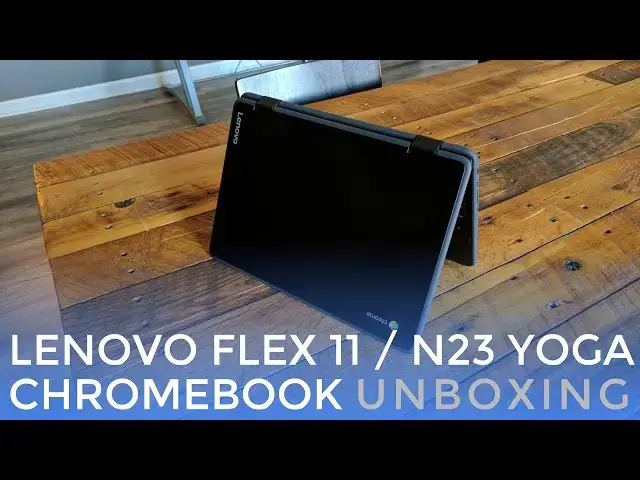
Lenovo's new twin pairing of Chromebooks, the Flex 11 and N23 Yoga are basically the exact same device with a slightly different color pallet. We've managed to get our hands on the N23 Yoga and get our first impressions of this diminutive little Chromebook.
With an IPS screen, 360-degree hinge and durable build, this little guy packs in a lot for $280.
Show More Show Less View Video Transcript
0:01
[Music]
0:08
hey folks Robbie pay with chrome unbox
0:10
and today we're going to unbox the
0:11
Lenovo n23 Yoga Chromebook now this is
0:15
the education version of the upcoming
0:17
Flex 11 Chromebook from Lenovo but we've
0:21
got this device in housee already and so
0:23
we want to go ahead and unbox it take a
0:25
look at it and get our first impressions
0:26
for you on
0:27
camera all right so before we jump into
0:30
this thing let's take a look at the
0:32
specs here we're looking at lenovo's
0:35
first mediatech and so it's the
0:36
mediatech 8173 4 gigs of RAM 32 gigs of
0:40
storage uh what's going to be
0:42
interesting about this device is that it
0:43
has an IPS display 11.6 in but it's a uh
0:46
marked as HD so that's 1366 X 768 so
0:50
that's going to be far less pixels to
0:52
push around than uh say the Acer R11 had
0:57
and the good thing about that is if it
0:58
has less pixels to push then usually it
1:00
performs a little bit better so it's
1:02
going to be interesting to see how this
1:04
arm chip
1:06
performs with less pixels to deal
1:12
[Music]
1:17
[Music]
1:26
with
1:28
more
1:30
[Music]
1:33
all right so um relatively heavy but a
1:37
compact package uh thing is not massive
1:41
uh doesn't look to be collecting a lot
1:42
of fingerprints which is always nice um
1:45
it's kind of got a really matte almost
1:48
textured plastic finish uh what looks
1:51
like kind of bumpers around the side
1:52
possibly and same finish on the bottom
1:55
screws speaker ports all that kind of
1:57
stuff now this is a yoga branded device
1:59
so we've got the the yoga hinge um
2:01
around the side over here we've got a
2:03
Kensington lock power volume up and down
2:06
headphone microphone nothing across the
2:09
front and over here on the side full
2:12
sizee HDMI uh USB 3.0 and then a USBC
2:17
for power uh display out hopefully we'll
2:20
test that and see if we can get dual
2:21
display out going with these sometimes
2:23
they can use USBC for power only but
2:25
we're hoping that's not the case and
2:27
then a fullsize Micro SD card slot
2:32
let's open this guy
2:35
up and we've got a full glass panel
2:38
across which is kind of sweet um
2:40
hopefully because this is Lenovo it's
2:42
going to have a pretty nice uh keyboard
2:44
trackpad combo going on here uh surface
2:48
feels pretty
2:50
good click feels nice if not a little
2:53
firm um but pretty good pretty large
2:56
size on the trackpad as well um as large
2:59
as my entire ire
3:00
hand uh really good click on the
3:02
keyboard actually uh pretty good
3:04
response uh not a ton of travel and
3:06
there's a little bit of give just a
3:07
little bit um but overall that keyboard
3:10
feels pretty good so I think that's
3:11
going to be a good typing experience
3:13
again like I said it's a yoga device so
3:15
we've got the multiple modes we can jump
3:19
into and obviously because of the
3:22
thickness of this device um it is
3:25
smaller so that helps uh as far as you
3:28
know the tablet mode but but it's still
3:30
going to be a little unwieldy and it's
3:31
it's pretty large as a tablet but
3:33
overall if you need to get those kind of
3:35
display modes going such as this it is
3:38
kind of nice to have on your lap um or
3:41
on a table like this where you can use
3:42
those touchscreen apps so in the Box you
3:44
get a pretty
3:46
standard charging block it is a little
3:48
bit smaller which is kind of nice but
3:49
it's still a two-piece um nothing fancy
3:53
going on here is USB type-c which is
3:56
pretty cool um like I said we will try
3:58
some multi-display layouts and all that
4:00
kind of stuff with this as we have a
4:02
full sizee HDMI and a micro or a USB
4:05
type-c over here um that that's an
4:08
interesting combination because usually
4:09
we're seeing as people are moving to USB
4:12
type-c they're just kind of nixing any
4:14
kind of U display out but as this is an
4:16
edu Focus device it's probably a lot
4:19
simpler to have the HDMI on there
4:21
they've got the room cuz the device is a
4:22
little bit thicker and it's probably
4:24
more straightforward to be able to get
4:26
people into um sharing the display onto
4:28
the big screen
4:30
so we're going to run an octane score on
4:33
here and I will say u a couple things
4:35
just as I've um been poking around on
4:37
here just a little bit uh the trackpad
4:40
is marred by that same issue we have
4:42
with a lot of cheap Chromebooks where
4:43
there's a slight bit of travel before
4:46
the click actually registers so there's
4:48
a travel then you hit the click
4:49
mechanism and you get the click so if
4:50
you were to depress on there and and
4:53
push it against the click mechanism and
4:54
then click it it actually feels really
4:56
good likely um I don't NE necessarily
5:00
recommend that you open your Chromebook
5:01
up but there's usually a couple Springs
5:04
here that kind of hinge the the device
5:06
back up likewise here that kind of push
5:08
it up from the bottom so this is the
5:09
hinge itself and these are the springs
5:11
that push up you can adjust between
5:13
those two and usually find the right
5:15
balance and sometimes they just come out
5:16
of the factory with the wrong balance on
5:18
these cheaper trackpads but that can be
5:20
adjusted and it looks like you can
5:21
probably pop this open and work on it
5:23
pretty easily I would think um overall
5:26
thus far though um the performance has
5:28
felt pretty Snappy like getting all the
5:31
we we kind of cut this off camera but
5:33
getting all the stuff that normally
5:34
installs uh installed actually really
5:37
quickly um and I know I know octane is
5:40
retired and it's not technically being
5:41
updated anymore for the time being until
5:44
we come up with some other type of
5:45
testing this is the best we've got um
5:47
and it's still I think a decent measure
5:50
of a Chromebooks ability in general and
5:52
again let's talk about the processor in
5:54
this thing really quickly it is the same
5:56
processor processor in the Acer r13
5:59
which is is the mediatech 8173 and it
6:01
did pretty well on the r13 but it's
6:03
pushing a 1080p display this is just
6:06
pushing a standard HD so 1366 X 768
6:10
quite a few quite a few less pixels to
6:12
actually put on screen so even though
6:14
the octane score is probably going to be
6:16
around the same thing which should be
6:17
somewhere in the 9 to 10,000 range uh
6:20
the behavior of this device actually
6:22
should feel a bit faster because the GPU
6:24
is not having to do so much every time
6:26
it renders a web page um and that's
6:28
about to finish up at $99.90 so we're
6:30
real close to 10,000 so that's good um
6:33
10,000 is is beating the rock chip which
6:36
is in the Sam Sun Chromebook plus and
6:38
it's beating the um um the current set
6:41
of Braswell devices that are out usually
6:43
getting around 8,000 so uh we we haven't
6:46
gotten an Apollo Lake device in yet
6:48
which is the newer version of what
6:49
Braswell was last year so we'll see how
6:52
it fares in some benchmarks but we're
6:54
going to try to come up with a set of
6:56
benchmarks that show some real world uh
6:58
performance
6:59
um and an update just popped up so we're
7:01
not even we weren't even running the
7:03
most recent version and we'll see what
7:05
we're on H we were on 56 so um that
7:09
octane score could go up a little bit
7:10
more for the review we'll talk a little
7:12
bit more about those things but overall
7:15
uh performance is feels pretty Snappy uh
7:17
we'll load up Chrome and box real quick
7:19
and we'll throw up uh The
7:27
Verge and our s's usually not too heavy
7:29
or too intense but you can see it's it
7:31
rendered it up really quick we do have
7:33
relatively fast internet here but um
7:37
I've seen some devices struggle through
7:39
our website just a little bit cuz
7:40
there's videos and there's pictures
7:41
involved uh there's a little bit of a
7:43
stutter there but really um I'm pretty
7:47
impressed by how smooth everything is
7:48
working right now let's get a little
7:50
pinch to zoom action down the
7:53
page so all that looks nice and snappy
7:56
um so initial impressions um pretty
8:00
favorable here uh especially at the
8:01
price point we're talking um this
8:04
thing's going to move around in its
8:06
price range somewhere between 230 and
8:08
$270 $80 something like that um with a
8:12
better trackpad um I would say this is
8:14
shaping up to be a really great
8:16
Chromebook around the house um the
8:18
display looks pretty good decently
8:20
bright it's hard to tell under all these
8:21
lights how bright but I would I would
8:23
say I'm going to guess about 250 nits
8:26
probably in that range um so it's going
8:28
to be adequate for most things um and
8:30
and overall uh the device feels sturdy
8:34
um and it's it's an edu device so that's
8:35
not that surprising um but with the
8:38
great keyboard if the trackpad didn't
8:40
have that little bit of travel issue
8:41
which hopefully most of them won't uh we
8:43
could have gotten a bad one and that
8:45
technically is a pretty easily fixable
8:47
thing um I'm I'm relatively impressed
8:51
here uh right off the start I'm going to
8:52
throw something up on music hey let's
8:55
listen to John mayor's
8:57
new album here
9:04
[Applause]
9:10
um here's what I'll say I say it about
9:13
every Chromebook pretty much uh their
9:16
laptop speakers don't expect too much
9:18
they're downward firing and you can
9:19
clearly hear a difference when I remove
9:21
it from the table so
9:23
they're yeah if I cover them up it
9:25
muffles the sound pretty good so it's
9:29
going to perform so so in your lap if
9:31
you have it flipped around in display
9:33
mode the nice thing is those speakers
9:35
Point upwards
9:40
um but they're uh much less loud
9:43
actually when they're in that
9:44
orientation versus when they're on the
9:46
table and kind of bouncing straight up
9:47
so again take it or leave it they're
9:50
laptop speakers I would uh highly advise
9:53
if you're really worried about speakers
9:54
and sound that's
9:56
odd uh if you're worried about speakers
9:58
and sound get a Bluetooth speaker uh get
10:01
you know invest in something that's
10:02
going to sound a little bit better but
10:03
overall durable keyboard feels good I
10:06
think the trackpad with a little work is
10:07
going to feel really good feels really
10:09
Snappy and with 57 it should be even
10:12
snappier so we'll go over more of that
10:13
kind of stuff in the full review but uh
10:16
thus far for a a moderately priced
10:18
Chromebook I'm actually pretty impressed
10:21
and for lenovo's first fora into an arm
10:23
powered Chromebook um I think this one
10:25
might be impressive and I think it's
10:26
going to go over really well in schools
10:28
but check back uh stay with the channel
10:31
and and obviously we'll have a full
10:32
review of this device up uh in the
10:34
coming weeks so guys if you like this
10:36
video give it a thumbs up hit that
10:38
subscribe button down below and until
10:40
next time we'll see
10:43
[Music]
10:48
you
#Consumer Electronics