Up next in 10



Buy The HP x360 Chromebook on Amazon: http://amzn.to/2vZfj4v
**Or Consider the similarly-priced Samsung Chromebook Plus: http://amzn.to/2wEILtI
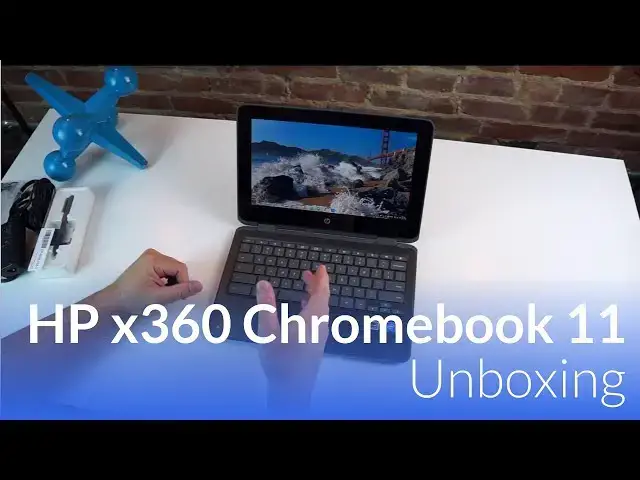
The HP x360 Chromebook 11 comes in packing some great specs, but do they make for a great experience? We're just getting our hands on this one, but our initial impressions may surprise you.
Show More Show Less View Video Transcript
0:01
[Music]
0:08
hey folks Robbie paying with chrome
0:10
unboxed and today we're going to be
0:11
taking a first look and unboxing the HP
0:14
X360 Chromebook 11e now that terribly
0:18
long name belongs to what amounts to be
0:20
the first Apollo Lake Chromebook we're
0:22
getting our hands on now Apollo lake is
0:24
the followup to last year's Braswell
0:26
chip and so we're hoping to see a little
0:27
bit of a performance boost as it is
0:30
paired with 8 gigs of RAM 64 gigs of
0:32
internal storage and a wcom stylus
0:36
enabled touchcreen so the same type of
0:38
stylish you see in the Samsung
0:39
Chromebook Pro and plus so we're excited
0:41
to get our hands on it and see what it
0:42
looks like so let's get
0:44
started all right guys so let's get into
0:47
this HP didn't include too much on the
0:49
outside of the box here but what we are
0:51
dealing with again is the uh Chromebook
0:54
X360 11 G1 so it's 11in Chromebook we're
0:58
dealing with a 136 6 6 x 768 resolution
1:02
it is the first production model um
1:05
Apollo Lake device that we've got in our
1:07
hands on we did mess around with the
1:09
Asus before uh the c213 flip uh but it
1:13
was definitely not ready for production
1:15
had a lot of bugs going on in it so this
1:16
will be the first Apollo Lake uh device
1:19
that we're actually getting to test uh
1:21
in a production status this one comes
1:23
with 8 gigs of RAM 64 gigs of internal
1:27
storage uh so that's that's kind of
1:29
interesting in and additionally we've
1:31
got the pin stuff included so um without
1:34
further Ado we're just going to open
1:35
this guy
1:41
up and right on top you've got the
1:45
included pen now this one's not stowable
1:48
uh like Samsung's but um it is a full
1:51
size pen so it's a full size of a normal
1:53
writing pen we'll see we'll see how it
1:55
performs over on the side you got your
1:59
normal charger
2:00
stuff uh not not a nice brick but not
2:04
huge either and
2:24
USBC all right let's get all this box
2:27
and stuff out of here
2:30
and this is what you came
2:33
for so uh decent look on the outside
2:37
obviously plasticy this is uh the the
2:39
technical model has e in the name
2:41
because it's an education Edition um so
2:44
likely if HP follows uh form they will
2:48
have another device out for the consumer
2:50
Market at some point it's likely going
2:52
to be the exact same thing so if you
2:55
have messed with an HP Chromebook 11 uh
2:59
that came out last
3:00
christmas-ish um you will be Vaguely
3:03
Familiar with this it feels very similar
3:06
uh the the Plastics used are similar uh
3:09
the device isn't crazy thin but it's
3:12
also not out of control thick and and it
3:14
kind of tapers to the front so it has a
3:16
bit of that wedge shape so it does feel
3:18
thinner up here in the front uh across
3:20
the the side over here the ports we have
3:22
a headphone microphone micro SD um U USB
3:27
super speed so 3.0 here and then another
3:30
3.0 USBC over here hinges across the
3:33
back this is a 360 device hence its name
3:36
uh power button here Kenington lock USBC
3:39
and then another USB uh 3.0 so lots of
3:42
USB ports so four in total so um that's
3:45
kind of nice one of these can act as
3:47
your charger one can act as your um
3:49
output for a audio video and then you
3:51
still have two more ports to plug in
3:53
peripherals and stuff like that you got
3:55
your volume rocker here and there is
3:56
this noticeable bumper kind of around
3:58
it's not soft or squishy or anything but
4:01
definitely meant to take uh bumps and so
4:04
um obviously the U education devices are
4:08
meant to take a bit of a beating around
4:10
the bottom um you've got screws I don't
4:12
know that this one comes with any kind
4:14
of serviceable battery technically I'm
4:15
sure you could replace it if you wanted
4:17
to if you wanted to work hard enough at
4:19
it and then you've got your downward
4:20
firing speakers and feet and that's
4:23
about it
4:25
so all right so we're all logged in and
4:27
everything here there are a few other
4:29
notable things things that we need to
4:30
talk about obviously um just from the
4:32
get-go one is that massive bezel um it's
4:36
one of those things I wish we could see
4:39
at least start trimming down a little
4:40
bit and and part of it's I'm used to
4:42
looking at the Samsung Chromebook Pro
4:43
I've been working on it for a while and
4:45
so it's got much smaller bezels they're
4:47
not tiny or or uh impossible to see
4:50
they're just much smaller and so it
4:52
makes it look a little bit more modern
4:53
these are massive I mean we're talking
4:55
an inch to inch and a quarter around the
4:58
edges here so it been ni to see them
5:00
bring the screen down into here or
5:01
something I don't know um that just
5:03
seems like a lot of wasted space and I
5:05
do get whenever you make this part
5:07
bigger you can put a full-size keyboard
5:09
and I'm all for that um I just wish they
5:12
would stretch the screen to kind of fit
5:13
more into here I know we need bezel
5:15
whenever we turn it into tablet mode but
5:17
that's that's a bit of Overkill uh
5:20
secondly the screen is at Max brightness
5:22
right now and I know we're under lights
5:24
but um we're seeing a ton of glare
5:26
already on it so I could tell you I wish
5:28
that the screen brightness was better uh
5:30
viewing angles in general um are okay uh
5:34
we're not losing we're not discoloring
5:36
at different angles but we are losing
5:37
lots of light off angle so if we're not
5:40
perfectly on angle um you lose a lot of
5:43
the brightness of the screen and we
5:44
don't have much to work with to begin
5:45
with so that's kind of a bummer keyboard
5:48
uh just typing in passwords and stuff
5:50
feels really good good good and clicky a
5:52
decent amount of travel um a little bit
5:55
of flex in the center of the keyboard
5:56
which um we've kind of gotten away from
5:58
seeing that a lot um seems to kind of be
6:00
back here but overall the travel of the
6:02
keys feels pretty good um again you just
6:05
really have some give there so that's a
6:07
little disconcerting uh trackpad feels
6:09
really good nice and smooth um click
6:12
mechanisms very
6:14
quiet probably can't even pick that up
6:16
um and we don't have that kind of floppy
6:19
trackpad issue that we've seen on some
6:20
HPS from time to time um overall we're
6:24
looking hopefully to get a bit of a spec
6:26
bump uh uh and speed bump in this from
6:28
the Apollo lak this is the successor to
6:31
the Bradwell chip so devices like the uh
6:34
Acer Chromebook 14 was probably one of
6:35
the most popular Bradwell devices this
6:38
is the next generation of those chips
6:40
this one paired again with 8 gigs of RAM
6:42
and 64 gigs of internal storage which is
6:44
really interesting to see in an
6:45
education device it does come in a four
6:47
4 gig of RAM 32 gig uh version as well
6:51
so um and that one drops in price so
6:53
while we're at that let's talk about
6:55
price just a little bit uh this device
6:57
comes in at
6:58
$479 which if that shocks you a little
7:00
bit it should for a device of this class
7:03
an education device one that clearly
7:05
isn't the best built in the world uh
7:08
just looking at it $479 is pretty steep
7:10
especially when you consider the Samsung
7:12
Chromebook Plus at 4 gigs and 32 gigs of
7:15
internal storage comes in at a lot of
7:18
times around $400 because it seems to be
7:21
on sale all the time and so this one
7:23
being about 400 bucks um there's no way
7:26
I could recommend thus far looking at
7:28
this saying hey get get this instead of
7:30
that um and now who knows during the
7:32
review process it might impress me um
7:35
but just from build quality standpoint
7:37
from the screen again we're dealing with
7:38
a 1366 X 768 device here um so I can
7:43
sitting back I can see um some of the
7:45
graininess on the screen it's not very
7:47
bright um seems to be getting along okay
7:50
our website's not the most insane one in
7:53
the world
7:57
oops and let's pull
8:00
up
8:10
YouTube it's doing okay it's hopping and
8:13
skipping around a little bit here um
8:17
again we're going to have to talk about
8:18
this stuff in the review as far as
8:19
performance goes but like to give you
8:21
all just a quick idea of of what these
8:25
devices can do when we first open them
8:27
up um
8:30
H be honest I'm I'm a little
8:33
disappointed thus far um it's getting
8:36
around okay but again if this is a $250
8:39
device this would be a totally different
8:41
discussion but when we start getting up
8:43
into close to $500 for a
8:45
device he needs to perform um doing okay
8:50
pinch zooming is okay A little
8:54
jerky
8:56
um but I can't say that this thus far
8:59
anyway that it feels any better
9:01
than um our coverage of compx 2017 is
9:05
that it feels any better than the
9:07
Samsung Chromebook plus and at a same
9:10
similar price and a much better build is
9:13
this really small startup that wased a
9:17
disruptive device maker with an emphasis
9:20
on community feedback to help them
9:23
design the best products for their
9:25
Community we're struggling a little bit
9:26
here which I would normally go well GE
9:28
you guys taking Community feedback is a
9:31
great way to get an awful lot of uh
9:34
let's say how about we call them C minus
9:37
ideas but the V 2inone Windows device
9:42
that they're showing off here at the
9:44
show so yeah um I'm just going to be
9:49
honest I'm not real excited so far about
9:50
what I'm seeing from a performance
9:52
standpoint so
9:55
um we'll run Octane and all that kind of
9:57
stuff for the review but it doesn't feel
10:01
very fast um and that's kind of a bummer
10:04
I was hoping that Apollo Lake was going
10:06
to solve some of bradwell's laggy
10:08
problems but again most of this stuff
10:10
needs to be safe for the review real
10:12
quick I want to hit on this let's see
10:14
what are we getting in
10:16
here I'll have to read and see it looks
10:18
like this maybe something you would
10:20
attach and it would hold the pin maybe
10:23
on the side of Chromebook I don't know
10:25
we'll look into that
10:30
a lanyard I don't know put it around
10:32
your neck who
10:34
knows okay so um it's EMR so similar in
10:38
function to the Samsung Chromebooks um
10:41
as far as what it can do um there's a
10:44
little nub at the top so let's just open
10:46
up squid and see how it inks I like the
10:49
fact that it's a fullsize pen that's
10:50
kind of cool
10:54
um let's
10:56
do that and heck while we're at it we'll
11:00
flip it into tablet
11:07
mode yeah pretty
11:14
good my handwriting is terrible so don't
11:17
pay that any
11:26
M yeah so nice and responsive uh exactly
11:29
like you think let's see what this
11:32
does anything do you do anything oh you
11:35
do so it looks like this part up here is
11:37
a capacitive like a standard capacitive
11:40
nub uh it's hard plastic so that's what
11:43
kind of threw me off in this app for
11:45
instance when you rub with your finger
11:46
it's it's an eraser so that's what it
11:48
does here so I color color color now
11:51
granted it's a whole object eraser so
11:54
it's not there may be a setting in squid
11:56
or something like that that you can
11:57
change it to to be a f eraser but
12:00
overall inks like you would expect it to
12:02
it's not going to have any other tricks
12:04
up its sleeve and it also can't go in
12:05
the device anywhere uh but it it feels
12:08
pretty good it's kind of light um feels
12:10
like a bick pin or something like that
12:12
um but if I know a lot of people
12:14
complain about Samsung stylus being too
12:16
small and feeling strange to write with
12:18
so this would obviously solve that um
12:20
cool part is if you get a hold of one of
12:22
these it would obviously work on the
12:24
Samsung screen too so it's both the same
12:26
Wacom um EMR screens so this is just a
12:30
um standard pen that would work with any
12:32
Wacom EMR screen so um other than the
12:35
fact that I can't put it anywhere the
12:36
Pen's kind of cool so um we'll mess
12:38
around more with that for the review
12:40
part as well um the last thing I want to
12:42
mention on this guy is the world facing
12:44
camera so when we go into tablet
12:48
mode if you flip this around now you
12:50
have uh upward facing or outward facing
12:54
I'm sorry camera uh we'll test those to
12:56
see how they perform um but out of
12:59
curiosity I just want to see if it works
13:01
real quick so let's go to the
13:05
camera hey look at there a brick
13:10
wall um doesn't seem like there's any
13:13
Focus feature to
13:15
it so still pretty basic and
13:21
pretty just kind of okay I'm trying to
13:23
switch
13:24
cameras Okay cool so you know basic
13:29
basic camera switching and all that kind
13:30
of stuff works which is kind of neat um
13:33
hopefully eventually we'll start seeing
13:34
better cameras in these devices
13:36
especially the ones with World facing
13:37
cameras but overall right now um I'm not
13:40
going to get into running octanes
13:41
because I don't want to hear a bunch of
13:42
people saying octane doesn't get updated
13:44
anymore and it's no good but we'll run
13:46
octane we'll run speedometer we'll run
13:48
some of those tests in the full review
13:50
to figure out how fast this thing runs
13:52
in benchmarks but I can tell you just
13:54
from messing with it here in the last
13:55
few
13:56
minutes uh I'm not uh I'm not real
13:59
excited about the performance thus far
14:01
this device also comes with uh Play
14:04
Store so right out of the gate um we
14:07
have Google play so you've got all your
14:09
Android apps I haven't gone through all
14:11
this setup stuff yet so um not going to
14:13
do that on camera again we'll cover all
14:14
this stuff in the full review so
14:15
definitely if you haven't subscribed
14:17
subscribe to the channel if you want to
14:18
see more about this device cuz within a
14:21
week or so uh maybe a couple weeks we'll
14:23
have a review up as I uh spend some time
14:25
with this and figure out if this is a
14:27
device for you if this is something you
14:29
want to spend your money on if if you'd
14:30
rather have this versus like I said the
14:32
Samsung Chromebook um plus and or in
14:36
that same price range I mean heck we're
14:38
we're talking about getting in the range
14:39
of the Asus Chromebook flip the c302 the
14:42
all aluminum one that feels like using a
14:44
Macbook I mean I I don't know I'm not
14:47
sure exactly what HP smoke in here with
14:50
uh charging almost $500 for this device
14:52
but who knows maybe in the review
14:54
process my mind will be changed um only
14:57
way to know is to stick around subscribe
14:59
and find out um until then guys I hope
15:02
you've liked this video if you did give
15:04
it a thumbs up again subscribe to the
15:06
channel below so that you can stay up to
15:08
date on all the stuff that we're doing
15:09
and until next time guys we'll see you
15:13
[Music]
#Consumer Electronics