Up next in 10



Sponsored by NordVPN. Try it out and get 75% off a three-year plan for a limited time! Click here: https://chromeunboxed.com/nordvpn
Pixel Slate - https://fave.co/30QKXMU
HP Chromebook x2 - https://fave.co/2Mh17ei
・・・・・・・
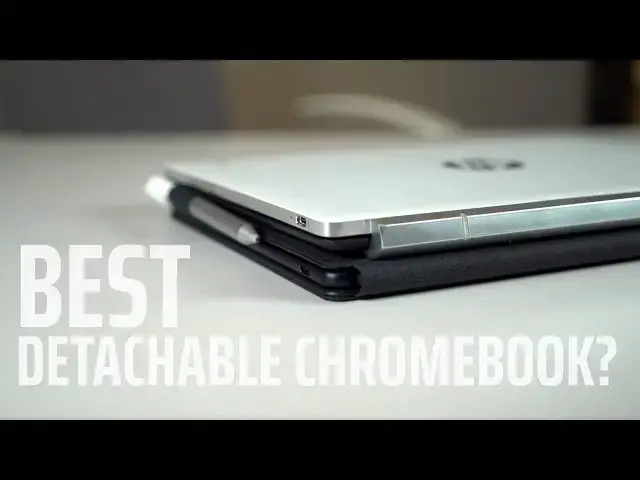
In the realm of detachable Chromebooks, there are few at this point. Two, specifically, and we've been asked time and again to pit them against one another to determine which is the best purchase. Between the Pixel Slate and the HP x2, there are lots of similarities and just as many differences. While it isn't as simple as one over the other, we want to break down both devices and help you decide which you should spend your money on.
Read more: https://chromeunboxed.com/
・・・・・・・
Become a member of Chrome Unboxed to help us make our channel even better, and for access to exclusive perks: http://bit.ly/CU-join
Subscribe to the channel: http://bit.ly/2xFuj6L
Shop Chromebooks: https://fave.co/2OuedYL
The Music We Use - PERFECT for YouTube: http://bit.ly/31W6PYP
Show More Show Less View Video Transcript
0:00
in the world of Chromebooks and versus
0:02
videos there are a few that are more
0:04
requested than this one we're going to
0:05
do today we're going to pit the new
0:08
pixel slate against the almost year-old
0:10
HP Chromebook x2 because they share a
0:13
ton of things across the board a ton of
0:16
traits and not even close to the same
0:19
price tag so what we want to look at
0:21
especially for you guys they're thinking
0:23
about buying either one of these or that
0:24
want a detachable tablet type device
0:26
which one is the best bang for your buck
0:31
[Music]
0:35
but before we get into all these
0:38
comparisons this video is brought to you
0:39
by Nord VPN there the VPN of choice for
0:42
millions and millions of users and
0:43
there's a good reason they're great at
0:45
what they do they can secure your
0:46
browsing whether you're on a Chromebook
0:48
or your phone or a MacBook or a Windows
0:51
Device it doesn't really matter they're
0:52
great at keeping your stuff secure and
0:54
private while you're online at home or
0:57
on the go if you'd like to learn more go
0:58
to Chrome inbox comm for it slash Nord
1:00
VPN to learn more today a quick recap on
1:03
how we're handling these vs. videos
1:05
we're breaking things down into five
1:07
categories similar to the way that we
1:08
review a device in general so build
1:11
quality would be 1 followed by screen
1:13
and then keyboard and trackpad so kind
1:16
of your input methods then internals
1:17
which we're putting ports and speakers
1:20
and all that kind of stuff into the
1:21
internals so battery life all of those
1:23
things go that go to that and then just
1:25
basic usability and user experience so
1:28
the way it feels to use the device the
1:30
overall experience of actually using it
1:32
on a day to day basis so let's start out
1:34
with build quality so when we look at
1:37
and we'll go with the x2 first on this
1:40
one when we look at the X 2's build
1:41
quality it's it's great I mean the the
1:44
anodized lid has this really cool look
1:47
kind of like the HP X 360 it's got the
1:50
aluminum edges around the tablet portion
1:52
and all glass on the front and I like
1:55
the edges being less rounded and a
1:58
little more square it gives a little
2:00
more of a tactile feel it's easier to
2:02
hold on to and it weighs the same as the
2:04
pixel slate and yet somehow not really
2:06
sure how this works it actually feels
2:08
lighter in the hand and I think mainly
2:10
it's just because the grip on it because
2:12
of the way the back is and the sides
2:14
being a little more squared off it just
2:16
has a better grip and a better feel to
2:18
it when I'm holding it like a tablet
2:20
moving over to the slate a lot of the
2:22
same things can be said it's built
2:24
really well it's all aluminum on the
2:26
back it's this nice soft touch coating
2:29
kind of on the back of the aluminum it
2:31
does pick up fingerprints like crazy but
2:33
it feels really great it looks great on
2:34
a table the rounded edges look super
2:37
modern and just everything just looks
2:39
really well finished and thought-out and
2:42
overall I mean it you have to look at it
2:45
and just realize they put a lot of
2:46
engineering in this thing
2:47
balanced perfectly the the bezels are
2:49
symmetrical all that stuff is great but
2:52
because those bezels are a little bit
2:53
smaller and because the edges are so
2:54
rounded and flowy sometimes I feel a
2:57
little awkward holding the device in one
2:59
hand and so I kind of like that part
3:02
about the HP x2 a little bit better but
3:05
overall there's no way I can look at
3:07
these two devices side-by-side and say
3:08
that the HP is built better than the
3:11
pixel slate there's a lot of engineering
3:13
that went into the slate and you can
3:14
just tell it just feels better overall
3:18
feels better engineered and and it's
3:20
just a higher quality better put
3:22
together device overall so when we talk
3:25
about build quality the win has to go to
3:26
the pixel slate now in that first
3:28
category neither one's really a slouch
3:30
they're put together really well and as
3:32
we move to the screen that's kind of the
3:34
same thing here as well because the HP
3:36
x2 is outfitted with what amounts to the
3:39
pixel books display and we know it's
3:41
great it's got great colors great
3:42
viewing angles but great contrast ratios
3:45
all those things that just make a good
3:47
screen it has and so there's no real NOx
3:50
here that bezels are a little bit bigger
3:52
on the HP than they are on the slate but
3:54
overall you can't really knock the
3:57
screen on this thing it's super bright
3:58
and it looks great and so as we move
4:00
over to the pixels slate the same thing
4:02
I said in the versus video and in the
4:05
review of this device is still true it's
4:07
a branded display so a molecular display
4:09
whatever that exactly entails it doesn't
4:13
really matter the thing looks incredible
4:15
the colors are punchy and vibrant and
4:17
it's not quite as bright as the HP x2 or
4:20
the pixel book screen for that matter
4:21
but it's really close and overall the
4:24
screen just has this look that's it's
4:26
hard to put into words it just looks
4:28
fantastic and so overall when when we're
4:32
looking at screens again they're both
4:33
twelve point three inches the HP x2 is a
4:36
2400 by 1600 and the slate is a 3000 by
4:40
2,000 display it's got more pixels and
4:44
you can't tell on either one so this is
4:45
this is a really really close one
4:47
because neither one of them is bad
4:49
they're both great but because there's
4:52
more pixels and I think the the colors
4:54
look just a little bit better on the
4:55
slate I've got to give the win to the
4:57
slate alright moving on to the keyboard
4:59
portion this
5:00
is important because these to handle
5:01
being detachable is in two very
5:03
different ways so on the HP x2 you have
5:07
more of a clamshell design where you can
5:09
pop the top off on the pixel slave
5:11
you've got more kind of the origami case
5:14
that folds into a stand type of
5:16
situation and those two things play out
5:17
very differently when you're using them
5:19
in the real world on the desk they're
5:22
both fine because you have the desk kind
5:24
of anchoring the entire experience and
5:26
everything performs as you'd expect it
5:29
to everything starts falling apart for
5:30
most attachable is when you set things
5:32
in your lap and you don't have a
5:33
perfectly flat surface for the pixel
5:35
slate for me I just do not like using it
5:38
in my lap at all I feel like I really
5:40
have to work to make it function for me
5:42
and it just takes up too much space it's
5:45
too wobbly and I just don't really care
5:47
for the experience of using it in my lap
5:48
the x2 on the other hand even though
5:51
it's not perfect and it's a little
5:52
top-heavy overall using it in my lap
5:55
feels pretty good and so that would
5:56
extend like if you're on a picnic table
5:58
or anything where there's not a
5:59
perfectly flat surface the x2 is going
6:01
to be a better overall experience for
6:03
you because it just has the sturdiness
6:05
of the hinge and you're not reliant on
6:07
some sort of folding mechanism to create
6:09
the stand for you so that was all the
6:11
ways that you know the things stand up
6:13
and hold themselves up when you're using
6:14
them but that really doesn't talk about
6:16
how well a keyboard and trackpad
6:17
actually function on them I have to say
6:20
I like the the keyboard trackback combo
6:22
on the x2 better than the one on the
6:25
slate the keys just feel really great
6:27
and clicking HP's just been doing a
6:29
great job with keyboards of late and the
6:31
trackpad is really good it's not class
6:33
but the click mechanism is great the
6:36
size of it is really nice and just in
6:37
general using it especially on a desk
6:39
it's fantastic if I pull it down in my
6:42
lap sometimes it can it can bend and
6:44
flex in ways that I don't really care
6:46
for because if you pick it up by the
6:47
corner the weight of the whole device
6:49
can pull down in the track pack and seep
6:51
up just a little bit that's not great
6:53
and it doesn't inspire you with a lot of
6:54
confidence but overall using it in your
6:57
lap is gonna feel like a better
6:58
experience than the pixel slate the
7:01
pixel slate however has these cool round
7:03
keys it is backlit whereas the HP x2 is
7:05
not and the overall typing experience
7:08
again on the desk feels really good the
7:10
trackpad is glass and feels great on a
7:12
desk and
7:12
move it to your lap because of all of
7:14
that wiggle it just is not a good
7:16
experience to me I don't like how
7:19
constricted I feel trying to use it and
7:21
fit it in my lap so it's not falling off
7:22
because of the kickstand and all that
7:24
kind of stuff and then the trackpad can
7:26
get accidental clicks if it's bent in
7:28
the wrong way and I just I just don't
7:31
like using it in my lap your mileage may
7:33
vary but because of those things because
7:35
of the more function you get out of the
7:37
the hinge design on the x2 and overall I
7:40
think a better typing experience on the
7:42
x2 even though it's not backlit I think
7:44
the win in this category has to go to
7:45
the HP Chromebook x2 now we have to move
7:48
on to internals and ports and speakers
7:50
and all that kind of stuff and this is
7:51
kind of back and forth as well with
7:53
these two devices let's start off with
7:55
the x2 so internally you're getting a
7:57
quorum 3 so these seventh gen quorum 3 4
8:00
gigs of RAM 32 gigs of internal storage
8:02
no other options there so while the core
8:05
m3 is plenty to power you through Chrome
8:07
OS and I haven't had any issues with it
8:09
at all performance wise a lot of you are
8:11
not gonna like having only a four gig
8:13
option when it comes to RAM and you're
8:15
not gonna like having 32 gigs of
8:17
internal storage and I get that but this
8:21
one does come with an SD card expansion
8:23
slot so you can expand your storage with
8:25
that you also get the headphone
8:27
microphone jack which you don't get on
8:29
the pixel slate and you get front firing
8:32
speakers even though they're not the
8:34
best speakers in the world so you get a
8:36
lot of good stuff maybe isn't the best
8:39
so when we come over to the pixel slate
8:41
you can outfit this thing all the way up
8:43
to a core i7 with 16 gigs of ram and 256
8:46
gigs of internal storage so there's
8:49
really no comparison there if we come
8:51
down on the core m3 version of the slate
8:53
I think we're in a more fair comparison
8:56
but it comes with double the storage
8:57
double the RAM so 64 gigs of internal
8:59
storage 8 gigs of ram so even at the
9:02
similar spec we're seeing a lot more
9:05
internal oomph here and you're also
9:07
getting 8th gen processors so they're
9:08
gonna get a little bit of a speed bump
9:09
not a ton but when we go to ports you're
9:13
only getting 2 USB C ports and that is
9:14
it you're losing the headphone jack
9:16
you're losing an SD card slot so that's
9:19
kind of a knock to the slate but then on
9:20
the flip side again when we start
9:22
talking about speakers you guys know how
9:23
I feel about the speakers on this thing
9:25
there
9:25
unmatched they're amazing they sound
9:27
great if you like to consume content on
9:29
your device there's no substitute for
9:31
great speakers and the pixel slate has
9:33
great speakers so you have this one's
9:35
just kind of back and forth but when it
9:37
comes down to it if you're really after
9:39
more RAM and more storage and better
9:41
speakers and this entire category here
9:45
has to go to the pixel slate now let's
9:47
let's talk about user experience just a
9:49
little bit because as I said the
9:51
internals on the HP x2 if you can get
9:54
past the 32 gigs of storage honestly are
9:57
enough to get you by like I didn't have
9:59
any issues running everything I normally
10:01
do I think Chrome OS handles Ram way
10:04
better than it used to and just in
10:06
general I wasn't bothered by any of the
10:08
internals at all save storage because
10:10
there are a few other people logged into
10:12
this device and they have their stuff
10:14
stored so I started running into a
10:15
little bit of a storage issue there but
10:18
actually using the device actually
10:20
popping this thing off and using it as a
10:21
tablet as I said earlier the edges on it
10:23
for me helped me grip the thing it felt
10:26
way more natural to hold as a tablet it
10:28
has the pen included in the box it had
10:30
the keyboard included in the box so all
10:32
the stuff just kind of comes together it
10:34
makes it feel lighter in the hand I just
10:37
enjoyed using this device and even when
10:40
you talk about some of the other modes
10:41
you would want to put it in so like tent
10:43
mode and presentation mode all of those
10:45
modes are easier to use with the way the
10:47
HP x2 does things because you just take
10:50
it off flip it around
10:51
clip it on and put it in presentation
10:52
mode this one with presentation mode on
10:54
the pixel slate feels weird you'd create
10:57
the stand and you flip the keyboard back
10:59
and sometimes it doesn't realize it did
11:00
so and again the rounded edges look
11:03
really nice and the smaller bezels look
11:05
really nice but when I'm trying to hold
11:06
it I just never can feel like I've got a
11:09
hold of the device in general and I
11:11
don't know even with the addition of the
11:13
fingerprint scanner over here which I
11:15
really like just from a kind of user
11:17
experience I still have to lean towards
11:21
the HP x2 I just I honestly just enjoy
11:24
using it more I'd that's a whole bunch
11:27
of stuff mixed together I can just tell
11:29
you at the end of the day if I'm not
11:30
thinking about specs if I'm not thinking
11:31
about all the other things that are
11:33
different or better or worse and all
11:35
that kind of stuff and categorizing your
11:37
when I actually sit down and have to use
11:38
this device
11:39
I feel more confidence picking this one
11:41
up I enjoy using the HP x2 more than I
11:45
do the pixel slate so let's wrap this
11:46
thing up there you've been keeping score
11:48
the slate has three the x2 has two it
11:51
should be cutting dry right my winner
11:53
would be the pixel slate but it's not
11:55
quite that simple and in this wrap-up
11:57
I've got to throw a little bit of a
11:59
wrench into everything and that is price
12:01
or value maybe it would be a better
12:04
terminology to use here because right
12:06
now if I got the core m3 version of this
12:08
which is closer you know in comparison
12:11
to what we're what we have on the table
12:12
with the HP x2 it's $800 granted it
12:16
comes a little more RAM and a little bit
12:18
more storage but then you're gonna pay
12:19
another $200 for your keyboard and
12:21
another hundred dollars for your pen so
12:23
you're talking eleven hundred dollars
12:24
before tax the HP x2 it's MSRP is $5.99
12:28
but it is routinely on sale for four
12:31
hundred fifty to five hundred dollars I
12:33
mean just like all the time constantly
12:35
for a long time there it was like a
12:37
month it was on sale for five hundred
12:39
dollars so it won't be anything of a
12:41
surprise to see this thing for 450 or
12:43
even 400 as the months start wearing on
12:46
and so when you start talking about that
12:48
big of a price gap and we're talking you
12:50
get buy two of these you put for
12:51
yourself and one for somebody else for
12:53
the same price you would pay here you
12:55
have to consider that whenever you're
12:57
making a purchase because when I buy the
13:00
HP Chromebook x2 I'm going to get my pen
13:02
I'm gonna get my keyboard right out of
13:04
the box for 450 to 600 dollars somewhere
13:07
in there over here you're gonna have to
13:09
make all these different purchasing
13:10
decisions maybe you're gonna go with a
13:11
bridge keyboard maybe gonna try to go
13:12
with your own keyboard and all this kind
13:13
of stuff it's just a nicer package to
13:16
just go buy the whole thing it just
13:17
comes with everything in the box and so
13:19
when we talk about user experience I
13:21
know it was one of the five categories
13:22
but it's an important one because in
13:24
general using the Chromebook it needs to
13:26
be a great experience and since this one
13:28
I feel like gives a better overall
13:30
experience in general and is so much
13:33
cheaper it is impossible for me right
13:36
now to tell you to go and buy the pixel
13:38
slate over the HP x2 so regardless of
13:40
whether it one more categories in
13:41
general and you as a consumer I've got
13:44
to tell you I think you're better by is
13:46
going to be with the HP Chromebook x2
13:48
now the only caveat I will
13:50
that is if you really demand great
13:52
speakers and you're not gonna use
13:53
headphones or you demand the highest end
13:55
processors and you're not worried about
13:57
money and you're gonna go spend the
13:58
money to go get in high five or i7 with
14:00
eight or 16 gigs of RAM well sure you
14:02
can't get that over here so that is
14:03
important to you then you can look at
14:05
this review and go hey it won three out
14:07
of five I feel like I'm gonna go spend
14:09
my money on this then then by all means
14:11
go and do that but if you're asking me
14:13
money is an option and money matters
14:16
which one of these am I gonna buy with
14:18
my money right now at this point I'm
14:20
going with the HP Chromebook x2 guys
14:23
hope you liked this video if you did
14:24
give it a thumbs up hit that subscribe
14:26
button down below and until next time
14:28
we'll see you
14:29
[Music]
#Consumer Electronics
#Software