0:00
Part of the overall appeal of Chromebook Plus at this point is the fact that there seems to be a bit of something for everyone
0:05
Now, tablets aside, there's a size and form factor option for just about every use case out there in the Chromebook Plus portfolio
0:11
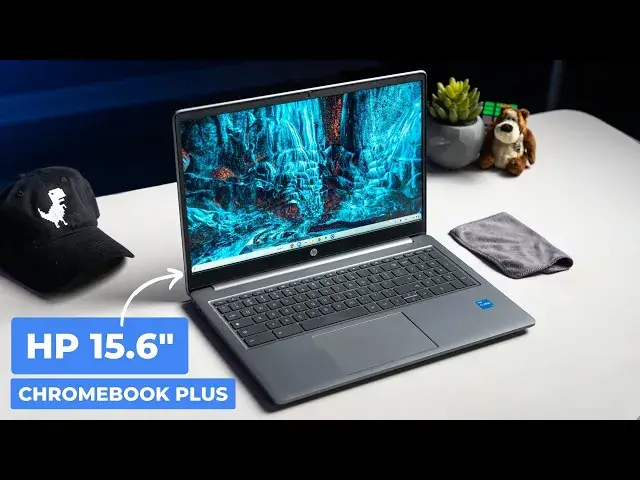
And obviously part of that spectrum needs to be covered by larger devices like this, the HP 15.6 inch Chromebook Plus
0:19
This is one of two options in the large clamshell portion of the Chromebook Plus market
0:24
And though there are clear similarities between this one and the ACER Chromebook Plus 515 that we have
0:29
have reviewed earlier, HP's take on the larger form factor comes with some slight advantages
0:35
over that device that are honestly worth noting if the most important thing for you is a bit
0:41
more screen real estate in your Chromebook Plus. So let's take a look. Before we get into it
0:49
though, this video is brought to you by NordVPN. It's time to start taking your online security
0:54
and your privacy seriously. NordVPN not only shields your online activity from like prying eyes
0:59
but it blocks malicious websites, bypasses, georestrictions, all that kind of stuff
1:04
Using NORVPN on a Chromebook is incredibly simple to do too. You can get connected through their easy-to-use Chrome extension or you can install their
1:12
Android app. It's available on the Google Play Store for a more comprehensive protection that will cover
1:17
both your browsing and app-related activities. You like to learn more and get up to 67 off and a few months free Just head over to chromeunbox forward slash Nord where you can learn more and get started today Now we talked about it at length here on our channel on the website
1:33
ChromeUnbox.com, and in our weekly podcast, the Chromecast, but it bears repeating
1:38
Chromebook Plus was concocted as a way for Google to solidify great Chromebook experiences
1:43
around a set of hardware requirements that help make sure that any device with the Chromebook Plus logo on it
1:49
is enjoyable to use, just in general. So in case you haven't heard them before, what are those
1:54
requirements? Well, it's a 1080P or better screen aimed webcam, 12th gen Core I3 or better internals
2:01
8 gigs of RAM or better, 128 gigs of storage or better. And while those requirements don't really
2:07
guarantee anything, I can tell you that after using all of the Chromebook Plus models, they absolutely
2:12
do help provide some guardrails that have basically guided manufacturers to build some really solid
2:18
Chromebooks up to this point. And the HP Chromebook Plus is part of that story. While it sticks to the
2:24
basic version of all the specs that I just mentioned, it hits all of them. And overall, it makes for a
2:29
great Chromebook experience. And being of the 15.6 inch size, this is one of the two models of
2:35
Chromebook plus that gives you a bit more screen real estate to mess with if that's really what you're
2:41
after in your Chromebook But that screen comes with its aggravation however as HP stuck with the anti non screen that can only hit 250 nits of brightness Seriously please give us 300 minutes Colors contrast and sharpness are all fine but the lack of brightness on this one was pretty apparent when I was just at my desk
3:01
I mean, it's hard to show in a video, but you just need to trust me. If you need a screen that does really well in bright rooms, this one is not the one for you
3:08
Apart from that, however, I find little to gripe about on this Chromebook
3:11
It's regularly on sale for like $300, $400, $400, and the excellent keyboard and trackback combo that comes with a full numeric keypad makes for a really productive experience. The speakers are better than average too, and it makes video calls a little easier when you don't have headphones around for those things. And speaking of video calls, the camera is 1080p like we talked about earlier, and if the lighting is decent, it produces a pretty good image, and it can take full advantage of the Chromebook plus camera tricks like lighting adjustments and background blur and temporal noise reduction
3:41
all that stuff. Again, it's Chromebook Plus, so these sorts of things, it just delivers on them
3:47
Now, I do think the MSRP on this all-plastic device is a little bit off
3:51
Acer's Chromebook Plus 515 is $399, a full $100 cheaper than this one from HP, and the
3:58
similarities in the two make this one a tough upsell. However, when it's marked down and priced
4:02
the same as Acer's large Chromebook Plus, which it often is, the small differences between the
4:07
HP and the Acer are things that can help you ultimately decide which one to buy First the HBR comes with the i3 n305 The ACER comes with the I3 There no question that the large core 1215U is the more powerful processor
4:21
So while I don't have any complaints about the speed of the HP, if you want a little bit
4:25
more umph under the hood, you're going to want to steer towards the 515 from ACER. Also, the port
4:30
selection on the HP is a little bit more limited with just two USB type C ports, a single USB
4:35
type A, microSD card slot headphone microphone jack. ACER adds to that
4:39
concoction with the all-important hdemei port to their device and it simply makes the
4:44
utility feel a bit better overall what I said at the beginning of this video
4:54
still holds true though Chromebook Plus makes for a very enjoyable solid
4:58
Chromebook experience so this is just as true with this HP 15.6 inch Chromebook
5:03
plus as it is with all of the rest of them while I'd recommend waiting for it to go
5:07
on sale does that very often if you just Decide to pick up this Chromebook Plus model for its larger size and its excellent keyframe and keyboard layout
5:14
I just don't think you're going to be disappointed. But guys, that's it for this one. If you enjoyed this video, give us a thumbs up
5:19
Head down there. Hit that subscribe button and be sure to ring the notification icon as well
5:23
If you'd like to be alerted when we make future videos just like this one. Until next time, we'll see you