Up next in 10



Check out the new site for all kinds of Chrome OS goodness: http://chromeunboxed.com
Here are the other reviews you might like:
HP Chromebook 14 - http://youtu.be/tGYL-nj8KNk
HP Chromebook 11 vs. HP Chromebook 14 - http://youtu.be/IHNOTPpge6k
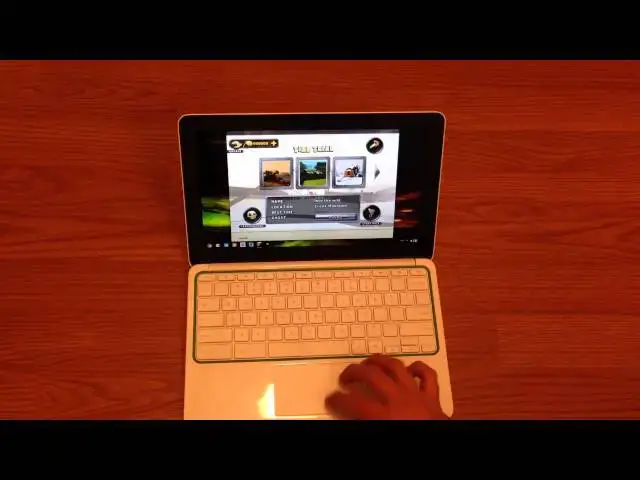
In this video I review the HP Chromebook 11, looking at all the external goodies and sweet design cues alongside some of the struggles the Chromebook presents with its internals.
Show More Show Less View Video Transcript
0:00
hello gang everyone this is Robbie Fang
0:01
here with a full review of the HP
0:04
Chromebook 11 I've got the device in a
0:07
few days ago I've got a chance to unbox
0:10
it and kind of give you guys my initial
0:11
impressions of it spent the better part
0:14
of two days with it now and I want to
0:18
kind of give you a fuller review soft a
0:21
few people online complaining that there
0:23
wasn't a whole lot of video time spent
0:26
with this device yet and people are
0:28
still kind of wondering some better
0:30
specifics about the device things that
0:34
can and can't do since I've posted that
0:37
the the first impressions video I've
0:41
gotten all kinds of questions about it
0:43
and the things that's capable of not
0:45
capable of those kind of things so I
0:46
want to attempt to answer those
0:48
questions give you guys kind of an idea
0:51
about it
0:52
following this you should see the review
0:56
of the Chromebook 14 which I've also
0:58
spent a lot of time with I've kind of
0:59
head up side-by-side a lot and then I'm
1:02
going to do a video with them literally
1:03
side by side and kind of show you some
1:05
of the performance differences
1:06
specifically and then some of the
1:08
exterior differences as well the screen
1:11
keyboard trackpad those kind of things
1:13
anyway what I want to stick to on this
1:16
one is specifics about this device and
1:19
I'm going to try my best not to get into
1:23
a whole lot of how it compares with the
1:25
HP 14 I'm gonna leave that to a
1:27
different video I just want to talk
1:29
about this device in and of itself and
1:31
and really probably the better
1:33
comparison for this device would be last
1:35
year Samsung Chromebook the series 3
1:39
from a performance perspective anyway
1:42
from an exterior perspective it's it's a
1:45
whole different machine but the interior
1:48
part is different so well start with the
1:50
exterior we'll move our way in as I said
1:53
in the initial unboxing I'm still
1:55
incredibly pleased with the overall feel
1:58
and look of this device I like the fact
2:02
that the lid closes nice and snug I like
2:05
the the LED bar open that up for you
2:10
over this way so you can kind of see
2:13
that's not real dark in here so it
2:15
doesn't look real bright but it looks
2:16
really neat and slightly you know less
2:18
light I've got a bunch of lights turned
2:20
on in here because it's nighttime and I
2:22
want to make sure this isn't grainy
2:23
looking but the LED bars cool I've
2:26
already had a few people comment on that
2:28
hopefully that's something that Google
2:31
sticks with in its chrome development as
2:35
time goes by it's a really really really
2:38
neat look
2:39
another thing build quality wise that
2:42
I've been real happy with and we'll
2:43
crank the screen up here
2:44
I've been real happy with is the fact
2:46
they went with a matte finish around the
2:48
edges here everything else is glossy
2:50
plastic and yes it picks up fingerprints
2:52
just like any other glossy plastic I
2:54
never understand reviews and I say oh
2:56
this is a fingerprint magnet so it's
2:59
glossy of course it is you know and when
3:01
glass screens are a fingerprint magnet
3:03
well if it's glass it is I mean it's
3:05
just the way it works and the same thing
3:07
is true with this this if you really
3:09
turn it in the light you can see the
3:10
fingerprints but since it's white for
3:12
the most part you can't tell at all
3:14
which is kind of a nice design thing I'm
3:17
sure the the piano black version of this
3:20
device probably just looks like a mess
3:23
of fingerprints all over it I would
3:25
think because like I said you can't see
3:27
them on this if you hold it in the right
3:28
line but it's not distracting you don't
3:29
even think about it but because the lid
3:32
in this area you touch it so much
3:34
closing and opening closing the open and
3:36
closing and opening in this device
3:38
because of its size and its weight tends
3:41
to feel more tablet like I guess would
3:44
be a good word for it as far as the way
3:46
you would use it around the house and so
3:47
I'm tempted to sit down the couch and
3:49
plop it open whereas the the Chromebook
3:51
14 for instance or another fool's any
3:53
other full-size laptop tend not to grab
3:56
that all the time whereas my wife and I
3:58
my wife's got the series three Samsung
4:00
Chromebook and you know it's it's right
4:02
by the couch so it's you know sometimes
4:04
she's on her smartphone but a lot of
4:05
times she reaches under pulls that thing
4:07
out and and uses that instead and so
4:10
because of that it you're opening and
4:12
closing the lid all the time and so I
4:14
really appreciate that finish I know
4:16
that's a small detail but it makes a big
4:18
difference and I like the fact that they
4:20
put chrome in chrome letters here so
4:22
when it's open
4:23
we're looking at it there they're prone
4:25
to ask what is that what kind of a temp
4:28
or laptop is that or seda is an old
4:30
MacBook or whatever the question may be
4:31
and then they see Chrome on there and it
4:33
kind of opens the conversation about
4:34
what exactly this guy is up top the you
4:40
know the camera is suitable I guess for
4:42
hangouts as they transition hangouts
4:45
into full-on 720p across the board it
4:49
will be said for it not to be recording
4:51
in 720p
4:52
and that ain't no it's passable for
4:54
video chats but it's not great I even
4:56
noticed just opening the camera quote
5:00
unquote app on here a little bit of lag
5:03
I wasn't even recording or doing
5:05
anything it was just jumping around a
5:07
little bit and so that that's kind of a
5:10
shame moving down to the keyboard
5:14
fantastic real quiet in here barely
5:19
makes any sound travels great
5:22
responsiveness is great I could really
5:24
really type fast on this guy no problems
5:27
whatsoever at all with the keyboard
5:30
really really enjoy the keyboard and
5:32
underneath the keyboard sits those
5:34
uniquely placed speakers and I played
5:37
those in the initial video while I'm
5:40
talking I'll load up Spotify so you can
5:43
kind of hear that but yeah just really
5:49
really really impressed with the speaker
5:51
quality on this thing I'm going to turn
5:54
the brightness back down so we're not
5:55
washing the video out here and and it's
5:59
you know come on come off like surround
6:01
sound but it just has a really nice full
6:03
sound
6:04
now I'm gonna replace speakers you know
6:06
that kind of thing but just just really
6:11
good stuff I'm just finding something
6:13
that might give you a full sound here
6:20
playlists here
6:23
and the computer does decently with with
6:27
this and this is a pretty heavy sight to
6:29
be honest this is one of my favorite CDs
6:35
right now capital city so we'll play
6:38
safe and sane out here
6:59
so being here really loud and it's a
7:03
really unique experience to have the
7:04
sound just kind of coming up at you from
7:06
a laptop like this it's just it's it's
7:08
unique well done again I like the
7:13
internals of this device I just do the
7:17
the rounded nature of it feels really
7:19
good as your hands are sitting here
7:21
typing or spending a lot of time with
7:23
the trackpad trackpad in general is good
7:26
it's responsive it's not the best I've
7:28
used I still think the Samsung out does
7:33
it and definitely the the HP 14 I know I
7:37
said I won't gonna mention it too much
7:38
HP 14 Strank that's a little better than
7:40
this one it's a little smoother this one
7:42
if you if you've just washed your hands
7:44
though you don't have much oil on them
7:46
at all
7:47
the glides around just fine but you know
7:49
after a little bit you got a little bit
7:51
of oil on your hands or you've just
7:52
eaten lunch than just the slightest bit
7:55
if you can kind of hear that I don't
7:58
know if you can do that's picking up or
7:59
not it can get a little sticky but the
8:03
clicking is nice and quiet and it's been
8:08
a serviceable track of ahead it's not
8:10
it's not bad or annoying I would say
8:12
it's you know mediocre I've used I used
8:15
many many many a better trackpad but
8:17
it's not the worst by any stretch of the
8:19
imagination as far as bill you know
8:23
there's some give up here cool thing is
8:25
I can open this without holding the
8:28
bottom down I think I said something
8:29
about that in the unboxing I like that
8:31
feature in any hardware there's really
8:36
no give to the bottom part of this thing
8:38
I mean it's definitely the whole forget
8:42
what they said it was that they put in
8:43
this one say magnesium frame or
8:46
something but a metallic frame inside
8:48
this really causes it to be nice and
8:50
firm the top is not so much there's a
8:53
lot of give in that but you know it's
8:56
the tumble the laptop it's not that big
8:57
of a deal I didn't notice when picking
8:59
it up this way quite a few times there's
9:01
something in here that gives I just did
9:03
it if you hear that it kind of snaps
9:06
when the screen goes from here to here
9:10
listen just that click something I don't
9:14
know over here but just those little
9:15
creaks and clacks and slight gives and
9:19
the frame and it just calls it a little
9:21
bit of cheapening in the feel but
9:26
overall not really it feels like a
9:28
really neat device a really nice device
9:31
again in case you all haven't seen or
9:34
didn't take take time to watch the
9:35
unboxing or anything like that or you're
9:37
just coming across this video just for a
9:40
quick run around with you have micro USB
9:42
port that's how it charges which is
9:45
unique the charger that comes with it
9:46
has a nice long cord and is a three amp
9:48
block and so that's a full ant larger
9:52
most phones are 1 to 1.5 amp most
9:55
tablets iPads that kind of thing or two
9:57
amp is the 3 amp so it's really pushing
10:00
some pushing some juice out I don't know
10:02
if that's it would charge your phone
10:04
fast I don't know if that's good for
10:05
your phone or not I don't know enough
10:06
about all that stuff to tell you whether
10:08
that's an OK thing to do Google touts it
10:10
is something you can do so hopefully
10:13
they've done their research and you're
10:14
not gonna burn your battery up doing
10:15
that I don't know no USB 3.0 just USB
10:18
2.0 here for a Chromebook honestly I
10:21
have not found a reason to really
10:22
necessitate 3.0 it's only got 16 gigs in
10:26
Aalborg storage so there's not a whole
10:28
lot of need to be transferring stuff to
10:29
it so take that for what it's worth a
10:33
combo jack here your phone microphone
10:36
soft touch down here this is what gives
10:38
it its padding / its area to hold it and
10:40
like I was saying earlier there's that
10:42
kind of clicking it's happening down
10:44
here I don't know if something's just
10:45
not sealed up well on this one I'm not
10:49
sure what it is but it kind of gives you
10:50
a place to hold it there and a little
10:52
grippy area only markings you see on the
10:55
device you got HP down here in Google
10:57
and I don't know with the light shining
10:58
off that I can see it done the
11:00
fingerprints on it now that I you know
11:03
if I'm holding it like this I can't I'm
11:04
holding like this I can so otherwise
11:07
that's it
11:08
there's nothing else on the device I
11:10
know
11:11
no vents no that stuff which is really
11:13
nice like I said everything on the
11:15
outside of this device I really like so
11:21
shall we talk about the inside part of
11:24
the device on the inside you have last
11:28
year's exa mousse Samsung Exynos dual
11:32
5250 processor clocked at 1.7 gigahertz
11:37
with 2 gigs of ram and 16 gigs of
11:40
on-board storage now from what I've read
11:42
online it's the exact same processor
11:44
it's the exact same solid state but the
11:47
RAM there not sure I'm right anything
11:51
completely positive saying yes it is
11:54
better or worse but it is different so
11:57
I'm not sure on the RAM so we're looking
12:00
at largely internally the exact same
12:01
machine that Samsung put out last year
12:04
and so what it boils down to is this if
12:07
you have a samsung armed chromebook from
12:10
last year and the lag enos of
12:13
performance is making you want to pull
12:14
your hair out this is not going to fix
12:16
that this this device will not change
12:19
that in fact there are some hints
12:23
hopefully that Google is is really
12:26
gearing some stuff with Chrome OS
12:28
towards the arm development and you
12:33
would think that with putting the exact
12:34
same processor in his last year another
12:36
note on the whole arm processor thing
12:38
from what I've read online again I'm
12:41
getting my information from the internet
12:42
so take it with a little grain of salt
12:44
but from whatever it online Chrome OS is
12:47
not optimized to use more than two cores
12:49
so that puts Google in an interesting
12:52
position with ARM processors because
12:54
ultimately there's not a whole lot of
12:56
dual core ARM processors out there
12:58
because I kept asking myself why in the
12:59
world would they put the Snapdragon 600
13:02
in this which are monsters I mean
13:04
they're beasts the processors I don't
13:06
know if you guys have looked up
13:07
benchmarks but check out benchmarks on
13:09
the Snapdragon 800 especially that thing
13:12
absolutely flies and I can't understand
13:14
why they wouldn't put
13:15
in here but my thought is perhaps and
13:18
this is not fact this is just just my
13:20
thoughts perhaps because Chrome OS is
13:22
not optimized for quad-core processors
13:25
maybe those processors would not help I
13:28
don't know I don't know and or Google is
13:33
really planning to work on Chrome OS to
13:35
really fly on an ARM based SOC I don't
13:40
know I don't know if that's the case
13:42
because I do know that the Nexus 10
13:44
while not the fastest machine on the
13:46
market is still pretty quick it still
13:49
handles a lot of stuff and does a great
13:52
amount of processing power so it's the
13:54
exact same SOC so I'm really unsure as
13:59
to why Chrome OS struggles like it does
14:01
a lot of times because it seems like
14:03
Chrome OS is a bit lighter obviously
14:05
than Android even so it could just be
14:08
some software optimization there have
14:11
been some discussions and in Google+
14:14
event about tab casting in chrome
14:18
casting working way better on the dev
14:20
channel on the same some arm Chromebook
14:22
again same hardware inside it working
14:26
much better on the dev channel so that
14:29
could be the case
14:30
I don't know I'm crossing my fingers
14:32
because there's a part of me that wants
14:35
so badly to love this device to really
14:38
want this to be my Chromebook it's just
14:40
not there yet performance wise so I'm
14:42
gonna give you a couple examples of some
14:43
things that surprised me and some things
14:48
that were really bad pocket is one of
14:51
them and I've got my pocket set up with
14:53
if this than that and I don't know how
14:56
many of you are familiar with that
14:57
service if you're not check it out -
14:59
awesome
15:00
if this than that basically it has
15:02
tie-ins with tons of services and you
15:03
can say if I do this then do this and so
15:06
I've got a set up for a few RSS feeds
15:09
basically to say hey if they post
15:11
something new put it in my pocket and so
15:13
my pocket ends up being kind of cool
15:16
pretty much at today newsreader because
15:19
the way the pocket lights things that's
15:20
really nice you see there's no lag
15:22
whatsoever in this now you've got some
15:23
checkerboarding that's just part of it
15:27
you know checkerboarding as long as it
15:28
goes away quick doesn't bother me that
15:30
bad but you can see I mean it's nice and
15:35
smooth you know jumping in and picking
15:37
any article here jump in it
15:38
boom loaded up nice and smooth go back
15:42
and so I thought pocket would really
15:43
just kind of barf all over this and it
15:47
runs perfectly I couldn't ask for it to
15:50
run better so it's things like that that
15:52
make me think well maybe it's just
15:55
software optimization maybe I don't know
15:57
I don't know because that seems to run
15:59
no problem whatsoever you know your file
16:03
manager and your basic Google
16:04
applications work just fine no problem
16:07
but then I've had a lot of questions
16:09
about games and so it's an interesting
16:13
one called cracking sands a little
16:17
go-kart in the desert kind of thing I
16:20
don't know to apply too much it didn't
16:24
seem really that fun
16:26
it's not bad or anything and I'll just
16:30
go and say again I'm trying to not
16:31
trying to compare everything to the HP
16:32
14 Chromebook 14 running this on the
16:35
Chromebook 14 it's got perfect frame
16:37
rates never drops and never stutters and
16:39
every lags and then it runs perfect and
16:41
you'll see that in the future video
16:43
we're just gonna do a single race real
16:45
quick it's do a Time Trial okay and this
16:56
is running you know some slight 3d
16:58
graphics it's nothing nothing amazing
17:03
and I don't even know how this is coming
17:06
across a long camera it's probably
17:09
difficult to see but frame rates are
17:11
pretty low I would say probably in the
17:13
15 area something like that it's pretty
17:18
laggy that makes it really difficult to
17:20
plagues it almost feels like when you go
17:22
to move it kind of moves after the fact
17:27
whereas I didn't suck nearly that on the
17:30
HP on the on the Chromebook 14 just
17:34
seems like it takes it a minute to
17:35
actually just anything you doing but you
17:38
know it runs it not amazingly
17:40
but it gets live here's where it gets
17:43
interesting now I'm gonna open up what I
17:46
would think would be a lighter-weight
17:47
game Cut the Rope you know everybody
17:49
loves cut the rope and and I'll throw
17:52
Angry Birds in this exact same scenario
17:53
it does the exact same thing we're going
17:56
to play
17:59
and here in a second I'm going to get an
18:01
a message actually cut the ropes gonna
18:03
pop up but do you see it I mean it's
18:05
we're running you know Carly
18:09
single-digit frames per second
18:11
someone just cut these secrets II can
18:13
ask oh it's literally moving in slow
18:17
motion what's really interesting is if I
18:24
go let's say we like come in here this
18:29
part see these animations smooth as silk
18:32
but you get into rendering the game and
18:34
it really causes some problems trying to
18:39
see if it'll come up with this message
18:40
in one second there goes a little too
18:48
slow homonym is saying it's running too
18:51
slow so you know there's some issues
18:54
whenever that's happening so again I
18:57
really think it could just be they
18:59
haven't optimized that game to take
19:02
advantage of the processor which could
19:05
be the problem with chroma bus in
19:06
general at this point what I did do
19:10
earlier this is another thing that I was
19:12
asked to do I will do that before you
19:17
open up a bunch of pretty heavy things
19:20
all at once bird Google+ Spotify let's
19:27
do - me too
19:37
and I'm gonna throw Twitter in there
19:38
because Twitter is one of those sites
19:40
for some reason that just runs like
19:42
garbage on this and it did on the same
19:45
Sun as well I've scrolled twice I'm
19:49
still waiting for it to respond here yep
19:50
there goes so you can count the number
19:52
seconds so I'll scroll know what pretty
19:56
much two three it's about two to three
20:01
second delay in scrolling I'm really
20:07
unresponsive so I don't know what it is
20:10
with Twitter's website that it causes
20:12
that to happen again unfortunately gonna
20:16
have to open up my own videos because
20:17
I'm gonna get myself in any kind of
20:18
trouble
20:26
so I'll just play that
20:48
hello we're all impressed with Spotify
20:53
it's another one of those things and did
20:55
he just you just never know how about
20:59
some diamond sing here John Mayer
21:12
playing videos running a lot of
21:18
artifacting happens on YouTube on this
21:20
weather there's a bunch of stuff going
21:22
on or not strange
21:24
we got the birds loaded up and you know
21:27
it's just laggy and for frame rates on
21:31
the scroll but it's running you know
21:32
it's going we'll go ahead and start that
21:35
video even how about that pull up Google
21:39
Plus which is notorious the struggles on
21:43
it was kind of getting them saying slow
21:47
scroll but you know what we use three
21:50
fingers if you don't know that she can
21:51
use three fingers or swipe between tabs
21:54
you know it's not shutting any of them
21:57
down so
22:05
and that was our first hiccup there my
22:10
guess is that's probably RAM limitations
22:12
and likely I'm creaming a lot of stuff
22:15
in the RAM there
22:17
so the 2gig RAM that's probably where
22:19
you getting some limitations when you
22:20
start streaming all that kind of stuff
22:22
again cuz it's about knowing your
22:24
limitations and knowing what you're
22:25
getting into this thing is not a
22:26
powerhouse machine it's not a gaming rig
22:30
it's a do a couple things at one time
22:32
kind of machining it so if you know that
22:34
getting into it maybe it wouldn't bother
22:35
you the performance issues and you'll
22:37
know that you're gonna come across
22:38
certain websites that it's just not
22:40
going to like where is there going to be
22:42
some that really just surprise you
22:45
ultimately and I don't think I touched
22:48
on this early in the beginning I kind of
22:50
skipped by this you know the screen is
22:52
great when when sat side by side with
22:55
pretty much any other laptop around
22:57
especially anyone with a TN panel this
22:59
is including the HP 14 the same some
23:03
series three the Acer c720 end but I'm
23:08
assuming it's gonna be roughly the same
23:09
panel any of those guys you put this
23:11
thing next to it and makes them look
23:13
really bad
23:15
it just is pretty it's not on the level
23:19
of a glass paneled IPS display so your
23:24
your side viewing angles you can see the
23:27
dim out a little bit there that's not
23:29
the camera that's it dims out a little
23:31
bit we're not getting any polarization
23:34
of the color but it is kind of gray out
23:37
just a little bit on the edges and front
23:40
and back that's the same thing there too
23:41
but for the most part it it looks great
23:44
from any angle and the blacks are nice
23:47
and deep the contrast looks awesome the
23:49
color reproduction is great I enjoy it
23:53
and as I've said probably 10 times
23:55
already in this review I can't stress
23:57
enough that everything on the outside of
23:59
this package I love I really do
24:02
I have no qualms with any of it the only
24:05
thing I probably said anything negative
24:06
about was the trackpad and again it's
24:08
completely serviceable it's not like
24:09
it's a horrendous thing and so again I
24:12
will all kind of close in by
24:15
saying if you had last year same
24:18
something no some of it did and you used
24:20
it for a little bit any of those things
24:21
and you liked it and you thought hey
24:23
this is a pretty good machine I could
24:25
use this on the on the couch we could
24:27
pass us around with the kids use it that
24:29
kind of thing this guy is is a huge
24:32
improvement over the Samsung series 3
24:34
simply and build quality and materials
24:37
on the outside of it if you've had one
24:40
of those where you've used one I thought
24:41
my goodness I could never use that on a
24:44
day-to-day basis it would drive me nuts
24:45
you're really not getting any
24:47
performance bump here again maybe in the
24:50
future it will get better it has gotten
24:52
better right now though because the
24:53
samsung series 3 arm chromebook when it
24:57
came out last year i got it immediately
24:59
and just about sent it back because it
25:02
was pretty rough at the onset but my
25:04
wife you know she emails and Facebook
25:06
and you know checking in was on that
25:08
kind of quick stuff on hers and so she
25:11
was fine with it and had a really really
25:13
old heavy clunky Dell laptop at the time
25:17
so we got rid of it you know put it away
25:19
ended up getting rid of it giving it
25:21
away but you know she started using it
25:24
and and I went probably six eight months
25:27
without using a Chromebook and katyana
25:30
have written it off when the pixel came
25:32
out it got me interested and I thought
25:33
about it and then when the some of the
25:36
newer Chromebooks started coming out I
25:38
got interested again and started looking
25:40
like the Samsung 50 and those kind of
25:42
things and so it brought me back in the
25:44
fold because I picked her up and all of
25:46
a sudden six eight months later the
25:48
thing ran way better than it did at the
25:50
beginning and so I say all that to say
25:51
this there's a chance that six months
25:54
down the road there's a really high
25:56
probability this thing's going to run a
25:58
lot better than it does right now and
26:00
that's somebody a few months down the
26:01
road reading this you need to check out
26:03
one in a store and see what it's doing
26:07
if you look at the date on this video
26:09
and go hey it's been four or five months
26:10
because cromoz gets updated every six
26:12
weeks and so they're really pushing
26:15
things forward and I have to imagine
26:16
they're just spending some serious time
26:18
in ARM architecture specifically if they
26:21
to go that way with this guy that is so
26:24
specifically Google centric so I say
26:31
everything and all of that to say this I
26:34
like it I enjoy the device it is a step
26:38
up from last year but it's still not
26:41
quite there as far as being a daily use
26:44
machine for me it's going to work for
26:46
some people it's not going to work for
26:47
me probably work well in educational
26:50
areas and people that want to capacitor
26:52
in the living room hopefully we'll see
26:54
some improvements software wise down the
26:57
road but the thing looks good feels good
26:59
on the outside and I really really like
27:02
a lot of the things that Google has done
27:03
design wise with this machine and then
27:07
it just excites me to see where
27:09
Chromebooks are going in general because
27:12
of devices like this that hopefully
27:13
you're gonna say hey we got to have
27:15
better displays and hey we got to have
27:16
better keyboards and hey we got to have
27:17
better design cues on a Chromebook stop
27:19
using old pcs and so I think this is a
27:23
step in the right direction for that so
27:25
I hope you enjoyed the review guys
27:27
thanks for watching stay tuned and I'll
27:30
have one up for the 14 inch and we'll
27:32
have a side-by-side with these two guys
27:34
catch you later
#Laptops & Notebooks