Up next in 10

How To Try Out The New Lacros Chrome Browser For Chromebooks
Oct 17, 2023


Join our Patreon community for access to our private Discord, an ad-free website experience, and more ➡️ https://www.patreon.com/chromeunboxed
・・・・・・・
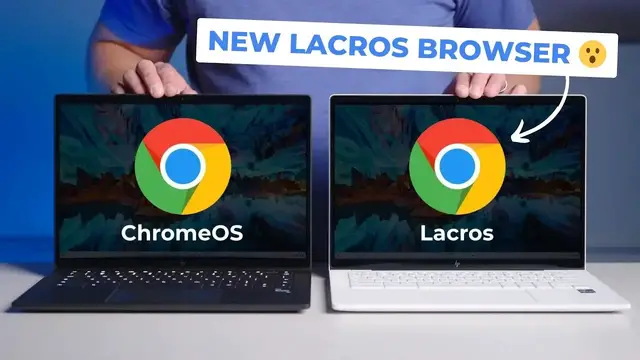
ChromeOS 116 has started rolling out and while we’re still looking for any other new stuff to talk about in this latest update, the one thing we’ve been a bit fixated on this week has been the new, decoupled Chrome browser for ChromeOS devices called Lacros.
The main thing you need to understand is this: Lacros separates Chrome (the browser) from ChromeOS (the operating system) so that updates can happen for your browser in step with other desktop Chrome versions in the future.
Here's a quick explanation of why it matters and how you can try it out for yourself!
READ MORE:
👉 https://chromeunboxed.com/chromeos-116-transition-lacros-chrome-browser-seamless/
👉 https://chromeunboxed.com/how-to-enable-lacros-chrome-browser-chromebook-chrome-os/
Join our newsletter: http://bit.ly/2WjCDm7
・・・・・・・
Fueled by Fresh Roasted Coffee! Buy the special edition Chrome Unboxed bag here: https://chromeunboxed.com/coffee
Show More Show Less View Video Transcript
0:00
In the past week or so around here, we've been talking a lot about lacrosse
0:04
And if you don't know what that is, I'll summarize it here in just a second. But we wanted to make a video specifically because it's come a long way in a short-ish
0:13
period of time. And for the first time in a while, I gave it a test drive
0:18
And it's been pretty impressive. We even actually made a video yesterday about it
0:23
And then the Chrome OS 116 update happened and changed quite a few things to make that
0:29
video not any good anymore. So we're redoing that, but it's kind of cool because there's some
0:35
really interesting things for us to share with you based on what's happened with Chrome OS 116
0:40
So let's just jump into it. All right. So before we jump in, if you've not been keeping up with
0:50
what all of this is and what lacrosse is, I'm not talking about the sport of lacrosse. It is a
0:56
thing that Google's been working on for, I want to say over two years at this point. And
1:01
lacrosse just stands for it's L-A-C-R-O-S, not two S's. It stands for Linux and Chrome OS
1:07
C-R-O-S being how the team internally talks about Chrome OS. So Linux and Chrome OS
1:13
And the idea behind it is basically this decoupling of the Chrome browser from Chrome the OS. And
1:21
if you know anything about Chromebooks and have been around Chromebooks for any amount of time
1:24
you probably know that that's a pretty big undertaking. And the main reason is when they
1:29
first started working with Chrome OS, it was basically just a browser. And as it gained
1:35
you know, a desktop over the years and then web apps and Android apps and Linux apps and all this
1:40
kind of stuff has been added into what Chrome OS is these days. The fact that Chrome, the browser
1:47
and Chrome OS were highly connected, never really changed. There was a lot in the OS that relied
1:52
upon this specific version of Chrome, the browser. And while that was happening, 10 years of Chrome
1:59
browser development has happened for Windows and Linux and macOS and everything else. And it's been
2:04
kind of this weird situation that Google's been in where they want to update. Now we're getting
2:09
updates every week for the Chrome browser on everything else. And yet getting a Chrome browser
2:15
update on a Chromebook is weird because it's so heavily tied to the OS. And so the idea is let's
2:21
separate those two so that there is a Chrome browser for Chromebooks just like there is for
2:25
everything else. And that could come with some really cool benefits. We're hoping that at the
2:31
end of the day, Google allows Chrome to keep getting updated once AUE has been hit for Chromebooks
2:36
So once they expire, basically, the OS may not be getting updates, but at least Chrome will still
2:41
remain getting updates and keep you a lot more secure than you would be if you were using a
2:45
Chromebook that weren't getting any updates at all. That's a potential benefit. But then the
2:49
ability to handle your profiles on Chrome the way that you do on Windows and Mac on a Chromebook
2:56
would be really cool. And for new people coming over that have been Windows users for years
3:01
they expect to line up Chrome in a certain way And you can do that right now on a Chromebook the way you would with profiles on Windows or Mac or Linux And so this will line all those things up
3:11
give us weekly Chrome updates, not Chrome OS, but Chrome updates. And all of this has been in the works
3:17
for a couple of years now. And that brings us back to kind of this week
3:21
where I started tinkering with it again, just to kind of see where we were. And I was really impressed with Chrome OS 115
3:27
what Chrome, the browser looked like when decoupled from the OS. And then we kind of made a video about it and talked about how to go
3:35
about doing it to try it for yourself. And then this morning, Chrome OS 116 updated. And here we
3:41
are with kind of a different way to go about enabling lacrosse in a way more integrated fashion
3:47
Like you can tell 116 is the version of Chrome OS where they're getting ready to start pushing
3:52
forward and getting this out to more people. So that being the case, we wanted to show you how to
3:57
get it done and some of the benefits that happen with this new version of lacrosse that's available
4:02
on Chromebooks and how seamless it is to actually get up and running. Okay, so if you would like to
4:07
get started and try this out for yourself, and no real worries here, if you do it and some part of
4:13
your use case for Chrome runs you into a problem where you're like, oh, this isn't working for me
4:17
I'm going to show you at the end how you can kind of revert and go back out of this. but you go into Chrome and type Chrome colon forward slash forward slash flags and then your
4:27
flags window is going to come up and up at the top here type hash lacrosse and you're going to get
4:35
just a handful of flags to choose from the ones you want to find here are at the bottom for right
4:41
now I don't take me at this like it's Chrome OS 117 or heck if it's two weeks after we put this
4:48
out there, they could have added more flags. So look for lacrosse is the only browser. We're going
4:53
to enable that and then ignore lacrosse availability. And that basically is just saying
4:57
at an OS level, they can say lacrosse is not available yet for one 16. So regardless of what
5:04
they flip, don't turn it on. Uh, this is telling it to ignore that. Once we do that, we're going
5:08
to hit restart. But before I do that, I want to show you something really cool that I noticed this
5:12
morning. So when I, when I did this whole process on Chrome OS 115, I restarted. It took a few
5:19
minutes because it's like it had to rebuild all my PWAs. Most of the stuff I have at the bottom
5:24
on my taskbar, almost all PWAs. And so the problem became it has to rebuild all those with lacrosse
5:30
windows now, not, you know, the old, the old Chrome and it worked fine, but I was signed out
5:34
of everything. So I had to re-sign into all my stuff. So think about apps like Discord, which I'm
5:40
signed into there. Apps like, I didn't sign into messages on this one. Apps like WhatsApp
5:47
which I'm signed into here. And apps like Spotify, which I'm signed into there. Especially like ones
5:52
with like WhatsApp, WhatsApp messages, those kinds of things where you pull up the app and then you
5:57
got to scan a QR code. Like it's, there's a couple of steps there that are required. And so you got
6:01
to redo all that kind of stuff. And so I fully expected that. I mean, it's a new browser. It's a
6:05
new instance of Chrome being loaded in Fully expect that With Chrome OS 116 in this new version of La Crosse they have built in all the necessary bridges Oh I also had to sign into chrome so chrome opened up and just like it would be if you install chrome for the
6:19
first time on windows or mac you got to sign in and say yeah I want to seek my stuff even though
6:23
I'm on a chromebook I'm clearly already signed in with a google account to my chromebook
6:27
like all that stuff should just come over and it didn't uh with chrome os 115 but it all does now
6:33
and so I'm going to show you that so let's get back to my flags and we're going to go and restart
6:37
and you know, it'll take just a second, but what you'll notice, boom, all those web apps
6:42
all right there, ready to go. And I noticed when that happened, I was like, that was different. Cause the last time it had, you know, the Chrome browser and I sat there
6:50
and I sat there and about three minutes later, stuff started populating in
6:55
You'll also notice that the Chrome logo still looks like a Chrome logo with previous versions
6:59
La Crosse had like the canary yellow and orange Chrome logo. So again, if you flip the switch
7:05
and didn't tell someone about it, there's a good chance they wouldn't even notice. They would just be like
7:09
oh, look, there's a profile switcher up there at the top of Chrome and kind of move on. But I'm going to open up these apps
7:14
that I just showed you. So I'm going to reopen WhatsApp and it'll take a second
7:18
because WhatsApp is encrypted and it takes just a second to kind of ping the server and make sure everything's good
7:22
While it's working, I'll open up Discord that I was signed into. Boom, right where I was
7:30
There's WhatsApp right where I was. I'll open up Spotify that I was logged into and that loads up just right where I was
7:35
And then we'll open up the Chrome window and you'll see up here at the top where it says Robbie, there's my profile switcher that again, if you've used it on Mac or Windows, that should look pretty normal to you. This is exactly what it does on every other version of Chrome other than Chromebooks
7:51
And so you're running this new version of Chrome that shouldn't look any different because it doesn't look any different
7:57
It doesn't behave any different. We actually filmed an entire review and put a Chromebook through a stress test and realized after the fact
8:06
like, oh, I didn't turn off LaCrosse on that. And it was Chrome OS 115's version of LaCrosse, and it just sailed right through it
8:13
So from a performance standpoint, there's nothing really to worry about here
8:17
Everything kind of runs exactly like you would expect. It performs like you'd expect
8:21
And again, like I said, if you didn't know any better, you really wouldn't know that anything has changed
8:26
other than you've got that little profile switcher up here. Oops, not that
8:30
The profile switcher up here at the top. And all your web apps and stuff open
8:35
and look exactly the same way they did before. The windowing works the same
8:39
I mean, everything works exactly like it did in the old Chrome OS version of Chrome
8:45
And just to make sure, it worked so well earlier, I wasn't even completely certain
8:50
I'm going to go into settings real quick and just show you about Chrome
8:56
And I've got an update for Chrome. So we'll take that while we're sitting here. But you can see right there, official build, LaCrosse
9:02
So this is the LaCrosse version. I'm going to relaunch. Obviously, it closes your web apps because those are all based in LaCrosse
9:09
If it didn't close those web apps, I would be questioning, like, what is this running? Like some old version of Chrome OS Chrome and then also LaCrosse for the browser part but now it closes all those logs you right back in And now we on the latest version of the Chrome OS Chrome I don know what they going to call this later
9:27
You know, you Chrome for Windows, Chrome for Mac OS, Chrome for Chrome OS
9:30
I don't know. It's going to be kind of weird, but it's Chrome. It's running the one 10 version
9:36
And I would bet, I don't know this off the top of my head, but I would bet if I went and
9:40
looked on the Mac or went and looked on our windows machine, it would be Chrome OS ending
9:43
in 110 as the newest version of Chrome. And that's the benefit here
9:48
We get to get on the newest version of the Chrome browser all the time
9:52
So you're getting all those security updates without having to wait. I know we get four week updates now on Chromebooks, but you're not having to wait for four weeks either
10:00
And when you have those zero day vulnerabilities that need to be patched right now, guess what
10:04
Just like Windows and Mac, we get to get those patched on Chromebooks soon. Once this starts rolling out and becoming available to end users
10:11
And hopefully that's going to happen soon. Google said it could take up to a year for this to fully roll out. But I think that might be for
10:18
like enterprise and education channels. Hopefully for consumers, we'll get it a little bit sooner
10:22
because there's less stuff to have to worry about with those things. And so as the months progress
10:27
from this point forward, eventually we're going to be looking for Google to flip the switch on
10:32
lacrosse. And when they do, hopefully they're going to give the ability for people to give
10:36
feedback and if there are issues to revert back. I don't know how they're going to go do it, but
10:41
I feel like it's in a spot where they can do it pretty soon. This is really impressive
10:45
And the feat of pulling Chrome OS and Chrome apart is pretty staggering. And it's just at this point
10:53
in the process, this is a whole lot better than I expected it to be. But one more thing before
10:59
we go here. There was one other thing I said I was going to show you and I almost forgot to show
11:06
you. So say you do this and you get to the point where you're like, this isn't working for me
11:10
there's this one particular bug that I can't get around and I need this for my job or work or
11:14
whatever. Uh, and you need to get back out of it. So you can't just go to Chrome forward slash
11:18
forward slash flags anymore, because that's going to bring you to your Chrome browser flags as it
11:22
should. Um, and those are separate from the OS flags. You need to get to your OS flags. So open
11:27
up a tab and type OS colon forward slash forward slash flags, and you will get to these, the old
11:33
Chrome OS only flags. And you'll see those there. And once you go to default and then disable on
11:39
that and restart, everything will go back to the way it was. Now you'll see it load in really slowly
11:45
here at the bottom. Uh, that's the kind of the way it did the first time I had lacrosse. It is logging
11:49
you out of all that stuff. You're going to have to re log back in. So, I mean, it's like five minutes
11:53
worth of work. It's not a huge deal, but just know that going in that if you do revert back to the
11:58
Chrome OS version of Chrome, you're going to have to re log back into your stuff and kind of set
12:02
those things back up again. But that's it for this one, guys. If you enjoyed this video, give us a
12:07
thumbs up, head down there, hit that subscribe button, and be sure to ring the notification
12:11
icon as well if you'd like to be alerted when we make future videos just like this one
12:14
Till next time, we'll see you
#Consumer Electronics
#Internet Software
#Web Services
#Browser Games
#Technology News