0:00
google's new chromecast with google tv
0:02
is out in users hands and it's been
0:05
well received mainly because of the fact
0:07
that it has a remote control and a ui
0:09
on screen so that means it's the easiest
0:11
chromecast for most people to use
0:14
but that doesn't mean that people are
0:15
without questions and one of those
0:17
questions is how to get apps onto this
0:20
when they don't appear in the play store
0:23
we want to show you how you can do that
0:40
okay so here we are at the main screen
0:42
for your chromecast and
0:44
to get this whole thing working where
0:46
you can sideload applications
0:47
it only takes a few steps the first
0:50
file browser to put on the chromecast
0:53
that can handle cloud-based
0:55
files so that once you have whatever
0:57
application it is you would like to
0:59
sideload today we're just going to use
1:01
stadia application even though stadia
1:03
still doesn't work that well
1:05
uh on this chromecast uh it's a it's a
1:07
it's one i'm sure a lot of people want
1:08
to try so that's the one we went and
1:10
grabbed we went to apk mirror
1:12
but you can grab your apk wherever it is
1:14
you want to get your apk from
1:16
again this isn't for any particular app
1:18
as long as you have your app and you
1:20
what you need to do is go ahead and put
1:22
it into google drive into a folder that
1:24
you're going to be able to find
1:26
so once you've done that and you've got
1:27
your application apk is sitting there
1:29
ready for you to install
1:31
you need to get that file browser here
1:34
what i found works best so far for me at
1:38
is an app called file commander so we're
1:40
going to get that installed first
1:42
install file commander from the play
1:45
store here's file commander
1:47
file manager and free cloud on the
1:50
and this is one of those apps you can
1:52
use it for free and you can remove
1:54
ads if you want to if you want to pay
1:55
for it later but i've found no reason to
1:57
do that if the main reason you're using
1:59
it is just to side load applications
2:01
so we're going to go ahead and open this
2:02
thing up and you'll get your nice little
2:04
splash screen saying hey
2:06
welcome to file commander and right off
2:09
we get the option to select cloud yes i
2:13
to manipulate files and we're going to
2:15
go down to google drive
2:17
and it's going to link up the same
2:19
google drive account that you have
2:20
logged into your chromecast so keep that
2:22
in mind when you're placing that apk
2:24
into your google drive account but you
2:26
could use box or dropbox if you wanted
2:29
now once we're in that spot if i go to
2:32
try at this point to pull up my drive
2:34
and open up the apk and install it it's
2:37
going to fail because there's a couple
2:38
other steps that we need to do
2:40
first so what we're going to do is head
2:43
and then go all the way up to the top to
2:44
the far right and this is where you will
2:48
so the first thing we need to do is
2:50
enable developer mode and so we're going
2:53
about and go all the way down here to
2:57
so android tv os build and keep clicking
3:00
until you see it say you're now a
3:02
developer from there we'll
3:04
back out a couple times we're going to
3:08
and then we're going to go down to
3:10
security and restrictions
3:12
unknown sources and select file
3:15
commander to be allowed to un
3:17
install unknown apps which obviously is
3:21
so now that's done we can go back to our
3:28
and then open up file commander and now
3:32
what we want to do is go to the drive
3:34
folder i put mine in one just called
3:37
and you'll have to kind of fuss around
3:38
with this just a little bit like you
3:40
kind of move over to the right and then
3:43
it to highlight it first so sometimes
3:46
it's easy to lose that cursor just keep
3:48
moving around you'll eventually find it
3:49
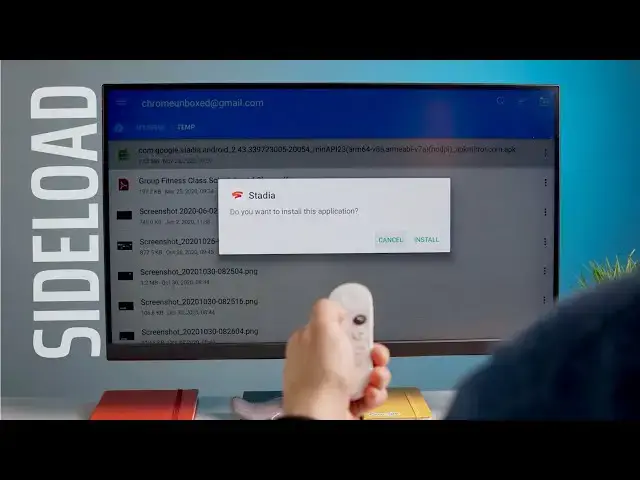
so we're going to go into the temp
3:50
folder and you can see right up top here
3:53
there we go i'm going to click this and
3:56
it's going to start staging and
3:57
installing the application once it sits
3:59
there for just a second
4:00
it's going to bring up hopefully the
4:01
logo of the application you were looking
4:03
for this is stadia and it's going to ask
4:05
you if you want to install the
4:07
we're going to click over and hit
4:09
install and the app should install
4:11
assuming it's a normal size smaller
4:14
this shouldn't take too long again
4:16
remember the chromecast is not wildly
4:18
powerful so some of the stuff takes a
4:20
little bit longer than you might be used
4:22
and then once we're done we can either
4:24
hit done and you can exit this and go
4:26
back to your home screen
4:27
or we can hit open for right now i'm
4:28
going to hit done just hit home
4:30
and just to show you once we go to all
4:33
our apps you see stadia
4:34
right there and now i can launch it
4:37
and again stadia isn't quite ready
4:44
yeah i can't even select get started so
4:47
for all those out there saying that
4:48
stadia works just fine on this
4:49
chromecast this is a perfect example
4:51
uh if i hook up a bluetooth controller
4:54
uh for right now unless i have a mouse
4:57
keyboard and all that kind of stuff i
4:58
can't even get past the splash screen
5:00
it will actually load up it'll open and
5:03
all that kind of stuff so really while
5:04
this may not be the best
5:06
tutorial for installing stadia
5:07
necessarily there's probably
5:09
a handful of apps that people want to
5:12
or test on this new chromecast that you
5:15
just can't get in the play store it says
5:17
this application is not valid on your
5:21
and so you can't do it through the play
5:22
store this is the only way to go about
5:24
getting it to be on here and
5:25
there are certain apps that might run
5:26
pretty well on here uh once you get them
5:29
and if you've been looking for a way to
5:31
get stuff side loaded without having to
5:32
hook up a bunch of cables
5:34
this is your route a couple of steps a
5:36
couple of app installs and boom you're
5:39
that's it for this one hope it helped
5:40
you out if you like it give it a thumbs
5:42
go down there and hit that subscribe
5:44
button and make sure and hit the
5:45
notification bell that's right next to
5:46
that if you'd like to be alerted when we
5:48
make future videos just like this one
5:49
till next time we'll see