Up next in 10



Sponsored by NordVPN. Try it out and get 75% off a three-year plan for a limited time! Click here: https://chromeunboxed.com/nordvpn
Shop these Chromebooks: https://chromeunboxed.com/news/google-pixelbook-samsung-chromebook-pro
・・・・・・・
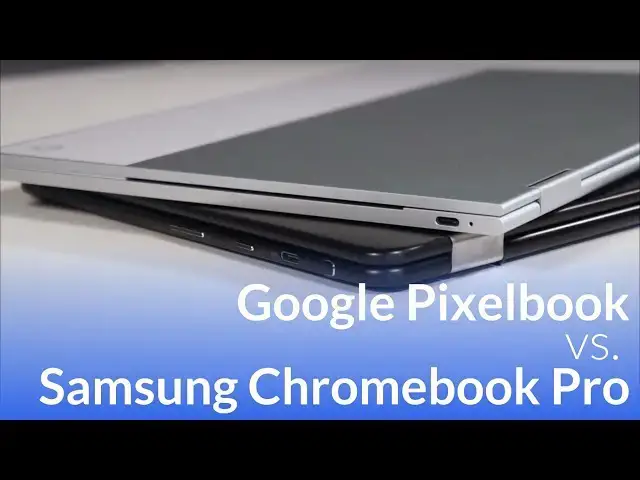
Arguably the most-requested comparison we've ever had is between the Samsung Chromebook Pro and the newly-released Pixelbook.
For good reason, these two devices make a very, very interesting comparison. With their similar screens, fast internals and dedicated pens, a comparison video were not only likely; it was inevitable.
・・・・・・・
Read more: https://chromeunboxed.com/
Join our newsletter: http://bit.ly/2WjCDm7
・・・・・・・
Shop Chromebooks on Amazon: https://fave.co/2OuedYL
Show More Show Less View Video Transcript
0:00
[Music]
0:07
hey folks Robbie Payne with chrome
0:09
unboxed and today we're gonna be taking
0:11
a look at two devices side-by-side
0:13
that's been more requested than pretty
0:15
much anything else since the pixel book
0:17
was released and it's the pixel book and
0:18
the Samsung Chromebook pro now these
0:21
devices share a ton of stuff in common
0:22
but there's a lot of stuff that's quite
0:24
a bit different and the main one being
0:25
the price tag and so we're gonna take a
0:27
deeper look and help you make a decision
0:29
especially at this time of year we're
0:31
filming this right around Thanksgiving
0:32
so it's that time of year where people
0:34
are making purchasing decisions but it
0:36
could be six months from now that you're
0:38
actually still thinking about whether or
0:39
not to buy one of these two devices and
0:41
so we want to help you all make
0:43
purchasing decisions based on what you
0:45
actually see when they're side-by-side
0:46
because it's hard to actually get your
0:48
hands on those so let's get started all
0:50
right so we're gonna dig right on in and
0:52
first thing we're going to talk about is
0:53
build quality now what I'd like you to
0:55
do is just kind of take the idea of
0:56
price and what you may or may not know
0:58
about how much these devices cost and
0:59
just kind of put that to the side until
1:01
we get to the end so that we can kind of
1:02
just compare apples to apples for right
1:04
now so we're looking at some
1:07
similarities here but some pretty stark
1:09
differences when we come to actual build
1:12
quality and so the pixel book as you can
1:15
see is actually a decent bit longer from
1:20
side to side then the Samsung Chromebook
1:22
pro now that's gonna play into a few
1:25
things here in a few minutes but that's
1:26
something to keep in mind the devices
1:29
are relatively similar in their width
1:31
the Samsung Chromebook pro is a little
1:33
bit wider than the pixel book and in it
1:36
you can feel it so from day to day use
1:38
when you're carrying the thing around
1:39
they don't weigh that much different I
1:41
want to say they're within like a gram
1:44
or two of each other but you can
1:46
actually for whatever reason feel the
1:49
difference in the thickness so as far as
1:52
the the thinness of the device the pixel
1:54
book actually feels much much thinner
1:57
and part of that is because it's kind of
1:58
got these boxy sides to it and the boxy
2:02
sides are good-looking and they help you
2:05
grip the device really well but they're
2:07
not as comfortable to hold it in say in
2:09
tablet mode or something like that
2:11
whereas the Samsung Chromebook pro has
2:12
these nice rounded edges they feel a
2:14
little bit more organic again the flip
2:17
side of that is when you flip them into
2:19
tablet mode the way the sides
2:21
the Chromebook pro meet with one another
2:23
because they're rounded kind of have
2:25
this sandwich Oreo effect so there's
2:27
there's a gap kind of between verses on
2:31
the pixel book whenever you close this
2:33
thing it's one solid flat feel all the
2:36
way around and so it kind of feels like
2:37
a cohesive device so when you're in
2:40
tablet mode though the pixel book is a
2:41
little bit larger it kind of has this
2:43
more secure feel because the sides meet
2:45
up the way that they should for a tablet
2:48
when we start talking about the quality
2:51
of the build that's where the pixel book
2:52
really kind of moves ahead quite a bit
2:54
from the Samsung Chromebook pro that's
2:56
not to say that the pro feels terrible
2:58
or cheap but there's a little bit more
3:00
flimsiness to the overall chassis in the
3:03
pro versus the pixel book the the pro
3:06
being black picks up a lot more
3:08
fingerprints and overall the keyboard
3:10
deck has a little bit more give to it
3:12
the device can kind of be bent a little
3:15
bit easier and so it just kind of has a
3:17
slightly flimsy feel to it from time to
3:20
time again I'm not saying it's bad and
3:22
it's it's aluminum and so it doesn't
3:24
feel cheap necessarily but after you
3:27
handle the pixel book for just a little
3:29
bit and then go to handle the pro you
3:31
can definitely tell the difference and
3:33
so the wind for sure goes to the pixel
3:36
book especially when we start talking
3:37
about design touches when we you know
3:39
the palm rests the way you've got that
3:41
kind of white bar across the top and on
3:44
the insides and on the feet all of those
3:47
things the pixel book just feels more
3:49
premium and we would expect it to but
3:52
again we're comparing apples to apples
3:54
here and not talking about price I'm
3:56
just saying one device compared to the
3:58
other the pixel book feels better it's
4:00
it's firmer it's it's better built and
4:03
it kind of has a better-looking
4:05
aesthetic overall to it too so the next
4:07
thing we normally talk about interviews
4:09
is screen quality and this one is
4:11
actually a complete push we're pretty
4:13
sure we can't get the exact model
4:14
numbers we're fairly certain that the
4:17
screen on both of these devices is
4:19
actually identical granted they're
4:22
housed and different things but the the
4:24
colors are the exact same the brightness
4:26
is the same the size of the screen is
4:28
the same the resolution is the same so
4:30
literally you're not getting any better
4:32
when you go with the pixel book versus
4:34
these Samsung Chromebook
4:35
crow the minute you set these things
4:36
side by side you begin to notice one
4:38
thing that is different about them and
4:39
that's the bezels so over here we have a
4:42
more symmetrical bezel the top and
4:44
bottom vessels are still larger but over
4:46
here we have three sides of a much
4:48
smaller bezel on the same Sun now that's
4:50
going to play into some stuff with the
4:52
keyboard here in a few minutes but it
4:54
does look a little more modern to me and
4:56
a lot of people have commented that and
4:58
I think that's the case what's odd about
5:01
the Samsung in the way that they put
5:02
their screen is that down here with the
5:04
hinge that you've got more room with the
5:06
hinge and a much larger bezel because
5:08
you've got Samsung written across here
5:09
and so now this whole screen is kind of
5:11
offset up versus the pixel book
5:13
everything's kind of set in here pretty
5:15
square now if you look real close the
5:18
bottom bezel is a slight bit bigger than
5:20
the top bezel and that's to deal with
5:21
the hinge part and that's just part of
5:23
convertibles the pixel book gets as
5:25
close as I've seen to actually giving
5:27
you a pretty symmetrical bezel all
5:29
around on on a convertible but that's
5:34
still you know there's still a little
5:35
bit larger puzzle down here and overall
5:37
the bezels are they're pretty big on the
5:39
pixel book it's not bothered me and
5:41
day-to-day use but it's there especially
5:43
when you look at it in comparison with
5:45
this one alright so moving on we're
5:46
going to talk about input methods now so
5:48
we're talking about touch screens we're
5:50
talking about pins are talking about
5:51
keyboards we're talking about track pads
5:52
so let's start with touch screens again
5:56
there's not really any difference here
5:57
I've not noticed any issue with either
5:59
one I would say that the the hinge on
6:02
the pixel book feels a little more firm
6:04
but not much they both wiggle it's just
6:06
part of a convertible life now one thing
6:09
and this is gonna be a perfect
6:09
illustration that I'm making this video
6:11
right now so the second thing would be
6:12
pin they both have pin input they both
6:14
support pin input
6:15
they're both Wacom digitizer x' but
6:18
they're two different ones so EMR over
6:20
here which doesn't require a powered
6:21
stylus and over here is a EES from Wacom
6:24
so the AES has advantages over EMR and
6:29
EMR has advantages over AES and I'm not
6:31
going to get into all of those because
6:32
ultimately on a Chromebook the pin works
6:36
great for both of them as far as writing
6:38
and all that kind of stuff seeing a
6:40
couple reviews out there where people
6:42
had to press real hard on on this device
6:45
we've had a few of these devices in
6:47
office and
6:48
multiple pixel book pins and there's no
6:50
issue like that so that clearly was a
6:52
defective one and if you get one like
6:54
that I would either return the pin or
6:56
the pixel book or both of them and get
6:57
in exchange for that so if that's the
6:59
case but we've not seen that behavior
7:01
ever so that's not something to concern
7:04
yourself with however one thing that is
7:06
important to note the pixel book wins
7:09
for comfort when you start talking about
7:11
the pin and using it because it's a
7:12
full-size pin but what are you noticing
7:14
right now that I don't have in my hand
7:16
that I didn't prepare before sitting
7:18
down to do this video I don't have the
7:19
pin and I find myself in that position
7:22
quite often that I've left it in the
7:23
case or it's in my book bag or I went
7:25
down to the coffee shop and I left it up
7:27
in the office and I wanted to jot down a
7:28
note and I just don't have it with me
7:30
and for right now there's some
7:32
accessories coming where you can have a
7:34
thing clipped here maybe and slide the
7:36
pin in and have it with you all the time
7:37
but for right now there's nowhere to put
7:39
it
7:39
but you come over to the Samsung and
7:41
there's as long as you're good about
7:43
putting it away you're never gonna not
7:45
have this thing with you now it's not as
7:47
good of a writing experience because
7:49
it's like writing with a toothpick
7:50
but for jotting down a quick note it's
7:53
always there and so for me because I
7:55
don't draw a lot it's usually just
7:57
pulling out Google keep or annotating an
8:00
image real quick or opening up squid and
8:02
taking notes during a meeting or
8:03
something like that that's how I use the
8:05
pen why not use it
8:06
the Samsung wins in this department
8:09
mainly because it's always there so now
8:12
let's move on down to the keyboards and
8:13
this is a place for the pixel book
8:15
actually completely destroys the Samsung
8:17
Chromebook pro the Chromebook pro has
8:20
been under a lot of fire since it came
8:22
out about having a subpar keyboard now
8:25
I've used it for a long time and it
8:28
doesn't bother me that much now you guys
8:30
know I'm not real harsh on keyboards
8:32
it's not great it has a decent enough
8:35
amount of travel but there's just not a
8:36
clear click so it's hard to tell
8:39
sometimes if you've registered the
8:41
keystroke or not and so I know a lot of
8:42
people use computers or touch typists
8:44
you know that's not a rare thing that
8:45
you know we look at the screen while we
8:47
type and so to not always confidently
8:50
know that you've clicked that that key
8:52
it is a little unsettling it makes you
8:54
less accurate
8:56
additionally the keys are kind of just
8:58
clack II would be a good word for it
9:00
they just kind of feel like they're
9:01
loose
9:02
the slots a little bit so it's it's not
9:04
the greatest keyboard it reminds me a
9:06
ton of the older MacBook Airs when they
9:08
first came out they just kind of these
9:09
like Wiggly loose kind of keys and but
9:13
it gets the job done it's okay but one
9:15
of the places that aggravate people the
9:17
most is the fact that because we trim
9:19
these bezels on the sides and this could
9:21
be one of the reasons why Google chose
9:23
not to do that I don't I don't know but
9:25
since we trimmed the bezels on a
9:26
12-point three inch screen you only have
9:29
this much chassis to actually work with
9:31
now and so that meant to keep the full
9:34
size spacing on the keys here we had to
9:36
trim some stuff over here so your
9:38
backspace keys trimmed off you have a
9:39
really tiny tab key that's actually
9:41
smaller than your letter keys over here
9:43
and the search button is pretty small so
9:45
it takes some getting used to once you
9:48
get used to it it doesn't bother you
9:49
anymore but again it's one of those
9:50
things that when you first open it up
9:51
and start typing its you'll notice that
9:53
immediately it's also not backlit and a
9:56
lot of people don't love that we're
9:59
seeing signs that there possibly might
10:01
finally be a backlit version of this
10:02
coming but we don't know anything for
10:04
sure and then that could get scrapped so
10:06
I wouldn't hang your hopes on the fact
10:08
that they're gonna have a backlit
10:09
version of this but they might and so
10:10
that might solve some of that issue over
10:12
here we've got a backlit keyboard with
10:14
keys that I can't compare to anything to
10:16
be honest with you I love typing on this
10:18
device it's not the most travel I've
10:20
ever had obviously the device is super
10:22
thin it's ten point and it change
10:25
millimeters thin overall as a device
10:27
there's not much room in here for a
10:29
keyboard but they've done a great job at
10:31
creating keys that that have enough
10:33
travel but then have this really
10:35
satisfying click that you know that
10:36
you've hit them I've not typed on a
10:38
keyboard that feels exactly like it and
10:40
I've never enjoyed typing on a laptop
10:43
keyboard quite as much as I do on this
10:45
one add into that the silicon are the
10:49
silicon palm rests and you know overall
10:52
the typing experience is just really
10:54
really good to the point where at my
10:56
desk setup I've actually taken my
10:57
keyboard mouse off my desk I have my
11:00
extended monitor the pixel book sits
11:02
right up underneath of it I run the USBC
11:03
out and I use the the input methods on
11:07
this every day all day because they're
11:10
so good because going to anything else I
11:12
could by third party felt like such a
11:13
step backwards so huge huge
11:16
to Google for really nailing the the
11:19
keyboard and so while we're there we'll
11:20
just move on to the trackpad trackpad is
11:22
full H glass super super buttery smooth
11:25
it's a great size and then it nest
11:27
itself really interesting ly between the
11:29
two silicon palm rests and the click
11:32
mechanism is perfect the travel on it is
11:35
perfect it just it's as good as any
11:38
other track my to have ever used and all
11:40
the multi-touch gestures they work well
11:43
enough on every Chromebook pretty much
11:45
and I've talked about that before that
11:46
track pads aren't really a sore spot for
11:48
for Chromebooks but this one just works
11:50
so much better the only devices I've
11:53
used they have track pads this good are
11:54
the the original Chromebook pixel and
11:56
the 2015 Chromebook pixel and this one
11:58
feels just a little bit better than
12:00
those moving over to the trackpad on the
12:03
Samsung it's serviceable I'll say that
12:05
so in the whole sea of Chromebooks it is
12:09
definitely above average so and really
12:12
what what I take in the context is how
12:14
well the click mechanism works and how
12:15
well it slides with your hands and and
12:17
it does that really well it resists oils
12:20
for the most part of the day it's kind
12:21
of small it's a little it's a little bit
12:23
narrow but overall you know the the
12:26
travel on it feels good when you click
12:27
it it feels good and so I have not
12:30
really had too much problem with the
12:32
with the Chromebook Pro trackpad now the
12:34
day that I started using the pixel book
12:36
trackpad and then went back to using the
12:38
pro trackpad I could feel a difference
12:40
there's a there's a notable difference
12:41
there but that's not to say it's bad or
12:44
it's not worth buying because the
12:45
trackpad is terrible it's one of the
12:47
better ones it's just nowhere near as
12:49
good as the pixel book and you're gonna
12:50
probably pick up on a lot of that
12:52
throughout the rest of this as we talk
12:54
through the last portions of the
12:56
differences between these two
12:57
Chromebooks this one's good this one's
12:59
great so let's talk about the i/o here
13:02
so the port's that you actually get and
13:04
those are pretty similar between the two
13:06
devices so the same send Chromebook Pro
13:09
comes with a single USB see over here
13:11
and another one over on the other side
13:13
power button volume rocker no Kensington
13:16
lock on this one so you would be able to
13:19
lock it down headphone microphone jack
13:21
but the the interesting addition that
13:22
you get on the pro is the addition of
13:25
the micro SD card slot so for anyone
13:28
taking photos or doing stuff with an
13:30
external device that want to quickly
13:31
move it to this device without a dongle
13:33
this one gives you that ability to do
13:36
that much quicker so looking at the
13:38
pixel book same same kind of setup we've
13:41
got a USBC on one side then a USBC on
13:43
the other and on both of these devices
13:45
you can charge and/or do dongle to
13:48
outputs and readers and all that they
13:50
but they both work for all the things
13:52
USB C works for you got your volume
13:54
rocker and power headphone microphone
13:56
jack and again no Kensington lock on
13:58
this one either so I don't foresee a lot
14:00
of schools or libraries laying these
14:02
things out for public use but just it's
14:05
worth noting that that is not there on
14:07
either one this one obviously does not
14:10
have the SD card slot so I mean I've run
14:13
into that a couple times already where I
14:14
needed to quickly move a file and had to
14:16
go you know get the adapter out the next
14:18
part we need to talk about is internals
14:20
performance how fast these things are
14:22
and so what we're looking at here is a
14:24
core m3 skylake processor four gigs of
14:27
RAM 32 gigs of internal storage before I
14:31
make any mention about how that works
14:32
we'll talk about what's in this one this
14:34
is the baseline again we're comparing
14:36
the baseline models of these there are
14:37
two other models you can get of this but
14:39
right now this is the baseline $999
14:41
version with the core i5 kb lake which
14:44
is a seventh generation processor eight
14:46
gigs of RAM and 128 gigs of internal
14:50
storage so you're getting a lot more
14:53
internally for this one but you're also
14:55
getting double the RAM with the pixel
14:57
book and you're getting four times the
14:59
storage with the pixel look the fact is
15:01
there is no version of this with eight
15:02
gigs of ram or anything more than 32
15:05
gigs of internal storage this one
15:07
already comes with eight gigs of ram and
15:09
six are in 128 gigs of internal storage
15:12
so that's one thing to consider so
15:14
obviously the pixel book wins out from
15:15
aspect comparison but what's it look
15:17
like to use them in day to day use I
15:19
worked from this for a few months and
15:22
every once in a while sure I'd run into
15:25
an issue there's a couple things I used
15:29
the web-based SVG editors and stuff that
15:31
probably aren't great at handling Ram so
15:34
Gravett designer is awesome and is
15:36
really powerful but it's not the best at
15:38
handling ram so a lot of times if I
15:40
would have a lot of images in there
15:41
editing and clipping this and
15:43
some SPG's together I would crash it it
15:47
would just completely crash or just
15:48
completely freeze up and it was always
15:51
when I was running grab it so it's
15:52
usually probably a culprit or two that's
15:55
gonna cause you that issue over here
15:57
I've been working on the pixel look for
15:58
about a month doing the same exact type
16:00
of work
16:01
never once crashed it and so what I
16:04
believe is that it's it's a RAM issue
16:06
and if probably if I didn't wasn't
16:08
specifically using Gravett would never
16:10
think about it four gigs of RAM for most
16:12
people is plenty of RAM hopefully we
16:14
will see a version of this device with
16:16
eight gigs of RAM for right now there
16:17
isn't one and again it will bump the
16:19
price up so really what we're talking
16:20
about is somewhere down in the future
16:22
what we're talking about today is for
16:24
gigs versus eight gigs and the fact that
16:26
it it from time to time for certain
16:28
users is gonna make a difference for the
16:30
vast majority of you it probably won't
16:31
make that much difference then we got to
16:33
talk about internal storage this one's
16:34
got a ton of it this one doesn't have
16:36
much of it for Chrome OS users it's not
16:38
been that big of a deal but with Android
16:40
onboard now you've got to think you're
16:42
gonna be downloading more stuff you're
16:43
gonna be storing more stuff locally 32
16:46
gigs is probably gonna push you
16:47
eventually at first when you first get
16:50
it out and get it installed it's okay
16:51
and yes you can expand with SD card
16:53
storage but the way that Android works
16:55
on Chromebooks with SD card storage
16:57
isn't completely finalized yet so that's
17:00
not always going to save you over here
17:02
you just really don't have to think
17:03
about it storage is just completely a
17:05
non-issue over on the pixel book so
17:08
lastly let's talk about how they perform
17:11
how the speed that they move so the core
17:13
m3 skylake is the 6th generation Core m3
17:16
this is a Core i5
17:17
but it's not 5 Y processor so really
17:20
it's just a rebranded core in five but
17:22
it's a seventh gen this this processor
17:25
is the fastest thing I've ever used on a
17:28
Chromebook
17:29
and I'm sure the the core m7 will be
17:31
even faster whenever it comes out but it
17:34
is insanely fast there's nothing I throw
17:36
at it that ever slows it down ever this
17:39
one if I get enough stuff going on I can
17:41
notice that I'm pushing it too hard but
17:43
the pixel book never ever ever slows
17:45
down and you get about the same type of
17:47
battery life so about 10 hours of mix
17:49
G's is what Google says I routinely see
17:52
eight if I'm if I'm going at it pretty
17:54
good so performance wise this one wins
17:58
and you can look at synthetic benchmarks
18:00
and we can look at speedometer and you
18:01
can you can do all that stuff if you
18:03
want from using the devices working from
18:06
the devices this one feels a little
18:08
slower than this one now again we go
18:10
back to everyday users people that you
18:13
know may not be doing as as heavy and
18:15
intensive work it probably gets along
18:17
just fine for you
18:18
it moves along but when we're comparing
18:20
these two together this device is very
18:23
very fast and it is considerably faster
18:26
than the Samsung Chromebook pro and gets
18:28
pretty much the same battery life so in
18:30
this category the pixel book definitely
18:33
wins so the last thing we're going to
18:34
talk about before we wrap things up is
18:36
price now I've said it a few times
18:38
through the video but right now you can
18:39
get this device the Samsung Chromebook
18:41
pro on Amazon for $450 brand-new now
18:44
when and if that sale goes away it'll go
18:47
back up to 550 but usually you can find
18:49
it around $500 from multiple retailers
18:52
the pixel book costs $1,000 and that's
18:56
expensive and there's a ton of people I
18:59
mean thousands maybe millions of people
19:01
that well you can go look on the
19:03
internet and find plenty of people going
19:04
if you pay this much for a Chromebook
19:06
you're stupid I've read them plenty in
19:08
the last few weeks but if Chrome OS does
19:11
exactly what you need it to do and is
19:14
your operating system of choice and
19:16
delivers everything you need it to do
19:18
and you want to pay $1000 to have
19:21
premium hardware that can stand
19:23
toe-to-toe with literally anything else
19:25
on the market from a hardware standpoint
19:27
that's sure get the pixel book I did I
19:30
mean we got a review unit but I had to
19:32
send that one back
19:33
I made the decision for myself to
19:34
purchase the pixel book but I work in
19:37
Chrome OS literally every day it's what
19:40
I use I even attempted you all will hear
19:42
on a podcast and probably see some stuff
19:44
online I attempted to work from Windows
19:46
a little bit and quickly ran back to
19:49
Chrome OS part of that's probably
19:51
because some of the behaviors I've
19:53
created around Chrome OS are a certain
19:54
way and so I expect computers to work a
19:57
certain way but part of it is regardless
19:59
of the handful of things I might not be
20:01
able to do on a Chromebook I can do 90
20:04
to 95 percent of everything I need to do
20:06
in the operating system it's just so
20:08
much
20:09
better to use on a daily basis I'm not
20:12
making the argument that I can do
20:14
everything you can do on your Windows
20:15
machine or you can do on your Mac OS so
20:17
if you're thinking about commenting
20:18
about that just you know don't bother
20:20
what I am saying is that if you find
20:23
yourself being able to do most of the
20:24
things you do in a Chromebook and you
20:26
want premium hardware then yeah the
20:28
pixel books a great option and there's
20:30
plenty of other people that share that
20:32
same opinion online too
20:34
however that being said we have to think
20:37
about the fact that this device
20:38
literally costs half of this one and at
20:42
this point right now not even half so
20:43
you could buy two of these and then go
20:46
buy some headphones and fidgets spinner
20:49
and maybe a nice Yeti cup or something
20:53
like that I don't know you could buy
20:54
lots of stuff with that extra hundred
20:56
dollars and so my point is if you just
21:00
need something to do and use on the side
21:02
that it's not going to be your main
21:03
computing device it's not the one device
21:06
that you go to all the time you just
21:07
need a Chromebook that works really
21:09
really well and has most of the newest
21:11
features the Samsung Chromebook pro is
21:13
going to be a great device for you if
21:15
you're looking for a device where you
21:17
want the best of everything you want the
21:19
best keyboard you want the best input
21:20
experiences you want the best
21:22
performance you want the best screen you
21:24
want the best pin input then clearly the
21:26
pixel book is the right choice for you
21:28
and it doesn't matter if you can buy two
21:30
of these because two of them together
21:31
doesn't make the best anything really
21:34
and so it really comes down to what you
21:37
want and what you expect to get out of
21:38
out of a Chromebook if if right now
21:41
price is a consideration or you're
21:42
thinking about hey we need to buy
21:43
fifteen Chromebooks for this particular
21:46
group of people or that students or
21:47
colleagues or something like that then
21:50
obviously price becomes a massive thing
21:52
and and I would tell you that hey to
21:54
save that amount of money and still get
21:55
really good devices that have really
21:57
good experiences the Chromebook pro is a
22:00
great choice absolutely 100% but if it's
22:04
just you it's just you buying a device
22:06
and you're just like I really want a
22:07
great great Chromebook I want the best
22:09
thing that there is on the market then
22:11
it's the pixel book clearly and so I
22:14
can't make that decision for you and I
22:17
don't want to cop out and say well I
22:18
can't say which one's better you want to
22:20
know which one is a better Chromebook
22:21
the pixel book is a better Chromebook
22:22
it's better in pretty much every
22:24
category what I can't answer for you is
22:26
what your financials look like and what
22:28
your bank account looks like and how
22:29
many of these you're gonna be buying and
22:30
all of those other things that come into
22:32
a purchasing decision what I can tell
22:34
you is that they're both great I've
22:35
enjoyed working on both of them if I'm
22:38
choosing and I did if I'm choosing with
22:39
my money which one I'm gonna buy and use
22:42
I'm going with pixel book but that
22:44
doesn't mean that if you say hey I'd
22:45
rather save that money and go spend
22:47
spend it on something else and buy
22:49
something else that you're making a poor
22:51
purchasing decision you're gonna win
22:52
with either one of these devices they're
22:54
both great they are different but
22:56
they're excellent excellent examples of
22:58
what Chrome OS is doing right now in the
23:01
end of 2017 as I hope you enjoyed this
23:03
video and I hope we helped you make a
23:05
purchasing decision today if we did help
23:08
you out give us a thumbs up hit the
23:09
subscribe button either below or up here
23:11
on the screen and until next time we'll
23:14
see you
23:16
[Music]
#Consumer Electronics
#Technology News