Up next in 10



Buy Now from Amazon: http://amzn.to/2iVtP6o (affiliate)
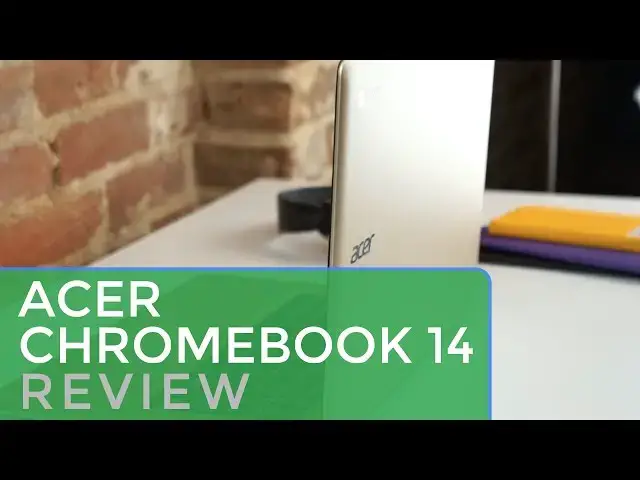
Back in May of this year, we put out a video review of the Acer Chromebook 14 when it was released. Clad in aluminum with a Full HD display, the device was impressive at an even more impressive price.
Fast forward 7 months, and we now have the gold version of the Acer Chromebook 14 in the office. And we also have Chrome OS 55 running on it. And the combo makes for a much-improved experience versus what I experienced back in the spring.
Read more at https://chromeunboxed.com/gold-acer-chromebook-14-review/
Show More Show Less View Video Transcript
0:01
[Music]
0:08
hey folks Robbie Payne with chrome unbox
0:10
coming at you today with a review of the
0:12
gold Acer Chromebook 14 now we
0:14
originally reviewed this back in May
0:16
when it first came out and the review
0:17
was less than Stellar at the time but
0:20
Chrome OS has grown and evolved over the
0:22
course of the last 7 months and as a
0:24
result this is actually a better device
0:26
than it was 7 months ago we happen to
0:29
have the Gold version running around the
0:30
office now and we thought this would be
0:32
a good time to revisit this device and
0:33
let you know why we think now this
0:36
device may be one of the best
0:37
Chromebooks of 2016 so let's start
0:40
things off with what might be the
0:42
absolute best feature of the Acer
0:43
Chromebook 14 this device clad in a full
0:46
aluminum body simply reeks of quality
0:50
most will likely point out a striking
0:51
similarity to the MacBook Air and that's
0:54
fair I mean it's a Dead Ringer in most
0:55
ways however there are plenty of tech
0:58
devices it could have looked like that
0:59
are far less attractive granted the look
1:02
of the MacBook Air is starting to feel a
1:03
bit dated but it's still classic and
1:05
attractive the same is true of the Acer
1:07
14 and even more so in this gold color
1:10
the lid on the standard aluminum color
1:12
could almost be mistaken for plastic but
1:14
this gold model's texture and visual
1:16
appeal are undeniable sitting on a table
1:20
coming out of your bag or opened up and
1:22
doing work the Acer Chromebook 14 is a
1:24
beautiful machine it makes using it and
1:26
working on it simply feel great there
1:28
are deals here and there on on this
1:30
device and the fact that you can get a
1:31
device that feels this premium under
1:33
your palms for less than $250 most times
1:36
is simply ridiculous the build is solid
1:39
the hinge is solid the fanless design is
1:42
thin and attractive the 14-in screen is
1:45
packed into a device that is close to
1:47
most 13-in laptops in its overall size
1:49
the weight isn't overwhelming but it
1:51
also feels substantial and quality in
1:53
your hands as I said this build leaves
1:56
out nothing I can think of I simply love
1:58
it Port selection is pretty standard in
2:01
what you'd expect for the most part two
2:03
USB 3.0 ports a full-size HDMI slot
2:06
headphone microphone Jack power jack and
2:08
a Kensington lock but there is one
2:09
glaring emission the SD card slot that's
2:12
right Acer is opted to NX the SD card
2:14
slot while this may be a turnoff for
2:16
some I can say that my use case for an
2:18
SD card is pretty minimal there are USB
2:21
to SD adapters that can be bought just
2:22
about anywhere for under $10 but if
2:25
constant use of an SD card is your thing
2:27
you may want to look elsewhere
2:28
additionally for expanding storage
2:30
sandis makes a pretty amazing and Tiny
2:32
USB 3.0 drive with Crazy Fast read right
2:35
speeds and it comes in configurations of
2:37
up to 128 gigs I have one and it's quite
2:39
amazing so that's just a thought if the
2:41
lack of SD card is really troubling to
2:43
you the screen is quite good on the Acer
2:45
Chromebook 14 as well not being the
2:47
brightest we've seen but also nowhere
2:49
near dim the screen tops add at around
2:51
220 nits plenty for every indoor
2:53
scenario I've come across and with its
2:55
matte finish it fares decently Outdoors
2:57
as well honestly it never gave me pause
3:00
and was able to get plenty bright in
3:01
just about any setting I used it in upon
3:03
unboxing the device I actually had to
3:05
hop in the car for 2 hours to drive and
3:08
on the way with my wife driving I used
3:09
the Acer 14 in the car for about an hour
3:11
to take care of a few things in the
3:13
midst of a very clear very sunny day
3:15
there were no issues whatsoever with
3:17
being able to see the screen in those
3:19
conditions the viewing angles are also
3:21
very good on both horizontal and
3:23
vertical access not really losing any
3:25
color or distorting in any way shape or
3:27
form one of the huge fixes in chrom o is
3:30
a handling of high-res objects on a
3:31
1080p screen prior to October 1080p
3:35
screens rendered everything just a bit
3:36
small on screen fonts and icons and UI
3:39
elements were in need of a slight size
3:41
bump the problem was the lack of proper
3:43
UI scaling if you bump the resolution
3:45
down everything got bigger but it was
3:47
Fuzzy and blurry it was almost unusable
3:49
actually and so it really wasn't worth
3:51
doing Chrome OS has fixed this now with
3:54
1080p screens you simply change the
3:56
resolution to 1536 x 864 and everything
3:59
stays crisp and sharp but rendered at
4:01
125% scale this is similar to what is
4:04
happening on screens like the HP
4:05
Chromebook 13 G1 and the Chromebook
4:08
Pixel but now these 13 to 14inch
4:10
Chromebooks that have 1080p screens have
4:12
a nice scaling option that fits the
4:13
screen size much much better the overall
4:17
benefit in ux is hard to quantify it is
4:20
that much better so much so that
4:21
Chromebooks with screens smaller than 15
4:23
in that use a 1080p display get this
4:27
display setting out of the box it's the
4:29
new standard and it should be it is
4:31
fantastic keyboard and trackpad have
4:33
been Pleasant to use as well the
4:34
trackpad looks very similar to what
4:36
you'd see on the Acer Chromebook 15 but
4:38
has much better surface in general oils
4:40
don't seem as prone to build up and
4:41
travel say smooth and silky for hours of
4:44
use multi-touch gestures work well as
4:46
expected Additionally the click
4:48
mechanism is just about perfect decently
4:50
quiet with just the right amount of
4:51
travel this thing feels like a trackpad
4:53
from a much much more expensive machine
4:55
apart from the pixel it's one of the
4:57
best I've used in a Chromebook the
4:58
keyboard is pretty standard Acer fair if
5:01
you've liked their keyboards in the past
5:02
you're likely to enjoy this one as well
5:04
there's no backlighting which is to be
5:06
expected at this price but it performs
5:07
pretty well travel's decent and the keys
5:09
are quiet and well spaced I'm typing
5:12
this review on it right now and have no
5:13
issues at all with Miss Strokes or
5:15
oversensitive keys while nothing to
5:17
write home about it doesn't get in the
5:19
way of the overall experience here with
5:21
what has now become a pretty standard
5:23
setup for Chromebooks this Chromebook
5:25
gets along pretty well inside we're met
5:27
with the fifth gen brazwell 3160 4 gigs
5:30
of RAM and 32 gigs of internal storage
5:33
generally octane scores of 8,500 to
5:35
9,000 are possible and battery life sits
5:37
at around 8 to 9 hours with screen
5:39
brightness set at 75% multiple tasks
5:42
kept in reason don't bog things down too
5:44
much with keep Hangouts Google Play
5:47
Music and a few browser tabs open I
5:49
wasn't seeing any slowdown adding a few
5:51
more tasks to that overhead will start
5:53
to slow things down eventually but
5:55
that's to be expected with brazwell
5:56
machines in this class standard
5:58
Chromebook use yields pretty good
6:00
results while this isn't a glowing
6:02
response to the Acer 14 speed it is far
6:05
better than the same device performed
6:07
back in May octane scores are higher and
6:10
use is Simply Better Chrome OS has once
6:13
again become much better with age this
6:16
device will be getting the full Play
6:17
Store support very soon so keep that in
6:19
mind if you get one sooner than the end
6:21
of January you can use the developer
6:23
mode method and get Android apps up and
6:25
running right now it works very well and
6:27
the apps I've tried run smoothly and
6:28
without issue as time goes on obviously
6:31
this will only become better and a more
6:33
refined user experience overall the Acer
6:35
Chromebook 14 has gone from a mediocre
6:37
device to one of my highest
6:39
recommendations with a stunningly low
6:41
price tag this Chromebook is an easy
6:44
recommendation for most middle of the
6:46
road users this thing hits on All Points
6:48
fantastic build great screen solid input
6:50
methods good performance plenty of
6:52
storage and a stunning design aesthetic
6:55
the standard pricing of $22.99 is
6:57
already a steel but it can be found
6:58
discounted in refurbish left and right
7:01
for that amount of money I simply can't
7:02
recommend this Chromebook enough from a
7:04
holistic experience standpoint Acer has
7:06
nailed it possibly creating 2016's best
7:09
overall Chromebook
7:12
experience guys if you like this video
7:14
give it a thumbs up hit that subscribe
7:15
button below and until the next one
7:17
we'll see you
7:19
[Music]
7:25
[Music]
#Computers & Electronics
#Shopping