Up next in 10



30-day trial to Audible + free audiobook - http://audibletrial.com/chromeunboxed
Shop Dell Inspiron Chromebook 14: http://fxo.co/1121837/dellyt
~~~
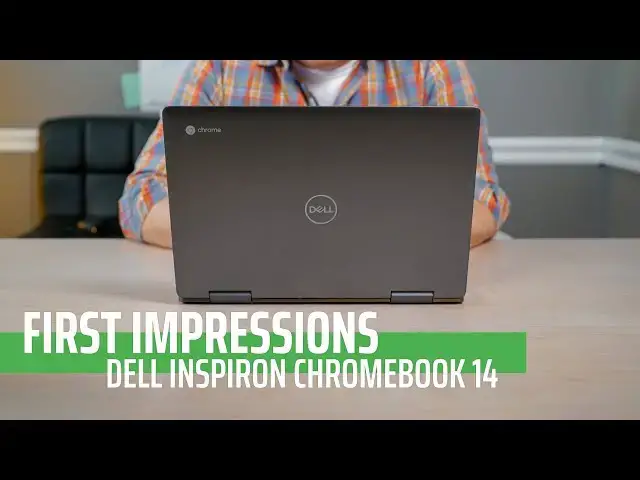
Dell has offered up a very compelling package in the Inspiron Chromebook 14. Aluminum build, large storage and a stowed stylus make this a fantastic deal at $599. Let's have a quick look!
Subscribe to the channel: http://bit.ly/2xFuj6L
Shop Chromebooks: https://amzn.to/2NE2wKq
Read more: https://chromeunboxed.com/
Buy This Chromebook From Dell: http://fxo.co/6Mwy
Follow us: https://www.instagram.com/chromeunboxed
https://twitter.com/chromeunboxed
https://www.facebook.com/Chromeunboxed
Show More Show Less View Video Transcript
0:00
[Music]
0:28
in the world of mid-range Chromebooks it
0:31
looks like 2018 is gonna go out with a
0:33
bang and I want to define that that kind
0:35
of spectrum there so mid-range
0:37
Chromebooks in my head range somewhere
0:39
from 500 to 750 dollars and where that
0:42
space was a little bit empty just six
0:44
months ago it's filling up rapidly as we
0:46
kind of close out 2018 and one of the
0:49
devices that you're gonna see on shelves
0:51
in Best Buy's is this new dell inspiron
0:53
Chromebook 14 now what's really
0:56
significant about this particular device
0:58
is that Dell instead of just saying the
1:00
Dell Chromebook whatever and giving it
1:02
some kind of random model they've
1:04
actually applied one of their
1:05
long-standing brain names to this device
1:07
Inspiron and if you've been around pcs
1:10
for any amount of time you know that
1:11
dell has made the Inspiron line of PC
1:13
for a long time and so the fact that
1:16
they're kind of starting to group
1:17
Chromebooks into this so that when
1:19
consumers go and they go oh I'm getting
1:20
an Inspiron cool I've read about those
1:22
and I've seen those or I've owned one
1:24
before I kind of know what to expect
1:26
from a hardware standpoint Dell now is
1:28
saying okay well if you like that device
1:30
there's also one with Chrome OS that's a
1:32
Chromebook too so you're gonna get the
1:34
same kind of build quality here you're
1:35
gonna get the same kind of long-standing
1:38
attention to detail that Dell puts into
1:40
the Inspiron line and it's gonna run
1:42
Chrome OS instead so I've had this
1:44
device just for about a day now I've
1:46
used it for about 36 hours actually as
1:49
my only device I've worked from it and
1:51
done all that kind of stuff so we wanted
1:53
to give you a quick first impressions of
1:55
the dell inspiron Chromebook 14 before
1:57
we get into that this video is brought
1:59
to you by audible and for our viewers
2:01
today all is actually offering a free
2:05
audiobook with a 30-day trial so all you
2:07
got to do is go to
2:08
audibletrial.com/preneurcast couple
2:20
impressions on this device because
2:21
they're really good and just like they
2:24
were with the Acer Chromebook spin the
2:26
13-inch model there there's just a lot
2:28
to like and I think it's gonna be the
2:30
case with all the other ones that are
2:31
coming out in this kind of mid-range
2:32
sector for Chromebooks at the end of
2:34
this year I just think there's going to
2:36
be a lot to like and it's going to be
2:38
difficult to make a decision so as we
2:40
move through these things hopefully
2:41
there's something that stands out to you
2:42
that says yeah I think of the group this
2:45
one is the the better one for me to
2:46
purchase and before we even open this
2:49
one up as far as specs go I think
2:51
Della's put together probably the best
2:53
combo total for everything on offer for
2:57
the price and so right now you can get
2:59
this thing for $5.99 at Best Buy and for
3:03
right from Dell as well and I'm sure
3:05
it'll show up at different places too
3:06
but for that $5.99 you're getting pretty
3:09
much all the boxes checked so you're
3:11
getting the core i3 the 8th gen u series
3:15
so it is fanned but I haven't heard
3:17
other than when it starts up I haven't
3:18
heard any fan noise whatsoever from it
3:20
but you're getting the core i3 paired
3:22
with 4 gigs and 128 gigs of internal
3:26
storage let's remember that because
3:28
there are lots of models of these other
3:29
ones that come with much less and so
3:31
you're getting hundreds of storage
3:32
you're also getting a stowable stylus
3:34
you're getting a full HD probably 300
3:37
plus NIT brightness screen it looks
3:39
great and we're gonna look at all that
3:40
stuff here in just second but I wanted
3:42
to mention all those specs because I
3:44
feel like Dell has put together probably
3:46
the most compelling overall package
3:47
again we've still got reviews to do with
3:50
all these other ones and I may change my
3:51
mind at some point in the future but for
3:53
right now as I'm just kind of having my
3:55
first time with this device I'm just
3:57
really really impressed it's an all
3:59
aluminum body there's just a lot of good
4:01
stuff going on here and so one other
4:03
thing I wanted to point out with this
4:04
one is that the charging brick a lot of
4:06
times people comment on this a lot when
4:08
we do in boxing's or first impressions
4:10
like oh man I saw it's not just a normal
4:12
like a block style charging brick it's
4:14
the big long you know plug the extra
4:17
piece in and this one is that I'm a fan
4:19
of of having these though an apple for
4:22
instance does that so you have a charge
4:24
in block that can be detached and that
4:26
court can be added because those those
4:27
blocks take up a lot of room when you're
4:29
talking about putting it in a wall but
4:31
you've got this normal kind of setup
4:32
here then it's USBC obviously but it's a
4:34
nice small brick and it is set up
4:37
actually out of the out of the box like
4:39
this and it's wound up like this and so
4:41
that packs away really nicely so let's
4:43
take a look around this device again
4:44
like I said it's all aluminum so there's
4:46
no like plastic edges and stuff like
4:48
that there's some sharpness
4:50
two parts of it so it's not like the
4:52
most premium perfectly put together
4:54
device and it's heavy I mean it's a good
4:55
pound at least more than say the pixel
4:58
book or something like that so I mean
4:59
you pick it up and you'll notice that
5:00
this thing is heavy but it's okay it
5:03
feels substantial it feels well built
5:05
and well put together and again this is
5:07
built from the same stuff that Dell has
5:08
built the other it's ver on devices you
5:11
know four years from and so they know
5:12
how to put a computer together pretty
5:14
well you'll notice there are some fan
5:16
ports and that kind of stuff and that's
5:17
again this is a you serious processor so
5:20
it does need a fan that also means it
5:22
actually has a lot more performance
5:24
under the hood and so speaking of under
5:26
the hood the the screen on this thing is
5:28
a full HD pretty standard 1920 by 1080
5:31
so there's no extra weird ratios going
5:34
on here it's not tall or anything like
5:35
that
5:36
it's it's just a standard sixteen by
5:38
nine Full HD screen but it gets plenty
5:40
bright and at 14 inches Full HD looks
5:43
great in Chrome OS scales perfectly
5:46
in-house so you can actually you know
5:47
scale it up just a couple notches to
5:49
make sure everything's nice and readable
5:50
on the screen and it still looks clean
5:52
and crisp and if you get real close you
5:54
can pixel peep and pick out a few pixels
5:56
but overall I've been really really
5:59
really happy with the display for me
6:00
when I put a display underneath my
6:02
normal big screen that I kind of work
6:03
from it looks really good it's really
6:05
colorful it's bright it's vibrant and so
6:07
if I put kind of a mediocre screen
6:10
underneath of it it's really bothersome
6:12
because I'm not just looking at this
6:13
screen I'm looking at this screen next
6:15
to a nice screen and so this one is held
6:17
up just fine brightness is really good I
6:19
would estimate somewhere between 300 350
6:21
nits something like that but it looks
6:23
great a front-facing camera does kind of
6:25
what you'd expect it to do it's a 720p
6:27
thing but if we move down and start
6:29
talking about the keyboard it's backlit
6:31
so again like I said this thing checks a
6:33
lot of boxes I don't think the trackpad
6:35
is glass I'm not really sure but I've
6:38
noticed some oils building up on it as
6:39
the day wore on and so usually a glass
6:41
trackpad can go days before you really
6:43
have to wipe them off that being said it
6:45
performs really really well it's nice
6:47
and spacious it feels really good the
6:49
click mechanism is really good again
6:51
this thing just kind of feels like a
6:52
tank it's just really well built and put
6:53
together a surprising piece on it so far
6:56
cranked up some music and it sounded
6:58
really awesome it's got a nice full
7:00
sound to it even though their bottom
7:02
firing speakers
7:03
really have enjoyed listening to some
7:05
some stuff for videos and that kind of
7:07
thing and just just rain to music I
7:09
don't listen to laptop speakers that
7:11
much but it's a nice perk when they
7:13
sound really good port selection is also
7:15
really good and you're gonna see the
7:17
same things as some of these mid-range
7:19
Chromebooks come out they're based on
7:20
the same baseboard after all but you
7:22
have a USBC on both sides both sides can
7:24
charge both sides can do output video
7:26
and all that kind of stuff so that works
7:27
really well for my setup but you also
7:29
get the addition of a USB a port on the
7:31
side as well
7:32
which is really nice because everybody
7:35
hates dongles so being able to just plug
7:37
in an SD card reader or being able to
7:38
plug in a thumb drive or something like
7:41
that it's just nice not to go have to
7:43
hunt down a dongle in order to get that
7:44
done so I think Dell has put together
7:46
just a really good package thus far and
7:49
the the core i3 I mean benchmarked it
7:50
yet it's been so good I haven't even had
7:52
to wonder about it it's it's with
7:55
multiple monitor setups it's just flying
7:57
and everything feels really good and
7:59
you'll probably notice as I said in the
8:00
specs just a minute ago has a ton of
8:02
storage but only four gigs of RAM and
8:04
again I know some people get really been
8:06
in a shape about RAM and if you're gonna
8:07
run a bunch of Linux applications maybe
8:10
that's a concession you got to really
8:11
think of but for my use case what I
8:13
found probably in the last year honestly
8:16
is that four gigs of ram with Chrome OS
8:18
seems to be plenty and so I would rather
8:21
err on the side of having lots more
8:23
storage especially as Android apps and
8:24
Linux apps and all this kind of stuff
8:26
are flowing down I want to have plenty
8:27
of room to put stuff and so I would I
8:30
would venture to say that hundred twenty
8:32
eight gigs of storage is probably more
8:33
beneficial your use case may differ but
8:35
what I found so far
8:37
performance has not has not lacked at
8:39
all because of four gigs of RAM there
8:41
and let's not forget underneath here
8:43
there is a stowable stylus and so while
8:45
I wouldn't say this is a device that you
8:47
would want to flip into tablet mode too
8:49
often because a sixteen by nine so it's
8:51
kind of got that long ratio when you
8:53
hold it this way it almost feels
8:54
completely ridiculous but if you're in a
8:57
plane you can set it up in tent mode no
8:59
problem it doesn't take up much space
9:00
while you're watching a film if you want
9:02
to go into presentation mode then that
9:03
works as well so there's a lot of
9:05
different ways you can use convertibles
9:07
that don't really rely on it being a
9:08
good tablet and this is not a good
9:10
tablet it's way too heavy a way too
9:11
thick just way too substantial to be
9:14
walking around holding it like a tablet
9:15
but that doesn't mean that the
9:17
vertebral forms are useless they're
9:18
actually pretty useful in a meeting I
9:21
had this morning actually actually had
9:23
to jot some notes down so using squid
9:25
with the included pin works really
9:27
really well so I read a lot of good
9:29
stuff to say and I can't wait to spend
9:30
some more time with this device and get
9:32
the full review and maybe be able to
9:34
tell you hey turned out four gigs of ram
9:36
is not enough so they'll did everything
9:37
right except give you an 8 gig option
9:39
because they don't this comes in one
9:41
configuration and this is it no
9:43
different processors no different
9:44
storage no different Ram Dell said hey
9:46
this is our Chromebook here you go and
9:48
thus far I feel like they're nailing it
9:51
but keep it locked to the channel and
9:53
we'll have the review up hopefully
9:55
pretty soon and if you like this one
9:57
give it a thumbs up and hit that
9:58
subscribe button below until next time
10:00
we'll see you
10:01
[Music]
#Consumer Electronics
#Consumer Resources
#Product Reviews & Price Comparisons