Up next in 10



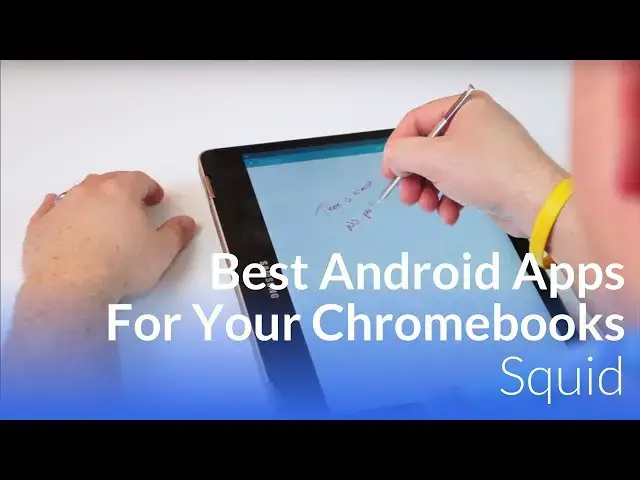
Best Android Apps For Your Chromebook is a special segment we do here at Chrome Unboxed to highlight apps from Google Play that work exceptionally well on your Chromebook. As developers continue to make their apps better on the bigger screen, we want to highlight the ones that are doing it well that may be of use to you on your Chrome OS device.
Show More Show Less View Video Transcript
0:01
[Music]
0:08
hey folks Robbie pay with chrome unboxed
0:10
and today we're going to start a new
0:12
segment called best Android apps for
0:14
your Chromebook and in it we want to
0:16
take a look at the apps that already are
0:18
beginning to roll out that take full
0:20
advantage of the large screen on your
0:21
Chromebook as developers start making
0:24
their apps work better on Chromebooks we
0:25
want to take the time to show you the
0:27
ones that are doing it best that could
0:28
help you out in the day-to-day so let's
0:30
get started in an early article we
0:32
talked about the shortcomings of Google
0:34
keep and all the ways it needs to
0:35
improve to really become the go-to notes
0:37
app for your stylus equipped Chromebook
0:40
luckily the remedy for keep's weaknesses
0:42
is already here meet squid formerly
0:45
Papyrus a well executed complete and
0:48
versatile tool for any stylus equipped
0:50
Chromebook one of my early concerns with
0:52
having an active stylus on a Chromebook
0:53
or any device for that matter was
0:55
whether or not apps would support fully
0:56
take advantage of all the tech in the
0:58
screen and in the pin as it stands there
1:00
are quite a few apps in the Play Store
1:02
that can recognize and take advantage of
1:03
all the neat things an active stylist
1:05
can do and Squid is one of those apps
1:08
and it takes full advantage of the tech
1:10
in the Samsung Chromebook Pro and plus
1:12
so let's take a look at what this thing
1:14
does well if you only use Google keep
1:16
you'd be forgiven for thinking that the
1:18
pen on the Samsung Chromebook Pro and or
1:20
plus is average at best once you fire up
1:22
squid though the experience is night and
1:25
day lag almost completely disappears
1:28
writing and sketching feels way more
1:29
more natural and smooth even when
1:31
feverishly jotting notes in a class or
1:33
in a meeting again unlike keep this app
1:36
tracks pressure with every single stroke
1:38
and this adds to the Natural feel of
1:40
riding on a glass surface and between
1:43
that and lack of pen lag it all plays
1:45
into the experience of making writing in
1:47
Squid a real pleasure while not really
1:50
intended as a sketch tool Squid's
1:52
fantastic pen tracking could easily
1:54
serve as a decent tool for just that
1:56
task again in sharp contrast to keep
1:58
squid gives users a ton of choices on
2:00
page templates from standard ruled paper
2:03
to graph paper to score paper for sports
2:05
you're likely to find exactly what you
2:07
need additionally adding a page to your
2:09
current note is quick and just a single
2:11
click away another feature that's
2:13
missing with Google keep lastly you can
2:15
choose real paper sizes 8 1/2 by 11 A4
2:18
11x 14 Etc or an infinite canvas for
2:21
your notes and this canvas is zoomable
2:24
as well giving you added flexibility
2:26
also included is the ability to
2:28
highlight parts you've drawn to to move
2:30
or resize those scribbles as Vector
2:32
objects need to move that paragraph of
2:34
notes down a bit to make some more space
2:36
grab it and move it paper can't do that
2:39
you can also drop image files right into
2:41
your note as well they become part of
2:43
the note and can be resized and
2:44
manipulated to any position to fit your
2:47
layout along with imported pcks squid
2:49
allows simple shape creation and text
2:52
entry as well have you ever needed to
2:53
Simply sign a document get the email
2:56
print it out sign it rescan it email it
2:58
back wouldn't it be nice to just open
3:00
the file sign it and send it back with
3:03
Squid you can and it's just as simple as
3:05
it sounds squid allows you to link your
3:07
drop box or box account so that all your
3:10
stuff is saved in the cloud for viewing
3:11
or editing on any device you own as well
3:14
the sync settings are less than perfect
3:16
though is the shortest sync interval of
3:17
6 hours keep definitely handles this
3:20
part of it better but it's workable as
3:22
long as you just remember to manually
3:24
hit sync before leaving your device
3:26
lastly there's a convenient chomecast
3:28
button up top as well giving you the
3:30
ability to cast all of your notes to the
3:32
big screen in real time to give a
3:34
presentation so whether displaying a
3:36
node or using it like a digital
3:37
whiteboard this feature is great to see
3:40
if you're looking for a great
3:41
note-taking experience look no further
3:44
I'll be honest if Google keep could get
3:46
all these features maybe I would come
3:48
back to it for handwriting but for now
3:50
I'm sold on squid to unlock all the
3:53
available features you do need a
3:55
subscription and it cost a dollar a
3:56
month but if you're in need of a pad and
3:58
paper synced across all your accounts
4:00
and devices that's a really small price
4:02
to pay I really can't recommend squid
4:04
enough guys if you like this video hit
4:07
that subscribe button give us a thumbs
4:09
up and until next time we'll see you
#Consumer Electronics