Up next in 10

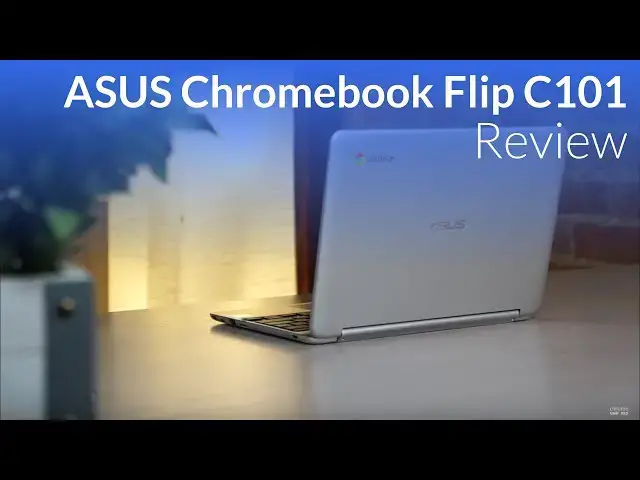
ASUS Chromebook Flip C101 Review
Nov 21, 2017


Order the ASUS Flip C101 on Amazon: http://amzn.to/2zW63PW
Oh how a couple years changes things. Just over two years ago, Chrome Unboxed (as a website news outlet) didn't exist, our videos were simple cellphone-on-a-tripod shots, and the landscape of Chromebooks was much, much different.
Released right in the middle of the Pixelbook storm, you'd be forgiven for totally missing the ASUS Chromebook Flip C101. You would, however, be sad to do so. For everything ASUS did right in the original, they've done a little better the second time around.
Show More Show Less View Video Transcript
0:00
A lot of things can change in two and a half years. As a matter of fact, around here we
0:12
were actually filming our reviews with phone cameras and really crappy tripods a couple
0:17
years ago. The Chromebook landscape in general has changed a lot. If you think about two
0:21
and a half years ago, the devices that were popular back then were the Chromebook Pixel
0:25
the 2015 one, the Acer C910, so the first 15-inch all-plastic Chromebook, no touchscreen
0:32
And probably the most popular Chromebook at the time was the Toshiba Chromebook 2, and
0:35
a lot of people still have it and still love that device. But it showed what the landscape of Chromebooks looked like at the time
0:42
Plastic-built devices, cheap, no-touchscreens, clamshell. In the middle of that kind of landscape, the Asus Chromebook Flip showed up, and it was small
0:53
It was almost all aluminum. It was a touchscreen, and it was a convertible
0:58
Probably before Chrome OS was actually ready to deal with convertible or touchscreen devices, honestly
1:04
It just showed up on the scene, and it turned all kinds of heads because it was something different, and it was something unique
1:11
If we look at the landscape today, we actually have all kinds of convertible touchscreen Chromebooks
1:15
It's not that odd to see. And so in the middle of that now, ASUS has finally decided two years later to follow up its very popular Chromebook flip
1:25
That one was the 100. This one's the Flip 101. And just like the name hasn't changed much, the device hasn't changed much either
1:33
Like not even barely at all. As a matter of fact, even where the ports are, they're just cut a little bit different to take up some different space and give you some different options
1:41
But overall, the body of this thing, exactly the same. And you'd be forgiven for mistaking one for the other
1:47
But if you write it off in the midst of all the other convertible Chromebooks
1:51
if you write it off in the midst of the whole Pixelbook coming on the scene and all the other news that's floating around
1:57
you'd be forgiven again for just kind of writing it off because it's small, it's diminutive, and its announcement hasn't been that big of a deal
2:03
But it's a great device. And we want to take a few minutes to show you why iterating on an existing design
2:10
can be a really positive thing. It can be a really great thing. Is it perfect? Absolutely not
2:14
but it comes in at a sticker price that's very similar to what it was two and a half years ago
2:18
and adds all kinds of new features and better performance to go along with it
2:23
So we're excited to review this device and excited to show you why. It could be something that you want to keep around your house
2:28
or maybe even take to work or a coffee shop or something like that. So let's get into it
2:34
So let's talk build quality. If you've seen an Asus Chromebook Flip, the first one, you've seen this one
2:39
I mean, they're pretty much identical. And really, that's not a bad thing. There a lot of metal slim tight build The deck on the keyboard is solid The chassis has a little flex And overall the aesthetic is still pleasing even two and a half years later Other than swapping out a few ports and we come around to those again here in a second everything is really where it was in the first generation
2:59
Build materials are actually identical, they don't just look the same, they are the same
3:03
Soft touch aluminum, outer shell, and the deck is made of a brushed aluminum
3:07
And I kind of wish they would have went with the soft touch stuff all around, like they did on the C302, but really that's a small nag
3:13
It seems Asus took a if it ain't broke, don't fix it approach here. To do that with two and a half year old hardware really says more about the first generation's forward thinking design than it does about this current one
3:24
But all in all, it feels great and it looks good. Moving on to the screen, this is one of the many spots Asus stepped up the flips game
3:31
No, it's not a higher resolution screen this time around and still boasts a 1280 by 800 HD range that was acceptable in 2015, but kind of feels dated in budget in 2017
3:41
It also still has really big bezels. And the resolution still makes text a little small for my taste
3:47
But honestly, it's bright, it's vibrant, and has pretty decent viewing angles
3:52
I think, though, simply putting a 1080p screen would have really done wonders here
3:56
With Chrome OS having nice scaling in place for almost a year now
4:00
a 1080p screen scaled to 1280x800, something like Samsung or the Pixelbook do
4:06
would have felt really nice. But despite that hiccup, the screen is much improved and much brighter
4:11
than the previous generation and that was really one of my biggest issues with the first one
4:15
It's not quite the searing brightness the Samsung achieves but it is rated at 350 nits
4:19
and it looks every bit of it. Direct sunlight outdoors gives it a little bit of trouble but I didn't find a single
4:25
indoor setting that it couldn't handle just fine. So sitting by a window or if you're in a coffee shop, you're probably not going to
4:31
run into any problems here. It's IPS, viewing angles are good, they lose a bit of brightness off angle but overall everything
4:37
looks pretty nice. One thing we're unclear of at this point is the surface material on the screen
4:43
Glass or plastic? I'm inclined to assume glass, but we've had quite a few questions on this and I can't
4:48
really make up my mind now. It picks up fingerprints way worse than most devices and it kind of is hard to slide my
4:54
finger across sometimes and so it makes me think maybe it could be plastic
4:58
We've reached out and yet to hear back a firm answer, but we'll update as soon as we find
5:02
out for sure. Overall though, it doesn't really take away from the experience of using this Chromebook
5:07
methods are a little bit of a mixed bag. See, the original Flip had a surprisingly good keyboard
5:13
and trackpad. This model, not shockingly, boasts pretty much the same combo. Keyboard works well
5:20
feels a little bit cramped, but has way more travel than you would expect in a device this thin
5:25
Once you get used to it, it really does fare okay for getting around basic Chromebook stuff
5:30
for punching out some emails, getting on social media, that kind of thing. I wouldn't really want
5:34
to type a long article or a paper on it but it fine for general use The trackpad is okay and it registers gestures and swipes just fine but the click mechanism in this one was not good It was way too stiff and it had that really
5:48
annoying double click issue that I haven't really had to gripe about for a while. Basically what
5:53
happens is the springs underneath are pushing the trackpad surface higher than the button underneath
5:57
it, so when you go to depress it, you feel the first click of the trackpad getting down to the
6:01
button where it should be, and then you have the depress of the click. It's unsettling, and it just
6:06
doesn't feel good overall, and honestly, we haven't had to deal with that for almost a year, it feels
6:10
like, since the last one, and so I'm inclined to think that maybe this is a one-off issue with the
6:15
device I had. My recommendation would be if you get a device and it has this kind of trackpad issue
6:20
just return it. Sure, it can be fixed, but honestly, Asus needs to do better. Another place Asus
6:25
upgraded and upgraded well is in the port selection. For a tiny Chromebook in a sea of Chromebooks
6:30
moving to a simple two USB type C setup, this little guy really delivers. Asus wisely ditched
6:37
the old proprietary charger and the micro HDMI port, which is one of the worst ports ever made
6:42
for two USB-C ports. In addition, they kept the USB 2.0 type A port, a micro SD card slot
6:49
and a headphone microphone jack. The opposite side rail holds the power button and the volume
6:53
rocker, and the speaker grills are actually on the underside of the device, and Asus touts these
6:57
on their site. They put out some serious volume. I'm talking serious volume
7:03
So, you can tell the speakers are very, very loud. Just for reference, I'm going to continue talking as loud as I am right now. So, the speakers are
7:20
literally loud enough to cover my voice at that volume. It's max treble and it lacks all bass
7:26
but the sound is nothing if not loud. I mean, really, really loud. If nothing else
7:31
they'll be great for video chats and watching YouTube videos, no matter what environment you're
7:35
in. Yet another place Asus has really upped the game since the C100 is in the performance category
7:41
The 100 was powered by a Rockchip 3288, and it really showed. The base model also shipped with
7:47
only 2 gigs of RAM, and that pairing just struggled back then. It struggles even worse
7:53
nowadays. It's really a serious test of patience to use one of these, but that's not so with the
7:57
C101. Inside we have the updated Rock Chip RK3399 or the OP1, depending on how you want to brand it
8:05
just like the Samsung Chromebook Plus, and it's using 4 gigs of RAM. And I've said this many times
8:10
before, but it bears repeating with far fewer pixels on the screen, the RK3399 is a very capable processor
8:17
I hooked it up to a Quad HD 2560x1440 monitor and it got along just fine for a few days and
8:24
I worked only from this device. Needless to say I was pretty impressed When only pushing its lower res screen the device gets along even better Animations throughout the OS hold up performance just gets out of the way And honestly that the point As long as the processor is fast enough that I don have to think about it
8:40
then it's fast enough. And I didn't have to think for a second about being on a cheaper processor
8:45
with the Chromebook Flip. And with the combination of the lower resolution screen and ARM processor
8:49
comes pretty stellar battery life. I was easily seeing between 8 and 10 hours of normal use with
8:55
no real need to charge during the day. For a small device, that's really fantastic. One area I did run
9:01
into trouble with quickly was storage. For whatever reason, Asus is shipping 16 gig versions of this
9:06
device. I can't stress how limiting this is with Android apps. The Flip C 101 ships with the Play
9:12
Store enabled, and just after a few apps were installed, I was starting to get system errors
9:16
left and right about not having enough storage to support all the downloads. Simply put, if you're
9:21
going to install Android apps, if you're going to be one of the users that actually uses the Play store, wait for the 32 gig model that's most definitely coming soon. Pay the extra money if
9:30
you like this device and want this form factor and save yourself the hassle of trying to operate on
9:34
a Chromebook in 2017 with Android apps and 16 gigs of onboard storage. So in the end, what you end
9:40
up with is the Asus Chromebook Flip, just kind of version two. It's an iterative design that gives
9:45
you more RAM. It gives you a brighter screen and it gives you much faster performance. And so in
9:50
all of those categories, it fixes the things that were an issue in the first go around
9:54
However, one problem still remains, and it's one problem that I would say most of you need to hold off buying this device for, even if you really like what you've seen
10:03
And it's that 16 gigs of onboard storage we talked about earlier. Honestly, Asus, this is kind of garbage
10:11
I don't understand why anything is shipping with 16 gigs of internal storage when it runs Android apps
10:16
Because people are going to be downloading movies, they're going to be downloading photos, they're going to be downloading apps
10:19
And I ran into issue immediately with it. And so I can't recommend most people buy a device with 16 gigs of homeboard storage, even if there is an SD card slot
10:28
There should be a 32 gig version coming around. Hopefully it won't be much more expensive
10:32
We don't know yet, but hopefully it'll be under $50 more than this $299 for this device here
10:38
Other than that, what Asus has done here for this price tag in this device is great
10:44
It's really awesome that they were able to just iterate and use an existing product and just make it better
10:49
and it says something for Asus's design shops that a device that is two and a half years old
10:54
still looks really good, feels really good, even in 2017. And so well done on all those fronts
11:00
but really that storage just needs to go in general. 16 gigs on a Chromebook needs to go away
11:06
Guys, if you like this video, give it a thumbs up, hit that subscribe button below
11:11
and until next time, we'll see you
#Online Media
#Consumer Electronics