Up next in 10



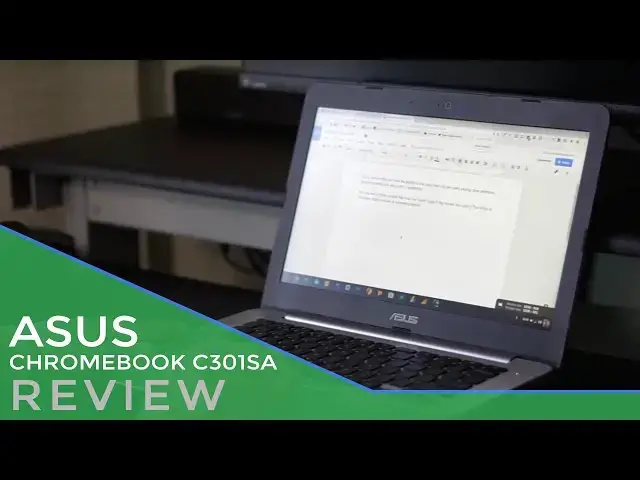
The ASUS Chromebook C301SA is a shining example of getting all the pieces right and somehow missing the whole.
That's not to say it's a bad device. That also doesn't mean I didn't enjoy using it. But when the pieces that make up the whole don't coalesce the way you expect, the result is a bit frustrating.
As I remember that this Chromebook can be had for $270 - $300, my frustrations are quelled quite a bit. For under $300, this makes for a compelling laptop regardless of where the pieces fall.
For more, check out https://chromeunboxed.com
Show More Show Less View Video Transcript
0:01
[Music]
0:08
hey folks Robbie pay with chrome unbox
0:10
coming at you today with a full review
0:12
of the Asus c301 sa now you've
0:15
undoubtedly heard the phrase greater
0:17
than the sum of its parts it just so
0:19
happens that people places and things
0:21
are somehow greater together even if the
0:24
individual pieces aren't the best with
0:26
the Asus this seems to actually be the
0:29
opposite less Les than the sum of its
0:30
parts lesser because what we have is a
0:34
collection of great pieces and somehow
0:36
they don't come together to make a
0:38
satisfactory overall experience as soon
0:40
as I opened the box this device screamed
0:42
Asus from the brushed aluminum look
0:44
plastic to the subtle curves that Asus
0:46
has employed in its laptops for years
0:48
this thing is not a departure from
0:50
asus's usual design aesthetic like the
0:53
C300 before it this device is made of
0:55
all plastic and sports most of the
0:57
design choices Asus has used in many
0:59
many laptops before for it it's not ugly
1:01
or unattractive it's just pretty
1:02
standard if you noticed I did say all
1:05
plastic there was a certain Buzz around
1:07
this device namely for its inclusion of
1:09
64 gigs of internal storage at its base
1:11
price and we'll talk about that in a
1:12
second coincidentally the announcement
1:14
came around the same time the Acer
1:16
Chromebook 14 was just showing up on
1:17
store shelves at the same $299 price
1:21
Acer was tting an all aluminum build and
1:23
1080p wide angle display and all day
1:25
battery just like Asus and with all
1:27
those similarities we just all kind of
1:29
assume that Asus is going to show up
1:30
clad in aluminum it is not granted I
1:33
made that assumption on my own but I
1:36
felt pretty let down and most of the
1:37
reaction came from the fact that not
1:39
only is Asus not aluminum it's pretty
1:42
flimsy plastic and I'm not really
1:43
against plastic even on higher end
1:45
devices the plastic bottom of the hp13
1:48
never really gave me any feeling of
1:49
cheapness or poor quality but the
1:51
plastic on the Asus does and I hate that
1:53
for this device you'll see in other
1:55
parts of this review there are tons of
1:57
great things on offer here but they're
1:59
all housed in in this flimsy cheap
2:00
feeling shell I remember netbooks
2:02
feeling this way and the keyboard deck
2:04
having lots of give and all of it just
2:06
feels budget underneath your palms and
2:09
the most concerning thing is the creek
2:10
and bend the laptop under goes when you
2:12
just pick it up and hand it off to
2:13
someone the bottom is a separate color
2:15
and texture feeling rough and grippy but
2:17
no less cheap it gives the device a
2:20
fourth color making the entire thing
2:21
feel just a little piece together if
2:24
you're keeping tabs we have a color for
2:25
the lid one for the screen surround one
2:27
for the keyboard surround and one for
2:29
the bottom and it just doesn't feel
2:31
cohesive oddly enough the screen portion
2:33
of the Chromebook is decently firm and
2:35
that's a spot where flimsiness actually
2:37
shows up normally the hinge and Screen
2:39
actually feel pretty decent here even
2:41
without any metal in its shell another
2:43
thing to consider here is when on a desk
2:44
or table or firm surface that lowquality
2:47
body is way less apparent in your lap
2:50
though you feel the movement of the
2:51
device constantly under your hands and
2:53
on your thighs it all gets better from
2:55
here I promise around the sides we see a
2:57
common and effective grouping of ports
2:58
on the left we have the power jack fulls
3:01
sizee HDMI and USB 3 full sizee SD card
3:05
slot and headphone microphone Jack the
3:07
right side is equipped with a single USB
3:08
3.0 and a Kensington lock Port along the
3:11
bottom are simply screws feet and
3:12
downward firing speakers and those
3:14
speakers as advertised are actually
3:16
pretty good they're not the loudest
3:17
things in the world but the audio is
3:19
crisp and Sounds full for laptop
3:21
speakers another very bright spot for
3:23
the Asus is the screen I'm testing the
3:25
model with a 1080p IPS antic clear
3:27
display and I'm very very pleased with
3:29
it
3:30
Asus touts a 178 degre viewing angle
3:33
100% srgb 72% ntsc And 75% Adobe RGB
3:38
gamut coverage with its matte finish and
3:41
solid brightness I really can't ask for
3:43
much more working anywhere including
3:45
Outdoors viewing angles are solid and
3:47
colors look great another thing I have
3:49
to give Asus some props on is sticking
3:52
with the laptop only format in a sea of
3:54
coming convertibles at this price range
3:56
and screen size I'm all for this I like
3:59
convertibles just fine but if we're
4:01
working with a 13.3in screen the
4:03
usefulness of a folding hinge becomes
4:05
pretty Limited in my opinion again
4:07
another win for this device is the
4:09
keyboard trackpad combo Asus has opted
4:12
for the butterfly hinge design and it
4:13
results in 1.5 mm of key travel and very
4:17
firm solid keystrokes it's simply one of
4:19
the best keyboards on a Chromebook I've
4:20
used I love typing on this thing and
4:22
some of you reading this know there
4:24
aren't keyboards that I get excited
4:25
about but this is one the trackpad is
4:28
fine spacious enough to do all the
4:29
swiping and clicking and gestures that
4:31
Chromebooks have become so great at the
4:33
click mechanism feels great too no weird
4:35
bouncing or rattling just a solid click
4:37
each and every time surface is all
4:38
plastic which is not really a surprise
4:40
but it does a decent job at rejecting
4:42
oils and manages to stay nice and smooth
4:44
for long periods of time internally this
4:47
guy is rocking the Braswell n3160
4:50
processor and can be had with the 3060
4:52
and or a pennium version that Asus shows
4:55
on their website and it got along just
4:57
fine the device uh gets through daily
4:59
Tas with no issues and as you would
5:01
expect from Braswell if you load it down
5:03
with lots of stuff you do run into a
5:05
little bit of slowdown but overall I was
5:07
satisfied with the performance four gigs
5:09
of RAM takes care of everything you need
5:11
and internally it had 32 gigs of storage
5:13
and that's a contention point because
5:15
the main selling feature of this device
5:17
when it debuted was 64 gigs of internal
5:19
storage at
5:20
$299 I paid $299 for mine and it only
5:24
had 32 gigs and that doesn't sit really
5:26
well with me but at least they've
5:27
dropped the price to$ 269 I Additionally
5:30
the battery in this device performs
5:32
quite well getting about 8 hours of
5:33
usage at 75% screen brightness and with
5:36
that screen it's a really really good
5:38
experience as a late addition to this
5:40
review a few days before putting this
5:42
review together the Asus received
5:44
Android apps in the developer Channel as
5:46
with other Chromebooks the experience
5:47
has been really great the Asus Braswell
5:50
processor takes any app or game to task
5:52
and has been a pleasure to use it's the
5:54
first device I've used with Android apps
5:56
that doesn't have a touchcreen and I've
5:58
had no problem
6:00
whatsoever so after all that should you
6:03
buy this device and the answer to that's
6:05
going to be different for different
6:06
people if you prize good build quality
6:09
no you shouldn't buy this device you
6:10
should probably go with something like
6:11
the acce or Chromebook
6:12
14 but if a great keyboard and a great
6:15
screen are enough to say yeah this is a
6:17
good device for me I like Asus things
6:20
then perhaps this is a good Chromebook
6:21
choice for you just keep in mind the
6:23
construction of it's a little bit wobbly
6:24
and even though it's got great pieces
6:26
for me that affected the overall
6:28
experience
6:30
guys if you like this video please hit
6:32
subscribe below give it a thumbs up and
6:34
until next time we'll see
6:36
[Music]
6:43
you
#Arts & Entertainment
#Computers & Electronics