Up next in 10



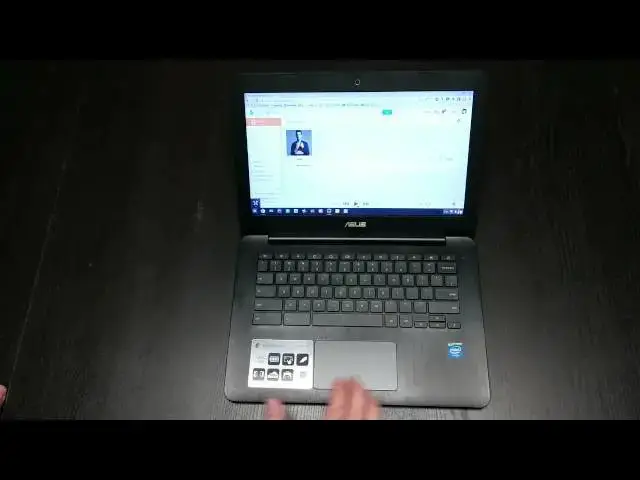
In this video, I review the ASUS C300 Chromebook. One of the first Baytrail Chromebooks available, we'll see how it stands up to the competition!
Show More Show Less View Video Transcript
0:05
hey folks Robie pay with chrome unbox
0:07
coming at you today with a review of the
0:10
Asus
0:12
C300 as most of you are astutely aware
0:15
of already the hc300 is running the
0:19
betay tril processor so this is a one of
0:21
the the new ones in the line of bay tril
0:24
Chromebooks that we're going to see
0:25
which is inails more Moby optimized
0:28
Haswell class uh
0:31
processor uh It Is fanless by Design
0:33
doesn't need all that kind of stuff
0:35
going on not quite as powerful uh as the
0:38
Celeron or I3 varieties um but at the
0:41
same time it is supposed to be a little
0:44
less power hungry and so those are kind
0:46
of the trade-offs we always look at when
0:48
we look at processors a little bit less
0:49
power means a little bit less uh battery
0:53
uh battery drain and so U that's kind of
0:56
the promise of bet tril this is one of
0:58
the first Chromebooks with there also is
1:00
the AC uh 200 version of this which is
1:03
11.6 in device U with some different
1:07
color options and roughly the same build
1:10
and so we're going to take a quick look
1:11
around the hardware real fast uh we do
1:13
have a matte display 13.3 in here it is
1:16
1366 X 768 what would you expect it's a
1:19
Chromebook right hopefully we're going
1:21
to see that kind of change over the next
1:23
six months or so we're going to see some
1:25
we're already seeing some 1080p screens
1:27
start to make their way in Acer's new
1:29
device coming with the teger K1 that I'm
1:32
insanely excited about and hopefully I'm
1:34
not placing uh too high expectations on
1:37
it but uh it it will come with a 1080p
1:40
screen which uh for those of you who are
1:42
around the channel a lot you will know
1:45
that uh with the Samsung Chromebook 2
1:47
that 1080p screen when I reviewed it
1:50
said that I I said that there were some
1:52
scaling issues and that still will
1:54
likely be an issue and we're hoping um
1:56
there's been some conversations of
1:58
different scaling options in Pros other
2:01
than just scaling up text in the web
2:02
browser so hopefully that becomes
2:05
something as higher res displays come
2:07
there's some scaling things because it's
2:09
not a whole bunch it's just you know
2:10
make the icons a little bit bigger stuff
2:12
on the desktop needs to scale with the
2:14
screen resolution uh right now the only
2:16
thing Chromebook can really do is scale
2:18
with um scale kind of to half so the
2:21
Chromebook Pixel for instance is
2:23
basically a Quad HD display it's a
2:25
little different ratio but basically
2:28
Quad HD display and so it actually
2:30
displays that uh scales everything to
2:33
half because if you actually left it to
2:34
scale everything would be just so tiny
2:36
and micro it' be hard to even see the
2:38
icons and get to them and click them and
2:40
so actually it scales it and treats
2:42
everything as if it's half that and but
2:44
still keeps everything sharp and looks
2:46
good so Chrome does have the ability to
2:48
do some scaling uh it's just a matter of
2:50
getting these odd ball sizes right now
2:52
in order for things to scale properly
2:53
anyway just a side note on upcoming
2:56
display issues that we're going to have
2:57
when higher res displays start coming to
2:59
Chromebook looks as they are starting to
3:02
um we have a nicely spaced keyboard
3:04
again some of these things are
3:05
recovering from the unboxing but uh
3:07
travel on this thing is great typing on
3:09
this thing fantastic I love it love the
3:11
keyboard a lot it's nice and quiet love
3:13
the trackpad um I actually have a friend
3:15
who is an apple snob he just cannot
3:18
stand to use a trackpad on anything
3:20
unless it's glass because he's become
3:22
MacBook snobbish and so by his own
3:25
admission and uh he felt this trackpad
3:28
and actually was like wow that's plastic
3:30
I'm I'm surprised and was actually
3:31
pretty uh impressed with it the feel of
3:33
it's great and really smooth really
3:35
responsive really wide my whole hand
3:37
fits on here and I pretty large hands
3:39
it's 13.3 inch display and and I can
3:42
stretch uh vertically across it and so
3:45
um those are some really good things the
3:47
the interior is made of this kind of
3:49
slightly textured uh faux aluminum
3:52
brushed thing but there's a texture to
3:54
it you can actually feel it's always the
3:56
plastic uh but it doesn't collect
3:58
fingerprints very well uh which is
3:59
awesome because there's a lot of things
4:01
that do the lid is a different story
4:03
we'll get to that in a second um and you
4:04
also have a kind of a matte finish right
4:06
here which I love I hate whenever they
4:08
have shiny uh things around the display
4:10
because you touch this all the time and
4:12
so it just is a fingerprint magnet on
4:13
most on most displays uh the display
4:17
itself uh pretty normal fair when it
4:19
comes to Chromebooks we're looking at a
4:21
TN panel here again so viewing angles as
4:23
I bend this forward you'll see a
4:25
polarize to the point that you can't see
4:27
it same thing when we move backwards
4:29
it'll polarize uh viewing angles to the
4:32
left and right stay pretty decent as
4:34
long as you are on angle so if you're up
4:35
here viewing angle to the left and right
4:37
don't look good so um again I'm not
4:41
going to get off on a tangent about how
4:43
frustrated I am about only having T
4:45
panels on everything except for the hp11
4:48
and the pixel I'm just going to leave
4:49
that be because you all have heard it
4:51
enough but my hope is that we're going
4:53
to start seeing some better display
4:55
units in Chromebooks in the near future
4:58
that is my hope moving on we have a
5:01
standard 720p uh webcam functions like
5:04
most of them do I haven't I haven't used
5:06
one yet that I've thought whoa this is
5:07
amazing again the Acer
5:10
um Chromebook 13 that's coming with the
5:14
Tegra K1 in it is supposed to be
5:16
Hangouts optimized I'm not even sure
5:17
what that means uh but the it's supposed
5:19
to allow um high def um Hangouts on a
5:24
Chromebook and I believe that's the
5:27
first time so we'll see we'll see how
5:29
that pans out
5:30
and I'll I'll definitely take a look
5:31
since they kind of touted that a little
5:33
bit more most of these they say hey it's
5:34
a front facing 720p camera y you look
5:37
down in here and see it's kind of hard
5:41
with the light the fans are all actually
5:43
or not fans but probably the where the
5:45
heat kind of can be released um because
5:47
even though this is fanless it's still
5:48
got to have some vents you know you got
5:49
to it's got to open up and and be able
5:51
to breathe a little bit sometimes and so
5:53
they do hide those right down in
5:56
there but other than that it's fanless
5:58
silent makes no noise
6:00
whatsoever um on the side here let's
6:02
close it down so we can kind of see some
6:04
other things on the side we've got uh
6:07
standard 2.0 USB Kensington Port nothing
6:10
across the back over here we've got the
6:12
power HDMI uh USB 3.to and full sizee SD
6:17
card slot microphone headphone jack so
6:19
pretty standard Port wise uh that we've
6:22
been seeing across Chromebooks we've got
6:24
the very small speaker ports uh which
6:26
produce some very thin uh not surprising
6:29
l top audio chy uh get your Bluetooth
6:33
speakers or headphones out when you want
6:35
to listen to music U but across the
6:37
bottom solid it' been nice if they had
6:39
covered these little screws up with
6:40
something you know some little thing you
6:42
could pop out to give it more of a hp11
6:45
solid feel but that's not the case you
6:48
got your rubber feet uh nothing out of
6:50
the ordinary other than the fact that
6:51
there are no fans so that's kind of neat
6:53
uh which also allows them to make a nice
6:55
spelt thin device um and and it's light
6:59
two I know I think it comes in at two
7:02
3/4 pounds two and a half something like
7:04
that it feels good uh the build feels
7:07
good it's not creaky um You probably
7:09
yeah you're seeing that real good um
7:11
there are lots of fingerprints the top
7:13
part is less textur than the inside and
7:16
thus it it just collects I mean you can
7:18
see it's collecting right now it
7:19
collects fingerprints like crazy and
7:22
it's really hard to clean I guess
7:23
because of the grooves so you got to get
7:25
the cloth and make sure and wipe
7:26
vertically CU wiping this way seems to
7:28
do nothing so so keep that in mind if
7:30
you're a clean freak Ty person I mean
7:33
honestly these devices get used and
7:35
that's just the way they
7:37
are um okay so again a lot of standard
7:41
Chromebook Fair on the outside I do like
7:42
the build of this thing if they made
7:44
this in a 4 gig of memory with a the the
7:48
Celeron processor and a nice IPS display
7:52
this would be a really really awesome
7:54
Chromebook that's not the case right now
7:56
though so uh being as it is a betrail
8:00
processor there's a couple things I
8:01
wanted to show you about the performance
8:04
and and I'm going to tell you I want to
8:05
tell you the speakers um trying to do
8:08
that more often now so this is full
8:13
volume sound
8:16
[Music]
8:18
fine this s will kick in here in a
8:20
second and it has this the speakers on
8:22
the sink has zero bottom and on
8:27
[Music]
8:29
green is Cash don't compare to friends
8:32
at
8:33
last see we won't forget where
8:38
[Music]
8:44
[Applause]
8:49
we so again like I said not really
8:51
surprising but pretty shallow in their
8:54
sound as most laptop speakers are um
8:57
let's go ahead and we'll run this octane
8:58
real quick
9:01
um and you know the the benchmarks are
9:05
benchmarks U for those of you who maybe
9:07
knew or haven't gotten into Tech very
9:09
much um
9:14
sorry um benchmarks you know can show
9:16
you a lot and give you something to
9:18
compare across devices um but they're
9:21
not always indicative of real day real
9:23
world real time everyday performance so
9:27
um as I've said in the Acer C720 the I3
9:30
model performance it beats everything in
9:32
octane other than the the
9:34
pixel however um really real world
9:38
performance it didn't feel much faster
9:40
if at all faster than the ceron
9:44
Chromebooks however what I do find is
9:46
the octane on this one feels pretty
9:49
precise uh this device in day-to-day use
9:51
feels somewhere between an arm processor
9:54
Chromebook and the Celeron Chromebook
9:56
and that's actually where the octane
9:57
Benchmark will fall um I'll let this run
10:01
it doesn't take very long if you you're
10:04
interested in doing this yourself just
10:05
Google Google Google
10:08
octane um and you you'll get the link
10:11
and you can run this and basically I
10:14
mean this is the this is the best um
10:17
Benchmark we have for checking
10:19
Chromebooks this is definitely a lot of
10:21
web-based technology stuff so this isn't
10:23
checking you against I mean there's some
10:26
rendering stuff here but we're not
10:28
talking about uh open GL rendering which
10:30
would be pointless on a Chromebook right
10:33
so we don't really need to know those
10:34
kind of things so this is really giving
10:36
us Chromebook to Chromebook comparison I
10:38
mean you can run other stuff on octane
10:40
as well but this gives us a Chromebook
10:41
to Chromebook comparison about the
10:43
things Chromebooks are going to do um
10:45
side by side with one another which
10:46
one's going to be faster and kind of
10:47
feel a little more Swift than the other
10:50
and so we're just about done
10:52
here and obviously more powerful uh
10:55
devices will run this test a little
10:57
faster than others as well
11:00
so I want to say we're getting somewhere
11:03
in the eights sevens it's a little low
11:06
um and I just restarted it too so uh
11:09
yeah that's that's a little on the low
11:10
side I was getting I was getting in the
11:12
low eights for 8,000 and just for
11:15
reference uh the
11:18
Celeron and and there's going to be side
11:19
byid by side comparison with this an I3
11:22
and a Celeron we'll do some of these
11:24
types of things all three of them
11:25
together but I want to say the Celeron
11:27
somewhere around 10 to 11 the I3 is
11:30
around 13,000 so your I3 is doubling the
11:33
performance here um Celeron is giving it
11:36
a pretty massive almost 50% boost so um
11:40
so there's your octane score I'm going
11:42
to open up um what do want to do just go
11:45
to the verge use them all the
11:48
time pretty heavy sight we're going to
11:51
load in a couple sites here just so you
11:53
can kind of see
12:01
and again for uh those of you keeping
12:03
score at home the site or the U the
12:07
internet speed here is about 20 Megs per
12:10
second so if you're seeing things load
12:12
in real slow probably is not the
12:15
internet connection I just actually
12:16
check tech yeah tested it a few minutes
12:18
ago just to make sure we're getting
12:20
about 20 Megs down here so when things
12:23
are loaded in real slow it's likely the
12:26
the device not U not the internet
12:30
connection so we're we're having some
12:32
time here you're already starting to see
12:35
some some issues here um Google+
12:39
honestly it's workable yeah it's a
12:41
little
12:42
stuttery you kind of see it going
12:45
stopping and going and stopping um you
12:47
know and that that's to be expected on
12:49
something like this um on the device
12:53
like this that we're saying hey it's a
12:55
step up from arm you know arm chokes all
12:57
over go+ so definitely this is a step up
13:00
uh let's move over to the verge and
13:02
again it's it's a little stuttery but
13:04
you know it's not doing too bad but
13:06
here's what I want to show you again and
13:08
this is a 2 gig of RAM model I don't
13:10
know if they make 4 gig yet or if
13:12
they're planning to I'm going to open up
13:14
a game called Mur files uh to run some
13:17
pretty basic
13:18
3D um 3D stuff and
13:22
so um I opened it up earlier when I had
13:26
I think just one tab open um and again
13:28
if if you've seen my other reviews this
13:30
is not indicative of real world uh
13:32
scenarios for me I usually have five or
13:34
six tabs open and I have uh an IDE open
13:38
and I have a Bo Running in the
13:39
background and you know I've got a lot
13:40
of stuff going so this thing for me
13:42
wouldn't cut it at all um I can't
13:45
honestly I couldn't work from this it's
13:46
it's not powerful enough for me to do
13:49
that with
13:50
so turn the speak a little bit you can
13:53
kind of see it's going to start painting
13:55
around here in a second and what I want
13:57
you to take note of
14:00
if you can see it the frame rate drops
14:02
we're getting skips skips and jumps
14:03
skips and jumps real quickly I'm going
14:07
to close this web browser
14:09
out look how smooth that
14:12
gets
14:14
so I mean that's 60 frames and we're not
14:17
dropping lag one time there but it looks
14:20
pretty good and so what this leads me to
14:23
believe is this is less of a ram issue
14:25
and this is more of a horsepower issue
14:27
with the processor
14:29
if we're doing like single things if you
14:32
can if you can resource yourself to
14:34
where you're saying you know what I'm
14:35
going to do one or two things at a time
14:36
on this Chromebook that's my use case I
14:38
don't I'm not going to have a bunch of
14:39
tabs open I'm not going to have Hangouts
14:41
going here and tabs open there and play
14:44
game over there I'm not doing all that
14:45
stuff I don't want that in my Chromebook
14:47
I want to pick it up off the coffee
14:48
table open it click Facebook I want to
14:50
open it click Twitter I want to open it
14:52
check website then you know what the
14:54
performance on this thing is going to be
14:56
absolutely adequate and will work just
14:58
fine for you and and even with a 3D game
15:00
here running it's doing just fine with
15:01
this uh the arm the arm ones wouldn't
15:04
even run this um and it I think that's
15:07
an architectural problem but I guarantee
15:09
you if if I could get the Samsung Series
15:11
3 to open this it would choke all over
15:13
the place on this so telling me hey this
15:15
is a big step up from from the arm um
15:19
the arm processors it's it's definitely
15:22
a leap forward and fanless thin small
15:25
design it is not a replacement for your
15:28
uh work laptop whereas I can make the
15:31
case and and have that I work from my
15:34
hp14 I've worked from the Acer
15:36
C720 um those can be work Replacements
15:39
if you can find the right software they
15:41
have the horsepower and the muscle to do
15:42
it this doesn't but that's not always
15:45
the use case for it so writing some
15:47
papers you know let's open up
15:50
uh let's open up Google Docs real
15:56
quick I know we're getting long here but
15:59
you know this device here is uh is a
16:02
little bit something different with the
16:03
the different processor this is really
16:05
asus's first Big Splash and Chromebooks
16:07
wanted to make sure we cover pretty much
16:09
all the all the details here so let's
16:11
get a dock
16:22
open I just want to open one thing
16:39
again like I said before the the
16:41
slowness in loading things is highly
16:43
unlikely that it's the internet
16:45
connection
16:46
um some of these things are just heavy
16:48
and for this bet Trail processor it's a
16:50
lot and so still not letting me scroll
16:53
this document
16:57
yet getting there
16:59
we're still seeing the the circle up
17:01
here so we're still loading this guy in
17:03
um okay now we're
17:05
in you know scaling is decent um but for
17:09
those of you who are students out there
17:10
and you're going to be in documents you
17:12
be writing papers and you know doing all
17:14
those kind of things I want to say yeah
17:16
betra will be fine for a student but
17:18
then I'm going you know if you're in
17:21
documents you're in Google Docs all the
17:22
time you're constantly doing this kind
17:24
of stuff and maybe some of these load in
17:26
and the cash it it it won't take is long
17:29
but the slowness here
17:32
is um for me it would just drive me
17:36
insane not to be able to get into stuff
17:39
faster than
17:41
this just try to loading one more just
17:44
to see
17:46
if see how we do
17:50
here this one's actually loading one of
17:52
the
17:54
uh Microsoft Office compatibility mode
17:59
and this one's much better much much
18:00
better I think that other one was a
18:02
shared document so perhaps that was why
18:05
some it wasn't in my drive necessarily
18:08
so you know hit or miss when it comes to
18:11
certain things it can do some basic
18:14
functions fine uh the hardware on it
18:18
minus the screen uh is great and I think
18:21
for casual use or light student use and
18:24
so I'm talking like grade school um
18:26
maybe not even high school in my
18:29
in my thought I I don't know um students
18:33
may feel not may not care if it takes a
18:35
few minutes to load Google Docs it's
18:36
been a little while since I've been a
18:37
student but I would think you get in the
18:39
college level and you're writing really
18:41
long papers and it's pretty involved
18:42
stuff we might be getting out of it out
18:44
of its depth at this point but overall
18:47
for a bet tril device my expectations
18:50
were tempered because of that and I was
18:51
actually kind of pleasantly surprised
18:53
it's a decent bump over an arm chip
18:55
sameish battery life I've got the
18:57
battery or I've got the display cranked
18:59
all the way to full and you know we're
19:02
we're clocking it seven and a half hours
19:04
um from now so 20 or so minutes I've
19:07
been using it um we're looking at
19:09
probably eight hours with the uh with
19:11
the screen brightness fully up and doing
19:13
quite a few things on it so under normal
19:16
normal strain uh and if you control the
19:18
screen brightness you probably would see
19:20
somewhere closer to nine hours maybe out
19:22
of 9 and 1 half hour so that's pretty
19:24
awesome battery life again you're taking
19:25
a bit of a performance hit um and so you
19:28
have for yourself whether that is an
19:30
acceptable tradeoff for you if it's not
19:32
then hey maybe Chromebooks aren't for
19:35
you maybe an Acer's for you maybe the
19:36
HPS for you maybe the upcoming Acer
19:39
Chromebook 13 with the tcher K1 is for
19:41
you not sure yet um there's a lot of
19:44
different processors coming we got new
19:45
arm processors in the teger K1 we've got
19:48
Broadwell supposedly going to hit the
19:50
market by the holidays we've got um core
19:54
i3s now going in I think it mached to
19:57
four gigs of RAM might be over a really
19:59
nice machine so a lot of different
20:01
configurations starting to come and so
20:02
it's an exciting time in the world of
20:03
Chromebooks hopefully there's going to
20:05
be a price point in the model kind of
20:07
match anybody's real need once uh
20:09
salespeople really get their minds
20:11
around what it is that a Chromebook
20:12
needs to be good and run fast and so
20:15
hopefully this has helped you guys out
20:17
um stay tuned to the channel we're going
20:18
to have this versus the Acer C720 I3
20:21
versus the hp14 with the Celeron up
20:25
shortly uh so you can kind of see them
20:27
side by side by side and see some
20:29
differences in size hardware and
20:30
performance in those if you like this
20:32
video please give it a thumbs up
20:34
subscribe if you haven't already and
20:35
stay locked here there's a lot more
20:37
Chrome stuff coming every month it just
20:39
seems like more stuff comes and so I'm
20:41
going try to get my hands on as much of
20:42
it as I can give you guys the load down
20:44
as always if you have any questions make
20:46
sure and put them in the comments below
20:48
and hit me up on Google+ any of those
20:50
things and I'll try to get you answered
20:52
as soon as I possibly can until next
20:54
time guys have a great one
#Computer Hardware
#Laptops & Notebooks
#Consumer Electronics