Up next in 10



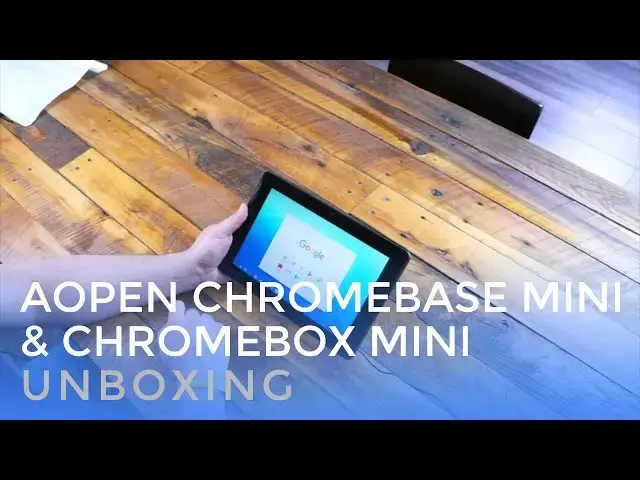
We are taking a look at a couple devices from AOpen, a company that has been working behind the scenes for some time with dedicated Chrome OS hardware.
These two devices are what you could call 'hero' devices for a concerted effort from Google to bring Chrome OS into the spotlight with kiosks and POS (point of sale) units. They are being called Purpose Built devices, and we're getting our first hands-on.
Show More Show Less View Video Transcript
0:01
[Music]
0:08
hey folks Robbie pay with chrome unboxed
0:10
and today we're going to take a look at
0:11
a couple new devices from aopen the
0:13
Chrome box mini and the Chromebase mini
0:16
these two devices are actually aimed at
0:18
smaller businesses that need to get
0:19
kiosks or Point of Sales up and running
0:21
in an easy and affordable way so we're
0:24
going to open them up and take a
0:26
look all right guys so we have the two
0:28
devices here we' got the Chrome box the
0:30
Chrome base we're going to take a look
0:31
we're going to open up the Chrome box
0:33
first and just see kind of what's inside
0:35
here and the interesting thing to note
0:36
about these is these are devices made by
0:38
Google or made by a open for Google I'm
0:40
sorry that are considered uh
0:43
purpose-based devices or purpose-built
0:45
devices and so there are devices that
0:47
are built for a specific purpose so this
0:49
chrome box isn't something that's going
0:51
to be sold to Consumers this Chromebase
0:53
isn't something that's going to be sold
0:54
to consumers in order for you to use it
0:56
at your home or anything like that these
0:57
are these are made for businesses
0:58
they're made for um Point of Sales and
1:01
kiosks and that kind of stuff so uh The
1:03
Branding on the outside's really kind of
1:05
kind of cool um I said a open we haven't
1:07
heard a lot about them uh but they've
1:09
done a lot of stuff behind the scenes
1:11
security and kiosk type devices the
1:13
entire uh time that Chrome OS has been
1:16
around and yeah so we've got a a pretty
1:20
attractive um device here
1:23
um solid metal um definitely feels like
1:26
something that can be mounted and you
1:28
don't have to worry about it falling or
1:30
braking or being messed with too much
1:32
got a couple Nubs here that are ready
1:34
for antennas to be put on so you can get
1:36
a bit of a stronger signal to wherever
1:38
it goes so again think about these
1:40
devices as being set up um if you went
1:43
to a tourist place and there were um
1:45
screens running that had some video
1:47
going because the the aim at these is
1:49
that you would set them up in Kiosk mode
1:50
that you would um manage them from a
1:52
Remote device um hopefully a Chrome OS
1:55
device and you would tell these things
1:57
hey you're locked on this particular
1:59
website or you're locked on this
2:00
particular Android app and that's the
2:01
big change here is that with Android
2:03
coming Android get gets wrapped up into
2:05
all of this stuff so now I can say Okay
2:08
I want this to run a particular video
2:11
from the YouTube app and loop it and
2:13
that's all it can do and that's all it's
2:14
going to do and so no matter if anybody
2:16
gets in and can start messing around
2:18
with the screen or anything like that
2:19
it's not going to do anything else it's
2:21
not uh permitted to do anything besides
2:23
the the purpose that you've set for it
2:25
and so that's kind of where these things
2:27
are aimed and so if you're a small
2:28
business owner or you run a a smaller uh
2:31
a smaller type business that these
2:33
things could be actually really
2:34
beneficial at a lower lower cost for you
2:36
and they are devices again that you
2:38
would buy through a Google partner of
2:39
some sort So you you're not going to go
2:41
on Amazon and purchase these um there
2:43
may be some people that sell them here
2:44
and there but in bulk or anything like
2:46
that you're not going to get that so now
2:47
that we got all that out of the way
2:49
let's kind of just look at these devices
2:51
again really well built uh just really
2:53
really solid so you got some USB ports
2:54
across the front here I don't see any
2:56
super speed stuff here so these could be
2:58
USB 2.0 um again keep in mind this are
3:01
just going to be running a single app or
3:03
two across the back you have HDMI out
3:05
obviously you got an Ethernet poured in
3:07
so that if you have everything wired up
3:09
you got really good internet coming in
3:11
um Power Jack and again the Wi-Fi uh the
3:14
Wi-Fi antenna Nubs
3:19
there uh Power going to take that out
3:22
right now
3:23
power uh and then there's the little the
3:25
little Nubs for the Wi-Fi which are uh
3:28
not that big but getting them antenna up
3:30
off of the device always helps with
3:34
reception and just a little bit of a
3:37
mounting material some warranty stuff
3:39
and that's it I mean this is uh this is
3:41
fairly straightforward fairly simple
3:42
stuff here so um not really a ton to
3:45
look at what we are going to do with
3:46
these devices is spend some time uh with
3:49
them getting familiar with this new
3:51
kiosk mode with Android apps um how
3:53
Google's rolling this out how you can
3:55
set them up we're going to do some
3:56
videos about that kind of stuff so some
3:58
of you all who are thinking hey could
4:00
work for my business or that could work
4:01
for my parents business or that could
4:03
work for my aunt or whatever um we're
4:05
going to do some really detailed stuff
4:07
about uh what kiosk mode looks like what
4:09
managed devices look like how you go
4:11
through setting all that stuff up
4:12
because most people don't know about it
4:14
and they don't realize that for a much
4:15
lower price you can have your point of
4:17
sale system up or your kiosk up and
4:19
running with a device like this that's
4:20
not going to cost you near as much money
4:23
as uh a Windows or probably not a Mac
4:26
based device cuz I don't even know if
4:29
Apple makes anything like that that you
4:30
would want to
4:31
use this one's the one we're a little
4:33
more interested in um paperwork
4:37
there this is the Chrome base mini and
4:40
so the reason I'm interested in this is
4:42
is multifold I'm going to look at some
4:44
of the stuff in here but this device um
4:47
even though this has to stay plugged in
4:49
it's going to give us the first real
4:51
slight feel of what it would be like to
4:53
have chromeos on a tablet not really a
4:55
tablet as you'll see in a minute it's
4:57
got a big hump on the back or some of
4:58
the stuff's in it but it's a touchscreen
5:01
based device without a keyboard in the
5:03
box or anything obviously you can see
5:04
there's no keyboards or anything in here
5:06
so um it it'll be interesting to to mess
5:08
around with this again these are are
5:10
purpos built devices this thing is meant
5:12
to sit on a desk somewhere and either
5:14
take orders or uh run credit cards or
5:17
something like that and so one of the
5:19
purposes Google has mentioned to us
5:21
about this device would be hey you can
5:23
put a square on this and run it in Kiosk
5:25
mode with just Square you can swipe
5:28
cards you can run your coffee shop or
5:30
whatever on this thing so it's an idea
5:33
the the idea is that it's an alternative
5:35
to an iPad or something like that um
5:37
because you can lock it you can monitor
5:39
it from the computer that's back in your
5:40
office and you can say hey the only
5:42
thing you can do is run square there's
5:44
no bouncing out of here and answering an
5:46
email or anything you're a purpose-built
5:48
device this is what you do that's all
5:50
you do and it's managed by a remote
5:51
computer so uh completely different
5:53
Paradigm than most of the stuff that we
5:56
review uh cable again this doesn't have
5:58
a battery it has to say plugged in and
6:00
we're looking at some stand stuff so it
6:02
can actually sit down we're not going to
6:04
put any of that junk together right now
6:06
we will mess with that later cuz I can't
6:09
tell you exactly what we had washers and
6:11
screws and all this stuff uh probably a
6:14
reset pin maybe I don't know um and some
6:17
zip ties so we'll have to see what what
6:19
that's all about again we're going to
6:20
set all this stuff up and
6:24
uh get it running on the kiosk mode um
6:29
and and actually be able to talk about
6:30
some of those things but for today we're
6:32
just going to power this guy up see what
6:34
the screen looks like and both of these
6:36
devices are running last year's Rock
6:38
Chip processor so we're running the 3288
6:41
rock chip 4 gigs of RAM um 16 gigs of
6:45
internal storage and so again they're
6:46
not they're not made to replace your
6:48
your home Computing device it's just
6:50
enough power to get done the job that
6:52
needs to be done and so uh we're not
6:54
expecting these things to fly or
6:55
anything think uh last year's Chromebook
6:57
flip uh as a as a basis for how fast
7:01
these things are going to be so not
7:03
fast but this one has a 1280 by 800
7:06
display and let's peel this plastic off
7:12
here and what's really neat though is
7:14
that I'm holding this again you can see
7:16
the big hump where all the stuff is on
7:17
the back if I hold it by the edges it's
7:20
kind of like oh wow this is what a
7:21
Chrome OS tablet is going to feel like
7:24
so that's why I say like we're going to
7:26
kind of get the idea a little bit once
7:28
we get this thing plugged in of what
7:29
this is going to feel like once we
7:30
finally start seeing Chrome OS tablet so
7:32
we're going to cut away real quick and
7:34
get this thing plugged in powered up and
7:35
talk about it just for a few more
7:37
minutes all right guys so we got all
7:40
booted up and logged in didn't take too
7:42
long obviously because it's a chromeos
7:44
device and and it's getting around
7:45
pretty well I haven't used anything with
7:47
the older rock ship in it for a little
7:49
while so hopefully this means chromeos
7:51
again is just getting faster and faster
7:53
with age but the setup process was not
7:55
bad I didn't I didn't notice a lot of
7:57
lagging stuff but I just wanted to show
7:59
you one particular thing out of the box
8:01
uh obviously this comes with the Play
8:03
Store and so uh I didn't have to do
8:05
anything any commands to enable it it's
8:07
it's working and running on here um just
8:09
fine and so one of the things I
8:11
installed was square register and so uh
8:14
this is an idea ideal type of app that
8:16
would run on this device you would set
8:19
in Kiosk mode n there we go uh you would
8:22
set it in Kiosk mode and say hey this is
8:24
the only thing you can do so there's no
8:25
closing at it there would be no settings
8:27
no bar all that stuff would be clean
8:29
this is the only app you would see when
8:30
you power the device on and so um with
8:34
uh some peripherals you know you can
8:35
have your your card reader and stuff set
8:37
up and the chip reader and all that kind
8:38
of stuff set up but you'd have your
8:39
register here for uh point of sale
8:42
situation and so um whatever your stand
8:44
would be that could spin around and and
8:46
serve that up and people could sign and
8:48
move on and and you could do that kind
8:50
of thing but ultimately the the other
8:51
thing that could be done here and you'll
8:53
notice this isn't in tablet mode or
8:55
anything um it's not it's not flipping
8:56
the tablet mode which um I don't know if
8:59
that's something thing they will do once
9:00
they kind of get some of the Kinks
9:01
worked out of tablet mode and Chrome OS
9:03
but right now we're getting full desktop
9:05
mode so you're seeing all the normal
9:06
stuff we can minimize windows and so
9:09
some of that uh might be necessary with
9:11
some of the kiosk apps you might need to
9:13
stay in a situation where you can window
9:15
a couple thing side by side that kind of
9:17
situation so um I'm not exactly sure if
9:19
they will or will not enable or Force
9:22
tablet mode in this cuz obviously it is
9:24
a tablet I had to hook the keyboard in
9:26
for the initial setup stuff but after
9:28
that you can take it off cuz you have
9:30
onscreen keyboard just like Chrome any
9:32
other Chrome device would so uh
9:35
ultimately um it it feels a lot like a
9:37
tablet um obviously it's very heavy cuz
9:40
again it's it's metal on the back uh
9:42
it's tamper proof it's water resistant
9:44
so I this thing is meant to to take some
9:46
abuse and and it feels like it mean this
9:48
thing is absolutely sturdy and it feels
9:51
like it will be able to take a beating
9:52
and so if uh the the stuff you want to
9:55
run on this thing would be you know uh
9:57
registers and all that kind of stuff I
9:58
think it's going to hold up really well
10:00
to that kind of stuff in restaurants and
10:02
all that kind of thing um let's talk
10:05
about real quick uh around the
10:07
sides um you have the the power hold
10:10
this up here you've got the power um
10:12
you've got a few USBS uh right here
10:15
ethernet again um so if you're wired in
10:18
um drop the ethernet in there you don't
10:19
even have to worry about Wi-Fi obviously
10:21
Wi-Fi is built in HDMI out so if you're
10:23
if you're going to share this to another
10:25
screen which for this one uh that may or
10:28
may not be a big deal uh because
10:29
obviously the screen is built in and
10:31
then your headphone microphone Jack
10:33
there's nothing else around any other
10:35
sides we got speakers and some LEDs over
10:37
on the side um and Kensington lock over
10:40
here and I will say uh some really good
10:42
speakers actually so if this ends up
10:45
getting used for you as like a kiosk
10:47
kind of scenario where uh you're playing
10:49
some multimedia maybe at a a zoo or a
10:51
park or something like that and it's
10:52
kind of embedded into something where
10:54
they can go up and interact with stuff
10:56
uh the benefit here is that your
10:57
speakers are good enough to really hold
10:59
own if we can get Google Play music
11:01
loaded
11:12
up um you actually getting some low end
11:14
there you hear the bass um it's not
11:17
thumping or anything but you can make
11:19
out the bass it's not just getting
11:21
[Music]
11:23
lost I mean the sound is actually really
11:26
impressive and you would expect that uh
11:30
based on the fact that we've got some
11:31
room to reverberate some sound in here
11:33
they probably have some pretty decent
11:34
drivers in here and again it's enaged in
11:37
some metal so um they got some room to
11:39
work around
11:40
and the sound is really good uh
11:44
shockingly good to be honest with you
11:46
and so uh for multimedia applications
11:48
that's obviously going to be very good
11:50
so if you have video running you got
11:51
some sound coming out of the sides they
11:52
are side firing uh it's actually going
11:55
to do really well all on its own without
11:57
any extra stuff attached and so the last
11:59
thing I'll say about this has nothing to
12:01
do with aopen or uh kiosk mode or
12:03
anything like that but just holding this
12:05
device I know it's tethered it's heavy
12:07
it's got a huge hump in the back and all
12:08
that kind of stuff but holding this and
12:11
thinking about what it's going to be
12:12
like to have a Chrome OS tablet is
12:14
really really exciting and so uh we're
12:17
going to spend some time with this we're
12:18
going to put it through all the paces
12:19
with kiosk mode and and uh um G suite
12:22
and setting it up as a as a um a device
12:25
that is is being controlled by something
12:27
else and uh just uh one or two apps
12:30
running and all that kind of stuff we're
12:32
going to do some videos on that and what
12:33
that looks like and how you go through
12:35
setting all that kind of stuff up but
12:36
for right now first blush I can tell you
12:38
both of these devices feel solid they
12:40
feel really well built they're going to
12:42
uh hold up to any kind of uh durability
12:45
test obviously that that anybody puts
12:47
them through and so um if if all the
12:49
kios stuff works out and the apps run
12:51
well and they can fit your business this
12:53
could be a very good way uh for smaller
12:56
businesses to get multiple units uh out
12:59
and deployed and be able to manage them
13:01
from a single Management console with
13:02
Chrome OS and so uh it's exciting it's
13:04
exciting to see another another place
13:06
where Google is kind of trying to expand
13:08
its reach with Chrome OS and so we're
13:10
going to be very excited to get back
13:12
with you and and show you some video on
13:14
how all that kind of stuff works
13:15
together especially with these devices
13:17
but guys until next time if you liked it
13:19
give it a thumbs up uh subscribe to the
13:21
channel and we'll see
13:24
[Music]
13:28
you
13:30
oh
#Business Operations
#Consumer Electronics
#Small Business