Up next in 10

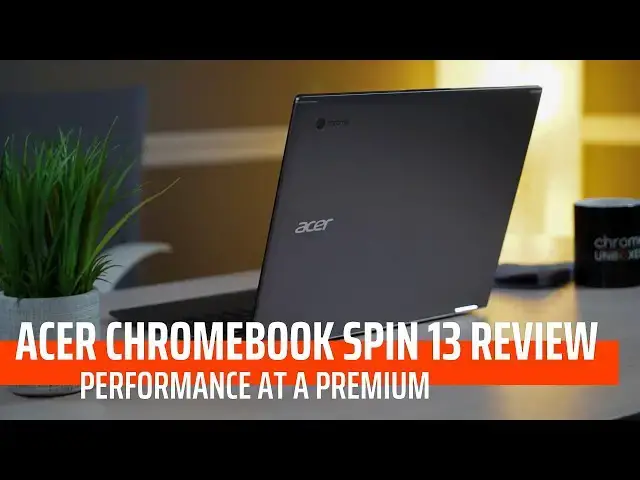
Acer Chromebook Spin 13 Review: Performance at a Premium
Dec 4, 2018


Sponsored by NordVPN. Try it out and get 75% off a three-year plan for a limited time! Click here: https://chromeunboxed.com/nordvpn
Shop Acer Chromebook Spin 13: https://amzn.to/2DC68tN
・・・・・・・
The Acer Chromebook Spin 13 commands a premium price tag, but it also delivers a grouping of features all in one place that haven't been put together quite like this before. So, the question becomes, is it worth the premium dollars for the premium experience?
・・・・・・・
Subscribe to the channel: http://bit.ly/2xFuj6L
Shop Chromebooks: https://amzn.to/2NE2wKq
Read more: https://chromeunboxed.com/
Follow us: https://www.instagram.com/chromeunboxed
https://twitter.com/chromeunboxed
Show More Show Less View Video Transcript
0:00
[Music]
0:07
so this is the Acer Chromebook spin 13
0:11
the business-ready corporate Chromebook
0:14
from Acer for 2018 and the device checks
0:18
a lot of boxes it does a lot of stuff
0:20
right and that's not to say it doesn't
0:21
have its downsides but it's a it's a
0:23
great device overall spoiler alert right
0:26
off the top but we want to talk through
0:28
all of those things because it commands
0:29
a pretty high price mainly because Acer
0:32
has targeted this at the business sector
0:34
and so it's even hard to get ahold of
0:36
right now you can usually find the i5
0:38
model but there's multiple models and
0:40
eventually I think we'll start seeing
0:42
these in consumer channels and so we
0:43
want to talk through all the good and
0:45
the bad with this device because
0:46
eventually if you're thinking about
0:48
buying this hopefully you'll have
0:49
multiple choices to make and different
0:51
configurations and you can decide for
0:53
yourself based on what we talked about
0:54
here what a good price is for this
0:57
device because I can tell you the MSRP s
1:00
we're going to talk about here in a few
1:01
minutes are a little bit high on this
1:02
one but it does do a lot of good stuff
1:05
and so we want to get into all of that
1:06
and help you make a purchasing decision
1:08
before we get into all the parts of this
1:09
review this video is brought to you by
1:11
Nord VPN and if you're online I'm
1:14
assuming since you're watching a video
1:15
about a Chromebook you probably get
1:17
online a lot with either this device or
1:18
your phone or an iPhone or an iPad or
1:20
computer Nord VPN has you covered in all
1:22
ways on all devices they'll help you
1:25
browse the web in privacy and they have
1:27
a 30-day money-back guarantee as well so
1:29
if you want to try them out head over to
1:31
Chrome unbox com4 / Nord VPN and get
1:35
started today so let's talk about the
1:37
build quality overall all aluminum
1:39
chamfered edges the thing looks really
1:41
really good does it look as good as say
1:43
the pixel book and I don't think so it
1:46
doesn't look like a MacBook it looks
1:48
like an Acer device they're they're not
1:50
cutting edge as far as aesthetics go
1:53
but overall the device looks good and it
1:55
would look great in any kind of
1:56
corporate or business atmosphere and so
1:58
they've done a good job of kind of
1:59
meeting the need of the consumer who's
2:01
gonna use this device I wouldn't say
2:02
it's ugly but it's not exactly a looker
2:04
either it just kind of gets the job done
2:06
it feels good it feels solid without
2:08
weighing a ton and without feeling like
2:09
a tank and as we'll talk about here in a
2:11
minute
2:12
packed a really big screen into a
2:13
overall package that feels nice and
2:15
tight so let's talk about the display
2:17
because it's a major selling factor on
2:18
this device it's bright it's three by
2:20
two so it's kind of got that taller
2:22
aspect ratio like the pixel book and
2:24
overall the colors just look really good
2:26
it's it's it's just pleasing to work
2:28
from and it's really hard to explain
2:30
that if you've not worked from a 3x2
2:32
display kind of like the pixel book or
2:34
the pixel slate or the Microsoft Surface
2:36
or something like that it just gives you
2:38
a little bit of added screen real estate
2:39
so it thirteen and a half inches it
2:41
sounds like it would be any other
2:42
13-inch device but at that aspect ratio
2:45
it really feels like you're working on a
2:47
14 and 14 and a half inch device and at
2:49
20 256 by 1504 resolution I know that's
2:53
weird
2:54
it gives the the device a nice sharp
2:57
display without forcing more pixels than
2:59
you really need in there so we can talk
3:01
about 4k displays and all that kind of
3:03
stuff
3:03
your eyes can't pick that stuff up from
3:06
a few feet away there's never time I
3:07
looked at this display and thought oh
3:09
you know it's it's not quite a quad HD
3:12
or it's not quite a 4k display I can see
3:14
pixels I couldn't see any of the pixels
3:16
on it it looks sharp it looked gorgeous
3:18
and that's less stuff for the processor
3:21
to have to deal with whenever it's
3:22
rendering anything on the page so well
3:24
done Acer this this display is an
3:26
absolute knockout moving on to input
3:28
methods this is a place where the device
3:29
falls down a little bit for me the pixel
3:31
book again as I've always said it's kind
3:33
of my gold standard I love the travel it
3:36
has and the clicking of the keys and
3:37
this device actually has the keys feel
3:39
like they have more travel than the
3:40
pixel book for instance that's not a
3:42
huge selling point for me I don't want
3:43
them to be super shallow but I don't
3:45
need a ton of travel on a keyboard I
3:47
just like for there to be a clicky
3:48
response so that I know that your
3:50
fingers know whenever you've hit the key
3:52
this one can get a little bit mushy from
3:54
time to time and so it wasn't terrible
3:56
it just isn't great either but the keys
3:58
are backlit so that is a nice plus
4:01
especially when you're paying top dollar
4:02
for a Chromebook moving on to the
4:04
trackpad it is Gorilla Glass so that's
4:06
that's great any device I think at this
4:09
point that is four or five hundred
4:11
dollars and up should have a glass
4:13
trackpad they just work better than
4:15
plastic or metal ones but my issue with
4:16
this trackpad is it's actually a little
4:18
bit shallow so a lot of times our track
4:20
pads are getting more and more square so
4:22
they're actually getting taller the way
4:24
we
4:24
use them and so your habits just kind of
4:26
develop around the different dimensions
4:28
of trackpads and this one tends to be a
4:30
little bit shallow for me the width is
4:32
fine it's just shallow and so Chrome OS
4:35
does a good job of palm rejection but
4:38
sometimes on this device it feels like
4:39
it's doing too bit of a job there was a
4:41
lot of times I was going to either move
4:43
the mouse or try to click in an area
4:44
where it was trying to reject my palm
4:46
and so a lot of Miss clicks and a lot of
4:49
issue just moving the mouse around the
4:51
screen over the course of time I started
4:53
getting used to it it's it's habitual
4:55
stuff and so you'll you'll evolve around
4:56
that eventually if you use this it's
4:58
just something you need to know if you
5:00
go out and purchase this device one
5:01
other thing this one has a third input
5:03
method and it's another selling point of
5:05
the devices there's a garage stylus on
5:06
this one and so you can grab the stylus
5:08
right out from underneath pull it out
5:10
and use it whenever you need it
5:11
stow it away it doesn't need batteries
5:12
it's EMR and so it's gonna work really
5:14
well artists are gonna like it more and
5:16
in inks as well as any other EMR stylus
5:19
on a Chromebook inks we've talked about
5:21
it a million times it seems like the pen
5:23
behaves exactly like you would think
5:24
4000 plus levels of pressure it does a
5:27
really good job but one thing that this
5:28
one does better than other garage stylus
5:31
is that it's larger it actually is big
5:33
enough to fit in entirely in your hand
5:35
like a pen and so instead of being like
5:37
this little toothpick that you're trying
5:39
to write with it can sit kind of more
5:40
naturally in your hand as you write on
5:42
around the sides of the device we're
5:43
coming up on a port selection that's
5:45
pretty normal in 2018 so a USBC on
5:48
either side and then one USB a port on
5:50
the left side of the device alongside an
5:52
SD card slot and headphone microphone
5:54
jack and I've said this before and I'll
5:56
say it again this is my favorite layout
5:58
of ports mainly because with the USB C
6:00
on either side you have the ability to
6:02
charge and/or dock the device and either
6:05
side whichever one is easier for you to
6:07
use and then on those times where you
6:09
just you need a dongle to move something
6:11
over to a more legacy device or an SD
6:13
card reader or something like that you
6:15
have it there in the event that you
6:17
don't have a dongle to or an adapter for
6:19
it so internally this device actually
6:21
checks a lot of boxes as well and comes
6:22
in multiple configurations the one that
6:24
we have been testing is the core i5
6:26
eight gigs of ram 128 gigs of internal
6:29
storage there's one level above that
6:31
with 16 gigs of ram same storage same
6:33
processor and then there are two i3
6:35
models one with four gigs
6:36
and one with eight both of them with 64
6:39
gigs of internal storage and so if
6:41
you're kind of thinking oh well which
6:42
one should I go which one should I think
6:44
about getting right now the only one you
6:47
can really get a hold of is this one so
6:49
the i58 gig hundred twenty eight gigs of
6:51
internal storage what I would think and
6:53
what I would tell you that if you're
6:54
watching this a few months from now and
6:56
availability has started to expand if
6:58
you can get your hands on the core i3
6:59
with eight gigs of RAM I think that's
7:01
gonna be the sweet spot because the core
7:03
i3 from what we can tell benchmarking
7:05
and regular use is just as fast as the
7:07
core i5 at least in Chromebooks anyway I
7:10
don't know if it's just Chrome OS
7:11
doesn't really take advantage of what
7:12
the hi-5 offers or what but there's
7:14
really not much sense in spending any
7:16
money on it unless it comes with the
7:18
particular upgrades and storage and RAM
7:20
that you're looking for so that's the
7:22
one I would shoot for however that one
7:24
is still eight hundred dollars and so
7:27
that's where we have to start talking
7:29
about price versus what you're getting
7:31
in this device and we're gonna get to
7:33
that as we wrap up this video but I can
7:35
tell you obviously you probably know
7:36
this with these kind of internals this
7:38
thing breezes through anything and
7:40
especially with a slightly less pixel
7:42
dense display than some of the other
7:44
high-res Chromebooks I mean it just
7:46
breezes along it doesn't run into a lot
7:48
of the issues some of the other ones run
7:49
into one thing I can tell you that might
7:51
be off-putting for some people you'll
7:52
notice it has fan ports in it it does
7:55
have a fan it's it's the U series
7:57
processor which they're way more
7:58
powerful but they do need a fan from
8:00
time to time and every once in a while I
8:02
would hear it kick on usually you're not
8:04
going to hear it it's not gonna be a big
8:05
deal but when they do kick on they're
8:07
slightly noticeable they're not terribly
8:09
loud but they are they're so taking all
8:11
this stuff that we've said about this
8:12
device it sounds obviously like acer has
8:14
done a lot right and they have this is a
8:16
great device and I've really really
8:18
enjoyed using it it really comes down to
8:20
price at this point and I don't know
8:22
that acer is gonna come off that price
8:23
too much because their marketing to the
8:25
business crowd their marketing to
8:26
corporate and I don't know that they're
8:28
really trying to compete with the HP s
8:30
and the Lenovo's and the Dells that
8:31
we're seeing at five and six hundred
8:32
dollars that have similar spec layouts
8:35
and similar good points and bad points
8:37
and so because of that you're gonna have
8:40
to kind of keep your eye on stuff and
8:41
look around and hopefully you know go to
8:44
Chrome and voxcom and if we see a deal
8:46
on it we'll let you know but the minute
8:47
you see if
8:48
becomes available to consumers the core
8:50
i3 8gig version of this device for a few
8:53
hundred bucks off at that point I would
8:55
absolutely say go and get it it would it
8:57
would be a great device at a great price
8:58
but some of you may be looking at this
9:00
and going hey you know 900 bucks is that
9:03
sounds great I'll pay that for the the
9:04
one that you're testing right there the
9:06
way that this one is better than some of
9:08
the other devices in that price range is
9:09
you get that larger screen there's no
9:11
other device with the 3 by 2 screen at
9:13
this size and it's just been a joy to
9:15
use and I really like having the stylus
9:18
on me at all times because and then when
9:19
I think that I need to take a note or
9:21
pull something I can just yank the yank
9:22
that pin out and use it or I don't get
9:24
that on something like the pixel book so
9:25
am i telling you to go buy it maybe
9:29
maybe not and I hate to be that
9:30
indecisive I just think that at some
9:33
point we're gonna see some sales on this
9:34
and it'll be much easier to say at that
9:36
point if you're watching this video and
9:38
you can get it for a little bit cheaper
9:39
absolutely go get this Acer's done a
9:41
good job of putting it really really
9:42
good device together it's just a little
9:44
bit steep at this point but guys that's
9:46
it for this one if you liked it give it
9:47
a thumbs up hit the subscribe button
9:49
below and until next time we'll see you
9:52
[Music]
9:55
you
9:56
[Music]
#Consumer Electronics
#Consumer Resources
#Product Reviews & Price Comparisons