Up next in 10



Sponsored by NordVPN. Try it out and get 75% off a three-year plan for a limited time! Click here: https://chromeunboxed.com/nordvpn
・・・・・・・
Buy Now from Amazon! http://amzn.to/2jgNJVW
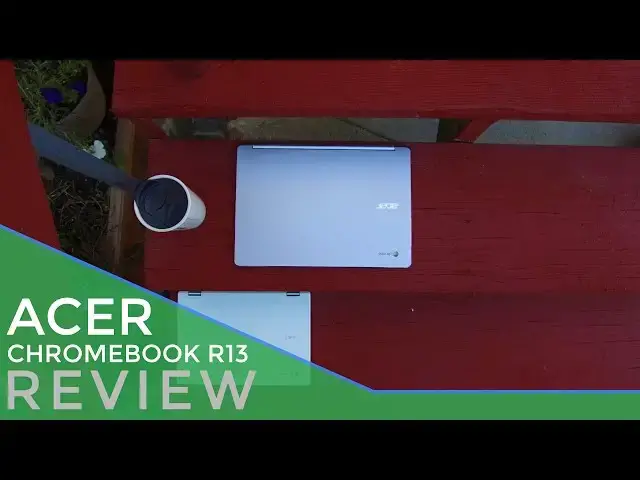
The R13 is a beautiful, well-built machine for a very good price. The overall look is way beyond its pricetag and its performance is plenty for most users. A great screen, keyboard and trackpad round out a very solid offering from Acer. I suspect as Android shows up soon on this device, it will be another top seller in Acer's growing catalog of Chromebooks.
Read more over at https://chromeunboxed.com
Show More Show Less View Video Transcript
0:01
[Music]
0:08
[Music]
0:13
hey folks Robbie pay with chrome unbox
0:14
coming at you today with a full review
0:17
of the Acer Chromebook r13 the device
0:19
Sports an all aluminum build full HD
0:23
display 360° hinge but its Intrigue
0:26
actually lies elsewhere it could be
0:28
considered the first of a new breed of
0:31
Chromebook built expressly with Android
0:33
apps in mind with a lot of these devices
0:36
coming in the next few months Can Acer
0:37
carve out a space and what looks to
0:39
become a pretty crowded Market more
0:41
importantly is this the Chromebook for
0:43
you let's take a look make no mistake
0:46
the Acer Chromebook R1 13's design feels
0:49
inspired it's made of all aluminum front
0:51
and back inside and out and feels way
0:53
more premium than the 3.99 price tag
0:55
would have you think it's a bit of a
0:56
pixeles design with squarish boxy sides
1:00
and it doesn't really look like anything
1:01
else Acer makes and that's a good thing
1:04
it's not to say that Acer makes ugly
1:05
devices it simply means oems are finally
1:07
starting to pay attention to Chromebooks
1:09
and take design language seriously when
1:10
it comes to building them it's not all
1:12
perfect here but aser has done a nice
1:14
job building a device I like having in
1:16
front of a client solid and smooth no
1:18
weird or sharply cut angles it's
1:21
comfortable to handle it's thin modern
1:23
light and easy to throw in a bag the
1:25
port selection on the r13 is fair lots
1:28
of access with a single USBC a single
1:31
usba a full size SD card and HDMI port
1:34
we also have a standard headphone
1:36
microphone Jack and Kensington Port
1:38
downward and sideward firing speakers
1:41
look and sound really good giving it
1:43
really full sound and pretty much any
1:44
orientation be it tent or tablet mode
1:47
speaking of screen orientations this
1:49
device like many other Chromebooks
1:51
coming soon is a 360° convertible the
1:53
hinge allows for all the customary modes
1:55
laptop stand tent and tablet and Acer's
1:58
done this for some time and ly Nails it
2:00
with the R11 the r13 I tested is a
2:03
little bit wobbly I don't touch the
2:05
screen that much in laptop mode so it
2:06
didn't really bother me and honestly it
2:08
could have just been a one-off issue
2:11
every device that we see out there may
2:12
not have the same wobbly hinge given how
2:15
well the r1's hinge operates I'm
2:17
inclined to think that's the case the
2:19
screen itself is quite good decently
2:21
bright viewing angles are pretty good
2:23
for a device in this price range and its
2:24
glossy display being touched is going to
2:26
pick up a lot of fingerprints so have
2:29
something close to Wi it off outdoor
2:30
viewing is possible but indoors is where
2:33
you're going to get the best experience
2:34
things stay sharp though a little bit
2:36
small on a screen that has a native
2:39
resolution of 1920 x 1080 for me I'd
2:41
rather have a 1600 by 900 screen or 3200
2:45
x 1800 like the hp13 G1 but that's a
2:47
discussion for another day at 13 in 16x9
2:50
display makes for an awkward tablet mode
2:53
it's kind of large and it's really tall
2:55
when held in portrait mode the iPad Pro
2:58
comes in around 13 in but but its Square
3:00
design makes it feel less unwieldy in
3:02
the hand holding a device this large
3:04
with this orientation in portrait mode
3:07
is just plain awkward I'd also love to
3:09
see Chromebook start getting the bezel
3:10
size down just a little bit for
3:12
convertibles I know we need a little bit
3:14
of bezel but they're kind of large
3:16
overall though the screen performs well
3:18
and really wasn't an issue the trackpad
3:20
was good as well again I had a little
3:22
play in the trackpad similar but not
3:24
nearly as bad as the hp13 G1 that is a
3:26
little tough to explain feels a bit like
3:28
the trackpads hovering just a fraction
3:30
of a millimeter above the actual click
3:32
element so when you go to click there's
3:33
a slight depression before you actually
3:36
click the button it makes it feel almost
3:38
like you're getting a double click as
3:40
you go to actually manually press the
3:42
button and I've seen this before in
3:43
isolated situations with different
3:45
Chromebooks different makers so I'm
3:47
inclined to think that this might not be
3:49
an issue for other R1 13s out there on
3:51
the other hand the surface of the
3:52
trackpad is actually really good it's
3:54
not glass but it still slides around
3:57
very well even after hours of use
3:58
keeping all those oils off and
4:00
delivering gestures and pointer tracking
4:02
like a champ it's one of the better
4:03
trackpads I've navigated with on a
4:05
Chromebook aside from those weird click
4:07
mechanics I really did enjoy using it
4:10
internally we're met with a unique
4:11
processor in the mediatech
4:14
mt8173 this processor is making its
4:16
debut in the r13 and it's holding its
4:18
own getting octane scores of around
4:20
10,000 and handling multiple tabs and
4:22
multiple screens with ease the
4:24
processor's actually been a delight to
4:25
use and it's easy on the battery overall
4:28
I'm pretty impressed with this guy
4:30
let's tackle what we'll call the
4:32
temporary elephant in the room this
4:34
device is built and marketed around
4:36
Android app support and unfortunately as
4:39
of this review it's still not shipping
4:41
with that in the stable Channel granted
4:43
you can go to the beta Channel and
4:44
enable Android app support so we know
4:46
that the support for the Play Store is
4:48
not far out right now though out of the
4:51
box you can't play Cut the Rope or run
4:54
Microsoft Office apps not yet anyway we
4:58
assume support is coming for this very
5:00
very soon and maybe by the time you
5:01
watch this video or read this review it
5:03
will already have made its way to the
5:05
stable Channel and we think maybe the
5:07
delay in Android apps could hurt sales
5:09
of this device for a few weeks but
5:11
really it's probably not going to be
5:12
that big of a deal and most of this
5:14
isn't on Acer anyway they made the
5:16
decision to go ahead and pull the
5:17
trigger and get the device launched even
5:20
though Google seems to be a little bit
5:21
behind on release of Android apps for
5:24
this particular device none of this
5:25
changes the fact that the r13 is well
5:27
built and can still do all of the things
5:29
that Chromebooks have been doing really
5:31
well for years at the end of the day the
5:33
question always becomes should I buy
5:35
this device and the answer to that
5:37
question honestly has never been more
5:39
difficult to give I will say this the
5:41
Acer is well built it's quality it's
5:44
attractive and it's got a good price tag
5:46
it's got a lot of things going for it
5:47
Android app support should be around
5:49
really soon so I have no problem saying
5:52
yeah go ahead and buy this device I
5:53
think you'll be happy with it I think
5:55
you'll enjoy it as long as you're not
5:56
the type of person that is always
5:58
looking at the Horizon and around the
5:59
the corner for what's next and what's
6:00
the newest and what's the latest and
6:02
greatest I think you'll be really happy
6:04
with the Acer
6:05
r13 guys if you like this video give it
6:08
a thumbs up down below hit that
6:10
subscribe button and until next time
6:12
we'll see you
6:15
[Music]
#Software