Up next in 10



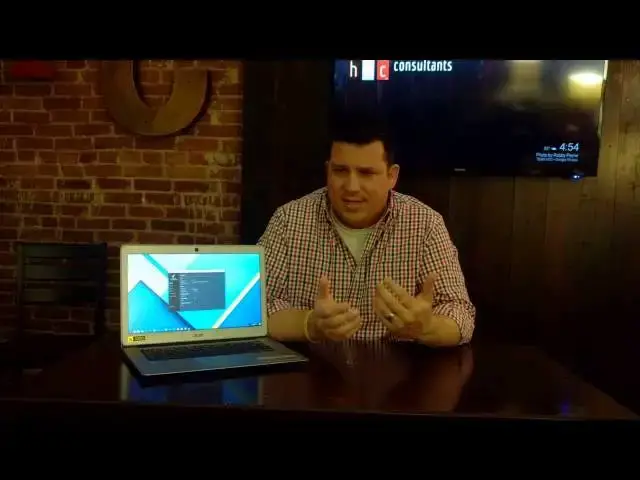
In this video, we'll take a more in-depth look at the all-new Acer Chromebook 14. With an all-aluminum build, unique 14-inch design, and $299 price tag, could this become the budget Chromebook to beat? Let's take a look!
Show More Show Less View Video Transcript
0:02
[Music]
0:09
so with the Chromebook 14 Acer has upped
0:11
its game from a design standpoint with
0:13
an all aluminum build front to back um
0:16
every piece of this thing is aluminum
0:18
save the trackpad the keys and the
0:20
screen obviously uh we have no fans
0:23
across the bottom U not a lot of uh
0:26
excessive things and and and looking at
0:28
it you would see pretty quickly uh it
0:31
has kind of a MacBook Air feel to it and
0:33
it's thin and and relatively light and
0:35
part of the design cues uh come from the
0:38
fact that there's no fan to deal with in
0:40
this device the reason for that is it
0:43
comes equipped with the quad core uh
0:47
n3160 uh Celeron CPU now for those of
0:51
you all keeping track the Toshiba
0:53
Chromebook 2 the original one not the
0:54
one that came out in 2015 came with that
0:57
uh the the processor that uh predated
0:59
this one uh in that same kind of class
1:01
and it gets confusing when you start
1:03
talking about the Corey line of
1:05
processors the atom line of processors
1:07
cuz the the nomenclature that Intel uses
1:09
can be a little bit confusing This falls
1:11
in line with kind of like the atom type
1:13
of processors and so it doesn't need
1:14
fans um so there's there's no need for
1:17
any sound or or fan vents or anything
1:19
like that in this device which is really
1:21
neat and it it creates a nice clean
1:23
package um let's talk about some of the
1:25
other good stuff in this device uh the
1:27
the full 1080p display uh is is at a
1:30
14in uh uh size and that's been unique
1:34
completely to HP in the Chromebook world
1:37
uh up into this point but now we have
1:39
the Acer Chromebook 14 the Chromebook 14
1:41
for work as well and and what it does is
1:44
it takes those 1080 pixels uh this way
1:47
and it kind of opens them up a little
1:49
bit so 13.3 in devices uh the the 1080p
1:54
can tend to make some of the things feel
1:56
a little bit restricted when we're
1:57
talking about the size of icons the size
1:59
of text on the screen and so spreading
2:01
that out that 7 in helps a little bit to
2:04
make things on the screen a little bit
2:06
bigger as always you can uh zoom in
2:08
pages and all that kind of stuff to deal
2:10
with small text but it is a nice thing
2:12
that without any zooming without any
2:14
changing of the interface we have a nice
2:16
readable uh easy to use um uh interface
2:20
right out of the game so uh that's
2:22
pretty nice the screen is relatively
2:24
anti-glare uh it it takes away some of
2:27
the glare not all of it there's a little
2:29
bit of uh reflection there but it does
2:31
help just a bit not the brightest thing
2:33
I've seen in the world I do not have
2:34
anything to measure knits um but I would
2:37
guess it's somewhere around the 200 to
2:38
230 or 40 so um not going to blow you
2:42
away and in a really really bright
2:43
environment it's going to struggle but
2:45
in most environments I found it does uh
2:47
just fine for the webcam um pretty much
2:50
720p webcams what you're seeing in most
2:52
Chromebooks these days it it gets the
2:54
job done it's okay uh we have pretty
2:56
wide viewing angles and we'll look up
2:58
close at some of these things here in
2:59
just few few minutes uh the keyboard and
3:01
the trackpad remain almost largely
3:03
unchanged from the Acer c910 the uh 15in
3:07
the 151 6in Acer Chromebook um which is
3:10
to say that they're okay um they're not
3:12
my favorite in the world they're not the
3:14
the best keyboard or trackpad I've used
3:17
uh but they're also not the worst the
3:18
keyboard doesn't really get in the way
3:20
it's not back lit and for $299 it's hard
3:23
to expect anything like that um some of
3:25
the bells and whistles we're not going
3:26
to get on this device uh the trackpad is
3:29
plastic
3:30
um it's I think it's the exact same one
3:33
that's on the c910 so um after a few
3:36
minutes of use it picks up a lot of oil
3:38
and and starts to kind of jump around a
3:40
little bit so I found the trackpad to be
3:42
a little bit strange to use um
3:44
especially after coming from a Dell or
3:45
Chromebook Pixel if you have a glass
3:47
trackpad or a Mac or something like that
3:49
um you're going to notice the difference
3:50
pretty quickly um other than that uh it
3:54
comes with your kind of standard array
3:56
of ports and and all that kind of stuff
3:58
so that's nice with a thin Chrome book
4:00
to still get all your ports that uh you
4:02
would hope for um and and it's
4:04
relatively light and it's okay to use so
4:08
um let's take a quick look on uh a
4:12
closeup and see some of the ports um
4:14
some of the things up close real fast
4:15
and then we'll come back and kind of
4:16
wrap up uh the review from a a usage
4:20
standpoint all right folks we're going
4:21
to take a quick tour around the hardware
4:23
up top and in the bottom and sides and
4:25
all the parts uh in between we're going
4:27
to see just solid aluminum which is kind
4:30
of nice um
4:32
the texture you can kind of see on the
4:35
top of the lid looks nice in pictures it
4:37
it kind of feels a little cheap I'm not
4:39
sure why but um it almost it almost
4:42
makes it look like it's plastic trying
4:44
to look like aluminum even though we
4:45
know it is in fact aluminum across the
4:47
bottom we have two downward firing uh
4:51
speaker ports 4 feet screws to get in
4:54
the back on the bottom there's nothing
4:56
on the side over here we have the um
4:59
power and the combo headphone microphone
5:03
on the flip side we have two USB 3.0 and
5:07
we have a full sizee HDMI and a
5:09
Kensington slot take note there is no SD
5:12
card slot on this device um for some
5:15
that's going to be a big turnoff uh
5:17
we'll talk about that a little bit more
5:18
later um on the inside you know you have
5:20
your standard Chrome keyboard a nice
5:22
full sizee trackpad and 1080p screen um
5:28
overall again the device feels nice it
5:30
feels sturdy um the build feels good and
5:33
it's nice to see um Chromebook
5:36
manufacturers creating um devices that
5:39
are um affordable and yet built uh quite
5:43
well so what did I think of this device
5:47
using it um for me I tried uh one full
5:50
day working from it and um took it home
5:53
with me and used it kind of around the
5:55
house and what that usually divides
5:58
itself into when I'm working with with
5:59
it I have auntu running I've got
6:01
inkscape so I'm doing some graphic work
6:03
on the side I've got an IDE open um we
6:07
got multiple tabs open we've got
6:09
inspector running in those tabs and we
6:11
got music playing in the background
6:13
Hangouts running so you know 10 to 12
6:16
things happening at the same time versus
6:18
at home I've got a couple tabs open and
6:20
I'm you know just browsing the internet
6:22
looking at Google+ um checking Facebook
6:24
those kind of things and so for work um
6:28
it wasn't even close it honest ly was uh
6:31
pretty frustrating to use and uh we're
6:33
in some octane scores on this and never
6:35
could get it quite over 8,000 it's
6:37
usually around 7,800 7900 uh signed out
6:40
in guest mode so that's without any
6:41
extensions running or anything like that
6:44
um which for most of you you'll pick up
6:46
pretty quickly that's not very high um
6:49
to put it in perspective uh the original
6:51
Acer or the original
6:53
hp14 um got an octane score around 10 to
6:56
11,000 and that was with the Haswell
6:58
Celeron proc processor and so um not the
7:03
fastest Chromebook by any margin uh and
7:05
it's fanless and that's nice but to me
7:07
uh it's just not worth giving up fans to
7:09
get that much of a performance drop um
7:13
the screen performs pretty well uh it it
7:16
took me a little bit of getting used to
7:17
and I'm not sure why I think anytime you
7:19
get an anti- glare it creates a little
7:21
bit of a film and a slight Haze kind of
7:22
to the screen that um um you know
7:25
regular glass screens don't have cuz I I
7:27
noticed the same thing sort of with the
7:29
Dell Chromebook 13 over time compared
7:31
with um the the pixel or something like
7:35
that that had just a non-mat screen it
7:38
it seems uh to to affect the visibility
7:41
a little bit of text and kind of things
7:42
like that but it didn't bother me too
7:44
bad um I I don't think the the ram was
7:47
too much of an issue 4 gigs of RAM for
7:48
most Chromebooks is good so when I took
7:51
it home and just used it to browse the
7:53
internet uh do some basic things cast a
7:55
video here and there performs just fine
7:58
and so it really comes down to deciding
8:00
what you're looking for in a Chromebook
8:01
if you're looking to get work done and
8:02
be really productive I would not
8:04
recommend this device uh if you're
8:06
looking for something to have around the
8:07
house pop open jump on the internet with
8:10
uh to take the classes maybe to do some
8:12
basic Google Docs work that kind of
8:14
stuff I think it could fit the bill um
8:16
it's still again it's not just not going
8:18
to be that fast um we're talking years
8:21
ago Chromebooks were scoring in this
8:22
kind of this kind of range already and
8:24
so um we've not made a leap forward as
8:27
far as fanless uh design in these
8:29
cheaper Intel chips now we talk start
8:31
talking about core M chips the M35 and 7
8:34
that are coming in HP Chromebook 13
8:37
completely different story but these
8:39
these line of uh this is the brasswell
8:41
chip technically um it it's just not
8:45
doing I was hoping with this line of
8:47
chips we would at least finally get past
8:48
that 10 to 11,000 mark on the octane um
8:51
and we would see some real world uh
8:53
jumps and performance and it's just not
8:55
the case so if you're looking at
8:56
something for something at home on the
8:58
couch doing something uh uh simple uh
9:00
just browsing the web doing a lot of
9:02
times what Chromebooks are really meant
9:03
to do I think it's going to be fine and
9:05
it's enjoyable and pleasant to use from
9:07
a a tactile standpoint it just feels
9:10
good it's it's a nice Chromebook um from
9:13
from a build quality standpoint again
9:15
minus the trackpad and the and the
9:17
keyboard those are okay um definitely
9:20
very mediocre um from a work standpoint
9:23
if you're really talking about pushing
9:24
this thing I I would absolutely say
9:26
don't uh don't get this um I've seen
9:28
some revie to say that you know it's
9:30
like the perfect Chromebook and all that
9:32
stuff and I I just can't buy into that I
9:35
I don't think it's uh the best thing
9:36
I've ever seen it's nice to see um
9:39
companies taking steps forward and using
9:41
better better materials to build their
9:43
Chromebooks out of and to keep it at
9:45
$299 they're going to have to cut uh
9:48
Corners somewhere and so um this to me
9:50
it wasn't a surprise it would be nice if
9:52
they would come out with align of this
9:54
with say 4 and 8 gig ram versions with
9:57
the core M processors in it as as well
9:59
and maybe a a slightly nicer trackpad
10:02
stuff like that likely not going to
10:04
happen uh but if it were to happen I
10:06
think they could jump into the5 and $600
10:08
range and still keep their Corners cut
10:10
where they need to and um um have a
10:13
really really nice productive Chromebook
10:15
one other thing I'd like to add um and
10:18
and we talked about it when we were
10:19
touring uh the the sides not having an
10:22
SD card slot uh to me is is a bit of a
10:27
step in the wrong direction for right
10:28
now I think think I know we were moving
10:30
to a cloud Centric type storage solution
10:33
um in general and I I myself am moving
10:35
that way too but to just not have one um
10:39
to pull a SD card out of a camera and
10:40
throw it in here and do some stuff with
10:42
it um it it feels limiting um and and
10:47
maybe that's just me but I think for a
10:49
lot of people not having any not micro
10:51
nothing there's no SD card slot on this
10:53
thing um could be a limiting factor for
10:55
a lot of people and so um some of the
10:57
things to keep in mind um like like I
10:59
said $299 is a really really attractive
11:01
price point for an aluminum 1080p
11:04
IPS IPS display um and so for a lot of
11:09
people this is going to be a good
11:10
Chromebook it's not the best Chromebook
11:11
on the market by any stretch of the
11:13
imagination uh but again it's a nice
11:15
step forward when we're talking about
11:16
build quality um uh from a from an
11:18
affordable Chromebook um if you have any
11:22
questions hit me up uh if you enjoyed
11:24
the video uh subscribe hit that like
11:26
button thanks for watching uh keep it
11:29
fixed to the channel hopefully we'll
11:30
have uh some more Chromebooks there's
11:32
quite a few different ones coming out
11:33
right now we have some more uh up for
11:35
review here soon thanks for watching
11:37
again
#Computer Hardware
#Consumer Electronics