0:07
hey folks Robbie Payton with chrome
0:09
unboxed and today we're taking a look at
0:11
a sirs booth actually over at the Hard
0:14
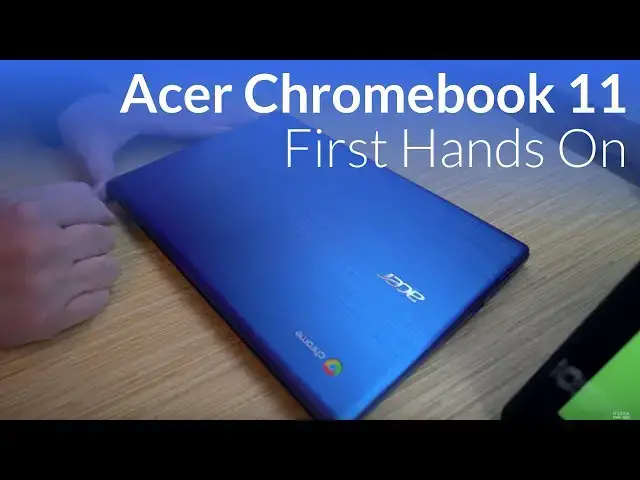
Rock Hotel the Acer Chromebook 11 now
0:17
this is their latest entry it is a
0:19
entry-level device per se it is running
0:22
an Apollo light processor it will come
0:24
in the dual and quad core variants four
0:26
gigs of ram this one has 16 gigs of
0:28
internal storage you look at an IPS
0:30
display 1366 by 768 11.6 inches across
0:33
but what we're really looking at here
0:35
Acer has been doing this for a little
0:36
while making kind of entry-level
0:38
Chromebooks but this one actually looks
0:40
a lot different than the ones that have
0:41
come in the past and so they kind of
0:43
tilt this thing closed and so you can
0:45
kind of see I don't know if it's coming
0:46
across on camera but this is a really
0:47
cool textured finish it is plastic but
0:49
it kind of maintains that almost
0:51
metallic looking feel and the same goes
0:54
for the inside parts this is kind of a
0:56
textured finish and it just gives the
0:58
Chromebook overall an interesting
1:01
aesthetic appeal across the keyboard
1:04
we've got actually a little bit of extra
1:06
travel and you see acer's actually kind
1:07
of touting that here the travel on the
1:09
keyboard feels pretty good something
1:11
click his keyboard I've ever felt in my
1:12
life but the travel is really good
1:14
the keys are nicely spaced I would
1:16
assume this would be a pretty
1:17
comfortable typing experience we've got
1:19
an IPS panel here not the brightest
1:21
thing I've ever seen probably 200 215
1:23
it's coming in pretty close to something
1:25
like the Chromebooks Ben 11 so it's
1:29
going to be very serviceable but it's
1:30
also a touchscreen so you can actually
1:32
interact with touch on here with no with
1:35
no problems whatsoever the trackpad
1:37
actually just on first blush feels
1:39
actually really good it's very very
1:41
large for an 11 11.6 inch device that
1:45
travels nice and smooth it feels very
1:47
responsive and the click mechanism is
1:49
really good across the board too so kind
1:54
of impressive actually
1:55
I'm overall just the devices feels
1:57
really really light we'll take a look
2:00
around the sides here you go to USB C on
2:02
both sides actually and then you've got
2:05
a USB PA on both sides which is kind of
2:07
cool and then we've got the micro SD
2:10
card slot so the USB C's can be used for
2:12
charging and or extending the display
2:15
we've got bottom firing speakers and
2:17
just some feet along the bottom it's
2:18
like I said before this is an Apollo
2:20
Lake device so you're not talking about
2:23
the fastest device in the world it's not
2:25
gonna blow anybody's doors off but we
2:28
ran some octane scores on it and we're
2:29
getting eleven and a half to twelve
2:30
thousand so it's it looks like it's
2:32
gonna be performin again this is an
2:36
entry-level Chromebook so we're not
2:38
trying to get the highest specs possible
2:40
but instead this device actually has
2:42
something for students or younger kids
2:44
maybe in your family that might have
2:45
this device it's got some appeal from an
2:48
aesthetic point of view and so it's
2:50
pretty cool that acer is doing with this
2:51
device hopefully we'll get one in for
2:54
review down the road but for now that's
2:57
our first look at the Chromebook 11 in
3:00
2018 at CES if you liked the guys hit
3:04
that subscribe button give us a thumbs
3:05
up and until next time we'll see you