Up next in 10



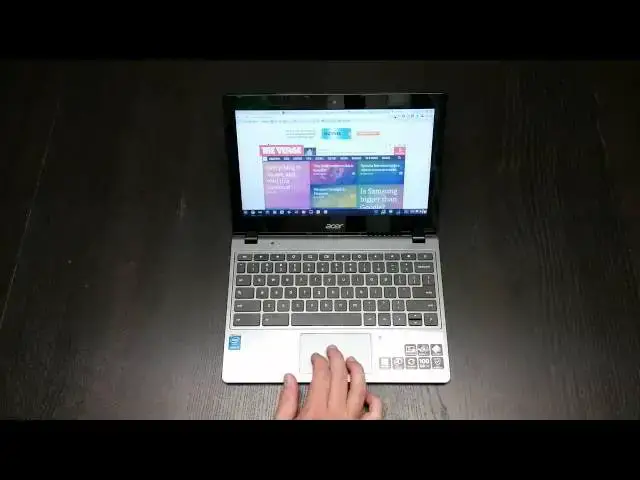
In this video, I review the Acer C720, but this time with a new trick up it's sleeve - the Intel Core i3 processor. Find out if it lives up to the hype!
Show More Show Less View Video Transcript
0:05
hey folks Robbie pay here with chrome
0:06
unboxed again coming at you today with
0:08
the review of the Acer
0:10
C720 with the I3 aswell processor in it
0:15
for those of you who have been around
0:17
the channel for a little while I think
0:19
this is the fourth of these devices that
0:21
I've reviewed uh including the original
0:23
Acer C720 with the Haswell class Celeron
0:26
2 gigs of RAM uh next was the Acer c720p
0:30
which is that model with a touchcreen
0:32
then I came across the Acer c720p with u
0:36
4 gigs of RAM and got it thinking I
0:38
might be I might change that and use
0:40
that as my daily driver went ahead and
0:41
did the review of it as well and now
0:43
we've come to the
0:44
c720p with the I3 in it so uh as most of
0:49
you probably know by the time you're get
0:50
into this uh video the only difference
0:53
in this guy literally the only
0:54
difference in it is the fact that it is
0:56
rocking the I3 processor versus the as
1:00
well Celeron uh version in the in the
1:02
other setups and so the the show that
1:06
was done the press release that was done
1:09
I want to say month and a half ago or
1:10
something like that between Intel and
1:12
Google uh basically saying hey here's
1:14
some of the new things that are coming
1:15
in the world of Chromebooks this guy was
1:17
at Center Stage because it's the first
1:19
Chromebook with an I3 processor in it
1:22
and while that is awesome and that is
1:23
great um I I have noticed um some some
1:27
issues with it some clearing issues
1:29
obviously
1:30
uh because it's a C720 and it's it's
1:32
meant to be a cheaper laptop and so none
1:35
of the things that in my previous
1:36
reviews that I've said were negative
1:38
about this device none of those things
1:40
are fixed um and instead we now have the
1:43
kind of same slightly troubled Hardware
1:47
uh with hopefully a better processor um
1:49
we'll get into whether or not that pans
1:50
out here in just a few minutes first I
1:52
want to take a walk around the machine
1:53
real quick uh again this is going to be
1:56
a repeat for a lot of people sorry about
1:58
that but if this is the first uh if you
2:00
you're watching I want you to know that
2:01
we'll talk about some of the hardware
2:02
stuff and so here's uh we've got the uh
2:05
USB 3.0 Port the combo headphone
2:08
microphone slot HDMI and your charging
2:11
port around the back uh there
2:15
are spot for fans
2:18
here on the side you get a USB 2.0 full
2:21
sizee SD card slot Kensington lock
2:23
across the front just some LEDs
2:25
indicators that we're charging that kind
2:27
of stuff and on the bottom you've got uh
2:29
ports for fans ports for your speakers
2:32
and that's about
2:38
it now this one does actually have two
2:41
gigs of RAM I know there is a 4 gig
2:43
version out now and I would highly
2:45
recommend if you're thinking about this
2:47
machine paying that extra money to get
2:49
those because right off the bat what I
2:52
want to show you U again I'm not going
2:55
to get into the outside hardware parts
2:56
you can look at some of the other
2:57
reviews it's it literally is the exact
2:59
same bu box uh still a bit fingerprint
3:01
fingerprint prone it's difficult to say
3:04
uh you can kind of see here it collects
3:07
fingerprints I didn't clean it to begin
3:09
with to show you that specifically I
3:11
mean overall the build quality feels
3:12
sturdy it's not it's not really that
3:14
issue uh for me with the Acer it's it's
3:17
more of an issue with kind of a cramped
3:19
keyboard with slightly mushy keys and
3:21
every C720 I had has this it's not a
3:24
it's it's one of the worst Chromebook
3:25
typing experiences of the Chromebooks
3:27
I'll say that it's not unusable it's
3:29
it's not terrible it's just average at
3:32
best uh same thing with the trackpad
3:34
it's okay it's serviceable it's a little
3:36
jumpy um slight movements uh don't
3:41
register very well sensitivity is kind
3:43
of low on it um but you know I mean it
3:46
it works again it's serviceable it's
3:48
okay uh it's not great so other than
3:51
that I mean it really the hardware stuff
3:53
is all the exact same as it's always
3:54
been on the C720 models so I'm not going
3:56
to spend any time on that uh feel free
3:58
to check out thean Channel look at some
4:00
of their other reviews of again the
4:02
other three of these guys that I've got
4:04
my hands on what plagued me with this
4:06
one um was that I really expected a
4:09
speed bump I really expected a much
4:11
faster Chromebook experience I've really
4:14
I've been I've gotten really used to
4:15
really comfortable with uh the Haswell
4:17
Celeron and 4 gigs of RAM that's kind of
4:20
been uh my go-to device in the hp14 for
4:24
a while Andor like the Acer c720p with 4
4:27
gigs of RAM that I got a hold of those
4:30
have been my normal daily drivers and
4:32
so with this particular device I was
4:34
really expecting I knew that it has two
4:36
gigs of RAM no big deal right um most
4:40
people don't even notice that uh but for
4:42
whatever reason with this one I worked
4:44
from it for a good two weeks I actually
4:46
lent my hp14 to a friend who's
4:48
considering Chromebooks so I didn't have
4:51
any choice I worked and lived in this
4:53
machine for a couple weeks um on purpose
4:56
you know I wanted to really spend some
4:57
time with it and I was severely let down
5:00
by its performance u a I didn't really
5:04
notice I I'm just going to be honest I
5:06
didn't notice any performance boost over
5:09
the Haswell Celeron u in the I3 I on a
5:13
day-to-day thing and now I did run U uh
5:17
Octane and I'm going to have a video up
5:20
uh comparing this guy the hp14 and uh
5:23
the Asus C300 which is running Bay Trail
5:26
so we kind of see the three side by side
5:28
by side together
5:30
but with this particular device I just
5:32
expected more and maybe my expectations
5:34
were were out of range uh because from
5:36
what I understand the I3 isn't that much
5:38
more powerful than the Celeron it just
5:41
has hyperthreading so it's an iclass uh
5:44
processor so that could be part of it um
5:47
I'm not really sure what the deal is it
5:49
could be the 2 gig ram limitation um
5:53
just to make sure everything's out there
5:55
you see a lot of stuff open here I
5:56
wanted to make sure and show you what
5:58
exactly I was talking about when I'm
5:59
talking about performance issues because
6:01
what I have open right now is a normal
6:04
daily thing for me now granted I push
6:06
Chromebooks probably farther than some
6:07
people would uh my wife has the
6:10
C720 you know the standard 199 version
6:13
never has any issue with it whatsoever
6:15
so um I do want to say that there there
6:18
are people that are going to use this
6:19
for basic web browsing they're never
6:21
going to think anything about it but if
6:22
you're considering using this for work
6:24
or for school where you're going to have
6:25
multiple things up and multitasking is
6:28
going to be a thing you're doing a lot
6:30
this is something to consider when we
6:31
start talking about the 2 gig
6:33
Chromebooks and I don't care how fast
6:34
the processor is in it we still run into
6:37
some issues let me show you uh right now
6:39
I've got the Verge open um and just to
6:42
show you I do have um Ubuntu running and
6:46
we've got one instance of inkscape with
6:49
nothing in it right now so one program
6:51
Open that's kind of fair um to be more
6:54
fair honestly on what my normal use case
6:58
would be
7:00
to be more fair would have to be to have
7:01
something open
7:03
here and I think let's see if I've got a
7:07
drawing yeah here we
7:11
go okay
7:13
so just so that's taking up a little bit
7:15
of ram because again this is use case
7:17
for me so if you're somebody's going
7:18
yeah I want to install Bo and have that
7:20
kind of running on one side and I have a
7:22
handful of tabs open with a couple other
7:24
tasks and streaming some music while I'm
7:25
getting my work done kind of person we
7:27
need to be thinking about these things
7:28
with with uh 2 gigs of RAM and so while
7:33
scrolling isn't suffering here I mean
7:34
this is The Verge it's you know a
7:37
decently heavy site if I were to go back
7:39
to their homepage which employs tons
7:40
more media we'll probably see a bit of a
7:43
slow
7:44
down yeah you're seeing
7:46
some a lot of jumping around here
7:48
nothing's happening smooth just yet it's
7:51
starting to smooth out but here's the
7:53
deal when I'm here that's okay I've got
7:57
a couple things open oh there we go that
7:59
just happened before I turned the camera
8:00
on actually um Google Docs has just
8:04
crashed in the background on me so those
8:06
are all done
8:09
uh well that's that's giving life to
8:11
these guys because before these guys
8:12
weren't quite loading they were having a
8:14
hard time when I was switching tabs and
8:16
like I said I've got uh an instance of
8:19
Google doc or Google drive with one Dock
8:22
and one spreadsheet open I did have them
8:24
open they're not open now um I have one
8:27
site that uh I've been working
8:29
on open not too terribly heavy another
8:33
site which is my
8:35
website open and then a dashboard and
8:38
WordPress open and then the Verge down
8:41
here I've got a few Hangouts open which
8:42
is normal for me I have uh a few clients
8:45
that I've constantly got uh
8:47
communication going with Hangouts so
8:49
that's normal for me I've got shift edit
8:52
open which is uh an IDE online IDE um
8:57
FTP client editor that kind of stuff
8:59
stuff um and so that's absolutely normal
9:02
for me to have open and then also I have
9:05
um the inspection from Google Chrome
9:08
running in the background as well and so
9:11
those are the things I've got going
9:13
right now so this is it that's not
9:15
really that ridiculous amount of load U
9:18
and we've seen Drive crash now um I'm
9:21
going go and close it we already seen
9:24
that um let's let's just load up a
9:28
couple other things here like I said I
9:31
I'll get into some of the games octane
9:33
stuff when we do the side by side by
9:34
side it did beat everything in octane I
9:37
want to say I got 13,000 and change uh
9:40
which the hell classes us get 10 to
9:42
11,000 so it is a bump for sure I it's
9:45
not like it's uh not not boosted
9:47
performance but day-to-day performance
9:50
real life performance are those things
9:52
being boosted and I have to say not
9:55
really not
9:57
really uh
10:00
let's attempt to
10:02
open and we're starting to slow down
10:04
pretty good here and's see if I can get
10:05
drive to open back up
10:12
now and we're starting to B down
10:14
struggle here
10:17
um what I found was happening when I
10:19
have this is what I was talking about
10:21
that it it picked up pretty quickly but
10:23
what would start happening is I'd move
10:25
away and start doing a couple tasks and
10:27
then the next thing you know this is
10:29
another thing I have open a lot this
10:30
will probably actually push it over the
10:31
edge um it open okay um pixel or
10:36
touch-up fantastic image editor as far
10:38
as getting just some
10:43
um uh getting you know uh crops and that
10:46
kind of stuff done um it does it does a
10:49
pretty good job so it's usually open as
10:51
well and he's holding tight pretty well
10:54
usually about this time again Google
10:56
Docs just crashed that probably freed up
10:58
some of the Ram um usually about this
11:01
time when I would go back to my inbox
11:03
the whole thing would have to reload and
11:04
I go to this tab and the whole thing
11:05
would have to reload and while that's
11:07
not terrible when it's when you're
11:09
working with all these tabs and actually
11:11
doing all these things it really becomes
11:12
a problem so if if you're in the midst
11:14
of doing stuff like that if that's your
11:16
regular work pattern you like to have
11:18
you know six to eight tabs open and a
11:20
couple other things running at the same
11:22
time um make sure that you you go for
11:25
the four gigs of RAM um but other than
11:28
that I mean and maybe it's just Chrome
11:30
OS in general I did not see much of a
11:33
performance boost other than when I ran
11:34
Octane and so I'm going to close all
11:37
this stuff down so this guy can breathe
11:38
a little bit um again I'm not I'm not
11:41
putting this thing through any uh
11:43
processes that I wouldn't have while I
11:45
was using it and and it it happened on a
11:48
daily basis um it it and it became
11:52
pretty obnoxious after a little while
11:55
trying to multitask and trying to go
11:56
back and forth between a handful of
11:58
things which I've never never had an
11:59
issue on the hp14 and I'm thinking well
12:01
hey here's this processor boost didn't
12:03
really um and I've had some 2 gig
12:07
machines before and it didn't bother me
12:08
that bad but it really seemed
12:09
Troublesome on this one and again it
12:11
could have been because of my
12:12
expectations were a little bit higher
12:14
for this guy having the core I3 so
12:17
bottom line guys um this is the Acer
12:19
C720 it's the same thing we've seen
12:21
before it's got a faster processor in it
12:23
but it's marginally faster is it faster
12:25
in day-to-day stuff that you're going to
12:27
do if you don't run benchmarks and you
12:29
didn't know that this had an I3 in it
12:31
would you know from performance uh that
12:34
it's a different processor that it's
12:35
faster my personal opinion um what I
12:38
experienced no not really I went back
12:41
about 3 or four days ago back to my hp14
12:43
as my daily driver I got it back and
12:46
have not once thought man I really miss
12:48
that I3 I really wish I could go back to
12:51
that so for me an I3 Haswell at this
12:54
point now we get to Broadwell an I3
12:56
Broadwell might be something of of a big
12:59
thing and and if it had 4 gigs of RAM I
13:01
might feel very different it might not
13:03
get as bogged down so I want you to take
13:05
all those things into consideration if
13:07
you're considering this particular
13:08
device uh at the price tag if you went
13:12
with the 199 version with the seller on
13:14
and it instead you're going to save
13:15
quite a chunk of change and I personally
13:18
again I just don't feel like you're
13:19
going to suffer that much in performance
13:21
um so uh take that's for what it's worth
13:24
um stay tuned uh I'm also going to have
13:28
U probably launching all these videos
13:29
almost the same time cuz I got these
13:30
devices all at the same time so I'm
13:33
actually in the process of doing a
13:34
review for the ac300 and then we're
13:36
going to do a side by side by side so
13:38
these videos are all probably going to
13:39
show up so check the channel um look in
13:41
there and see there there will be a side
13:44
by side by side comparison if it isn't
13:46
already up it will be coming up soon so
13:48
you can kind of see how these things uh
13:49
do a couple different tasks um comparing
13:52
with one another so um other than that
13:56
guys I I I I still like the C720 I
13:58
really do at its price point but I like
14:00
it better as a 199 Chromebook uh when
14:02
you start getting up in the higher
14:03
prices uh the hardware deficiencies
14:05
really bug me and the um what is an
14:09
almost imperceivable bump in performance
14:11
by the I3 I just was not impressive to
14:13
me and so um I would have to steer you
14:16
towards more back towards the 199
14:18
Chromebook for now um things may change
14:20
who knows we have the the Tegra the
14:22
first teger Chromebook coming up so um
14:25
lot of exciting things happening more
14:27
Hardware coming more new laptops and new
14:30
kind of instances of chrome coming so
14:32
keep it locked to the channel for all
14:33
those things um as many things as I can
14:35
get my hands on I will do reviews on uh
14:38
if you like this video please uh give it
14:40
a thumbs up uh subscribe to the channel
14:43
if you have not already and if you have
14:45
any questions leave them in the comments
14:46
post them to Google+ I will get to them
14:48
as soon as I possibly can I promise
14:50
thanks again for watching until next
14:52
time guys have a good one
#Computer Hardware
#Laptops & Notebooks
#Consumer Electronics