Up next in 10



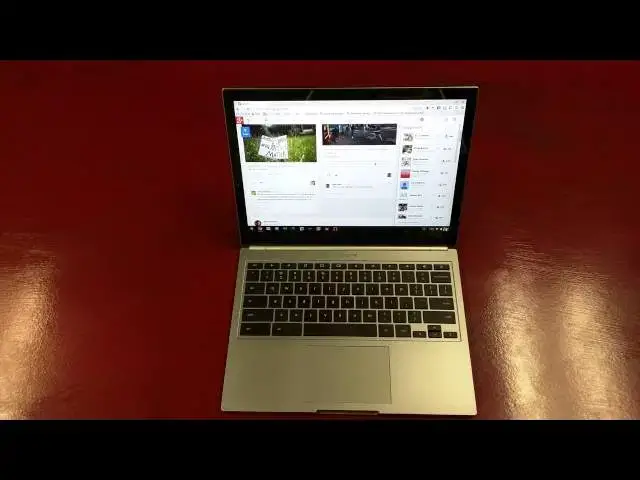
In this video I give my full impressions of the 2015 Chromebook Pixel. Enjoy!!!
Show More Show Less View Video Transcript
0:01
[Music]
0:17
hey folks Robbie Payne with chrome
0:18
unboxed here coming at you today with a
0:20
full review of The One and Only 2015
0:24
Chromebook Pixel Chromebook Pixel 2 uh
0:28
not the official name of it just another
0:29
pixel
0:30
a lot of people referring to it as that
0:32
though um we're going to take a quick
0:34
look around the hard way here to start
0:35
off the review um for those of you who
0:38
are part of the channel hopefully you've
0:39
seen the unboxing I went around and and
0:42
kind of spent some extra time on this
0:44
device uh because of its uh uniqueness
0:47
and the fact that it's U I guess one of
0:50
the first it is the only technical
0:52
Chromebook that's had a successor a real
0:54
successor not just kind of a spiritual
0:56
and the Samsung Chromebook kind of had a
0:58
a repeat but it's not exactly the same
1:00
thing so um before we get started let's
1:02
look around the hardware here a little
1:03
bit uh for those of you who are not
1:05
familiar with the Chromebook Pixel all
1:07
aluminum build front back and sides um
1:10
all kind of carved out of single pieces
1:12
basically the Bottom's all one piece uh
1:14
tops all one piece um across the top you
1:18
get the LED light bar which is really
1:20
neat if you give it a tap tells you how
1:22
much battery I just came off a charger
1:24
so completely full U battery life
1:27
amazing we'll talk about that in a few
1:28
minutes across the side over on this one
1:31
we've got the SD card slot and as you
1:32
can see uh there is an SD card in there
1:35
and it's almost perfectly flush let me
1:37
get my hand behind that so you can kind
1:38
of see barely barely sticks out don't
1:41
even notice it um you have the first of
1:43
two USB type-c ports here and for those
1:47
of you who have not seen these in person
1:49
they're roughly the size of a micro
1:51
USB on the other side here we've got
1:53
another USB type-c we've got two
1:55
usb3.0 combo headphone microphone Jack
1:59
cross Ross the back all we have is that
2:01
felt hinge with chrome and blazed on the
2:05
back across the bottom there's nothing
2:08
save for the feet uh that instead of
2:10
having four small ones uh there are
2:12
these raised portions here here here and
2:16
here and the rubber bar that goes across
2:19
the bottom uh sits pretty well very
2:21
nice um of course the the pixel has a
2:25
premium price this is the I5 model um
2:28
begins starts at at $9.99 and then um
2:31
$12.99 for the LS which is ludicrous
2:35
speed i7 16 gigs of RAM this one is
2:38
packing 8 gigs of RAM uh with a 32 gig
2:41
solid
2:42
state open it up here and you'll see
2:46
that gorgeous
2:48
screen um again all aluminum build all
2:52
across the top etched glass trackpad
2:54
which feels marvelous um the only
2:57
branding just Chrome right up there at
2:59
the top Keys have great travel zero give
3:02
whatsoever obviously things made out of
3:04
aluminum um very very stiff very firm
3:07
you pick it up there's no flex there's
3:08
no Creek this thing is absolutely
3:10
premium um and so you can go take it to
3:14
your coffee shop and sit next to your
3:15
MacBook Pro friends and uh not feel like
3:19
uh you're inferior in any way shape or
3:21
form because of the build quality of
3:23
your
3:25
device it stands right up there with it
3:27
um and in some ways I think is actually
3:30
um Superior to both uh to all the
3:32
MacBooks right now I think it just got a
3:34
really unique look it feels great um
3:38
it's not a lot of bad things to say
3:39
about this device uh like I said the
3:42
keys travel really well there's zero
3:43
Flex in the keyboard um they did replace
3:46
the upper row of keys this time around
3:48
they had like the stiff weird keys on
3:50
the first pixel they're just regular old
3:52
keyboard Keys now uh which is works a
3:54
lot better for me personally um you can
3:57
see and it's hard to catch this on on
4:00
reviews and stuff but man this thing is
4:02
just thin um just really really thin I
4:05
don't really have anything to um give
4:07
you any perspective on but a lot of the
4:09
reviews it tends to look a little chunky
4:12
um I think that's just because it's so
4:14
square cut um but it's just it is crazy
4:18
thin hold it see if we can get it it
4:21
just doesn't do it any justice on camera
4:23
it really doesn't um hopefully those of
4:25
you checking this out will either I buy
4:28
one if it work a buy one if it works for
4:30
you or uh some point get be able to get
4:32
to a store and check it out um it is
4:35
rocking 2560 by 1700 pixel uh display
4:41
and that is basically Quad HD stretched
4:43
down this way so Quad HD would be 4720
4:47
displays if you want to think about it
4:48
that way Quad HD would be 2560 by 1440
4:52
and so obviously we have 1700 so we have
4:54
quite a bit more pixels down across the
4:56
bottom but if you were to chunk some of
4:58
this off the bottom you basically have a
5:00
Quad HD display shoved in
5:02
12.85 diagonal inches with relatively
5:06
small bezels Gorilla Glass here and uh
5:09
full multi-touch uh capacity on that and
5:12
so that's basically the hardware let me
5:14
give you some of my thoughts um cuz if
5:16
you watch the unboxing they they're the
5:18
initial just shock and awe of picking up
5:20
a pixel and and opening it and looking
5:22
at it because it's just flat out
5:25
gorgeous um it boots insanely fast um it
5:29
does everything insanely fast it's um
5:33
it's pretty awesome that way um I'm
5:35
going to go to the verge here the only
5:38
other thing Hardware wise and I hit on
5:39
this in the unboxing um I'm not going to
5:42
play anything right now
5:44
um because it it's it you honestly can't
5:48
hear it on the camera anyway um the
5:50
speakers are definitely a step down and
5:52
the point I made in the unboxing and
5:54
then I'll make again here is that they
5:56
knocked 300 bucks off the price added
5:58
some pretty cool ports um it made the
6:02
screen even better so they had to cut
6:04
some money somewhere my guess is they
6:06
probably put cheaper speakers in here
6:07
it's just the way it works um and for
6:09
most people that's just not a deal
6:11
breaker if they had sounded like bows or
6:14
something coming out of there and then
6:16
they went to sounding like regular
6:17
laptop speakers yeah I get that but they
6:19
went from sounding like really good
6:20
laptop speakers to very moderate laptop
6:22
speakers that's they're still loud uh
6:25
they still work but to be honest with
6:27
you it's just not worth getting upset
6:28
about um
6:29
touchcreen Works beautifully you can
6:31
tell Chrome OS is actually starting to
6:33
build in some really good touch
6:35
sensitive stuff hopefully uh they'll
6:37
have a lot of this stuff sorted before
6:40
um the the new Asus
6:43
um flip Chromebook comes out um by that
6:46
time um obviously it'll need to be ready
6:49
for full tablet mode but you can see um
6:52
if you need to um pinched Zoom works
6:55
just perfectly it's fluid we even get
6:58
some scrolling
7:01
around here which is really
7:05
neat so even on a Content heavy sight I
7:08
mean there's no Checker boarding going
7:10
on here stop Zoom no problem um so very
7:14
very much feels like a tablet experience
7:16
in that
7:17
spot um but speaking on the display this
7:21
is uh the one area probably that um I
7:26
don't care for in the pixel and I'm
7:28
finding out that it's the same
7:29
across some other notebooks as well some
7:31
of the high resolution windows and even
7:34
MacBook Pros um the MacBook Pro 13in and
7:39
um the uh 13-inch Windows PCS that have
7:42
really high
7:44
resolutions so when I unplug this device
7:47
and go to sit down at a desk for
7:49
instance like my typical scenario is
7:51
actually working at a standing desk I've
7:54
read enough about sitting all day and
7:55
that it's killing us so I'm I'm doing
7:57
standing desk and have been for a little
7:59
bit now but it is nice a couple times a
8:02
day to be able to kind of unplug take
8:04
the laptop with me sit down at a desk
8:06
table something like that and just get
8:08
my legs a rest for 30 minutes or so so I
8:10
like to do that a couple times a day um
8:12
sometimes I don't get around to it but I
8:14
like the opportunity to do it I also
8:16
like the opportunity to say you know
8:17
what I'm going to go work at Panera
8:19
Bread or I'm going to go work at XYZ
8:22
coffee shop today um in order to just
8:25
get out of the office get out of the
8:26
kind of same thing doing every single
8:28
day it's the reason that a chrome box
8:30
doesn't completely fit my needs and so I
8:33
was really excited about that uh having
8:35
the pixel kind of coming from a chrome
8:37
box going going back to uh a laptop
8:40
again and what I found is that taking
8:43
this off uh the 1080p screen and getting
8:46
it into uh a mode where I'm just sitting
8:48
in front of it and it's the only thing
8:49
I'm working on it honestly feels
8:51
insanely constricted um it it feels like
8:54
I'm crammed into a small space and I
8:56
don't have any room to work and perhaps
8:59
that that's just me perhaps that's um
9:01
you know and that's a subjective thing
9:03
again not everybody's going to use their
9:04
device in the way that I do not
9:06
everybody's going to be having multiple
9:07
tabs open and multiple windows and this
9:09
kind of thing I get that I get that
9:11
that's not a normal use case however uh
9:14
for me personally uh it's become uh a
9:17
very difficult thing to work on uh to
9:19
the point where I'm not completely sure
9:21
that I'm actually going to stick it out
9:22
with the pixel uh we'll see uh we'll see
9:24
if my habits can change and that's
9:26
something that we can work on um
9:29
but that is my only complaint and and
9:31
that's an insanely subjective complaint
9:33
to make um for a lot of people that's
9:35
not going to matter at all uh they're
9:37
used to working on something 1366 or
9:40
1280 width uh to working inside that
9:42
that kind of size space and so if that's
9:45
the case this isn't going to bother you
9:46
at all you're not even going to think
9:47
twice about it it's not going to be a
9:49
big deal at all so um take those sinks
9:51
with a grain of salt um and but it is
9:54
something we're thinking about uh if
9:56
that's how your normal use case is set
9:58
up your used to 1080P and that kind of
10:01
screen real estate not just physical
10:03
size but that that layout of pixels cuz
10:05
again even though you're getting tons of
10:06
pixels here you're actually getting 1280
10:09
by 850 when it comes to actual working
10:12
space so something to think about that I
10:14
did not think about uh before I got this
10:17
device save that comment if we if we
10:20
took that part out I have zero uh
10:24
complaints about this device none the
10:26
thing is crazy fast um I'll run an
10:29
octane real quick I am logged in with
10:32
all my stuff going
10:36
um and I don't know if I've got a yeah
10:39
let me get out at least get out of
10:46
uh um I've got Crouton instance running
10:51
here so let me at least save that and
10:54
get out of
10:56
it Crouton and a window that's another
10:58
thing thing that's a little weird
11:00
because again the monitor is telling the
11:03
OS that it's 1280 by 850 so that's what
11:06
it's telling Linux it is so you kind of
11:08
get some fuzziness uh to the layout
11:10
Chrome in a or Crouton in a window just
11:13
kind of part of it uh for me I don't
11:16
spend a ton of time over there um just a
11:18
little bit dang it it is not what I
11:20
wanted to do uh just a little bit of
11:21
time so uh for me it's not a huge
11:25
deal let's see it's going to bring my
11:27
instance back up
11:31
sorry about that
11:35
guys right now we'll see we'll go and
11:37
get into the test and then we'll do it
11:44
again and just to let you know I've been
11:46
getting somewhere around 24,000 I think
11:48
Octane on this so massive massive
11:50
increase um over what you normally get
11:53
here we go let me shut this guy out here
11:55
that's always fun there we go
12:13
well my crew T in the window is having
12:16
issues so I'm going to run it with that
12:17
running so keep that in mind um I don't
12:20
want to go through a whole shut down and
12:21
restart even though I guess we might
12:24
could do that real quick towards the end
12:26
um but I don't have a whole lot more to
12:28
add to this thing um it is a brilliant
12:31
piece of Hardware aside from the screen
12:34
limitations which is odd because that's
12:37
one of the big selling points of this
12:38
device right I mean it's just an amazing
12:40
screen and it is it looks amazing colors
12:43
are amazing uh brightness levels are
12:45
amazing the darkness uh the the darks
12:48
versus the lights the contrast ratio is
12:50
amazing viewing angles are amazing look
12:52
it never changes it just looks the same
12:55
um it it is an amazing piece of Hardware
12:57
don't get me wrong please don't hear
12:58
hear me saying that I don't like this
13:00
one thing so it's it's worthless 215 um
13:03
that's to be expected um we'll actually
13:07
shut down and I'll show you how quickly
13:08
this thing boots up it's pretty crazy um
13:12
I have no complaints on this thing other
13:14
than that one thing so again if you're
13:16
used to that screen size and that kind
13:18
of real estate that's not going to
13:19
bother you at all
13:21
um I can say without doubt that uh the
13:26
Chromebook Pixel is is worth its money
13:29
um it's premium obviously look how quick
13:31
that is amazing um it's worth its money
13:36
me get the this off here while it's on
13:40
in and if you want a premium device if
13:44
you've looked at MacBook Pros and
13:46
thought man I wish I had a device that
13:48
was that nice this is that and that and
13:51
more um it's it's
13:53
amazing um and that's the only complaint
13:56
I have about it and so if you're
13:57
thinking about it if you're on the fence
13:58
and going I'm not sure if I want to
14:00
spend that kind of money um if you're
14:01
invested in Chrome OS and you feel
14:03
comfortable with Chrome OS and it's your
14:05
go-to thing man this this spoils you as
14:08
far as having awesome Hardware with it
14:10
um there's there's little bad I can say
14:13
about this device it's so wellb built uh
14:15
the hinge another thing I wanted to hit
14:17
on I forgot the hinge on it I mean you
14:19
can see that slight wobble barely but
14:21
using the touchcreen doesn't cause the
14:23
whole thing to be flimsy and yet it's
14:25
still U liftable with just one finger
14:29
perfectly weighted and just everything
14:31
everything's premium the thing is just
14:33
awesome uh it really is and so it gets
14:36
absolutely uh two thumbs up it's an
14:38
amazing device if you're thinking about
14:40
it you want a premium Chrome OS device
14:42
this is it get it um all the things that
14:45
kind of hamstrung the first pixel are
14:47
all gone this thing is brilliant it's
14:49
amazing if they made this guy in a 15.6
14:52
in for a couple hundred more I would be
14:55
on it in a heartbeat um I wish that they
14:57
would do that I wish they' do this and
14:59
maybe do a 15.6 that's not quite as
15:01
Square maybe more the you know I think
15:04
the MacBook Pro the 156 MacBook Pro does
15:07
a equivalent of 1440 by 900 or something
15:11
like that um so it's still square-ish
15:13
not quite this Square U so they double
15:15
that whatever 2880 by um uh for by 1,800
15:20
but something like that um that size you
15:22
wouldn't really think about the lack
15:24
that you have um but um like I said if
15:27
you're thinking about it
15:29
uh fully say go for it it is an amazing
15:31
device I don't think there's any
15:33
necessity of going for the ls for most
15:35
people I push Chromebooks really hard
15:37
and this thing never broke a sweat they
15:38
never even thought about uh getting tied
15:41
up with anything I was doing any point
15:43
in time so um that's going to be it for
15:45
this one um hopefully it didn't go on
15:47
too much longer than a one two here um
15:49
other than to say apart from that one
15:51
thing the constricted space this thing
15:53
is brilliant it's amazing it's a
15:55
beautiful device well worth $1,000 in my
15:58
opinion as a Chrome OS heavy Chrome OS
16:00
user absolutely worth its money um
16:03
thanks for watching guys if you haven't
16:05
already subscribe to the channel give it
16:07
a thumbs up and uh we'll see you around
16:09
for the next one
16:10
thanks
#Computer Hardware
#Consumer Electronics