Up next in 10



Sponsored by NordVPN. Buy a 3-year deal at 70% off, get an extra plan on top! Click here: https://chromeunboxed.com/nordvpn
・・・・・・・
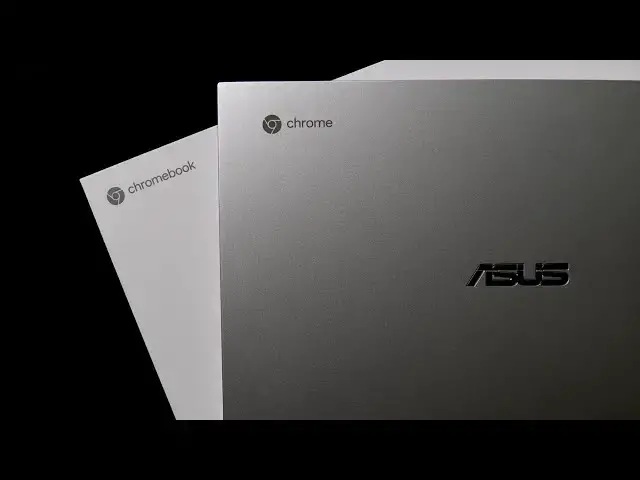
It is an exciting day here in the Chrome Unboxed office as our review unit of the ASUS Chromebook Flip C436 has been delivered and we're hopping in the box to see what all we remember about the device from our time with it at CES 2020 back in January.
Read more: https://chromeunboxed.com/asus-chromebook-flip-c436-unboxing-hands-on-video/
Hands-on from CES 2020: https://youtu.be/sA1iYkR3wYI
Join our newsletter: http://bit.ly/2WjCDm7
・・・・・・・
Shop Chromebooks on CHROME SHOP: https://chrmshop.com/
Subscribe to the channel: http://bit.ly/2xFuj6L
The Music We Use - PERFECT for YouTube: http://bit.ly/31W6PYP
Become a member of Chrome Unboxed to help us make our channel even better, and for access to exclusive perks: http://bit.ly/CU-join
Follow us: https://www.instagram.com/chromeunboxed
https://twitter.com/chromeunboxed
https://www.facebook.com/Chromeunboxed
https://mewe.com/join/chromeunboxed
Show More Show Less View Video Transcript
0:00
it's a big day here in the chrome
0:01
unboxed office we've been talking for
0:02
months about these upcoming next-gen
0:05
Chromebooks we saw a handful of them at
0:08
CES 2020 and one of those well this guy
0:11
right here the Asus Chromebook flip C
0:13
436 we've been talking about it it feels
0:16
like til we're blue in the face that
0:17
it's coming they're on their way and
0:19
today we have one in the office and
0:21
we're gonna unbox it good old style
0:24
because we're pretty excited about this
0:26
particular device so let's hop in the
0:29
box today's unboxing is brought to you
0:38
by Nord VPN they're the VPN of choice
0:40
for millions of users including
0:42
chromebook users because they're awesome
0:44
of what they do and that is keeping your
0:46
browsing secure and safe whether you're
0:47
at home or out and about if you'd like
0:50
to learn more about them just head over
0:51
to chroma and box comm forward slash
0:53
Nord VPN and you can learn more and get
0:55
started today
0:56
alright now that we got all that kind of
0:58
stuff out of the way we wanted to point
0:59
out that ACU sent this over as a review
1:02
unit for us to hold under embargo and
1:04
we're kind enough to allow us to at
1:06
least kind of give you a little bit of a
1:08
teaser so this is going to be a very
1:10
short very simple unboxing more so
1:12
probably than the normal ones that we do
1:14
mainly because we want to spend more
1:17
time with this and give you a full
1:18
review you know in the coming weeks but
1:20
also we've had hands-on with this thing
1:23
already so we'll link our video from
1:26
Vegas that we did back in January at CES
1:28
we'll link that below so if you want
1:30
some more details on it you can get that
1:32
we just really wanted to tease the fact
1:34
and get you all excited about the fact
1:36
that this thing is in the house and
1:38
talked about a few things because first
1:40
off this box doesn't look that unique
1:43
and it's not really it's larger than
1:45
most Chromebook boxes that's because
1:47
there's some extras in here so there is
1:49
a sleeve for the device and and then the
1:53
actual device boxes in here and there's
1:55
some unique stuff going on here well
1:57
specifically the fact that it's got its
1:59
own look and we don't see this generally
2:02
with Chromebooks other than ones that
2:05
come from like Google they don't usually
2:07
get their own box basically they usually
2:10
come in a brown cardboard box like this
2:13
so
2:13
this is cool and the reason this is cool
2:16
is this means that Asus and other
2:18
Chromebook makers with this new wave of
2:20
Chromebooks coming out are seeing the
2:22
the benefits and really putting some
2:24
money some marketing value and all that
2:26
kind of stuff into these types of
2:28
devices and so instead of just throwing
2:29
it in the same old box they've always
2:31
put it in we have this nice white box
2:34
there's nothing on the outside of it
2:35
it is completely just white and could be
2:38
maybe a reviewer box but I'm inclined to
2:40
think this is kind of what our packaging
2:42
will look like when this thing hits
2:43
store shelves so kind of cool and unique
2:46
thing there because again we haven't
2:47
seen something like that
2:49
aside from Google made a Chromebook so
2:52
right off the top there is the
2:54
Chromebook and we'll get right to it in
2:56
just a second inside the box as well
2:59
there are the normal things so your
3:02
normal kind of papers nothing else
3:05
underneath that and your charger USB
3:08
type-c charging brick nothing out of the
3:11
ordinary again what's in here isn't out
3:14
of the ordinary
3:15
the boxing itself and the packaging is
3:17
and so it's very cool again to see ACS
3:20
doing something a little more unique for
3:23
this particular Chromebook because this
3:25
thing is a big deal and just like it
3:29
felt in Vegas very high quality very
3:32
thin very light great looking hinges you
3:36
see those quad speakers around the sides
3:38
and we're on the back so we've got
3:41
Harman Kardon
3:42
branded speakers here nice long feet
3:44
across the bottom and again this thing
3:46
just feels like a refined version of the
3:49
flipsie 434 which let me go ahead and
3:52
mention we are coming up on 95,000
3:55
subscribers so we're gonna be giving
3:56
that pixel four away very very soon
3:59
which means we're now tracking for
4:02
giving away the flip see 434 and that's
4:06
exciting because that means we're gonna
4:07
hit that hundred thousand subscriber
4:10
count so if you haven't been following
4:11
along the on the run to 100k giveaway
4:14
we've been giving away stuff as we've
4:16
kind of approached this hundred thousand
4:18
subscriber milestone and we're getting
4:21
really close so while we're talking
4:23
about this 436 here that isn't available
4:26
yet and you can
4:27
by it and yeah we're excited about it
4:28
you can get at 4:34 and you can get it
4:32
for free all you have to do is subscribe
4:34
share that out with other people there's
4:36
a link in the description that allows
4:38
you to go through and enter the contest
4:40
in a variety of ways so we wanted to
4:42
make sure it mention that why we're
4:44
going through this because we're excited
4:46
to give it away and the faster we get to
4:47
a hundred thousand subscribers the
4:49
faster we get to give that thing away so
4:51
make sure and go down in the description
4:53
find that link and go get entered and
4:55
make sure and share it out anyway we're
4:57
moving on to talking about the 436
5:00
though that's in front of us let me open
5:01
this thing up and you get this nice
5:04
little lift and do that again so you
5:06
kind of see it across the bottom lifts
5:09
ever so slightly up and we get those
5:11
crazy thin bezels little webcam up top
5:15
not a lot else happening but full HD
5:18
screen here let's see ya even under this
5:22
bright light gets nice and bright don't
5:25
have a measuring tool here with me I
5:27
would say probably similar to the 434
5:30
which was a 300 NIT screen it may even
5:32
be the same panel because it's a Full HD
5:34
as well this one does come equipped Oh
5:36
with the USI stylus support there is not
5:38
one in the box obviously for our review
5:40
we'll be testing we still have the USI
5:43
stylus from HP so that'll be a cool test
5:45
to be able to check to see if the stylus
5:47
works
5:47
you got same backlit keyboard going on
5:49
here you've got this nice wide glass
5:51
trackpad at this time around it's one of
5:53
my knit picks with B 434 was that it had
5:56
a plastic track and so this one's got a
5:57
nice glass trackpad great click
6:00
mechanism and the keys fill a little
6:05
more shallow actually and I can't
6:06
remember it's been a little while since
6:08
we had this device under our hands in
6:11
Vegas it's been months now remember the
6:14
keyboard feeling more like the 434 so a
6:16
lot of travel and a decent click I
6:19
really like that keyboard but I tend to
6:21
like keywords a little bit less travel
6:23
and this one feels like it's a little
6:25
bit less super quiet too so very nice I
6:30
mean just again put my fingers on it and
6:32
typing just you know random keys that
6:34
feels it feels very good obviously it's
6:37
a Chrome OS keyboard so no surprises
6:40
err we got backlighting works just like
6:43
you'd expect and then you get the
6:45
addition of the fingerprint scanner
6:47
right there on the keyboard deck it's
6:50
not a button it's just a scanner I'm
6:52
sure in the add a box experience you'll
6:55
go through and be able to set that up
6:57
and then we get the very nice hinge Asus
7:00
has you know kind of perfected their
7:02
hinges they feel great
7:04
they do really well on the desk when you
7:06
go to poke stuff there's always gonna be
7:08
a little wobble with a convertible but
7:09
that's not out of control and then it
7:12
doesn't feel like you really have to
7:13
wrench it to get it into tablet mode of
7:15
course it's sixteen by nine so tablet
7:17
mode this way kind of feels a little
7:19
silly but tablet mode this way feels
7:21
very good especially with those thin
7:23
bezels and too lightweight of this thing
7:25
like using it in tablet mode especially
7:27
with that usi stylus whenever it shows
7:29
up will be quite nice but I can't really
7:32
say anything more about this device at
7:34
this point other than it just feels like
7:36
again this refinement of the 434 and
7:40
that's a good thing because Asus knocked
7:43
it out of the park with the 434 and so
7:46
the 436 just being a thinner lighter
7:50
more refined version of that Chromebook
7:52
I mean who's gonna argue with that who's
7:54
gonna complain about that not me at all
7:56
and over the course of the next few
7:58
weeks we'll be giving this thing our
7:59
normal review treatment and if you're
8:02
not already you need to go down there
8:03
and hit that subscribe button because
8:04
you're gonna want to be alerted when we
8:06
finally get to give our full review and
8:08
full thoughts on this device after
8:10
actually using it we're obviously really
8:12
excited about this Chromebook one
8:14
because it's a successor to one of our
8:15
favorites from last year but to because
8:17
it's the first one we have in the office
8:19
that is one of these next generation
8:21
Chromebooks and as we expect to see a
8:24
lot of those in 2020 this is the first
8:27
and so it's gonna be cool to see how
8:28
bluetooth responds with and you know the
8:30
Bluetooth 5.0 if Wi-Fi is better and
8:33
less wonky with Wi-Fi 6 and all the new
8:36
stuff that these new Chromebooks bring
8:37
better storage more ram faster
8:40
processors all that kind of stuff we're
8:42
going to be covering all of it in the
8:43
review so again make sure and subscribe
8:45
if you haven't already hit the
8:46
notification bell next to that
8:47
subscription if you'd like to be alerted
8:49
when that video and other videos like it
8:51
come out and also be sure
8:53
to give us a like while you're down
8:54
there and hit the join button if you'd
8:56
like to see all the things that our
8:57
members get like custom emojis and
8:59
behind-the-scenes footage but guys until
9:01
next time we'll see you
9:03
[Music]
Consumer Electronics
Science