0:00
what is up everybody today we are
0:02
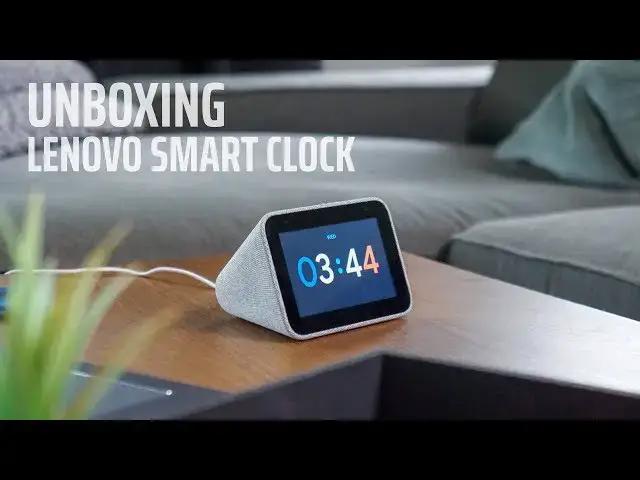
unboxing the Lenovo smart clock the
0:05
world's first smart clock with a Google
0:07
assistant lenovo debuted this back at
0:09
CES in January and pre-orders have gone
0:12
up this week and we've got our hands on
0:14
one so let's take a look at what's
0:16
inside hey guys before we get in the box
0:25
this video is brought to you by Nord VPN
0:27
it's the VPN of choice for millions of
0:29
users keeps your browsing safe secure
0:32
and private across any device if you'd
0:34
like to learn more go to Chrome on box
0:35
comm forward slash Nord VPN alright so
0:39
here we are guys looks like a very
0:41
googley product we've got going on here
0:43
this was announced back in January and
0:46
we saw we saw it in a demo but we really
0:48
didn't get to play with it very much
0:50
pre-orders are up right now they say
0:53
shipping in five to seven days so I
0:55
would say in the next week we can have
0:56
or so but let's take a look at this
0:58
thing this very much could be a made by
1:00
Google product that's a nice cloth
1:03
texture on the outside and it's really
1:07
dense for its size so I'm guessing it
1:08
must have a pretty decent speaker in it
1:10
other than that we've got a four inch
1:12
IPS display USB out for charging power
1:17
and a mute button volume volume up and
1:20
down on the top not a whole lot to it
1:22
but it's really sharp looking and look
1:24
that would look really nice on your you
1:27
know nightstand maybe in an accent not a
1:30
living room or something let's see
1:31
anything else cool in here and power
1:33
table constructions we don't need those
1:38
okay all right well let's power this
1:41
thing on and see what it looks like
1:53
all right so here it is guys we've got
1:55
this plugged up and powered on it does
1:57
come with a proprietary charger it's not
1:59
USB C or micro like the Google home
2:01
products but again the mute switch on
2:03
the back and the USB just for charging I
2:07
think I don't think there's any type of
2:08
data pass-through here I think it's just
2:10
for charging your phone we've got it on
2:12
your bedside on your nightstand but
2:14
again the quality the build of this it's
2:16
got some nice rubber feet on the bottom
2:17
and just that nice cloth textured like
2:20
you'd find on some Google home devices
2:22
and other things love this straight out
2:26
of the box got a nice little chrome
2:27
unboxed clock face on there with the
2:29
different colors it does have different
2:31
clock faces you can choose from it
2:33
appears but just like any other Google
2:35
home device you plug it in power it up
2:37
and then open your Google home app on
2:39
your phone and set it up but it's gonna
2:42
work pretty similar to any other smart
2:44
display it looks like you swipe through
2:45
and see your schedule and weather and
2:48
then you've got a few controls here at
2:51
nap time err that's nice so yeah this
2:53
isn't really like any other display on
2:55
the market you have your JBL's your
2:57
Lenovo's there they're full-featured you
2:59
can stream video they have really big
3:02
speakers and we have a tested these out
3:04
yet but this seems just different than
3:06
everything else that's out there it's
3:08
probably closest to the the home hub
3:10
from Google the nest hub just as far as
3:13
the the features there's no camera you
3:16
can control everything in your house
3:17
with it it does work with nest so you
3:20
can check your cameras and everything
3:21
you have around the house but the use
3:23
cases is probably a little different
3:25
this is this is the perfect companion
3:27
for the side of the bed I would think we
3:29
have a home hub on our nightstand but we
3:32
I kind of feel like we don't get as much
3:34
out of it as we should because we use it
3:36
as an alarm clock and and home
3:38
controller but we don't use it for the
3:40
media features that it offers this feels
3:42
like it would be a better fit as an
3:44
actual alarm clock which is probably why
3:46
it's the first smart display with the
3:48
assistant that's actually labeled a
3:50
clock this would be great on maybe a
3:52
desk in your office somebody who wants
3:55
to have the features of a smart device
3:57
where they can control things but it's
3:59
not sticking out like a sore thumb
4:01
it has an ambient display mode so it's
4:03
not gonna bother you while you're asleep
4:05
so yeah I'm anxious to try this out and
4:07
see see how it works around the house
4:09
and see if maybe I actually get more use
4:11
out of it in that scenario then I do my
4:14
Google Home Hub but check back here in a
4:17
few days we'll have a full review out
4:18
and our impressions and maybe this is
4:21
the smart display you've been looking
4:22
for we'll see so that's it for this one
4:25
guys if you liked the video give us a
4:27
thumbs up down below and hit that
4:29
subscribe button and make sure you turn
4:30
on notifications so you can keep up with
4:32
the latest from Kremlin box until next