live_tv
Livestream Starting Soon
00
Hours
:
00
Minutes
:
00
Seconds
Up next in 10



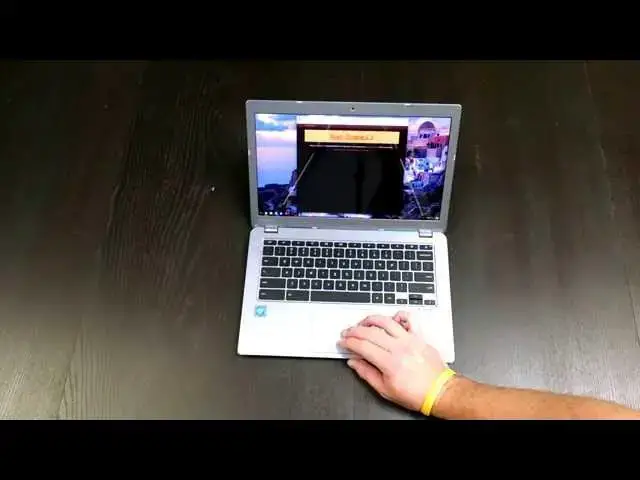
Finally, I got my hands on the Toshiba Chromebook 2 (2015). Enjoy!
Show More Show Less View Video Transcript
0:01
[Music]
0:17
robbie pay with chrome unbox coming at
0:19
you today with an unboxing of the new
0:21
toshiba chromebook 2 it has not changed
0:24
its title uh from its predecessor
0:27
however some of the things on the uh
0:28
outside has changed a lot of the things
0:30
on the inside have changed uh so we're
0:32
going to unbox it take a quick look now
0:35
for those of you uh who are familiar
0:37
with this device possibly owners of its
0:40
predecessor uh my whole point uh with
0:44
this device is going to be seeing if
0:46
they've kind of cleaned up some of the
0:48
performance issues which i know a lot of
0:49
you didn't feel like you had performance
0:51
issues before um i for one did i really
0:54
enjoyed the device but could not work
0:57
from it on a daily basis because it just
0:59
wasn't quite up to snuff it had the uh
1:02
bay trail processor in it last time
1:03
around which is nice because it was
1:04
fanless uh had 4 gigs of ram had a
1:07
beautiful ips display easily uh other
1:10
than the pixel thus far best display
1:12
i've seen on a chromebook and i do
1:14
really still like the acer chromebook 15
1:17
um it's got a really nice display on as
1:18
well but it was not a match for this one
1:21
um and the upcoming dell chromebook
1:24
which some people have asked about uh
1:25
the review hopefully will be coming soon
1:27
i'm waiting on them to ship mine to me
1:29
so uh anyway back to toshiba so they've
1:32
kept all that external stuff the same uh
1:34
from what i understand they've now added
1:37
backlight to the keyboard which is rare
1:39
in the chromebook world um and they've
1:42
kept the audio the same uh and then
1:44
they've upgraded to either the uh newest
1:47
fifth gen uh broadwell um celeron
1:51
processor or i3 processor and so um i
1:54
went for the i3 model so it's $100 more
1:56
for the i3 i think it starts at 329 you
1:58
go up to $429 for the i3 uh it is only
2:01
paired with 4 gigs of ram which i'm kind
2:03
of bummed about i think with 8 gigs of
2:05
ram this would be my go-to device but
2:07
we're going to see i'm going to put it
2:08
through um complete work week and work
2:11
completely from this and only this for
2:13
the week uh right now my uh desktop
2:17
setup is a um fourth gen i3 with 10 gigs
2:21
of ram um and my uh mobile uh setup is
2:26
the acer 15 with the celeron processor
2:28
and only 4 gigs of ram and it doesn't
2:30
seem to bother me that much so it'll be
2:32
interesting to spend an entire week with
2:33
this thing and see if i run into any
2:34
hiccups as far as the ram go but all
2:37
that being said let's cut into this guy
2:40
and have a look see
2:44
so yeah a lot of the the complaints that
2:46
were lodged towards this chromebook um
2:50
mainly were about performance a lot of
2:51
people used to say "okay if this if this
2:53
device came up with um a better
2:55
processor this would be the best
2:57
chromebook on the market." so apparently
2:58
toshiba's listened and they have done
3:00
just that uh we got some quick start
3:02
guides but for those of you who are
3:03
probably watching this realize it's a
3:05
chromebook you sign in and go that's it
3:07
it's that simple welcome to your
3:09
chromebook three simple steps see turn
3:11
it on connect it sign in that's it
3:13
there's really nothing else to do so um
3:16
cool if they include that for people
3:17
who've never owned a chromebook before
3:20
going to go ahead and pull these out cuz
3:21
as you guys know nine times out of 10
3:24
until i plug this thing into the wall
3:26
it's not going to wake up so just part
3:28
of the process
3:32
and from what i'm what i'm understanding
3:33
thus far the outside of this guy isn't
3:36
going to change much say for the fact
3:37
that there's probably a couple vents for
3:38
ports and everything i've seen so far
3:41
suggests that uh those fans are very
3:44
quiet out of the way and aren't going to
3:46
bother anybody
3:48
so let's get this out of the way
4:08
and yeah from looks of it it looks like
4:11
uh we're set up very similar to the way
4:14
we were last year it is a lot darker i
4:17
will say that i haven't noticed that on
4:19
camera and you may not be able to notice
4:20
it either with the light glimmering off
4:22
of it the color is actually a lot darker
4:24
so it looks like it's trying a lot less
4:26
uh to be a macbook air clone um and just
4:30
kind of being its own thing it does i
4:32
know a lot of people complain last year
4:33
about the fact that the bottom was a
4:34
different color um it wasn't as
4:36
pronounced last year it's pretty
4:38
pronounced this year so i don't know
4:41
i'm not a huge fan of that but again
4:44
it's the underside of the computer so
4:45
i'm not really going to complain too
4:46
much about it same textured finish at
4:48
the top you can kind of see possibly is
4:51
it going to focus that's tough
4:57
no it's not going to so same texture
4:59
finish at the top um very similar bottom
5:02
that we do have the vent uh port here
5:05
and vents back here other than that it's
5:07
still very thin uh very light uh very
5:10
manageable um and i i overall enjoyed
5:13
the build quality of of last year's
5:15
version of this guy so i'm not too upset
5:17
about any of that trackpad layout looks
5:19
the same um less stickers on the inside
5:22
so yay thanks toshiba usually we got to
5:25
peel off a sticker here and sticker here
5:26
there is that pesky intel sticker which
5:29
you're going to have to have some
5:30
chemicals of some sort if you would like
5:32
to remove that sticker because i don't
5:34
know what they glue that thing on with
5:36
gorilla glue or something god forbid it
5:39
be taken away nobody knows that there's
5:41
intel inside
5:44
all right so we're going to plug this
5:45
guy in real quick just to get it to wake
5:48
up
6:01
oh there's that pretty screen so we're
6:03
looking at uh 1920 x 1080 full ips or
6:06
full hd ips display here uh really great
6:10
colors it'd be interesting to see it uh
6:12
in dark rooms and stuff to see i know
6:14
there was a bit of light bleed on the
6:15
the older model um to see if they fixed
6:18
any of that stuff i know i personally
6:19
got one of the versions that had um a
6:22
dead pixel in it and so we got 25 30%
6:26
battery it's enough um
6:29
and so it'll be interesting to see if we
6:31
run into any of those the trackpad uh
6:32
still has the same type feel there's
6:34
there's a bit of friction on there uh
6:37
it's just depends what you like you're
6:38
not going to worry about thinking this
6:40
might be a glass trackpad you're it's
6:41
very clear it's not u but it still feels
6:44
good very responsive um we all know
6:46
trackpads are really good on chromebooks
6:48
so just the way it is
6:53
get signed into the wi-fi
6:58
i don't know why i'm hiding this cuz
7:00
it's our public wi-fi at the office just
7:02
have it sorry about that
7:11
so first blush uh screen crazy bright um
7:15
very sharp looks great from any angle um
7:19
so you know they really didn't have to
7:21
fix much uh the screen last year was
7:23
obviously the selling point of this
7:24
device made everybody kind of drool over
7:26
it um that's always makes me feel good
7:29
when the google sign in doesn't work
7:34
it's pretty cool
7:38
oh now we're up okay this part i do need
7:40
to download
7:59
while that's loading we'll try to get
8:01
you a close-up look for those of you who
8:02
have not seen this device in action
8:04
before and you can see as it focuses
8:06
there everything's very sharp uh very
8:10
crisp very bright uh just a really
8:13
really really pretty display um the
8:17
device doesn't feel very flimsy at all
8:19
um feels pretty well built um pretty
8:22
firm um let's see i don't know how we
8:26
can test the back lighting to be honest
8:28
with you on the keys
8:30
um let me hit this light over here
8:36
okay so yeah it's a very light um not
8:39
sure let me turn the brightness down
8:41
here
8:44
and you can see a nice pleasant
8:45
backlighting on the keys a little bit of
8:47
bleed whenever you bend way down this
8:49
way i don't know if there's a keyboard
8:51
shortcut i have to research that but
8:53
yeah for typing in the evening if you're
8:54
in bed or something like that having
8:56
that uh back lit keyboard pretty sweet
9:03
and let me type just a couple things
9:05
just to give you a feel of travel
9:18
yeah the uh travel on the keys is really
9:21
good keyboard feels less mushy than it
9:22
did last time around uh pretty clicky um
9:26
you know again it's not chromebook pixel
9:28
but it's actually pretty good uh
9:29
trackpad feels pretty good build quality
9:31
feels pretty good we still got uh
9:33
slightly sharp edges uh that they kind
9:35
of carried over from last year and it's
9:37
just the way they're doing it so um let
9:41
me play just a little bit of audio real
9:43
quick if i pull something up see what
9:45
comes up on youtube first thing cuz we
9:47
also have the skull candy audio going on
9:50
here so
10:01
see the first thing pops from here some
10:02
bed shearing that work oh it is actually
10:05
on the new record it's on it's on the
10:06
deluxe version uh it's a song about
10:09
dwars and dragons and all that sort of
10:11
stuff i'll dedicate this
10:18
[Music]
10:20
seems like a very quiet video well let's
10:22
find something else
10:26
there we go it's an actual music video
10:27
here
10:36
so for those of you all who don't know
10:38
the speakers actually on this device
10:39
come out through the keyboard so there's
10:41
no speaker ports anywhere it comes
10:43
straight up through the keyboard all uh
10:44
chromebook pixel so you've kind of got a
10:47
premium audio experience premium video
10:49
experience um way faster processor now
10:53
um really good keyboard trackpad i mean
10:55
the only thing i could see possibly that
10:57
would be a negative on this is that we
10:59
can't give them the 8 gig option
11:01
[Music]
11:04
the speakers sound good they're not like
11:06
crazy loud
11:10
but they sound good really round
11:16
so yeah that's that's pretty pleasing uh
11:19
last thing we're going to do we'll run
11:20
an octane score real quick
11:25
i'd say it will be quite high
11:29
like i said this is running the i3 uh
11:31
with 4 gigs of ram so probably going to
11:34
see a pretty decent score here
11:46
trackpad's getting clicky not a real
11:47
loud uh cheap feeling click it feels
11:50
pretty solid
11:52
and so overall first blush uh pretty
11:55
happy with the the way this thing's
11:56
built again uh i have the dell
11:58
chromebook 13 which obviously would sit
12:01
right next to this ips display 1080p the
12:04
upside on the dell chromebook uh the
12:06
main one uh would be that i i got the
12:09
one with 8 gigs of ram so that's a
12:12
pretty important thing for me i i
12:14
usually have a lot of stuff going on and
12:15
i've talked about that at length in
12:16
other videos uh the other thing is the
12:19
dell chromebook's going to be a little
12:20
bit more polished uh glass trackpad
12:23
magnesium alloy body uh carbon fiber top
12:26
that kind of stuff so uh it might edge
12:29
this one out quite a bit it's already
12:31
done just shy of 16,000 so that's that's
12:34
moving along quite nicely now to put
12:36
that in perspective um the same devices
12:39
with an i5 the fifth gen i5 get
12:41
somewhere around 25,000 so that i5 and
12:44
i3 difference are are quite uh uh quite
12:47
vast whereas the um celeron version of
12:51
this would be getting around 13,000 so
12:52
you're getting a bump it's a little
12:54
faster i would say for most people stick
12:56
with the celeron processor it's going to
12:58
be plenty of computing power i've been
12:59
using it on a daily basis with the acer
13:01
15 and it's been just fine so um like i
13:04
said i'm going to spend a week with this
13:05
guy uh work with it uh day in day out
13:08
you know the scaling issues that some
13:10
people have on a 13-in display are those
13:11
things going to be troublesome 4 gigs of
13:13
ram is that going to be troublesome
13:14
we'll see uh and we'll have the full
13:16
review up probably week week and a half
13:17
from now until then guys thanks for
13:19
watching if you like this uh give me a
13:21
thumbs up subscribe to the channel share
13:23
it and we'll see you in the next one
13:25
thanks
#Laptops & Notebooks
#Consumer Electronics