Up next in 10



Sponsored by NordVPN. Try it out and get 75% off a three-year plan for a limited time! Click here: https://chromeunboxed.com/nordvpn
Shop Samsung Chromebook Pro: https://fave.co/334dErH
Shop Samsung Chromebook Plus: https://fave.co/2MyJOpo
・・・・・・・
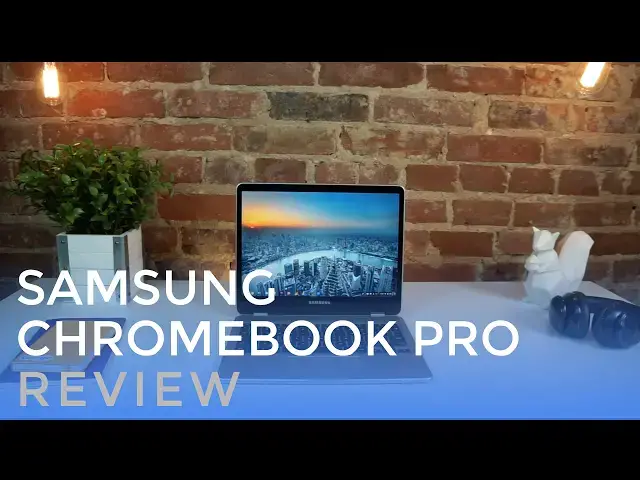
The Samsung Chromebook Pro is, perhaps, the most anticipated Chromebook release in Chromebook history. A combination of unique form factor, screen aspect ratio, and input methods, the Samsung Chromebook Pro is a device that impresses on many fronts.
Read more: https://chromeunboxed.com/
Join our newsletter: http://bit.ly/2WjCDm7
・・・・・・・
Subscribe to the channel: http://bit.ly/2xFuj6L
Shop Chromebooks: https://fave.co/2OuedYL
The Music We Use - PERFECT for YouTube: http://bit.ly/31W6PYP
Show More Show Less View Video Transcript
0:01
[Music]
0:08
hey folks Robbie Payne with chrome unbox
0:10
coming at you today with a full review
0:12
of the Samsung Chromebook Pro perhaps
0:14
the most anticipated Chromebook ever
0:17
this device is deserving of all the hype
0:20
an interesting aspect ratio at 3x2 pen
0:23
input quality build this device is
0:26
impressive on a lot of fronts and we
0:28
want to show you why the Samsung Chrome
0:30
Book Pro will be available in April for
0:32
$549 just $100 more than the arm
0:35
powerered Chromebook plus it's thin
0:37
light attractive and made all of
0:40
aluminum with completely rounded edges
0:42
the device feels much thinner than it
0:43
actually is sat right next to the
0:45
straight cut Asus flip you'd be forgiven
0:48
for thinking Samsung's offering was
0:49
actually thinner it isn't really but
0:51
perception and feel go a long way when
0:53
it comes to devices we predominantly
0:55
interact with from a touch and sight
0:56
point of view if it looks and feels
0:58
lighter it kind of is we'll talk about
1:00
this throughout the review but the
1:02
choice to go with a 3x2 aspect ratio
1:04
paints many of the design choices going
1:06
on here mainly because of the box of
1:07
your screen there's plenty of room for a
1:09
large trackpad and spacious keyboard
1:11
despite the diminutive 12.3 in size 3x2
1:15
also gives you more Square in of real
1:17
estate versus 16x9 so the screen simply
1:20
feels more spacious as well hinges are
1:22
firm here and the convertible setups are
1:24
sturdy and work well and the overall
1:25
aesthetic is clean and free from
1:27
unsightly ports and vents across the
1:29
bottom are just screws feet and speaker
1:31
ports for being so thin at 055 in and so
1:34
light at 2.38 lb the build feels quite
1:37
sturdy not giving much bow or Flex when
1:39
pressure is applied to either half of
1:40
the device my only gripe is a slight
1:43
Flex in the middle of the keyboard but I
1:44
had to put some real pressure there to
1:46
notice it and it was never apparent in
1:48
normal day-to-day use port selection is
1:50
limited similar to the Asus flip giving
1:52
users access to two USBC ports a
1:55
headphone microphone Jack micro SD card
1:57
slot and the already famous pen we'll
1:59
talk more about the pen in a few minutes
2:00
this port layout will likely become
2:02
pretty familiar in the Chromebook Market
2:04
given that USBC is just so good at
2:06
everything the days are coming sooner
2:08
than later when we'll live in a fully
2:09
USBC world but we aren't quite there yet
2:12
adapters and dongles will be in play for
2:14
the short term to get things like
2:15
external displays going luckily USBC
2:18
docking ports from Samsung and Asus do
2:20
the job just fine and work with
2:22
Chromebooks exactly as you'd expect the
2:24
downward firing speakers are fair but
2:25
not great few laptop speakers are but
2:27
these do a decent job of projecting
2:29
sound in any layout almost seeming to
2:32
allow some sound to radiate up through
2:33
the keyboard as well even when covered
2:35
up completely sound still comes out loud
2:38
and clear the display is probably the
2:40
shining star for the Chromebook Pro and
2:42
plus and it's insane 2400 x600 pixels
2:46
across 12.3 in makes for 235 pixels per
2:50
inch and razor sharp everything Chrome
2:54
OS has been scaling like this since the
2:55
pixel basically rendering everything at
2:57
a 200% clip so out of the box your
3:00
resolution is actually set to 12200 by
3:02
800 and the scaling is just fantastic
3:04
with this setup everything's a bit
3:05
larger and more touch friendly than
3:07
anything I've used up to this point from
3:09
a Chromebook perspective this thing is
3:11
made for touch enabled Android apps and
3:13
I'd be remiss not to mention the crazy
3:15
brightness here as well 400 nits that's
3:18
brighter than any MacBook up into the
3:20
very latest version and as bright as
3:22
both pixels no environment will give
3:24
this thing any issues regardless of the
3:26
glossy screen viewing angles are superb
3:28
as well colors pop and the bezels are
3:30
nice and small minus that bottom one I'm
3:33
guessing with convertibles this is where
3:35
lots of the tech hides almost every
3:37
convertible has a large bottom bezel I'd
3:39
love for that to eventually go away
3:41
still I can't say enough about how good
3:43
this screen is it simply makes me want
3:45
to use the Samsung Chromebook Pro for
3:47
just about anything that I can moving on
3:49
to input devices like the keyboard
3:51
trackpad and Pen not everything is
3:53
perfect granted the things I have to say
3:55
about the input methods aren't exactly a
3:57
knock against the device they are
3:59
however deserving a few comments and
4:00
your consideration if you're thinking
4:02
about buying this thing the keyboard
4:04
well it's a bit odd due to the 3x2
4:07
aspect ratio in the more Square screen
4:09
and device shape the keyboard is
4:11
actually laid out a bit different
4:12
basically take a full-size keyboard and
4:14
shave off about half the width of the
4:16
keys on both the left and right side and
4:18
you can imagine what we're dealing with
4:20
here everything is where it should be
4:21
but those outer Keys take some getting
4:23
used to the margin for error is just
4:25
simply smaller after a few days I didn't
4:28
have much issue at all the travels feel
4:29
good and clickiness feels great
4:31
Additionally the keys are subtly cued to
4:33
hug your fingers and typing actually
4:35
feels really great there is no
4:36
backlighting much to the disappointment
4:37
of many of you and there's no indication
4:39
this will change down the road so if
4:40
that's a deal breaker I'm afraid this
4:42
device probably won't cut it for you for
4:44
me it's a small emission so I wasn't
4:45
really that concerned about it the
4:47
trackpad is fantastic I've looked pretty
4:49
hard at it and I'm under the impression
4:50
that it is glass oil resistance is great
4:53
and the surface stays smooth for long
4:55
long periods of time the click mechanism
4:57
Nails it as well delivering the best
4:59
trackpad performance I could possibly
5:01
ask for multi-finger gestures work just
5:03
as expected responding each and every
5:05
time I called on them finally there's
5:07
the pen utilizing wome's EMR Tech the
5:11
Chromebook Pro and plus both put all the
5:13
magic in the screen and what this means
5:15
for you is that the pen needs no battery
5:17
and is relatively inexpensive to replace
5:20
because it's smaller size it can be
5:21
stowed inside the device giving the pen
5:23
a simple easy place to live when not in
5:25
use when put to use the experience is
5:27
still a bit of a mix bag Google keep
5:29
does well with responsiveness but I had
5:30
a better time taking notes in Microsoft
5:32
One Note because of the lined paper
5:34
option overall the pen is very precise
5:36
but if it's moving too quickly the
5:38
perceived lag is still a bit offputting
5:40
Google is touting that Chrome OS is
5:42
utilizing machine learning algorithms to
5:44
actually detect where your pen is headed
5:45
next to reduce lag we'll withhold full
5:47
judgment on that as the device that we
5:49
are reviewing is locked to the beta
5:51
Channel as this thing begins to ship out
5:53
everything's moving along in stable
5:55
Channel perhaps this will actually
5:56
behave a little better when pulling the
5:58
pen out of its slot a small icon appears
6:00
and then docking notifications giving
6:02
users a few cool tricks with the stylus
6:04
that include a screen capture screen
6:06
region capture laser pointer magnifier
6:09
and just to create a new note one of the
6:11
really useful options is taking a screen
6:13
grab and immediately beginning to
6:15
annotate that pick and Google keep it's
6:17
really coming very handy for me as time
6:19
goes on I'd expect these options to
6:22
expand internally we're met with the
6:24
core M3 processor paired up with 4 gigs
6:26
of RAM and 32 gigs of internal storage
6:28
and while that's plenty for a Chromebook
6:30
and the thing gets around just fine we
6:32
have to consider the fact that this
6:33
thing is pushing a ton of pixels with
6:35
this beautiful display and so from time
6:37
to time that causes a bit of lag here
6:39
and there don't let that alarm you and
6:41
likely eventually as Chrome OS continues
6:43
to get updated most of that lag is
6:45
likely to
6:46
disappear battery life has been really
6:48
good as well delivering 8 to 9 hours of
6:50
use on a charge sure if you crank the
6:52
screen up to 100% the battery does take
6:54
a hit but the great thing about this
6:55
screen is the fact that you really only
6:57
need about 50 to 60% brightness in most
7:00
environments to feel plenty satisfied
7:02
while using it the new Samsung
7:03
Chromebooks are built from the ground up
7:05
with Android apps in mind we just saw
7:07
chromeos 56 launch this week along with
7:10
Play Store access on stable channel for
7:12
some newer devices which other devices
7:13
will get the Play Store and the stable
7:15
Channel at this point is unclear but
7:16
Samsung has made it very clear the
7:18
Android app support is at the heart of
7:20
this device and apps on the stable
7:21
channel are basically guaranteed at
7:23
launch with that in mind I'll say that
7:25
the Android experience is a bit better
7:26
on this device than others mainly due to
7:28
the Fantastic screen it's 3x2 layout and
7:31
the device is De weight there's still
7:33
work to be done for sure and until we
7:34
see Android nougat its resizable apps I
7:37
don't think the whole experience is
7:38
going to come out of that beta feel it
7:40
works but there are nagging issues here
7:42
and there that still make Android apps
7:44
feel not quite finished running Android
7:46
apps will get much better over the next
7:47
few months as we're now moving into the
7:49
refinement period of the Play Store and
7:51
I think Samsung has a Clear Vision of
7:53
this device being the absolute best at
7:55
this very thing with the screen weight
7:57
size and pin I think that could very
7:59
well be the case a few months from now
8:01
so all in all this isn't a perfect
8:04
offering from Samsung and no device
8:06
really is but what they've done here is
8:09
get certain parts right and they've
8:11
gotten them so right that it makes this
8:13
device something you want to pick up
8:15
something you desire to use on a daily
8:18
basis I've got a couple Chrome books and
8:20
boxes and stuff around the house and
8:22
every time I wanted to use a device I
8:24
wanted to use the Samsung and perhaps it
8:26
was the mesmerizing display which is
8:29
amazing or perhaps it was being able to
8:31
have the pen when I needed it or the
8:32
convertible form factor that was thin
8:34
and light enough to feel like a tablet
8:36
I'm not sure but the combination of
8:38
really good stuff that Samsung got right
8:40
they got so right that it makes me want
8:43
to use this device more than any other
8:44
device that I have and I think in the
8:46
end that's the win I don't think you
8:49
have to get everything perfect in order
8:50
for it all to work you just have to get
8:52
the right stuff really really right and
8:54
Samsung has done so with this device
8:56
guys if you like this one hit that like
8:58
button below subscribe and until next
9:00
time we'll see
9:02
[Music]
9:08
you
#Consumer Electronics
#Product Reviews & Price Comparisons