Up next in 10



Sponsored by NordVPN. Try it out and get 75% off a three-year plan for a limited time! Click here: https://chromeunboxed.com/nordvpn
Samsung Chromebook Pro: https://fave.co/334dErH
Samsung Chromebook Plus: https://fave.co/2MyJOpo
・・・・・・・
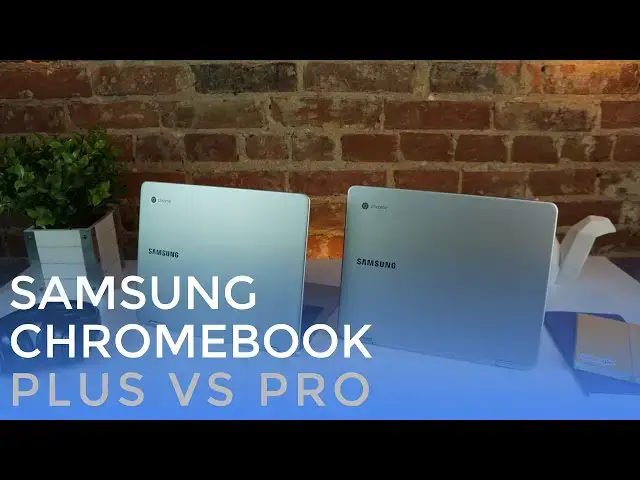
You are unlikely to find two Chromebooks more similar.
As a matter of fact, they are completely the same. One big difference is the processors, and we're taking a look at that very thing!
Read more: https://chromeunboxed.com/
Join our newsletter: http://bit.ly/2WjCDm7
・・・・・・・
Subscribe to the channel: http://bit.ly/2xFuj6L
Shop Chromebooks: https://fave.co/2OuedYL
Show More Show Less View Video Transcript
0:01
[Music]
0:08
hey folks Robbie Payne with chrome unbox
0:10
coming at you today with a side-by-side
0:11
comparison of the Samsung Chromebook Pro
0:14
and the Samsung Chromebook plus these
0:16
two devices are basically the exact same
0:18
except for one thing that's their
0:20
processor and in real world tasks that
0:23
kind of makes a difference between
0:25
running Android apps and running normal
0:27
Chromebook type tasks these two process
0:29
processors vary in a couple different
0:31
ways and we want to show you that so
0:34
here we are both Chromebooks and from
0:37
this view you probably can't even tell
0:38
them apart um you just so you know you
0:41
might see a little bit of a difference
0:42
because of the angle that we're filming
0:44
these but from my perspective right now
0:46
I'm looking at the exact same Chromebook
0:49
on the left and on the right they aren't
0:50
the same we have the plus over here we
0:52
have the pro over here however outer
0:55
materials the keyboards the trackpads
0:57
the screen all the same so if you're
1:00
looking at buying either one of these
1:02
don't worry about whether you're going
1:03
to get a better or worse device when it
1:05
comes to the hardware with either one
1:07
make sure we're on the same resolution
1:09
here and so to start off real quick
1:11
we're going to run an octane so you can
1:13
see on both of these in a synthetic
1:16
Benchmark how we're going to be a little
1:18
bit different between the two and I can
1:20
go and tell you as most of you probably
1:22
already know the core M3 in the Samsung
1:24
Chromebook Pro is quite a bit better at
1:27
rendering web pages and Performing
1:29
JavaScript type activities and so it
1:32
always is going to best the arm
1:33
processor that's not the case across the
1:35
board and in real world use it's not
1:38
necessarily the truth all the time it's
1:40
not always this one is the absolute best
1:43
uh the Samsung Chromebook Pro Plus
1:45
actually holds its own quite often all
1:48
right so after running the octane
1:50
JavaScript Benchmark we're seeing 9600
1:53
is here and 20,000 pushing into 21,000
1:56
on the pro and that's normal that's
1:59
pretty much what we see across the board
2:01
what I will say is that it doesn't feel
2:03
that way so when you're using the Plus
2:04
on a day-to-day basis the um the
2:08
performance does not feel half as fast
2:10
as the pro it does feel a little bit
2:12
slower but it's not this far apart in
2:15
real world use so we're going to try to
2:16
show you a few of those things uh really
2:19
quickly so first thing I'm just going to
2:21
open
2:23
up handful of tabs and we'll open up
2:27
multiple things on each one
2:30
and I'm going to open up the same sites
2:32
on each
2:33
one again just in case you're joining us
2:36
in the center of the video Chromebook
2:37
plus here Chromebook Pro over here so
2:40
now with all these loaded I'm able to
2:42
swing between all of my tabs easily uh
2:46
scrolling is remaining smooth let's move
2:48
over to a couple different
2:53
ones not too shabby at all we're going
2:55
to start a video here in a second and
2:57
start taxing these things so pretty good
2:59
there we move over to the
3:05
pro
3:08
sure back Gadget
3:11
oops and so again everything running
3:14
quite smoothly so plus is holding its
3:17
own here let's open up a few other
3:19
activities so it's normal case that
3:22
people might have four to six tabs open
3:24
while they're browsing and and checking
3:26
different things but you might also be
3:27
playing some music in the background and
3:29
you might also have Google keep open as
3:37
well so we're letting these get synced
3:40
up Google keep open here
3:45
and you might have left your files app
3:47
open the last time you opened that one
3:49
file
3:51
up okay again identical things open up
3:54
on both and one thing I want to show you
3:57
is that when you do that three finger
3:58
scroll up on Pro over here with its M3
4:01
not really having any issue rendering
4:04
that that nice little Zoom effect my
4:06
guess is I haven't done it yet over here
4:07
we're going to see a bit of lag okay so
4:09
you're starting to see frame
4:11
rates drop and lack of response
4:14
happening
4:16
here we'll push it just a little bit
4:18
further going to open up
4:21
Hangouts same thing over here so now
4:23
we've opened up another window another
4:25
application
4:26
running still smooth here
4:29
starting to really have some trouble
4:31
over
4:32
here now here's what I want to say about
4:35
that this is not surprising with our
4:38
benchmarks being so much better over
4:40
here on the pro it's not surprising that
4:42
we would see these kind of activities
4:43
working better on the Plus or on the pro
4:45
I'm sorry uh and having issue on the
4:48
plus so even though everything's running
4:51
smoothly over
4:53
here over
4:55
here some of the animations in the OS
4:58
aren't working so well
5:00
but most of our web pages are still
5:02
scrolling pretty decently we're starting
5:04
to see some hiccups over here as
5:07
well but that's the point I wanted to
5:09
make if you're talking about buying a
5:12
better Chromebook one that's better than
5:13
the other this is a better Chromebook if
5:15
it's a laptop that you're looking for
5:17
something you're going to try to get
5:18
work done on that kind of thing this is
5:20
going to be a better Chromebook in
5:23
general over here this is going to be a
5:26
good um device that you can watch movies
5:29
on that you can run Android apps on a
5:30
good device that you can do basic tasks
5:33
on and really keep your stuff under
5:35
control over here because you'll notice
5:36
as soon as I start closing out some of
5:38
these tasks and getting things under
5:40
control a little bit where I don't have
5:42
everything open all at the same time
5:44
everything starts smoothing right back
5:45
out this processor is just not capable
5:48
on the plus of handling all of the stuff
5:50
that I'm throwing at it right now and so
5:53
the other thing we want to talk about as
5:55
we look at these two together and
5:57
processing power and specifically is
6:00
Android apps and so we will load up a
6:03
few of those okay so we are loading up
6:05
alto's Adventure um relatively uh
6:09
graphic heavy oops wrong thing there
6:12
relatively graphic heavy game
6:15
um not the most intensive thing ever but
6:18
there's a lot going on here when the
6:20
Verge did their review of the pro they
6:24
showed this game almost incapable of
6:26
running on the pro at all so we can
6:29
clearly see in just a couple weeks time
6:31
things have gotten a lot better um
6:33
across the board for the pro so first
6:36
I'm going to show you on the plus again
6:38
remember arm chip over here so things
6:40
are running really really smoothly uh
6:43
Android games and Android applications
6:45
in general are going to be uh made to
6:48
work better on an arm chip in general so
6:51
you can see no frame rate drops
6:53
everything just looks
6:55
smooth so we're going to let Alto crash
6:57
over here and we're going to start over
6:58
on the pro now more powerful device keep
7:02
in mind but there's a chance you're
7:04
going to see some frame rate drops and
7:06
we're already kind of seeing some some
7:08
Jitters a little bit when there's a lot
7:09
of things moving on the screen but
7:12
overall if you compare it to what it
7:13
looked like just a couple weeks ago much
7:16
much improved and you're going to see if
7:18
you pay close attention as this goes if
7:21
I don't crash every once in a while uh
7:24
and this is the case across quite a few
7:25
apps that I've tried that are
7:30
uh graphically driven game type apps
7:33
you'll see this occasional kind of just
7:35
complete stutter they just did it just
7:37
then it'll pause and then go um less
7:40
noticeable here but if we run something
7:42
like a modern combat a first-person
7:45
shooter um or a car racing game or
7:48
something where you have to have some
7:49
quick uh quick reactions to things on
7:52
the screen
7:55
um you'll see some noticeable lag here
7:57
on this one but again it's gotten way
8:00
better in just a couple weeks and so it
8:01
makes me inclined to think that in
8:04
general this is already being worked on
8:07
they notice it's an issue uh Intel
8:09
processors are going to get better at
8:10
running Android apps very quickly and so
8:12
by the time this thing actually comes
8:14
out in April that Gap may be completely
8:16
closed and so we don't want to belabor
8:20
this point these are the same devices
8:22
they run different processors and are
8:24
better at different things but overall
8:26
if you want the more powerful device if
8:28
you want something you can probably get
8:30
a little bit more done on the pro is
8:32
going to be where you need to go if you
8:34
want a device now that you're not going
8:36
to use to do everything that you do and
8:39
it's not going to replace all of your
8:40
other devices but be something that you
8:42
keep in the living room or it's a second
8:44
device you have at work to take to
8:45
meetings the plus has plenty of oomph to
8:48
get you through most of your stuff most
8:50
of the things that you would do and all
8:52
the other bells and whistles that come
8:53
with the pro are here the great screen
8:55
the keyboard the trackpad the the pen
8:57
input all of those things work just just
8:59
as you would want and just as well as
9:01
they do on the pro the only benefit you
9:03
get from going with the pro is a bit
9:06
better um ability to multitask if you're
9:08
going to be having multiple windows and
9:10
multiple tabs open at the same time this
9:12
will be the device you probably want to
9:14
wait until April to get your hands on if
9:16
that's not you though this device is a
9:18
great device and honestly holds its own
9:20
better probably than it did just a
9:22
couple weeks ago and as we all know
9:23
Chrome OS keeps getting better with time
9:26
and so I have full faith that both of
9:28
these devices are going to also get
9:30
better with time and Android apps will
9:32
get better over here browsing and
9:34
general Chrome activities will get
9:36
better on the plus but that's it for
9:39
today guys like I said we don't want to
9:40
belabor this point they're basically the
9:42
same device arm chip and we have an
9:44
Intel chip cor M3 over here if you like
9:47
this video please hit that subscribe
9:49
button below give it a thumbs up and
9:51
until next time guys we'll see you
9:54
[Music]
#Consumer Electronics
#Software