Up next in 10



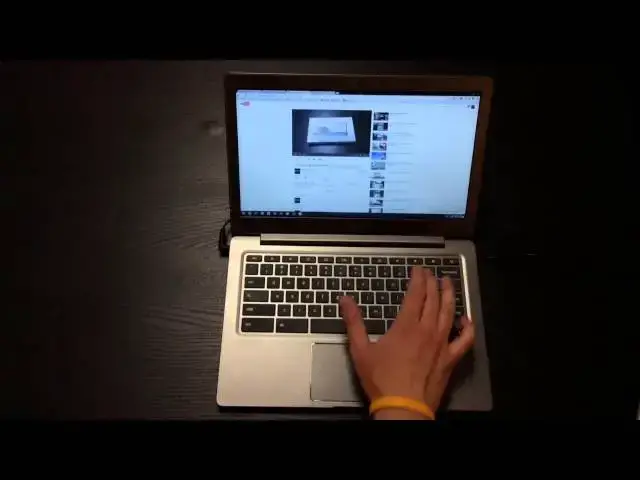
Here is my full review of the Samsung Chromebook 2!
Show More Show Less View Video Transcript
0:00
hey folks Robbie pinion with chrome
0:02
unboxed again coming at you today with
0:04
the full review of the Samsung
0:05
Chromebook to the 13.3 inch variety
0:09
there's a lot of you may very well know
0:12
and if you watch the unboxing of this
0:13
device it comes in two thirteen point
0:16
three inches 1080p display it is LED
0:19
backlit it is not an IPS display comes
0:23
with the Exynos octa-core chip four gigs
0:26
of ram 16 gigs of built-in memory and
0:29
all the various ports that you would
0:31
expect from a modern-day chromebook so
0:34
let's take a view real quick around the
0:36
hardware and close it down you will see
0:38
the device is very very slim hardware
0:42
was very impressive on this device
0:44
around the side here you've got a USB
0:47
2.0 port excuse me you've got a
0:51
Kensington lock combo headphone
0:53
microphone jack
0:54
nothing across the back save the hinge
0:56
you got the battery slot which I've got
0:58
this plugged in and I've been using it
1:00
and ran it down on battery USB 3.0 port
1:04
full size HDMI and we do have a micro SD
1:07
card slot hidden behind this little
1:08
plastic wall here which is phenomenally
1:11
to get open sometimes there we go
1:15
you see standard micro SD card slot so
1:18
for those of you who are hoping to get
1:19
that full sized one in there I know
1:21
that's not gonna happen that easily
1:23
it is adorned on the top with this faux
1:26
leather finish those of you who've been
1:28
looking at this guy knew this was
1:30
happening fake stitching and all I will
1:32
say this particular device compared to
1:35
the Galaxy Note 3 in black especially or
1:37
any of the Note tablets with this faux
1:40
leather finish this device tends to feel
1:43
a little bit more plasticky in the hand
1:45
versus that leathery feel but it looks
1:47
nice honestly it's not off-putting at
1:50
all it actually gives it a pretty decent
1:53
feel and the device overall it's very
1:55
solid a big step up from the Samsung
1:58
series 3 Chromebook across the bottom
2:01
there's really nothing except the feet
2:03
and some screws because we don't need
2:04
any fans we're running an ARM processor
2:07
which is a nice touch we're gonna open
2:10
it up here and get a glimpse of that too
2:13
bleh I'm gonna tilt it back just a
2:15
little bit like I said this is an
2:17
led-backlit display thus the viewing
2:19
angles from left to right not too shabby
2:22
I'll turn it just a little bit here you
2:23
can see we don't really lose much on the
2:26
other hand top to bottom you get some
2:28
serious loss of color polarization what
2:34
we expect out of a TN panel pretty much
2:37
LED backlit or not and so again a shame
2:41
that we're not seeing any IPS panels yet
2:43
except for the HP 11 which doesn't
2:46
perform that well we're gonna move past
2:48
that because it seemed a rant on that
2:49
all the time continuing on with the
2:51
hardware we've got a webcam up top again
2:54
these are these are basic Chromebook
2:57
features so this is nothing out of the
2:59
ordinary we'd have a rather large
3:01
trackpad here I believe four inches
3:03
diagonally across plenty of space to
3:06
move around on here and in the chrome
3:08
around it as a nice enhancement the
3:10
trackpad is nice and quiet a good feel
3:13
to it it's as good as any trackpad save
3:16
the pixel that I've used on a Chromebook
3:18
that's far very responsive nice smooth
3:21
motions all your multi-finger gestures
3:22
work just fine which is very nice and
3:25
very good step up from previous arm
3:28
Chromebooks as far as performance goes
3:29
the keys have a slight scoop to them
3:32
very well textured very good travel very
3:35
good typing experience and the device as
3:37
a whole has a little bit of give to it
3:40
but honestly it's firm it's well built
3:42
what you would expect of a $399 laptop
3:45
honestly it's more than what you'd
3:46
expect hardware wise if you wouldn't buy
3:48
a $400 laptop that was running Windows
3:51
you would expect something much cheaper
3:53
and it's overall feel and appearance
3:54
than this device moving on back up to
3:58
the screen that the screen is very very
4:01
crisp it is the first 1080p Chromebook
4:04
now the chrome base which I do have my
4:06
hands on and we'll be doing an unboxing
4:08
review and all that kind of stuff in the
4:10
in the following base it is the only
4:14
other 1080p device that I know of and
4:17
then again I'm excluding the pixel here
4:19
and so everything is very crisp and very
4:23
very clean everything looks really good
4:24
again if your own tilted just the right
4:26
angle
4:27
others are pretty good they're not
4:28
really that much better than any of the
4:29
other TN panels but the crispness does
4:32
add an extra little bit of quality to
4:36
the display and so I did appreciate that
4:38
what kind of bums me out a little bit
4:41
especially this being a 13.3 inch device
4:43
is that at 1080p you can kind of see
4:46
probably if you're taking note how
4:48
little all the icons are and that
4:51
carries over into text rendering and
4:53
everything as well and so if I bring up
4:54
a page here I mean this this text is
4:57
pretty tiny I've got good vision but it
5:00
was a bit of a strain unless I was right
5:02
up on it now if it's in your lap and
5:03
it's real close to you not that big of a
5:05
deal but when it's sitting on a desk
5:08
this this becomes a bit of an issue and
5:11
they can go into the settings you can
5:12
change your font size and so that
5:14
affects some things but not all things
5:15
across the operating system and likewise
5:17
you can actually change the scale so you
5:19
could zoom in I actually ended up
5:21
leaving it day-to-day zoomed in 110 or
5:24
125 percent in order to feel like I was
5:26
looking at a normal page in my personal
5:29
opinion a 1080p screen needs to start at
5:31
15 point 6 inches when it comes to
5:33
scaling issues that the the way the
5:36
pixel got around it technically is if
5:38
it's scaled and half the number of
5:40
pixels that were actually on the screen
5:41
so it's still scaled as a 720p display
5:43
and so icons felt normal size for the
5:46
display itself and and you can't really
5:49
do that with 1080p because it's not
5:51
quite dense enough to scale halfway back
5:53
and you do any of the other scaling I've
5:55
tried some of the other resolutions on
5:56
it and they all are very blurry they
5:59
just don't they don't look good then I'm
6:00
do the display justice at all so I ended
6:02
up sticking with this cranking up the
6:04
percentage on the zoom a little bit so
6:06
that everything at least inside of a
6:07
webpage was zoomed in a bit and turned
6:10
up the font size just a little bit so
6:12
your mileage may vary when it comes to
6:14
those things and you may like everything
6:16
to be kind of tiny and that's cool but
6:19
again for me it works a little better if
6:21
it's stretched out across a few more
6:22
inches on the screen 13.3 seems a little
6:25
small
6:25
thanks 1600 by 900 would have been spot
6:27
on the money for this size display and I
6:31
think 1609 hunters would be great for
6:33
lots of Chromebooks but again that's a
6:35
story for another time
6:36
all that to say that the display is very
6:39
good
6:40
when we're comparing across Chromebooks
6:43
again you pull out an iPad or something
6:45
with an IPS panel on are you in front of
6:47
a regular television and a regular
6:49
monitor or your phone or something like
6:51
that it has a much nicer display on it
6:53
just like any other Chromebook it
6:55
becomes pretty pretty apparent really
6:57
quickly but the extra sharpness is kind
6:59
of nice and and overall it's a it's a
7:03
decent display of just the the size
7:05
issues kind of gave me some some issue
7:07
there now a lot of you have been
7:08
wondering about performance and really
7:11
that's what it comes down to the
7:11
Chromebooks anymore right I mean we you
7:14
get in you put in your password it
7:16
downloads all your stuff you're caught
7:18
back up to where you were and it's a the
7:21
one Chromebooks no different than
7:22
another Chromebook then another
7:23
Chromebook when it comes to Chrome OS at
7:25
its core so it's not a whole lot to show
7:26
you there but there is some stuff I can
7:28
show you because this one does fact that
7:29
that Exynos ARM based processor and so
7:33
performance has been an issue a lot of
7:35
people wanted that octa-core thing to
7:37
really just knock it out of the park but
7:39
I've got to tell you Intel still winning
7:41
right now
7:42
now battery life on this guy can't show
7:45
you right on the screen because it is
7:47
charging right now
7:48
but pretty much it clocked in it seven
7:51
to eight hours and pushing pretty close
7:54
to that eight hours when I wasn't in
7:55
Ubuntu interface all the time and I will
7:59
show you I do have it already booted
8:01
into that you can switch over to a Linux
8:05
distro of your choice I'm just by that
8:07
click and if you're looking at this
8:09
going hi how'd you do that
8:10
there's a video subscribe giving the
8:13
channel there's a video that actually
8:14
shows exactly how to do this on any
8:16
Chromebook and so with just a couple
8:19
touches you can jump back and forth
8:20
between Chrome OS and Linux is
8:21
ultimately criminalizes is based on
8:23
Linux anyway anyhow I find myself in
8:29
that situation in less and less but it's
8:31
still important to have a couple apps I
8:32
need to be in Linux for and so it is
8:34
important that it works and it seems to
8:36
work on every Chromebook I've tried it
8:37
on and this device is no different I got
8:40
Linux up and running there may be some
8:41
apps you're gonna run into that
8:42
won't run for instance one of the
8:44
packaged apps the games it's the name
8:48
escapes me it's a mystery like a murder
8:51
mystery 3d game
8:53
can I think of the the name of the game
8:55
but it murder files sorry it actually
9:00
will not run still on this device it
9:02
wouldn't run on the series three either
9:03
I was really interested to see how it
9:05
would render on here because it's it's
9:07
not heavily graphic but it's all 3d and
9:10
so I just wanted to see how it run
9:11
wouldn't even open on here however I did
9:14
get skid racers to run which I'll show
9:20
that to you actually here in just a
9:21
minute I'll close everything I was down
9:22
and make it fair because what I found in
9:25
this device is while it absolutely
9:26
trumps the the series three it is a
9:29
little bit left wanting when compared
9:32
with the current generation of Intel
9:35
Chromebooks so those has well based
9:37
Chromebooks are right up there with the
9:38
battery life that this guy's getting and
9:40
yeah they've got fans on them but they
9:43
run circles around this thing still
9:44
performance wise now that being said if
9:48
a Chromebook for you is gonna be
9:50
something you pop on the couch you check
9:51
Facebook that kind of stuff with you're
9:53
gonna do some web browsing close it back
9:55
up and go to bed at night if that's what
9:57
your Chromebook does this guy is well up
9:59
to the task much more so than the HP 11
10:01
or the series 3 same son and I'll show
10:03
you a couple things here I've got Google
10:05
Plus loaded which we know notoriously
10:07
does not run well on Chromebooks to
10:09
finger scrolling no problem pretty
10:12
smooth we're not even dropping frames as
10:13
we're scrolling through here and I've
10:14
got some other sites open in the
10:15
background so that four gigs of ram is
10:17
really doing what it's supposed to be
10:18
doing it's all a little stutter there
10:20
but that is not surprising it all with
10:22
google google plus it is a very
10:24
intensive site so we're over the verge
10:27
again another intensive side I usually
10:28
put these devices through you can see
10:31
some framerate drops and the scrolling
10:32
so it's not the smoothest thing in the
10:33
world it's jumping around a little bit
10:35
but ultimately getting through the side
10:38
if we were going to scroll kind of
10:39
smoothly like this is where as we're
10:40
browsing we don't see any real hiccups
10:42
at all and so for your real time
10:44
browsing scenarios this seems pretty
10:48
pretty worthwhile a pretty decent
10:50
experience and I didn't have any issues
10:52
when I was just browsing the issues I
10:55
had performance
10:56
I can kind of see it's lagging all over
10:57
here the issues I had performance-wise
10:59
were when I had multiple tabs open and I
11:01
was working on across a few websites and
11:04
had a few other things open the Pixlr
11:06
editor down here had some google music
11:09
running my notes up and you know four or
11:13
five tabs and in the file browser when
11:15
when I got into that point we started
11:17
running into some issues as far as the
11:19
processor being able to handle the pain
11:21
width but you can see all your gestures
11:24
work just fine I want to play a video
11:27
for you real quick here the speakers a
11:29
little bit not the loudest speakers in
11:58
the world plays high def videos with no
12:01
issues whatsoever and that actually
12:04
ended up being a pretty decent
12:06
experience you know watched some
12:09
trailers and that kind of stuff on
12:10
YouTube and it actually was a pretty
12:12
decent experience watching on this thing
12:14
so you know performance wise it's a huge
12:16
step up from the from the old alarm
12:18
processor that X that I was dual what
12:21
just huge step up but it still does lag
12:24
quite a bit behind because I'm honestly
12:27
comparing the samsung series 3 to say
12:29
the HP 14 or the Toshiba or something
12:31
with that has a processor in it it's not
12:34
even a close fight and it it's a
12:36
completely different experience between
12:37
the two devices this closes that gap
12:40
substantially but there's still a pretty
12:42
pretty wide gap there we'll also look at
12:46
Twitter here which again is a bit
12:49
intensive for some reason I never could
12:50
figure out why and some of the scrolls
12:52
are a little bit behind and in the
12:54
frameworks not the highest but it's
12:56
usable it's workable
12:58
and so that's again it's that's a big
13:00
step up so I'm going to close all these
13:02
guys down and I'll show you skid racer
13:06
which is this is the game that
13:07
I used I think actually this is a game
13:14
thing use when they're showing the i3
13:16
Acer Chromebook at the Intel events a
13:20
few weeks back and it's decently
13:23
resource heavy wits a fully
13:24
browser-based racing game and you'll be
13:28
able to see pretty quickly how quickly
13:30
the the framerate drops on this device
13:34
and just for comparison sake if I open
13:38
this up on my Acer c720 for instance it
13:41
runs high frame rate almost the entire
13:44
time it pickups every once in a while
13:46
but it handles it pretty well in this
13:54
loading time is pretty normal across all
13:57
devices it does have to download a good
13:59
little bit of information obviously we
14:01
were running a 3d game here in the
14:03
browser so some of these things are
14:05
exciting regardless and how they were
14:06
run right now it's exciting to see the
14:08
stuff happening with web technologies
14:10
and seeing already see the the frame
14:13
rates are pretty bad
14:21
and it's running better than it did the
14:23
other day and here we go
14:24
it's usually once there's multiple cars
14:26
on the same thing so they're just kind
14:28
of skipping around very low frame rate
14:31
I'd say that in the single digits
14:33
probably at this point and that's all
14:36
I'm going to do with that so yeah if I
14:38
were to if you open this up you know
14:40
Google skid racer open that up on an
14:43
Intel based device and it runs pretty
14:46
smooth so I want to show you a couple
14:49
comparisons to let you know that outside
14:51
hardware on this I feel like it's the HP
14:53
eleven all over again like the hardware
14:55
I like a lot of it
14:57
I like the trackpad keyboard is great
14:59
and then the screens pretty good - the
15:02
the small small icons and small text
15:05
issues so the hardware is there and then
15:07
they've stuck this ARM processor in it
15:09
that you know you're unlocked ain't on
15:12
it you're getting some around 7,000 or
15:15
something whereas the Intel Haswell
15:18
devices are getting between ten and
15:20
eleven thousand and so I don't really
15:23
understand the point of ARM processor
15:27
Chromebooks at this point I thought for
15:29
a little while maybe that was going to
15:30
be a push like this was going to be what
15:31
happened with Chromebooks but nobody
15:33
else has adopted it intel's really
15:35
stepped up I mean we just have to give
15:37
him credit gotta give credit where
15:38
credit's due they've stepped up that has
15:40
little processors have been awesome on
15:41
battery they're coming out with the Bay
15:43
Trail processors are coming out with the
15:44
next generation of processors after that
15:47
they're getting better battery life and
15:49
some of the my threes are gonna be
15:50
fameless I don't know that any of them
15:52
are going to be in Chromebooks but they
15:54
might be so we might could see a fanless
15:56
I three Chromebook I mean this Intel has
15:59
stepped up and the ARM arm division
16:02
Samsung and an arm in general has a lot
16:05
of way to go if we're going to talk
16:07
about putting them in Desktop scenarios
16:10
now in phones and in mobile devices the
16:13
killer
16:13
they're awesome Intel doesn't even have
16:15
a little bit of leeway really in that
16:17
but in this scenario right now until
16:20
owns it and they're winning big-time and
16:22
so overall I would say Samsung
16:26
Chromebook 2 is a good Chromebook it's
16:29
not great it's good it is it is a better
16:32
experience than
16:34
the older generation long processors but
16:36
it's not as good as an oven experience
16:38
as the Intel ones the only real upside
16:40
it has is that it doesn't have fans and
16:42
I don't know about you guys fans don't
16:45
bother me that bad unless they're really
16:47
loud or something but no no Chromebook
16:50
I've had if I said around and thought I
16:51
mean I wish the fan wasn't so loud never
16:53
have I thought this and so the fan thing
16:56
isn't really a big deal I do like how
16:58
thin and how well-built this guy is but
17:01
it doesn't change the fact that I
17:03
couldn't continue working from it the
17:05
entire week I just couldn't do it
17:07
I was unable to take out to actually do
17:12
some of the tasks I needed to do and and
17:14
when it got to that point I knew that it
17:16
was time to kind of put it away and get
17:18
the review done and move on it's a good
17:21
Chromebook and if again if you're using
17:23
it for light use you're gonna be happy
17:25
with it but don't expect a game on it
17:27
and don't expect to do a lot of heavy
17:29
lifting work on it if this guy is for
17:32
light consumption and at 399 that might
17:36
be a tough sell and I think Samsung
17:38
might being a little bit of trouble
17:40
sales wise with this particular device
17:42
now the smaller one that comes in at a
17:43
more reasonable price could be just fine
17:46
for most people this one seems to
17:48
struggle a little bit and who knows at
17:49
1366 768 resolution for the same
17:53
processor we might see a little bit
17:54
better performance but I'm going on what
17:57
I'm seeing here and I'm still saying
17:59
until it's got it together when it comes
18:02
to processors and Chromebooks so that's
18:05
it if you guys have any questions feel
18:06
free to put them in the in the comments
18:08
down below hit me up on Google+ and let
18:12
me know what you think about this device
18:14
whether you're still thinking about
18:15
getting it or not if you have any
18:17
further questions that could help you
18:19
make that decision just let me know I'll
18:21
do my best to get my answers to you as
18:22
soon as I can and I hope you keep
18:25
watching I hope if you're not a
18:26
subscriber yet you hit that subscribe
18:27
button give it a thumbs up if you liked
18:30
the video and until next time guys have
18:33
a good one
#Laptops & Notebooks
#Consumer Electronics