0:07
hey folks probably paying with chrome
0:09
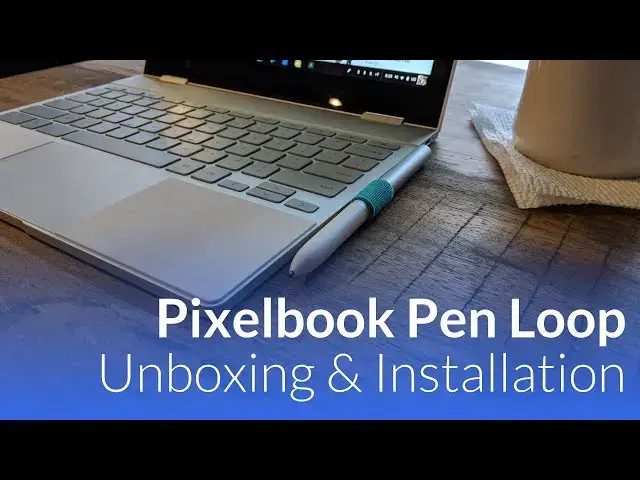
unboxed and we want to take a quick look
0:11
at the pin loop that Google has provided
0:13
for the pixel book ours actually just
0:15
came in the mail yesterday and we wanted
0:17
to get this on camera because it's been
0:18
a bit of a mixed bag as far as people's
0:21
reaction to this thing now granted it's
0:23
it's a free accessory that Google's
0:24
provided all you have to do is own a
0:26
pixel book to give them your serial
0:28
number and they'll send this to you they
0:29
don't provide you with any tracking or
0:31
even an email to tell you that it's
0:32
actually on its way just started showing
0:34
up yesterday for a lot of people so
0:36
similarly ours showed up as well so like
0:40
we do around here we wanted to get this
0:42
on camera so yeah pretty minimalistic
0:48
Google and it's shown it put it on the
0:50
left side so I don't know if that really
0:52
matters there's no instructions a little
0:57
bit of 3m tape here and what we're
1:00
seeing from other users is an issue with
1:06
the thing being actually too thick and
1:08
making the pixel book a little bit
1:09
wobbly so I'm gonna go against their
1:12
instructions and go over here on this
1:14
side with it so since you've got the
1:18
raised feet on both ends presumably this
1:22
would be okay so there's a little bit of
1:25
a lip there I obviously don't want to
1:27
get as you can see kind of where that
1:34
and it just sticks on hopefully since
1:36
it's 3m it won't leave any goop behind
1:38
and it's nice that me feels kind of
1:40
leather leather ish aesthetically looks
1:43
okay yeah but Italy of that may creates
1:49
a pretty significant wobble and there's
1:53
nothing else in here saying hey don't
1:54
put this in a certain spot I mean that
1:57
looks pretty much dead on to where it
1:59
should be perhaps as it wears in maybe
2:04
yeah so maybe once it wears in and and
2:09
kind of loosens up just a little bit
2:11
like this part needs to kind of hinge up
2:13
a little bit so we'll give it a few days
2:16
and see but we just wanted to show you
2:19
kind of how this is gonna work basically
2:21
there's a loop you put your pin in it
2:23
and so now your pins kind of attached to
2:25
the pixel book in an official Google way
2:28
you know attempt for what it's worth it
2:32
kind of feels like this is something
2:33
they should have figured out with a
2:34
magnetic thing or some other device to
2:37
keep your PIN in or maybe you know
2:40
provide an official case from Google
2:42
that has a place to put your PIN I don't
2:43
know this this feels a little bolted on
2:46
but it kind of works and it kind of does
2:48
its job so we wanted to show you that
2:49
and show you that you know ultimately
2:51
once it works in it probably won't
2:53
wobble too much so it kind of gets gets
2:55
the job done so that's it until next