Up next in 10



Sponsored by NordVPN. Buy a 3-year deal at 70% off, get an extra plan on top! Click here: https://chromeunboxed.com/nordvpn
・・・・・・・
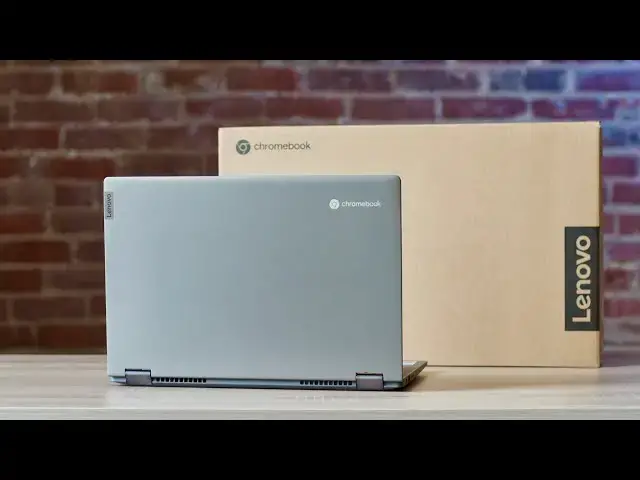
It's been a full 5 months since I had any time to spend with the Lenovo Flex 5 Chromebook in Las Vegas at CES 2020, and in that time, I'd honestly almost completely forgotten what this Chromebook felt like in the flesh. I wrote a piece last week about my realization that I under-valued the Flex 5 in many ways since our time together at CES and that I've since changed my tune a bit. Today, I get to begin the journey of rediscovery with the Flex 5 Chromebook and reassess the true value of this device in the context of 2020's offerings.
Read more: https://chromeunboxed.com/lenovo-flex-5-chromebook-unboxing-and-initial-impressions/
Join our newsletter: http://bit.ly/2WjCDm7
・・・・・・・
Shop the Flex 5 Chromebook on CHROME SHOP: https://chrmshop.com/lenovo-chromebook-flex-5/
Subscribe to the channel: http://bit.ly/2xFuj6L
The Music We Use: http://bit.ly/31W6PYP
Become a member of Chrome Unboxed to help us make our channel even better, and for access to exclusive perks: http://bit.ly/CU-join
Follow us:
Show More Show Less View Video Transcript
0:00
well we've come to it we finally have
0:02
the last
0:03
of the devices we saw out in vegas in
0:05
january at ces
0:06
2020. the lenovo chromebook flex 5 is
0:09
here we're ready to unbox it and
0:11
reacquaint ourselves with this
0:12
chromebook that by all measure could be
0:15
one of the more important chromebooks of
0:16
2020.
0:17
[Music]
0:21
today's video is brought to you by
0:22
nordvpn they're the vpn of choice for
0:24
millions of consumers because they're
0:26
awesome at what they do and that is
0:28
keeping your browsing safe and secure
0:29
whether you're at home or out and about
0:31
if you'd like to learn more about them
0:32
and their services head over to
0:33
chromeunbox.com forward slash
0:35
nordvpn to learn more and get started
0:37
today so without further ado
0:39
let's hop in the box this is the core i3
0:41
model
0:42
four gigs of ram 64 gigs of internal
0:44
storage there are other configurations
0:46
coming uh we know
0:48
likely there's a core i5 with eight gigs
0:50
of ram and 128 gigs of internal
0:52
nvme storage but there's also a step
0:54
down from this one and a celeron with
0:56
also four gigs of ram 64 gigs of storage
0:59
the reason i say that this could be one
1:01
of the more important chromebooks of the
1:03
year
1:04
is that price point so we bought this
1:05
for 409
1:08
and for what we're talking here i mean
1:11
you get 10th gen uh intel processors
1:14
you're getting wi-fi six you're getting
1:16
bluetooth five getting upward firing
1:18
speakers lenovo's great keyboards a 300
1:20
nit
1:21
full hd screen convertible form factor
1:23
usi stylus input so
1:25
you're getting a bunch of the same stuff
1:27
that comes with much
1:28
much pricier chromebooks like the flip
1:30
c436 and the samsung galaxy chromebook
1:33
and
1:33
while this thing's not going to be quite
1:35
up to that level of like fit and finish
1:37
and
1:37
you know looks and all that stuff
1:39
there's something to be said about a
1:41
affordable well-made
1:46
but solid chromebook because chromebooks
1:49
and i've said this many many times
1:50
before
1:51
chromebooks can tend to be these just
1:53
utilitarian devices and
1:55
while it's nice to see devices that have
1:57
all kinds of bells and whistles and
1:58
they're just sleekly built and we
2:00
so excited about you know or i get so
2:02
excited about the samsung galaxy
2:04
chromebooks of the world and those types
2:05
of devices when it comes down to it
2:07
really what most users need and want
2:09
when they get into a chromebook
2:11
is something that's solid looks pretty
2:13
good on a desk and just performs
2:15
and does so at a decent price and i
2:17
think lenovo was hitting the sweet spot
2:19
with the flex 5 in all those categories
2:21
because
2:22
ultimately this isn't the lightest
2:23
chromebook i've picked up but it's
2:25
reasonable
2:26
i'm not sure the exact weight of it and
2:28
it gives off these
2:29
dell chromebook 13 vibes so if you've
2:31
been around for a little while
2:32
kind of this trapezoidal bottom here
2:35
kind of gives off that same vibe that
2:37
the dell did and has a big huge uh vent
2:40
across the bottom and that actually
2:41
feels like it's aluminum down here which
2:43
is
2:43
very cool it's making a weird saying
2:44
here that
2:46
how weird anyway but the bottom does
2:49
definitely feel like it's aluminum
2:51
because i don't think you get that kind
2:52
of
2:52
sound off of a plastic uh definitely an
2:55
aluminum top here
2:57
let's look make sure there's nothing
2:59
else hiding in this box
3:01
besides the cable yep so
3:05
pretty classic uh chromebook unboxing
3:07
here brown box
3:09
you know nothing to get excited about
3:11
and again that's kind of the draw of
3:13
this device
3:14
is that it's um it's a chromebook that
3:17
is hitting on all the right things and
3:20
not trying to sacrifice the the value
3:23
like the the price point here
3:24
so i can just tell you from the outside
3:26
again it's utilitarian looking
3:28
it doesn't look like amazing but it also
3:31
looks nice
3:32
i mean you know it's it's slim enough
3:34
it's portable enough it doesn't feel
3:35
crazy heavy uh lots of fan ports because
3:38
you know it's an i3 it's a
3:40
full-blown u-series i3 so it's going to
3:42
be plenty fast from a performance
3:44
standpoint
3:46
and that's that's interesting i've never
3:49
seen this
3:51
um yeah it's a product registration
3:53
thing so
3:55
sure just never seen that in a
3:57
chromebook um oh
3:58
i forgot all about this so you actually
4:00
get uh
4:02
a security feature up here on the camera
4:04
there's a physical slider
4:05
that allows you to actually slide the
4:07
camera closed and open so
4:09
for all of you out there that like to
4:10
put tape over that webcam and know for
4:12
sure that it's you know covered up and
4:14
and not giving anything away there is a
4:16
uh
4:17
a nice sliding mechanism there that's
4:18
that's pretty cool i totally honestly
4:20
forgot
4:21
because again and i wrote about this on
4:23
the website uh i
4:24
i don't want to underplay this i
4:27
shrugged this device off in vegas
4:29
um it was there uh lenovo was nice
4:31
enough to actually get it out they
4:32
weren't even gonna show it they got it
4:34
out and gave it to us
4:35
and let us kind of get hands on uh
4:36
gabriel did a video about it
4:39
and he was pretty excited about it out
4:40
in vegas and i honestly i was so
4:42
enamored with the samsung and the asus
4:44
and then the
4:45
you know lenovo's own tablet and the
4:47
duet that i was just kind of like uh-huh
4:49
yeah it's a
4:50
you know a nice chromebook great and i
4:53
wasn't really seeing
4:54
exactly what was going on here and again
4:56
it comes back to that price i mean
4:58
i'm opening this up and telling you
4:59
right now like the whole thing just
5:01
feels
5:01
solid i mean it just feels nice and it
5:05
feels
5:06
i can't tell what the material is here
5:08
it might not be aluminum on the bottom
5:09
part
5:10
but it's a good feeling material it
5:12
doesn't feel like cheap plastic so
5:13
that's something
5:15
key travel feels great and that's not
5:16
surprising either because lenovo
5:18
ultimately makes good keyboards
5:20
this one should be backlit but we have
5:23
upward firing speakers going on here
5:25
uh we've got this just really handsome
5:27
look overall i mean the device just
5:29
looks good and and that's something when
5:32
you talk about a 400
5:33
chromebook a lot of times we get them
5:34
out and they just they feel like junk
5:36
definitely not a glass track pad it's a
5:39
little humid where we're filming here
5:40
right now
5:41
and so usually i can tell if it's humid
5:42
my hands are a little clamy
5:44
uh glass doesn't matter you know an edge
5:46
glass track pad is nice and smooth
5:48
this one feels like it's dragging a
5:49
little bit that's
5:51
just par for the course for other
5:53
materials on trackpad that being said
5:55
the click mechanism feels great the
5:57
thing's not flopping around
6:00
yeah so initial impressions um pretty
6:03
good here
6:04
we're gonna cut away real quick i'm
6:05
gonna at least boot it up and see what
6:07
the screen looks like and maybe hear
6:08
what these speakers sound like because
6:10
we didn't
6:10
uh get a good idea of what those sounded
6:13
like out in vegas so
6:14
give us just a second okay so we've got
6:16
this thing up and running and another
6:18
thing that i wasn't quite sure if it
6:20
would come over from the one we saw in
6:22
vegas was back lights
6:23
on the keys uh so that's all there uh
6:26
bleed is pretty good
6:28
but look at the screen on this thing
6:31
i mean it is bright again we're under
6:33
studio lighting and there's a lot of
6:35
times where
6:36
i might even be blowing the shot out
6:37
here there's a lot of times where we
6:41
end up having to adjust lighting in
6:43
order to make the screen not look so
6:45
terrible
6:46
and this thing is just standing up
6:48
really well uh
6:50
to this lighting obviously you know this
6:51
is a convertible form factor
6:53
you know you know is this going to be
6:55
something you're going to use as a
6:56
tablet all the time
6:58
absolutely not but when you need to flip
7:00
it in tablet mode
7:01
and do some writing on it it supports
7:02
usi stylus we actually just saw today
7:04
that lenovo's usi stylus
7:07
just passed through the fcc so it's
7:09
going to be something that will be
7:10
available pretty soon for use on this
7:12
device
7:13
but you know if you're on a plane or
7:14
something you want to use temp mode that
7:15
kind of thing
7:16
this this obviously does that lenovo is
7:18
the one that pioneered
7:19
uh 360 degree devices so it obviously
7:22
works quite well on here
7:25
but i the screen looks great it makes me
7:27
think so much of the pixelbook go
7:29
which is one of those screens that's
7:31
good it's just a good screen
7:32
it's not the best screen i've ever seen
7:34
but it by far is not the worst screening
7:36
it's not going to detract from your
7:38
overall use case
7:39
and your experience here the viewing
7:41
angles look really nice
7:42
and again this is just this handsome
7:45
good
7:46
feeling chromebook that that ticks so
7:48
many boxes
7:49
um you know obviously we're going to get
7:51
into in the review
7:53
we'll get into performance but a core i3
7:56
even the celeron with this u series
7:58
the 10th gen you're not going to have
7:59
any issues with performance so
8:01
don't hold out for the i5 unless you're
8:03
holding out for that
8:04
upgrade in the storage or the ram
8:06
department but overall
8:07
this thing like i said it just gives off
8:09
these dell chromebook 13 vibes to me and
8:11
it was one of my favorite chromebooks
8:12
ever made
8:14
you're getting usb type-c on both sides
8:16
that does output and
8:17
for video data all that kind of stuff
8:19
usb type a over here micro sd card slots
8:22
if you want to expand that 64 gigs of
8:23
storage that's in here
8:25
but what i have to say more than
8:27
anything is this does not feel like a
8:29
400
8:30
chromebook not at all and again my
8:32
review may
8:34
come up with some some issues where
8:35
we're saying hey you know what yep 400
8:37
bucks
8:38
there's some real issues with this thing
8:40
and and there's some problems with it
8:42
but just unboxing it getting my hands on
8:44
it again it's been months since we've
8:46
seen this device
8:47
i'm telling you the fit and finish on
8:49
this thing is way better than a 400
8:51
chromebook deserves to be and so here we
8:53
go with lenovo again
8:55
they did this with the duet as well you
8:57
have a device that's in this price
8:58
bracket it feels like it doesn't even
9:00
belong in
9:01
and i think that's why because of all
9:02
the stuff packed into this chromebook
9:04
this is going to become one of those
9:05
ones that's so easy for us when people
9:07
are looking for a mid-range chromebook
9:08
to go yeah just get
9:10
get the flex because it does pretty much
9:12
everything you're going to want to do
9:13
some of you watching this are going well
9:14
it's missing one thing yes
9:15
biometric support is not here it won't
9:18
be here on any versions of this device
9:20
so
9:20
at the end of the day that's one of the
9:22
things that you need more than anything
9:24
yeah it's not going to offer that but
9:26
for people that have used the pixelbook
9:27
go or some other devices that don't have
9:29
it either
9:29
you've probably already figured out
9:31
workarounds to log into your device in
9:33
quick ways it doesn't matter
9:35
that much and again for everything
9:36
you're getting here for 409
9:39
this already feels like a crazy deal but
9:41
i obviously we're going to spend some
9:42
time reviewing this thing
9:44
we'll get our full review and full
9:45
thoughts in a couple weeks together and
9:47
get that video out
9:48
so if you are not already subscribed go
9:50
down there and hit subscribe hit the
9:52
notification bell so you can be alerted
9:53
when that video and other videos like it
9:55
come out
9:55
while you're down there hit that like
9:57
and if you'll hit the join button you
9:59
can see all the cool stuff that our
10:00
members get like custom emojis and
10:02
behind the scenes footage but
10:03
that's it for this one guys until next
10:05
time we'll see