Up next in 10



Sponsored by NordVPN. Try it out and get 75% off a three-year plan for a limited time! Click here: https://chromeunboxed.com/nordvpn
Shop HP Chromebook x360: http://fxo.co/1121837/hp14yt
・・・・・・・
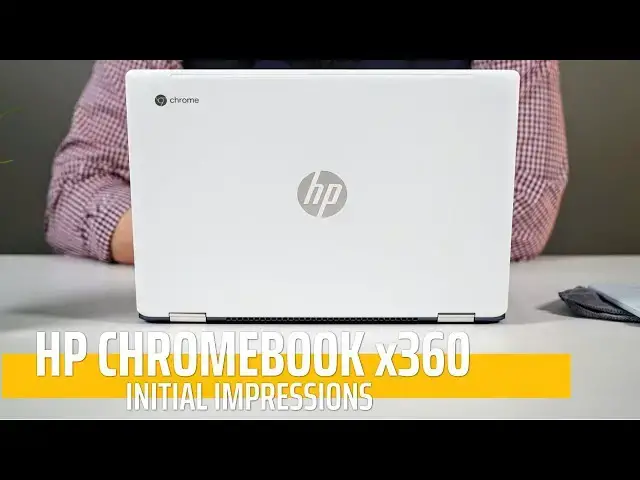
This HP Chromebook x360 may just be my favorite of the recent crop of fantastic Chromebooks. With a great look, fantastic inputs, beautiful screen, and speedy performance, there's not much this Chromebook doesn't do well.
・・・・・・・
Subscribe to the channel: http://bit.ly/2xFuj6L
Shop Chromebooks: https://amzn.to/2NE2wKq
Read more: https://chromeunboxed.com/
Follow us: https://www.instagram.com/chromeunboxed
https://twitter.com/chromeunboxed
Show More Show Less View Video Transcript
0:00
[Music]
0:07
as we're coming up on the end of 2018
0:10
it's been kind of crazy around here at :
0:13
boxed with all kinds of devices coming
0:15
in for hands-on and review and as we
0:18
close out the year this feels like the
0:20
final device that we're gonna be
0:21
spending some review time with it is the
0:24
HP Chromebook X 360 not to be confused
0:27
with the X 360 that came out that was
0:29
the 11 inch version about a year ago and
0:31
we were pretty tough on this is an
0:34
all-new offering from HP it's a 14 inch
0:36
Chromebook it kind of slots in there
0:38
with the Dells and the Lenovo's of the
0:40
world that have been coming out in the
0:41
last couple months and for a lot of
0:43
reasons after spending about 24 to 36
0:45
hours with his advice I feel like it
0:47
might hit the sweet spot in this price
0:49
category so let's talk about why real
0:51
quick but before we get into those first
0:52
impressions this video is brought to you
0:54
by Nord VPN and if you're anything like
0:56
me you probably find yourself working in
0:58
coffee shops and in different public
1:00
Wi-Fi networks maybe in a hotel or
1:02
something like that
1:02
and you're concerned about your privacy
1:04
a lot of people are VPNs are the best
1:07
way to protect that privacy while you're
1:09
online and Nord VPN does it better than
1:11
anyone else if you'd like to learn more
1:12
go to chroma and box comm forward slash
1:14
Nord VPN to get started today let's real
1:17
quick talk about the outer pieces here
1:18
this device unlike some of the other
1:20
ones that are coming in at this price
1:22
range of MSRP $5.99 on this one and
1:25
we're going to talk a little bit more
1:26
about that in just a second this one has
1:28
a lot more plastic going on than some of
1:30
the other ones like from Dell and Lenovo
1:32
and a lot of times I would say that
1:34
that's a negative on this one I'm not so
1:37
sure the lid is clearly some sort of
1:39
aluminum or anodized or something they
1:42
call it a ceramic lid feels very much
1:44
like what's on the x2 so resist
1:46
fingerprints really well it feels really
1:48
good it looks really good so there's a
1:50
lot to like about just the lid portion
1:51
but the entire bottom part of the
1:53
chassis is all plastic so if you're
1:55
looking for you know this this solid
1:57
aluminum piece of machinery this is not
1:59
your device but you're getting a
2:01
convertible form factor here 14 inch
2:03
device it's relatively light it's a
2:05
relatively thin and it just feels good
2:07
in the hand and it looks really good on
2:08
the table you can probably tell just
2:10
kind of looking at
2:11
it's it's pretty thin and again because
2:13
of that plastic it's it's relatively
2:15
light and has just some nice curves and
2:17
angles and it's just unique looking so
2:19
there's a lot about the outside portions
2:22
of this thing that I like even though a
2:23
lot of it's made of plastic around the
2:25
back and the bottom though you will see
2:26
some fan ports and there's a reason for
2:28
that the internals on this kind of
2:30
necessitate those so it's got a core i3
2:32
8130 you and the u series processors
2:35
need fans because they generate lots of
2:37
heat and so just like the other
2:38
Chromebooks we've kind of been reviewing
2:40
here in the last month or so it has that
2:42
same 8th gen KB like Core i3 u series
2:46
processor so the performance has been
2:48
really good so far everything I've
2:50
needed to do for work plugging it into a
2:52
external display and having tons of tabs
2:54
open the core i3 just chews all that
2:56
stuff up and this one comes equipped
2:57
with 8 gigs of RAM as its only model
3:00
there's not any other ones on offer
3:02
right now from HP and 64 gigs of
3:04
internal storage kind of round out the
3:06
package there and and I feel like the
3:07
core i3 with 8 gigs of ram and 64 gigs
3:10
of storage obviously expandable via SD
3:13
card slot kind of hits this really sweet
3:15
spot of performance and price and value
3:18
and all that kind of stuff because this
3:19
thing has been on sale for $450 multiple
3:22
times already and it's it's a new
3:24
Chromebook and at that price it is just
3:26
an absolute steal now as we open this
3:28
thing up you're met with a 1920 by 1080
3:31
Full HD IPS panel it's 14 inches there's
3:36
nothing really flashy going on here but
3:38
again like a lot of these Chromebooks
3:39
that have been coming out it's really
3:41
really good and really really
3:42
serviceable I've really enjoyed using it
3:44
and and it doesn't feel like I've
3:47
degraded in some way which a lot of
3:48
displays on cheaper machines than
3:50
something like the pixel book have felt
3:51
that way for a long time so I've really
3:53
just enjoyed the the display the colors
3:56
on it the brightness is fine it's not
3:58
the brightest thing in the world but it
3:59
gets by everything is just really good
4:02
and you've got some nice thin bezels on
4:03
the sides I really don't have anything
4:05
to complain about with the display at
4:07
all
4:08
another thing I've really really liked
4:09
about this that's just kind of on the
4:11
inside here are the input methods so the
4:13
keyboard has just been fantastic and I
4:15
like the keyboard on the x2 as well a
4:17
lot of people said they didn't like kind
4:19
of the flimsiness of the the shell part
4:21
of the x2 because it's a detachable so
4:23
take that
4:24
key action and the click enos of those
4:26
keys and put it into a more stable
4:27
device and that's kind of what you have
4:29
here in HP in my opinion has been making
4:31
some really good keyboards for quite a
4:32
few years it's backlit as well so any of
4:35
the naysayers that don't like non
4:37
backlit keyboards you don't have to
4:38
worry about that here and then you have
4:39
a glass trackpad down at the bottom and
4:41
though it's a little bit shallow kind of
4:43
like the acer 13 is I haven't run into
4:46
any of the issues thus far again we're
4:48
24 36 hours into this thing I haven't
4:50
run into any of the issues where the
4:52
trackpad feels too small and I'm not
4:53
registering key presses or Mouse
4:55
movement on it so overall the input
4:58
methods on this thing have just been
4:59
fantastic I really really enjoy it now
5:01
we do have a speaker grille right under
5:03
the screen and B&O branding but as we've
5:06
known with HP and B&O and the HP
5:09
Chromebook 13 g1 that doesn't always
5:11
necessarily mean anything and here it
5:13
kind of doesn't either speakers are okay
5:15
they're they're loud enough to hear
5:17
what's on the screen and they kind of
5:19
get the job done but they're not great
5:21
rounding out just the port selection on
5:22
this thing is a pretty normal story here
5:25
that we've come to see in the last few
5:27
months a USB type-c on both sides so you
5:29
can charge you can plug in headphones
5:31
you can plug in external displays on
5:33
either side then you have a USB type a
5:35
so for those of you that don't like to
5:37
carry on dongles and you need one every
5:39
once in a while you can plug in your
5:40
peripherals there you have a headphone
5:42
jack microphone jack and then you have a
5:44
micro SD card slot so a pretty usual
5:47
setup here but it's one that I really
5:49
really liked so overall for 24 36 hours
5:52
I can say I really really like this
5:54
device and I kind of alluded to it
5:56
earlier I think this one slots itself
6:00
and again I want to give myself the full
6:02
time to review it and spend a little bit
6:03
more time with it before completely
6:05
putting myself on this hook but I really
6:07
feel like this one slots itself is the
6:10
best overall package of these newer
6:12
Chromebooks and again when I keep
6:13
referring to the newer Chromebooks I'm
6:15
talking about the the dell inspiron 14
6:17
the Acer Chromebook spin 13 the lenovo c
6:21
630
6:22
so those devices that have come out that
6:23
range somewhere between 5 to $650 and
6:26
backlit keyboards and aluminum casings
6:30
and all that kind of stuff they all kind
6:31
of share a lot of the same things port
6:34
selections and stuff like that same
6:35
screen types and all of those things are
6:37
shared between
6:38
but they all kind of have different
6:39
things that they do really well this one
6:42
doesn't have a stylist so if that's like
6:43
a must-have for you well maybe that's
6:45
this isn't going to be a good fit but
6:46
for most people that don't really need a
6:49
stylist so don't really use a stylist
6:50
when it comes down to screen and form
6:52
factor it's convertible so you can use
6:54
it in tint modes and all that kind of
6:55
stuff when it comes down to like the
6:57
whole package like using it on a daily
6:59
basis I have really really liked this
7:02
and when it goes on sale multiple times
7:04
for $450
7:06
this thing is so easy to recommend and
7:08
I'm gonna spend the rest of my time with
7:10
it reviewing it and and trying to pick
7:12
apart and find some issues with it but
7:13
thus far I really really liked the HP so
7:17
stick around and make sure and subscribe
7:18
to the channel if you haven't already to
7:20
see the review of this the review of the
7:22
lenovo other reviews we've done of all
7:24
these great chrome OS devices that have
7:26
been coming out in the later parts of
7:28
2018 because there's a lot of cool stuff
7:30
coming in 2019 too so if you're not
7:32
subscribed yet make sure and hit that
7:33
subscribe button below give it a thumbs
7:35
up if you like this video and until next
7:37
time we'll see you
7:39
[Music]
7:42
you
7:43
[Music]
#Consumer Electronics