0:00
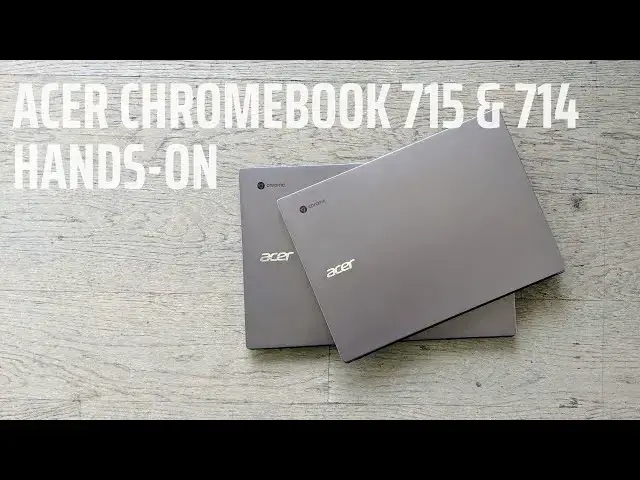
at today's Global press event acter
0:02
dropped two new Chromebooks the
0:03
Chromebook 714 and 715 14 and 15in
0:07
devices respectively built all of
0:09
aluminum with full HD screens and some
0:12
nice little extra perks aimed directly
0:14
at Enterprise customers so we want to
0:16
take just a few minutes and go Hands-On
0:18
with these and look at some of the finer
0:27
details this video is brought to you by
0:30
VPN they the VPN of choice for millions
0:32
of users Chromebook users iOS users
0:35
Android users doesn't matter they will
0:37
secure your browsing history and they do
0:39
it better than anybody else if you'd
0:40
like to learn more go to chrom onbox
0:42
dcom nordvpn to get started today so as
0:45
we talked about we've got a 14 and a
0:48
15in device here and they share a ton in
0:51
common with one another the aluminum
0:53
they made of for instance feels the same
0:55
the hinges look the same all that kind
0:56
of stuff so aesthetically there's a lot
0:58
of similarities here but there are a few
1:01
differences and we want to talk briefly
1:03
about those so with the 14in version
1:06
you're still getting a full HD screen 14
1:08
in here uh 15.6 on the larger one but
1:12
you don't get the numeric keypad we'll
1:14
talk about that here in just a second
1:15
with the 15-in model and here on the
1:18
14-in one this feels like a pretty
1:20
standard Acer keyboard which is to say
1:22
it it feels okay um it's back lit and
1:25
feels kind of what you would get on any
1:27
other Acer device you get this nice
1:30
Gorilla Glass trackpad and if a lot of
1:32
this seems familiar well the Acer
1:33
Chromebook 514 uh shares a lot of these
1:36
same things but the aluminum used here
1:38
is a little darker uh it it just feels
1:40
more substantial in a little higher
1:42
quality you've got touchscreen as an
1:44
option here as well but then you also
1:45
get a finger print scanner right on the
1:47
deck so once you go through the out of
1:49
box experience and set it up you can
1:50
just open the lid up touch that and be
1:53
logged in which is a really really nice
1:54
addition so let's move on to the 15.6 in
1:57
version which is the one I'm a little
1:59
more interested in honestly um Again
2:02
full HD screen not the brightest thing
2:04
in the world but it is anti-glare so it
2:06
does knock down light if it looks a
2:08
little dark in the video we're under a
2:10
lot of sunlight right now so this is a
2:11
very very bright environment we put it
2:13
up next to a couple different
2:14
Chromebooks and it looks like it kind of
2:16
stands toe to- Toe with stuff like the
2:18
HP Chromebook 14 or the new Asus um
2:21
Chromebooks and so it's it's not crazy
2:24
dim it's not crazy bright it kind of
2:25
sits right there in the middle but we
2:28
get the same Gorilla Glass trackpad here
2:29
and then you get the addition of the
2:31
numeric keypad over here which is going
2:32
to be really nice for Enterprise uh for
2:35
people that are going to have to do a
2:36
lot of data entry and so if you're used
2:38
to having that uh keypad over here and
2:41
you are quick with these things it's
2:42
nice to have that addition over here
2:44
just for productivity and then again
2:46
you've got the fingerprint scanner down
2:48
here but one thing I want to mention
2:49
here on this backlit keyboard is this
2:51
one feels like a a slight upgrade from
2:54
what we normally get with Acer
2:56
Chromebooks and in general it just
2:57
there's a click mechanism in here that
2:59
just feels better than most Acer
3:01
Chromebooks and I kept returning to this
3:04
on the showroom floor just because I
3:06
wanted to keep typing and typing on it
3:08
it it there's just a nice click that
3:10
goes along with this keyboard uh great
3:12
travel I think this is going to be a
3:14
much nicer typing experience than what
3:17
you get on most Acer devices both of
3:20
these are going to start at $4.99 and
3:22
that's going to be with a Pentium it's
3:24
the newest Pentium processor that's
3:26
available then there's going to be the
3:27
Celeron uh core I3 and core I5 versions
3:30
all the way up to 16 gigs of RAM um so
3:34
we're not sure what those prices are
3:35
going to be as you keep getting more and
3:36
more features built into here but we do
3:38
know that they're going to start at
3:39
$4.99 supposedly available around July
3:42
time frame so look kind of Midsummer we
3:44
should be seeing these start to show up
3:46
but overall I think acter has put
3:49
together a a pretty compelling package
3:50
here with the all aluminum design uh
3:52
it's just kind of minimalistic it's here
3:54
it gets the job done it feels good it
3:57
looks good in the hand it's going to
3:58
look good on a desk and again with this
4:00
one you get an enhanced typing
4:02
experience I think that's better than
4:03
most things that Acer offers in the
4:05
Chromebook space but guys that's it for
4:07
this one if you liked it give it a
4:09
thumbs up hit the Subscribe button down
4:11
below and until next time we'll see you